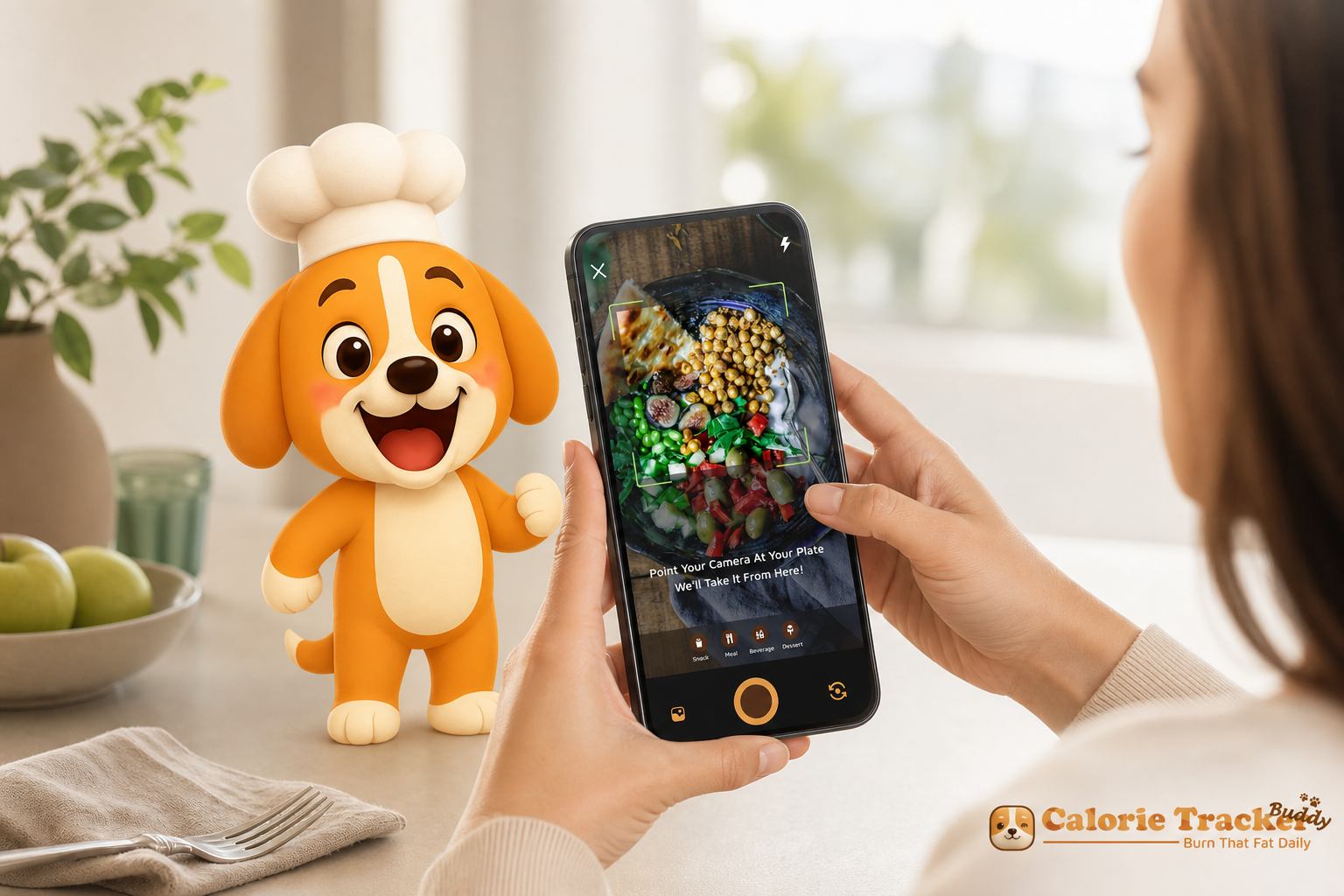
If your calendar is stacked, ai photo calorie counting turns “I’ll log it later” into “snap and done.” In one quick photo you capture calories and full macros without breaking stride, so tracking finally fits a busy day.
**Get instant photo logging → Accuracy of nutritional breakdown (full macros, not just calories)
Calories alone don’t tell you why you feel full, sluggish, or ravenous at 4 p. m. You need carbs, protein, and fat broken out at each meal. That macro view helps you adjust lunch if breakfast skewed too carby, or bump protein if a workout is planned. For background, see the role of macronutrients in diet on Wikipedia. Why it matters: Macros shape satiety and performance, and real-time visibility shows how each choice pushes you toward or away from today’s goals. Seeing them in context helps you rebalance the day without guesswork, turning “I’ll be better tomorrow” into “I’ll be smarter at dinner.
3) Offline capability (log anywhere, sync later)
Dead zones happen: subways, flights, basements, rural routes. If logging stops when signal drops, consistency breaks. Offline-first logging with automatic sync keeps your streak alive without you doing extra work. Pro move: Treat offline mode as a safety net on commute days and travel weeks, snap now, let sync happen later. That way your routine survives red-eye flights, underground commutes, and spotty rural service, and you never have to backfill entries when you finally reconnect.
4) Real-time feedback (context against daily goals)
A number without context is hard to act on. You need instant “what this means” guidance: how this meal affects today’s calorie budget, macro balance, hydration, and steps. Immediate context teaches you faster than long weekly summaries. What to look for is a clean “after this meal” dashboard that shows projected totals for the day and gentle suggestions you can apply to the next decision. When feedback appears in the moment, every snap becomes a micro-lesson that compounds into better choices by week’s end.
5) Low-maintenance motivation (nudges that don’t add tasks)
You don’t need another to-do list. You need light nudges that work in the background: streaks that don’t punish you for a missed day, a visual cue that grows with good choices, or goal predictions that show progress without micro-managing. Passive motivation sustains busy people better than heavy accountability systems. Bottom line: Motivation should be a tailwind, not another checkbox. If it feels like work, you’ll stop when work gets busy, so choose a design that quietly rewards consistency and forgives inevitable off days.
Quick spec snapshot for buyers
- Photo-to-result target: < 5 seconds
- Must show macros per meal: carbs, protein, fat
- Works offline: logs meals/exercise, auto-sync later
- Instant context: daily goal impact after each meal
- Motivation: streaks or growth visuals that don’t add tasks
For a deeper look at how image models read food, you can skim this practical explainer: ai photo recognition, it shows what modern models can detect and where human tweaks still help.
Trust signals at a glance
Authority is clear and familiar: the app is available on Google Play and integrates with Google Fit, so it plugs directly into your Android health stack with credentials you already recognize. That reduces friction at setup and builds confidence that your steps and activity will sync like clockwork. You get a recognizable install flow, permissions you understand, and a store listing that is easy to revisit when you want to update or reinstall.
Security and privacy are addressed by an offline-first capture flow that keeps you in control of when your data moves. You can log meals without a connection, see them on device, and let syncing happen later when you’re ready or when service returns. The approach prioritizes continuity of your routine without forcing you to upload everything immediately.
A testimonial adds the human lens that numbers alone can’t provide: “Logging meals is fun now, just snap a photo and boom, done. And the little buddy? It keeps me smiling and coming back.” Knowing that another busy person felt the process become enjoyable hints that the app’s design choices reduce friction as intended.
Already on Android? Download from Google Play to get instant photo logging and Google Fit syncing without juggling multiple apps.
- Trust signal categories covered (quick checklist):
- Testimonial: Real users share outcomes and in-the-moment impressions throughout this page.
- Authority: Available on Google Play and integrated with Google Fit, aligning with your Android health stack.
- Security/Privacy: Offline-first capture with user-controlled sync, so you decide when data moves.
Also Read!
Calorie Tracker Buddy vs Lose It! for Weight Loss: Which Is Better for AI Photo Calorie Counting?
How Calorie Tracker Buddy Makes Photo Logging Effortless
Blazing-fast photo scans
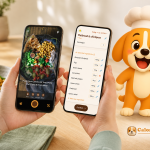
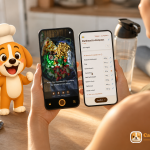
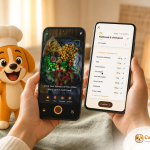
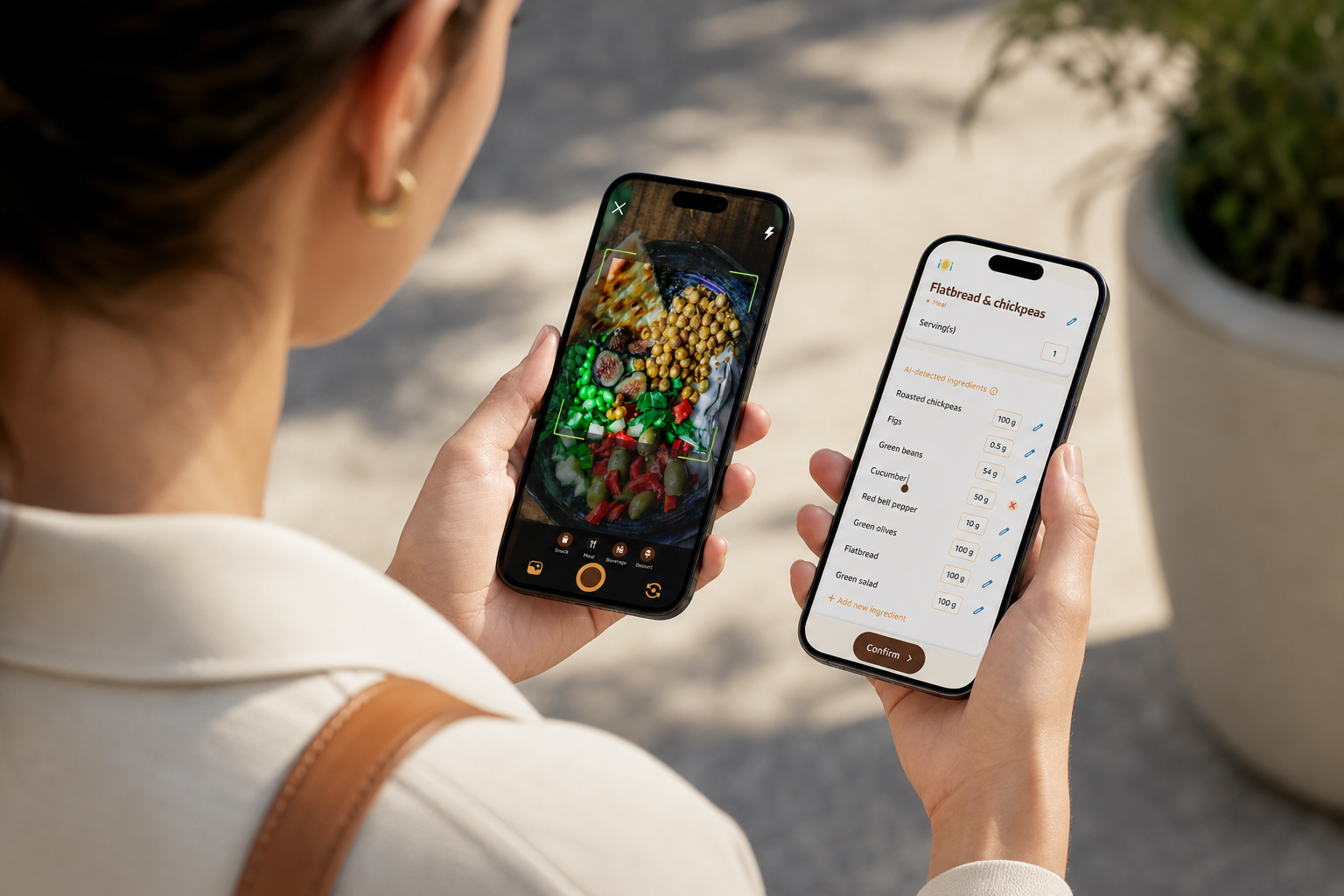
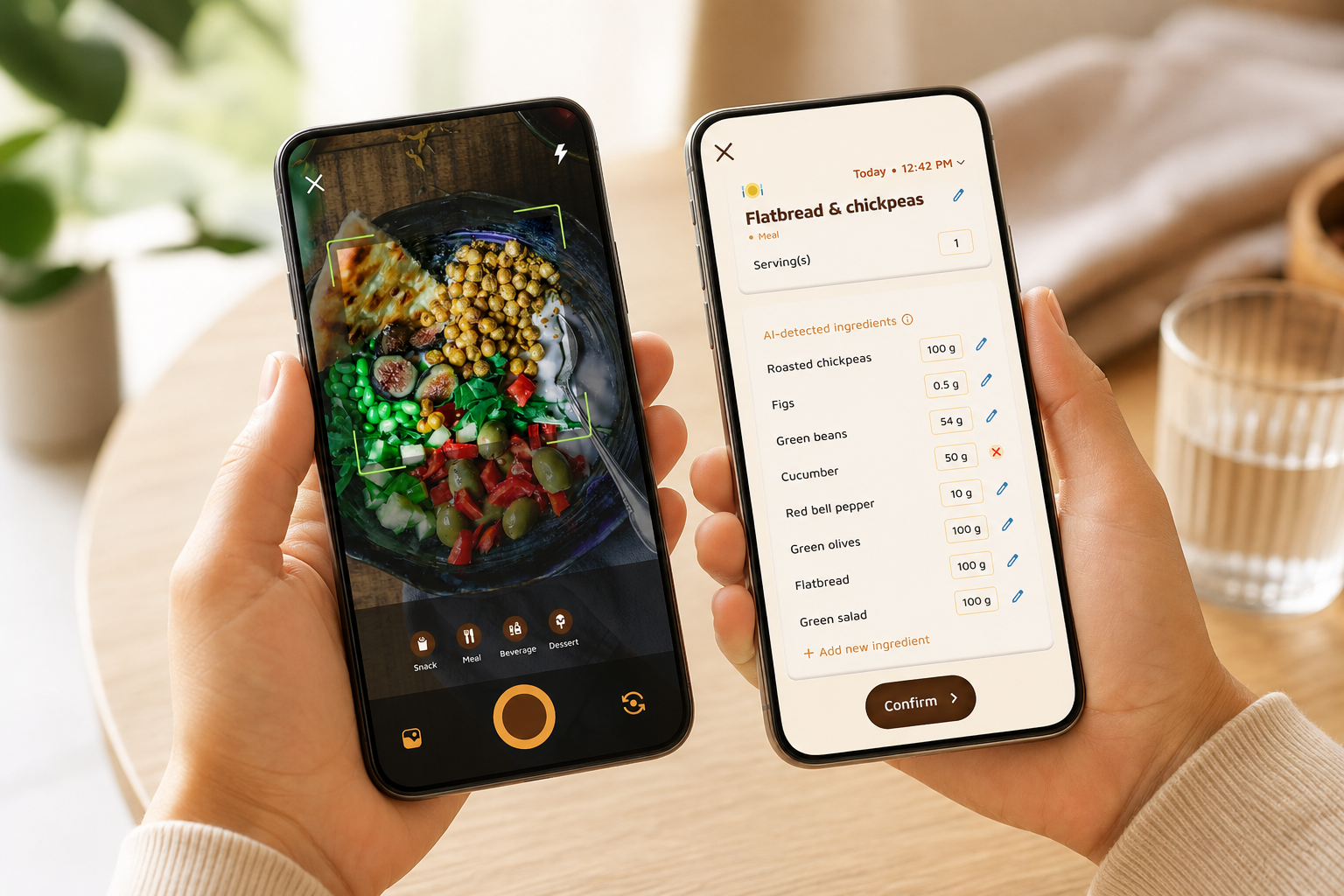
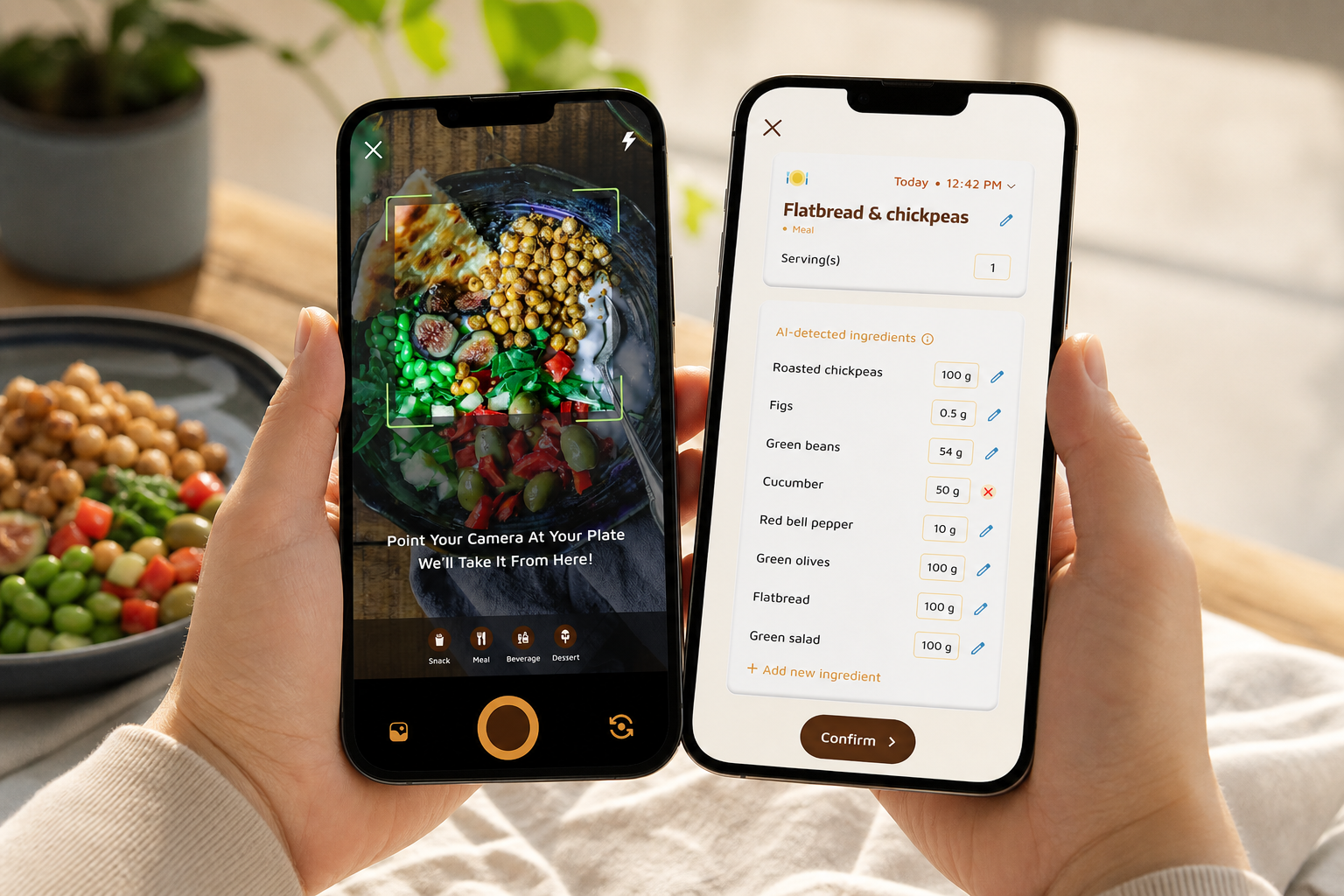
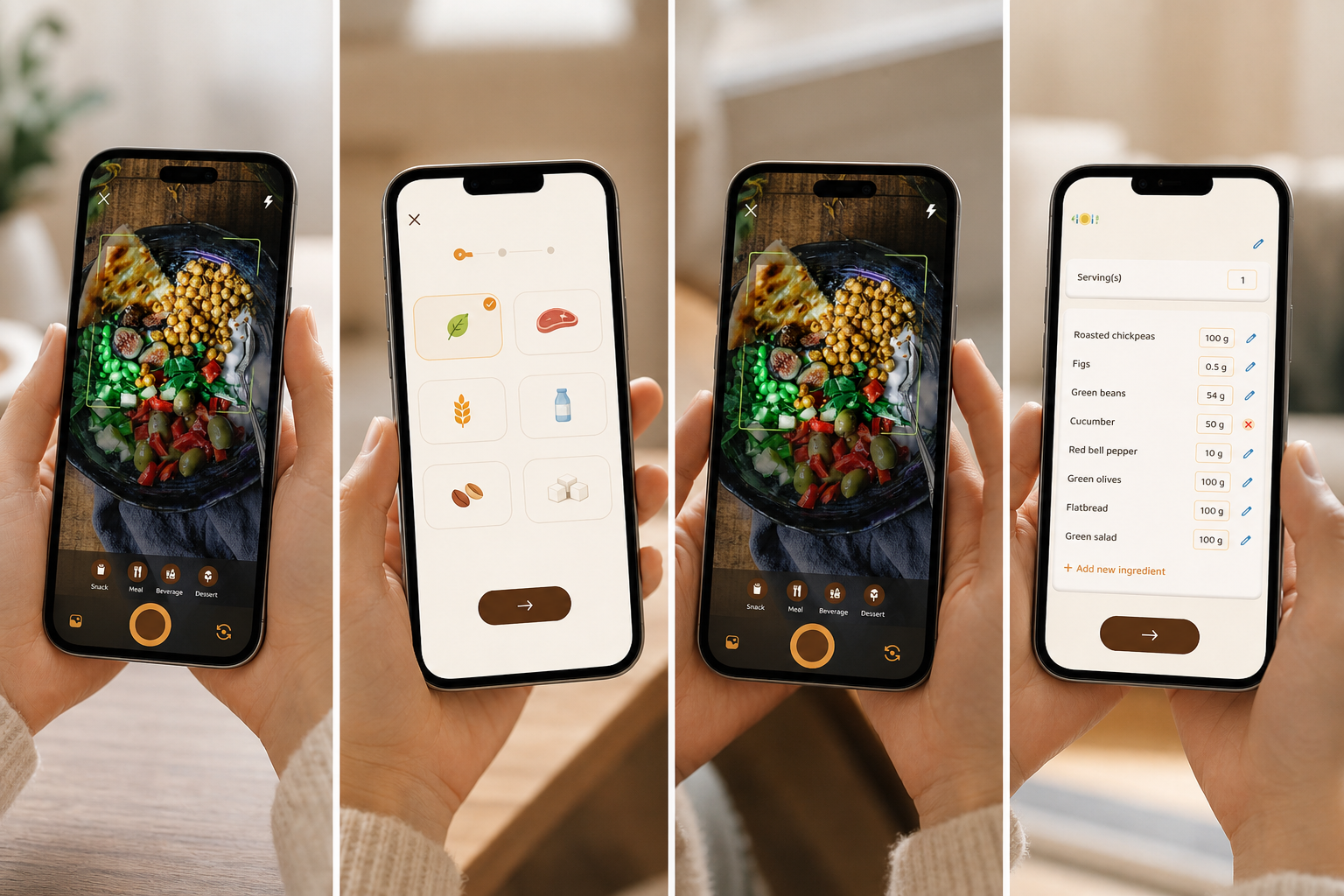
Calorie Tracker Buddy is built around speed. You snap a photo, and a clean card appears with calories and full macros in a blink. That flow nails the first buying criterion. It’s fast enough to use while you walk, and that’s what keeps you logging through a full workweek. This is where ai photo calorie counting earns its keep: it removes steps without making the data simple or superficial.
- The “tap-snap-see” loop:
- Open the camera in-app (or from the home screen shortcut).
- Snap your meal from a clear angle with good light.
- See calories and macros appear in under five seconds, then move on with your day.
Instant context and accuracy
Accuracy goes beyond a single number. Each meal shows carbs, protein, and fat right next to calories, so you can balance across the day. If breakfast skewed high-carb, you’ll spot it and add protein at lunch. That tiny, real-time shift adds up by Friday.
Moreover, the app gives instant feedback with goal predictions. After each meal, you can see how the choice nudges you toward or away from today’s targets. That removes guesswork.
As Aanya Rastogi put it, “The meal snap feature is a big improvement. I love how the app gives me tips and feedback in real time.”
That mix, photo speed plus context, lets you “course-correct now,” not “review and regret later.
Works offline, syncs later
Offline logging is built in. You can photograph airplane meals, subway snacks, or gym shakes in underground parking and they queue up. Then, as soon as you’re online, everything syncs. You don’t have to remember to re-enter anything. If you’ve quit other apps after a trip or a long commute, this one detail fixes the break in routine.
The offline scenarios covered are the exact moments when most trackers fail. Flights with no Wi‑Fi, underground commutes where signal drops between stations, and rural routes on road trips all become non-issues because your photos save locally and sync once you reconnect. Even when you’re bouncing between office buildings or parking garages, that continuity means the habit never breaks and your daily picture stays intact.
When you’re offline, a few small habits make results clearer once analysis kicks in. Take two quick angles if the dish is mixed or layered so the system sees more texture and components; syncing will merge and analyze when back online. Include utensils or a hand for subtle scale cues that improve portion estimates, and when light is low (like on red-eye flights), slide the plate toward a reading light or window for a sharper snap that the model can parse more confidently.
All-day picture, auto-synced
In addition, Calorie Tracker Buddy tracks the full picture: calories in and out, macros, water intake, exercise, and steps. It syncs steps and activity with Google Fit, so you don’t waste time entering workouts or guessing calorie burn. Those real-time step and burn updates make each day feel live, not lagged.
What updates without extra work is simple to understand and easy to trust. Steps and active minutes flow in from Google Fit, calorie burn estimates reflect your activity feed, macros populate automatically from each snap, and water goals sit alongside everything else on one clean dashboard. Because the pipeline is automated, you spend your energy making better choices rather than transcribing numbers across apps.
Diet-aware customization
Customization matters when you have preferences or allergies. You can set dietary flags so meals are recognized and scored in the way that fits you. That means better tips for vegan days, gluten-free needs, keto experiments, or nut allergies. It adapts to you instead of forcing you to adapt to it.
In practice, these settings translate into smarter context the second you start snapping. Choose vegan and the recognition engine prioritizes plant-based macro matches and suggests protein-forward add-ons that fit. Mark gluten-free and guidance steers away from wheat-based sides by default, surfacing alternatives that keep your balance intact. If you flag a nut allergy, the app’s nudges avoid common nut-containing add-ons so you can keep momentum without second-guessing every suggestion.
Motivation without micromanagement
Staying engaged shouldn’t feel like a chore. The virtual buddy grows as you make healthier choices. It’s visual, light-touch, and forgiving.
As Pooja Rao said, “Logging meals is fun now—just snap a photo and boom, done. And the little buddy? It keeps me smiling and coming back.”
You aren’t punished for a missed day; you’re nudged back in. The character’s growth gives you a small, satisfying signal that you’re trending in the right direction, and because it doesn’t demand checklists or manual streak maintenance, you keep going even when deadlines pile up. That’s the essence of motivation that fits a busy life, gentle, ambient, and always available.
On-the-go wins plus restaurant help
Finally, food on the go is where many apps stumble. Calorie Tracker Buddy’s goal predictions and real-time feedback show meal impact before the afternoon slump hits. Paired with its AI Menu Scanner for restaurant items and its water and step targets, you get a tight loop: snap, see, adjust, move on.
If you want a deeper primer on features that matter in snap-based logging, this short guide is handy: photo calorie counter features.
- Quick Menu Scanner tips for better calls at restaurants:
- Point the camera at the menu text first to identify items, then snap the dish for portion context.
- Ask for sauces on the side so macros are easier to gauge and adjust.
- For shared plates, snap before serving and again after you portion—helpful for more accurate splits.
Quick comparison with popular alternatives
Quick highlights snapshot (fast read)
If you want the speed benefits immediately, you can get instant meal scans today; macros are available with each recognized dish; offline mode is supported with meal/workout logging and automatic sync later; real-time feedback includes goal predictions that show how every meal affects your day; motivation is passive thanks to a virtual buddy that grows with healthy choices rather than micromanaging; and Fitness Coach mode provides tailored tips and challenges when you’re ready to level up.
Below is the same information in a clean, scannable table for quick decisions:
| Feature | Calorie Tracker Buddy | Lose It! | FatSecret |
|---|---|---|---|
| Photo logging | Get instant meal scans today → | Manual/limited photo options | Manual/limited photo options |
| Macros per meal | Macros available | Macros available | Macros available |
| Offline mode | Yes; logs meals/workouts and auto-syncs later | Limited/offline support varies | Limited/offline support varies |
| Real-time feedback & goal predictions | Immediate context; shows how each meal affects goals | Basic logging; limited predictive context | Basic logging; limited predictive context |
| Passive motivation | Virtual buddy grows with healthy choices (no micromanage) | Streaks and badges | Community support, diaries |
| Fitness coaching features | Fitness Coach mode with tailored tips and challenges | Not focused on coach tools | Not focused on coach tools |
Where competitors do well, we say so. Lose It! is strong for barcode scanning and its long-standing database. FatSecret’s forums create social accountability that many people value. If that’s what you need, they’re worthy options.
However, a few honest differences help busy users. Offline logging with auto-sync is rare, and Calorie Tracker Buddy lets you keep going during flights or in subways without losing streaks or backfilling entries when you land. The virtual buddy is unique in how it delivers passive motivation, no upkeep, no to-do list, yet it still keeps you engaged with pleasant visuals that reflect your consistency. Real-time goal predictions are more actionable than basic logging because you see the impact of this specific meal on today’s balance, which helps you adjust the very next choice. Fitness Coach mode adds personalized tips based on your activity and progress, turning patterns into timely nudges rather than one-size-fits-all advice.
The proof shows up in outcomes. Alex Sim said, “I’ve been using Calorie Tracker Buddy for five weeks, and I’ve already lost 4kg! Plus, I didn’t have to cut out my favorite foods. It’s all about balance!
That’s a busy-lifestyle win, not a bodybuilder’s plan. And as Sandy T shared, “Not only have I lost 5kg, but I also feel more energized.” Results follow consistency, and consistency follows lower friction.
For a deeper side-by-side from different user angles, these explainers help.
Also Read!
Trust Signals: What the Numbers and Credentials Show
Trust should be earned with data, not hype. Calorie Tracker Buddy tracks calories in and out, full macros, water, exercise, and steps in one place. That depth reduces app-juggling and keeps your daily picture correct. Real-time updates on calorie burns, meals, steps, and goal progress mean the numbers you see match what you did, right now, not hours later.
Anchors you already recognize
Daily targets align with familiar health guidelines: 10,000 steps per day and 2.5 liters of water. Those aren’t random badges, they’re simple anchors to keep you moving and hydrated. The app brings them forward with a gentle tone, not pressure. Over time, those anchors become a steady rhythm, you notice when you’re falling behind on hydration at lunch, not when you’re exhausted at 9 p. m. The combination of predictable baselines and light reminders builds stability without noise.
Works smoothly with your Android health stack
Interoperability matters too. Syncing with Google Fit means step counts and active minutes flow into your day view without manual entry. Less typing, fewer gaps, better data. When your phone already tracks movement, it’s a relief to see that effort flow into your nutrition picture automatically. This reduces duplication and avoids conflicting numbers that can erode trust.
Built for real dietary needs
Nutrition isn’t one-size-fits-all. Dietary preference and allergy customization tells you the system is built for real lives. Whether you’re vegan this month, gluten-free long term, or managing a nut allergy, you get feedback that matches your plate, not a generic warning. That respect for context is a trust builder, when the app understands your boundaries, its nudges feel like help rather than correction. You stay in control, and the software stays unobtrusive.
Consistency that shows up in outcomes
Finally, results show a pattern, not a one-off. Multiple users report measurable changes, 4kg in five weeks (Alex Sim) and 5kg with improved energy (Sandy T). Photo-first logging keeps the barrier low; low barriers keep you consistent; consistency moves the needle. The loop is straightforward: quick capture leads to accurate feedback, which makes it easier to make the next decision slightly better. That compounding effect is how busy people win without perfection.
Additional trust signals (beyond testimonials)
Authority is demonstrated by availability on Google Play and native integration with Google Fit, which places the app within the Android health ecosystem many users rely on daily. Store distribution provides a familiar installation path and a simple way to stay current with updates.
Security and privacy considerations are built into the offline-first approach. You can capture meals without a connection and let syncing happen later, which gives you control over when data moves between devices and networks. That design choice minimizes exposure in low-connectivity settings and preserves your ability to log consistently, even when you choose not to upload immediately.
These signals complement the social proof provided by real users quoted throughout this page. Together, they form a practical picture: recognized distribution and integrations, deliberate privacy design, and human stories that mirror the situations you face in a packed week.
“The meal snap feature is a big improvement. I love how the app gives me tips and feedback in real time.” — Aanya Rastogi
If you want more practical tactics to save time as you track, these quick reads can help you set up smart habits: calorie counting hacks.
Privacy and security highlights for busy environments
- Offline-first capture means meals are saved locally first, so you decide when to sync.
- You can review entries on-device before syncing, which helps you confirm accuracy and timing.
- Automatic sync resumes when service returns, preserving continuity without forcing immediate uploads.
Also Read!
How to Track Calories with Photos When You Barely Have Time to Eat
How to Get Started in Under 5 Minutes (Even on Your Busiest Day)
You don’t need a perfect day to start. You need 300 seconds and a real meal.
Step 1: Download and set your preferences
- Open Calorie Tracker Buddy. Set dietary preferences and any allergies so the app gives tailored feedback from day one. That one choice saves corrections later.
Step 2: Snap your next meal
- Don’t pre-plan. Photograph what you’re eating right now. Photo-based tracking does the heavy lift and returns calories and macros. No database digging required.
Step 3: Let the app set your baseline
- Watch goal predictions show how this meal affects progress. You’ll see whether you’re on track or need a small tweak at dinner. That’s real-time coaching without the lecture.
Step 4: Connect Google Fit
- Sync steps and exercise so activity logs itself. Your calorie burn and step counts will update live. That removes a daily chore.
Step 5: Meet your virtual buddy
-
It starts small and grows with your consistency. This light, visual cue builds momentum without adding another task to your list.
-
Optional speed test for busy days:
-
Time one snap during a natural pause (elevator or coffee pickup).
-
Confirm macros show up in under five seconds.
-
If it fits your pause, it fits your routine.
Pro tip for the ultra-busy: Use offline mode during commutes or flights. The app will auto-sync everything once you’re online. That protects your streaks and your sanity.
The whole setup takes less time than ordering a latte. Start with one photo today. This is where ai photo calorie counting feels like a shortcut you can trust.
Coach with tailored tips today →
Photo tips for faster, clearer results
- Use natural light when possible; move the plate near a window or lamp if the scene looks dim.
- Hold the phone steady at a slight angle so the model sees both surface details and portion depth.
- Include a consistent scale reference (utensil, hand, napkin) to help portion estimation.
- For mixed dishes, snap two quick angles, then add a short note if a key item might be hidden.
- Avoid busy backgrounds; a clear table or tray helps the model focus on the plate.
- Wipe the lens and wait a beat after snapping to confirm the macro card appears as expected.
Offline mode playbook for commuters and travelers
- On subways or flights, capture as usual; the app queues everything locally until signal returns.
- When you surface or land, open the app once to let sync complete automatically.
- If you took multiple angles, keep both; analysis can merge context for better estimates.
- On long trips, make a quick habit: snap, sip water, then check the “after this meal” projection when you’re back online.
- Use the queued view as a mini checklist to ensure nothing gets lost between time zones.
FAQ: AI Photo Calorie Counting for Busy People
- What is ai photo calorie counting?
It’s the ability to snap a picture of your meal and get calories plus full macros in seconds. Instead of typing and hunting through databases, the app reads your photo and logs it instantly—perfect for quick switches between meetings.
- How accurate is the macro breakdown?
The app shows carbs, protein, and fat alongside calories so you can balance the day in real time. For a practical look at what modern image models see—and where human judgment still helps—skim this explainer: ai photo recognition.
- How fast should the recognition be?
Under 5 seconds is the benchmark. That fits into natural micro-pauses like elevator rides or coffee pickup—fast enough that logging becomes a reflex, not a chore.
- Does it work when I’m offline or on a flight?
Yes. You can capture meals in offline mode and the app will auto-sync later. This covers flights, subways, basements, and rural dead zones, so your streak doesn’t break just because your connection did.
- Can it handle restaurant meals and shared plates?
Yes. The AI Menu Scanner helps with restaurant items, and quick snapshots reduce guesswork when dishes are shared. For messy, mixed meals, snap from a couple of angles so the system sees key items clearly.
- Will it respect my diet and allergies?
You can set dietary flags and allergies so meal recognition and nudges align with your needs—vegan, gluten-free, keto experiments, or nut allergies included.
- Does it integrate with my step tracker?
It syncs with Google Fit, so steps and active minutes flow into your daily totals automatically—no extra typing, no missed activity.
- What kind of motivation does it use?
Low-effort, passive motivation. A friendly virtual buddy grows with your healthy choices and doesn’t punish you for a missed day. The focus is progress, not pressure.
- How private is this?
Offline-first capture means you can log meals without a connection and let syncing happen later, giving you control over when data moves between devices. It’s available through Google Play and uses the Android ecosystem you already trust.
- I’m traveling or in crunch time—will it still help?
That’s the point. Offline-first logging, real-time goal predictions, and quick snapshots mean you can stay consistent during red-eye flights, client lunches, and jam-packed weeks—exactly when old-school manual logging falls apart.
- What devices does it work with?
It’s available on Android via Google Play and syncs with Google Fit for steps and activity. If you’re already using an Android phone with Google Fit, setup is quick.
- What if the photo misses an item on the plate?
Take a second angle, add a quick note, or snap components separately (e. g., sauce, side). Clear lighting and a single-plate view help the model identify items more reliably.
- Can I track water and steps alongside meals?
Yes. Water intake and steps sit next to calories and macros so you see the full daily picture and how each choice affects your goals.
- Does it need the internet to analyze photos?
You can capture meals offline; analysis and syncing complete automatically when you’re back online. That way you never lose the moment to log.
Three Takeaways for Busy Schedules
- Friction, not willpower, breaks most tracking attempts. Fast photo snaps with instant context fix the stop-start cycle.
- Full-day context matters more than single numbers. Calories plus macros, steps, hydration, and activity tell the whole story.
- Offline logging and low-effort motivation keep you on track during travel, commutes, and crunch weeks.
If you’ve tried and quit other trackers, try one meal today. Snap, see, and move on. Your schedule stays intact, and your plan finally sticks.