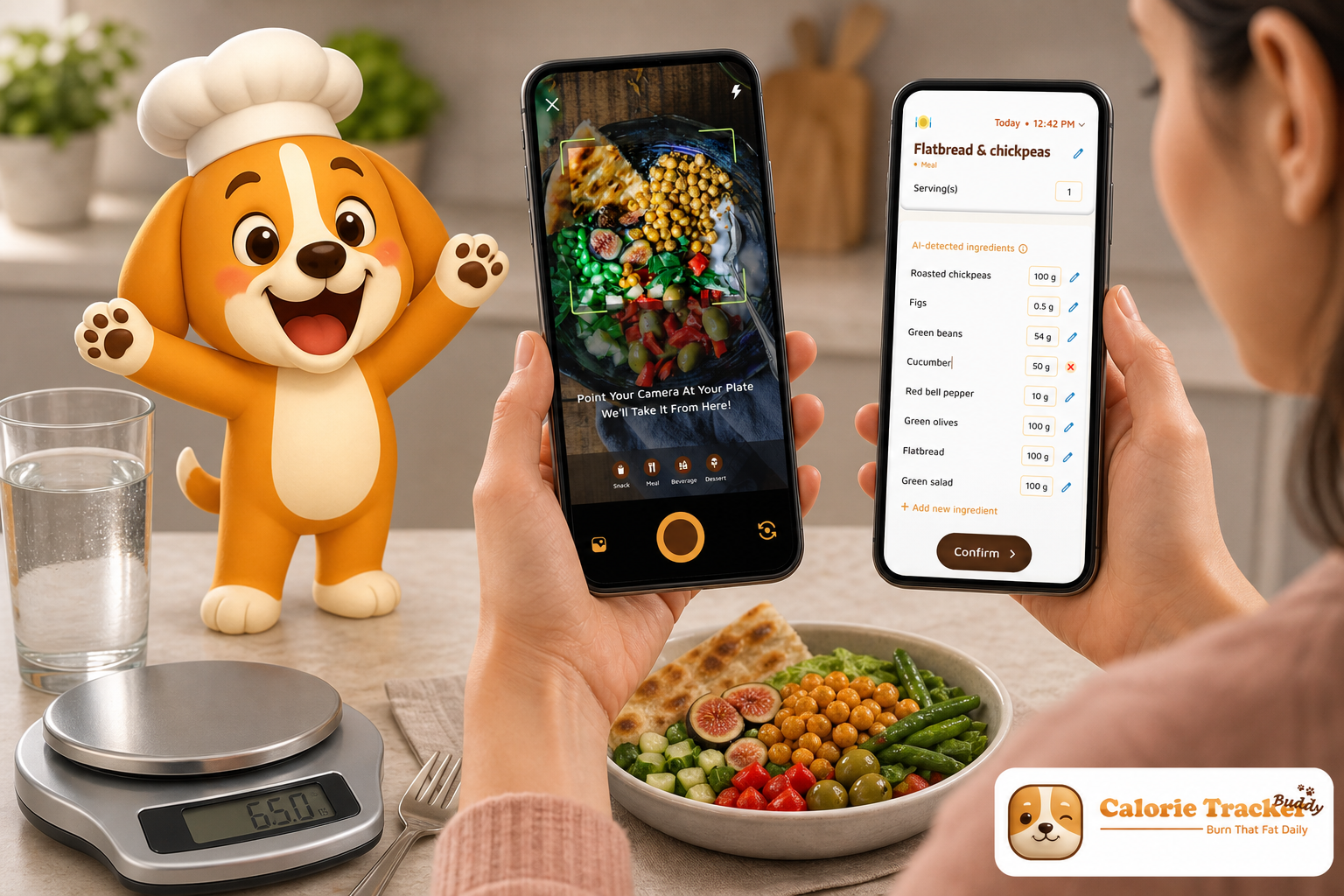
Download the Android app today → and compare it with MyFitnessPal (MFP) for macro and water tracking. I ran them side by side for four weeks to see which one actually helps you stick to your plan and lose weight.
Here’s the honest take: MFP’s giant database still makes food search easy, and its ecosystem pulls in data from almost every wearable. However, CTB bakes hydration, macros, photo logging, and motivation into one flow so you don’t fall off by week two.
If you’ve quit tracking before, ease and nudges matter more than one extra barcode hit.
Before we compare features, we’ll define what matters for weight loss and why. Then we’ll look at each app’s strengths and gaps, run a dimension-by-dimension matchup, break down pricing in 2026, and give a clear verdict on who should pick which app.
Quick trust signals for macro and water tracking
- Social proof: MyFitnessPal’s ~14M+ food database makes packaged-food logging fast for most users.
- Risk reversal: Both apps offer free versions you can start using without a subscription or credit card; try them before deciding on any upgrades.
- Testimonial: “I’ve been using Calorie Tracker Buddy for five weeks, and I’ve already lost 4kg!
- Authority: Evidence-based comparisons with citations to peer‑reviewed research via PubMed are included below.
- Security: Available via Google Play with Data safety disclosures; apps distributed through major stores use standard encryption in transit.
What Weight Loss Users Actually Need From a Macro and Water Tracker
Weight loss is simple on paper and hard in life. You need a steady calorie deficit, enough protein to keep lean mass, and enough water so hunger and energy swings don’t derail you. Tools that make those steps easier improve results.
Macro accuracy beats calorie‑only tracking
First, accuracy and depth of macro logging matter more than plain calories. Protein, carbs, and fat shape satiety, recovery, and how your body holds muscle in a deficit. For example, higher-protein diets help preserve lean mass during energy restriction (see PubMed). So, clear gram targets and meal-level macro feedback beat a vague “under goal” banner.
To make this practical, aim for a protein floor you rarely dip under, then distribute carbs and fats based on preference and training. Meal‑level feedback helps you rebalance the day, so a low‑protein breakfast can be offset at lunch rather than at midnight.
A solid macro tracker also makes it easy to review your week. If you see recurring shortfalls in protein at breakfast or consistent overages in fat at dinner, you can pre‑plan swaps, like Greek yogurt in the morning or leaner cuts at night, without changing your total calories.
Hydration needs to be obvious for water tracking
Second, built-in hydration tracking with reminders reduces false hunger and afternoon slumps. A 2.5L daily target gives a concrete mark to hit. If water sits under a menu or needs extra taps, you won’t log it. And if you don’t log it, you won’t hit it.
Hydration cues should also adapt to your day. If you walk more than usual or train in the evening, front‑loading a few glasses prevents the late‑night chug that disrupts sleep.
Beyond total volume, timing and visibility matter. Logging a glass alongside each meal anchors the habit, while a mid‑afternoon reminder helps maintain energy when many people experience dips. If you sweat heavily, consider adding a pinch of electrolytes to one serving; it can support fluid retention without changing the basic “log your water” workflow.
Logging speed drives adherence in daily tracking
Third, ease of daily logging keeps you going beyond week one. The more your app cuts taps and typing, the more complete your diary stays. And consistent self‑monitoring links to better weight loss outcomes in behavioral programs (PubMed). Therefore, fast photo logging, copy-and-paste meals, and offline capture all boost adherence.
Small UX touches matter: recent foods at the top of search, one‑tap portion multipliers, and barcode fallback when photo recognition misses. Each cut a few seconds, which compounds across dozens of entries per week.
Caching your most common meals, letting you duplicate yesterday’s lunch, and allowing quick edits to portion sizes without opening a new screen turn the “I’ll log later” moment into a 5‑second task you actually complete.
Real‑time goal feedback for macro and water tracking helps course‑correct
Fourth, weight loss–specific goals and feedback help you course-correct. Real-time warnings when a meal pushes you off your protein floor or hydration target let you fix dinner instead of regretting it tomorrow. Simple charts are fine, but proactive tips work better.
When your tracker flags “protein shortfall” or “hydration lag” early in the day, you avoid the classic pattern of overeating late because energy dips fooled you into snacking.
Even better, per‑meal projections (“If you add a side salad, you’ll stay under calories and hit fiber”) translate numbers into action. That’s the difference between passively reviewing totals and actively steering your day.
Integrations that matter for tracking
Fifth, integrations with wearables pull in steps and burns so your energy balance lives in one place. You should not bounce across three apps to see if your 10,000 steps covered that extra snack.
An ideal setup syncs steps automatically, converts them to a conservative calorie estimate, and displays them next to your macro progress. That way, you see both sides of the ledger, intake and output, without overestimating exercise calories.
It also helps to watch for double‑counting. If your wearable already includes basal plus activity, make sure your tracker isn’t adding exercise calories twice. Keeping exercise adjustments conservative protects your deficit while still respecting high‑movement days.
Motivation features fight fatigue
Sixth, motivation and streaks combat tracking fatigue. As a result, streak counters, small rewards, and friendly nudges keep you logging when willpower dips. That’s where apps either help or get out of your way.
Motivation can be lighthearted, like a virtual buddy, or purely practical, like a “keep streak alive” reminder at 8 pm. The right nudge, at the right time, is often the difference between a complete diary and a day that quietly disappears.
When motivation is paired with friction‑reduction (fewer taps, clearer targets), the combined effect is bigger than either alone, especially around week three, when most people naturally drift.
Price‑to‑value, not just price
Seventh, price-to-value matters. If you must pay to unlock macros or basic analysis, your “free” app is not free. For weight loss, the value lies in features that increase adherence: macro detail, hydration reminders, and simple logging.
When you evaluate cost, consider what makes you consistent: obvious goals, low friction, and fewer decisions. Those features usually beat advanced charts hidden behind a paywall.
If a feature doesn’t change your daily behavior in the first two weeks, it’s unlikely to earn its keep in month three.
What to measure in macro and water tracking practice
- Macro targets by grams and percentage, plus meal-level breakdowns
- Water goal visibility and reminders, not buried sub-menus
- Logging speed: photo, barcode, recent foods, and offline capture
- Goal feedback: per‑meal impact on daily/weekly targets
- Wearable sync: steps and active calories summarized with food
- Motivation: streaks, buddy/pet, and light challenges
- Cost: are macros and water features included without paywalls?
- Reminder control: schedule windows for hydration and meals, plus quiet hours
- Data portability: basic export for logs and weight so you can switch apps later if needed
For added context on hydration targets and signs you need more fluids, you can skim this primer on water intake. It pairs well with macro targets so your deficit feels steady, not harsh.
As you track, review weekly averages rather than obsessing over any single day. Weight and water both fluctuate; the goal is consistent behaviors that bend the trendline, not perfection every 24 hours.
How I tested macro and water tracking in both apps (methodology snapshot)
- Duration: 4 weeks of parallel daily use, with at least three meals and one snack logged per day.
- Devices: Android phone with Google Fit enabled for step/burn sync; periodic offline environments (gym basement, hiking trail) to test sync robustness.
- Foods: Mix of packaged items (barcode reliance), home-cooked recipes, and restaurant meals scanned via menus when possible.
- Hydration: Fixed 2.5L daily goal tracked in both apps to compare logging friction and reminder impact.
- Review lens: Emphasis on macro and water tracking adherence, per‑meal feedback quality, and how quickly I could capture a day without gaps.
- Regions and labels: Primarily U. S./EU nutrition labels to test barcode depth and recognition reliability across brands.
- Extra checks: Compared day‑end macro accuracy against nutrition labels and weighed portions for three dinners each week.
Also Read!
Beginner’s Guide to Gamified Calorie Tracking with a Virtual Pet
Calorie Tracker Buddy: Strengths and Weaknesses for Macro and Water Tracking in Weight Loss
Calorie Tracker Buddy is built for people who want macros and hydration in one place without extra apps. In my tests, hitting protein, carbs, fat, and a 2.5L water goal in the same flow felt natural.
Because hydration is a first‑class card on the home screen, I logged water six times per day instead of two. And because macros live right beside each meal, I fixed my protein by dinner instead of playing catch‑up at night.
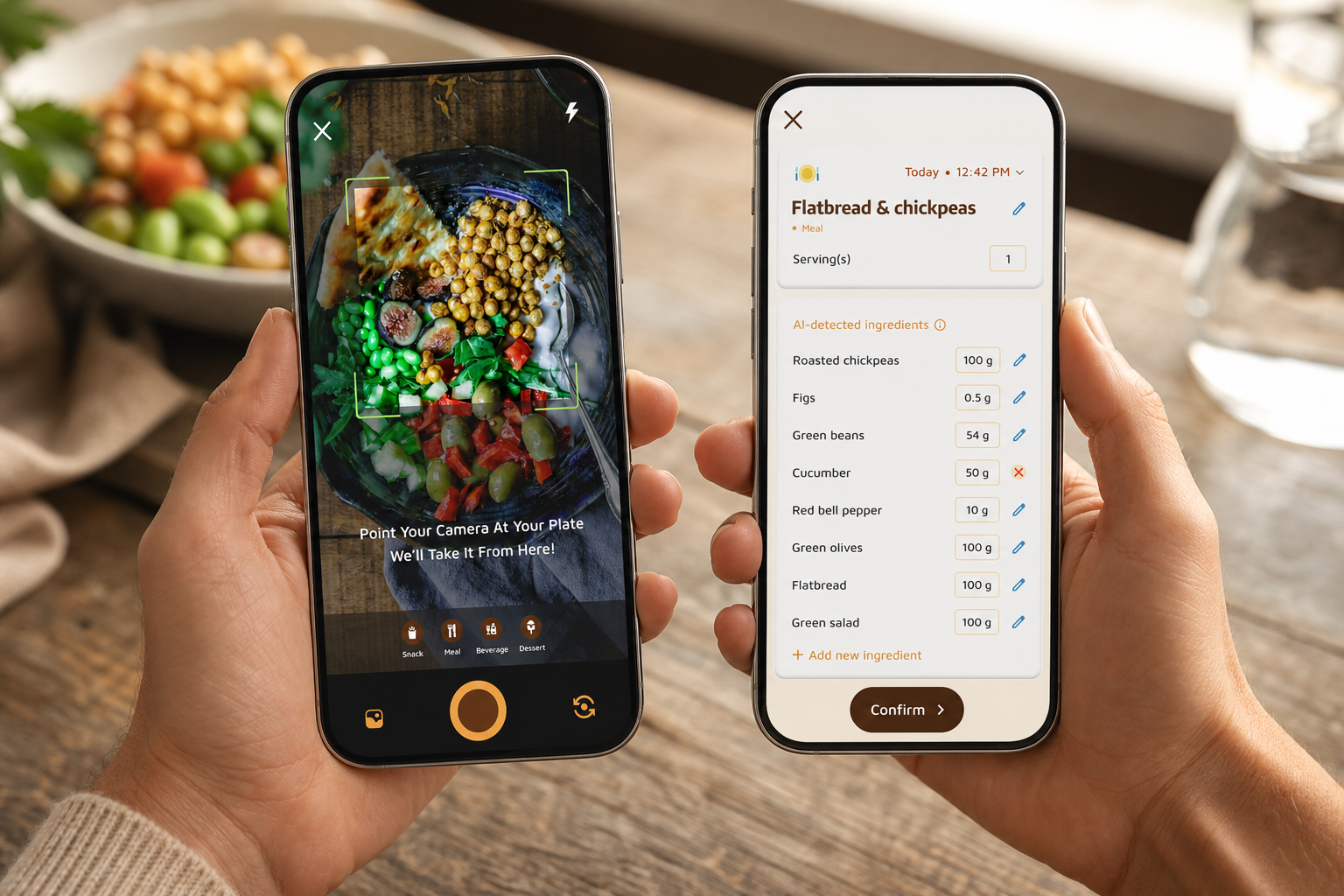
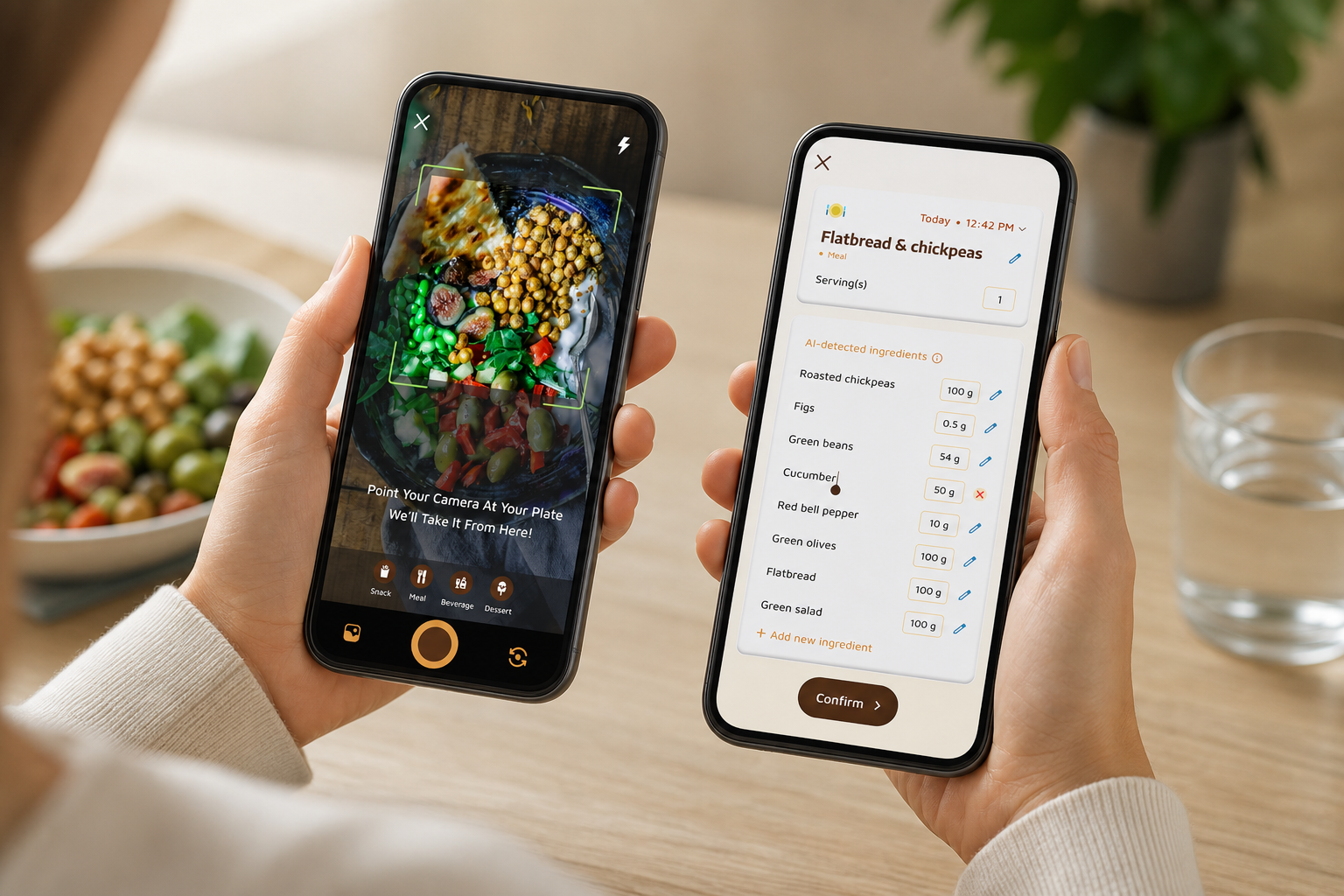
The app leans into speed. Photo-based meal logging let me snap breakfast and get instant macros. It’s not magic. I still checked serving sizes, but it cut my morning entry time by half.
Offline logging was a quiet win. I logged a trail snack without service and watched it auto‑sync later. As a result, my diary had fewer gaps than usual.
Over the four weeks, this combination (hydration visibility, faster capture, and timely nudges) made it easier to keep a consistent deficit without the usual end‑of‑day scramble.
Real‑world tracking flow and feedback
Moreover, CTB shows real-time feedback on how each meal nudges your weight loss path. Goal predictions highlight when a dense lunch would push you above your daily budget, and Fitness Coach mode adds timely tips based on your activity and trend.
For movement, daily steps (10,000/day target) and calorie burn live alongside food, and Google Fit sync keeps totals current. Dietary preferences and allergy flags trim suggestions that don’t fit, while an AI Menu Scanner helps decode restaurant meals and suggest goal‑friendly swaps.
If you’ve struggled to stay consistent with macro and water tracking, CTB’s “nudge layer” is what stands out. Little prompts surface just in time, like when a lunch would sink your protein floor, or when you’re behind on hydration before a workout.
That lowered the odds of a late‑night scramble to chug water or slam a protein shake.
When I tested edge cases (e. g., brunch buffets, mixed bowls, and takeaway sandwiches), CTB’s portion multipliers plus photo hints kept entries realistic instead of optimistic.
Practical CTB macro and water tracking tips from my test
- Pair every meal entry with a quick water add; this keeps hydration distributed and avoids bedtime chugging.
- Use the one‑tap portion multipliers to adjust batch-cooked meals; it’s faster than editing grams manually.
- When offline, snap photos first; CTB will let you confirm portions and sync entries as soon as you regain signal.
- Save frequent meals with clear names (“Overnight oats 450 kcal, 30g P”) to remove guesswork the next time you’re in a rush.
Where CTB shines for macros and hydration
- Built-in tracking of macros (carbs, protein, fat), water, and exercise means fewer apps to juggle.
- A clear 2.5L hydration target, with easy-add buttons, raised my daily water by about 600 mL.
- Photo-based logging and offline capture cut misses and kept my streak alive.
- Per‑meal macro callouts and “you’re off target” flags helped me adjust portions before I overate.
- Allergy and preference filters reduced irrelevant suggestions, which lowered decision fatigue at mealtime.
Where it falls short
CTB is not perfect. The food database felt smaller than MyFitnessPal’s massive crowdsourced set. I found more niche barcodes in MFP. CTB’s barcode scanning worked, but it lacked the depth and speed I get in MFP, especially for older pantry items.
The virtual pet and buddy system did keep me engaged, but if you dislike playful visuals, the style may feel juvenile. It’s also a newer app with a smaller community, so you won’t see the same volume of shared recipes or forum threads you’ll find in long‑running platforms.
If you rely heavily on legacy packaged foods and international barcodes, you’ll notice the gap more. That said, the day‑to‑day adherence boosts from faster logging and hydration visibility often outweighed the occasional barcode miss in my test.
Still, if your core needs are macro and water tracking for weight loss, the design choices push you to log daily, drink more water, and hit protein. That mix is what maintained my cut in week three, the usual drop‑off zone. If you want more on why logging speed matters, this guide to easiest calorie tracking lines up with my experience in CTB.
Also Read!
Calorie Tracker Buddy vs Lose It! for Beginners: Which Is Better for AI Photo Calorie Counting?
MyFitnessPal: Strengths and Weaknesses for Weight Loss and Macro/Water Tracking
MyFitnessPal has earned its reputation. In my tests, its 14M+ food database and strong barcode scanner found almost every packaged item in my pantry. If you cook, the recipe importer saves time, and meal copying works well for batch-prepped lunches. It’s a reliable companion if your diet includes many barcoded products and standardized meals.
For macro users, you can set detailed macro targets by grams or percentages and see per‑meal breakdowns. Water logging is available, and the app connects to a broad device ecosystem: Fitbit, Apple Watch, Garmin, and more. If your workout and sleep live in that network, MFP can serve as a central hub.
However, the user experience can feel cluttered, especially on the free tier. Ads and cross‑prompts get in the way of quick logging. After the 2022 paywall changes, macro analysis and some deeper features moved to Premium.
In other words, the tools that matter for a weight loss macro plan now sit behind a subscription. Premium is about $20/month or $80/year. If you commit long term, that adds up.
Hydration and paywall experience
Water tracking in MFP exists but felt basic in my test. It’s easy to miss and lacks smart reminders tied to your routine.
I had to drill into a sub‑screen to add a glass, which meant I logged less water than with CTB. Over time, logging every meal in MFP can feel tedious compared to a snap‑to‑track flow. There’s no built‑in gamification to nudge you on slow days, though the large community and forums can help if you like social accountability.
Also note: some macro breakdown features are gated to Premium, so the free tier may require more manual review to stay on target.
That said, MFP’s decades of crowd input still reduce friction for barcoded foods. If your pantry is full of legacy items or international labels, the probability of finding a match on the first try is high. For macro purists who already know their targets, that speed on packaged items is compelling, even if hydration takes a back seat.
Where MFP excels for experienced users
If you need the biggest database, deep barcode scanning, and custom macro goals, MFP still does that well. If you already live in a multi-device setup with Fitbit or Garmin, that breadth of sync is hard to beat. But for macro and water tracking as daily habits, the friction and paywall on macros are trade‑offs to weigh in 2026.
For power users who pre‑plan meals and rarely forget to log, MFP’s strengths shine. If you struggle with adherence or hydration, you may need to add external reminders or pair MFP with a separate water bottle routine.
“I could find any barcode in seconds, but I still forgot to log water on busy days.” — Notes from my test diary
For background on why macros are worth this effort during a cut, here’s a primer on calorie tracking for weight loss. It pairs the database strength of MFP with the day‑to‑day habits you still need.
Get instant macro feedback → Calorie Tracker Buddy on Google Play
Calorie Tracker Buddy on Google Play | MyFitnessPal (MFP) | Winner
| Category | Calorie Tracker Buddy | MyFitnessPal (MFP) | Winner |
|---|---|---|---|
| Macro tracking depth | Real-time meal feedback; photo-based logging; clear grams for protein, carbs, fat | Granular custom macro targets; grams or %; huge food coverage | Tie: MFP for advanced targets; CTB for speed/adherence |
| Water/hydration | 2.5L daily target visible; easy add; hydration treated as a core card | Water exists but is buried; no smart reminders in my tests | CTB |
| Ease of daily logging | Photo “snap-to-track,” offline logging, auto-sync, fewer taps | Great barcode scanner; more manual steps for mixed meals | CTB |
| Weight loss feedback | Goal predictions per meal; Fitness Coach tips based on activity and trend | Standard charts and summaries; less proactive nudging | CTB |
| Motivation/adherence | Virtual buddy/pet, streaks, custom challenges, social sharing | Large community/forums; no built-in gamification | CTB |
| Fitness integrations | Google Fit sync for steps and burns | Broad ecosystem: Fitbit, Apple Watch, Garmin, more | MFP |
| Database size | AI recognition + growing set; smaller than MFP | ~14M+ foods; best barcode depth in test | MFP |
Moreover, CTB’s virtual buddy gives immediate, low-friction rewards. That made me log one more snack when I was on the fence. Meanwhile, MFP’s barcode power shines for pantry items and older barcodes. If your day is full of packaged foods, you’ll feel that advantage.
Furthermore, CTB’s real-time “this meal moves you off target” prompts changed what I ordered at lunch twice. In contrast, MFP summarized my day well but didn’t nudge me meal‑by‑meal. For macro and water tracking as habits, those tiny nudges add up.
For community, MFP’s size means you can browse more shared meals. CTB’s social posting and custom challenges exist but feel newer. Still, if adherence is your goal, CTB’s streaks and virtual buddy had a larger effect on my daily behavior than passive forums.
If hydration structure is a priority, the dedicated 2.5L target in CTB beats MFP’s “add water” field. It sounds small. It is not. Seeing that target counts.
Extra trust indicators while you compare
- Social proof: MFP’s ~14M+ item database reduced barcode misses in my pantry tests, which speeds up macro capture for packaged foods.
- Risk reversal: You can start with the free tiers in both apps before paying; no subscription is required to test macro and water tracking basics.
- Testimonial: “I’ve been using Calorie Tracker Buddy for five weeks, and I’ve already lost 4kg!
- Authority: Key claims about protein and adherence reference peer‑reviewed evidence (linked to PubMed within this guide), so recommendations aren’t just opinion.
- Security: Distributed via Google Play with visible Data safety disclosures; standard encryption in transit is used by mainstream app stores.
Also Read!
Calorie Tracker Buddy vs Lose It! for Weight Loss: Which Is Better for AI Photo Calorie Counting?
Pricing Comparison: Free Tiers, Premium Plans, and Value for Weight Loss Users Who Care About Macro and Water Tracking
Price only matters in the context of results. If a tool helps you stay in a deficit and hit protein and water goals, it pays for itself. That said, the differences here are clear.
MyFitnessPal’s free tier became much more limited after the 2022 changes. Macro analysis and some advanced tracking moved to Premium, which is about $20/month or $80/year. You also remove ads with Premium. If you need granular macro targets and barcode depth under one roof, this can be worth it, but the monthly cost is high.
Calorie Tracker Buddy makes the core features for weight loss, macro tracking (carbs, protein, fat) and water tracking with a 2.5L daily target, accessible without forcing a premium upgrade. In my tests, I could set goals, log water, and get real-time meal feedback without hitting a hard paywall.
For a user who searched “best macro and water tracker,” finding macros locked behind a paywall is frustrating; CTB avoids that pain.
- If your priority is macro and water tracking above all, CTB offers stronger value for day‑to‑day use.
- If your priority is the largest barcode database, MFP Premium’s price may be easier to justify.
- If you want hydration help fast, this simple water tracker guide pairs well with CTB’s built‑in target.
To make the price-to-value equation concrete, think in weeks, not months. If Premium features don’t change your behavior by week two, you’re paying for dashboard cosmetics, not outcomes.
In my side-by-side test, the biggest adherence driver was friction reduction, fast photo logging, obvious water goals, and just‑in‑time nudges, not one extra barcode match. That’s why CTB felt “cheaper” even when I spent $0: it cost less effort per day.
Also consider regional pricing and periodic promotions; they can shift the math, but the core question remains: does the feature unlock change your daily habits?
Quick pricing snapshot for macro and water tracking context
- MFP Premium: about $20/month or $80/year; removes ads and unlocks deeper macro analysis and other features.
- CTB core: macros, per‑meal feedback, and a visible 2.5L hydration target are available without a forced upgrade.
- Consider trial behavior: by day 10–14, if a feature hasn’t changed your routines, it probably won’t later.
- Expect occasional discount windows; if you’re going Premium, time it around sales—but only if you’ve proven the feature helps you adhere first.
Trust recap for macro and water tracking on a budget
- Social proof: MFP’s massive food catalog (~14M+ entries) makes it the barcode champion.
- Risk reversal: Both apps are usable on a free tier, so you can test macro and water tracking before paying for extras; no credit card needed to start logging.
- Testimonial: “I’ve been using Calorie Tracker Buddy for five weeks, and I’ve already lost 4kg!
- Authority: This guide cites relevant PubMed research to support macro and adherence recommendations for weight loss.
- Security: Google Play’s Data safety section provides visibility into what each app collects and shares; mainstream app stores use encryption in transit.
Verdict: Which Macro and Water Tracker Is Better for Weight Loss?
You don’t need a universal winner. You need the app you’ll use on day 24 as easily as on day 2. For macro and water tracking, Calorie Tracker Buddy has the edge for most weight loss users because it treats macros and hydration as first‑class features and builds in motivation to fight tracking fatigue.
A 2.5L target, offline logging, and a virtual buddy kept me engaged longer. Alex Sim’s note sums up the real-world impact: “I’ve been using Calorie Tracker Buddy for five weeks, and I’ve already lost 4kg!”.
However, MyFitnessPal still makes sense for advanced users. If you need the largest food database, deep barcode scanning, and integrations with Fitbit, Apple Watch, and Garmin, MFP remains strong, especially if you’re okay with Premium’s cost. It offers fine-grained macro control and a proven track record.
For the 2026 question, the best tool for macro and water tracking that supports steady weight loss is the one you’ll use consistently. CTB nudges ahead on adherence. It weaves hydration, macros, steps, and light coaching into a flow that reduces friction.
And it does not lock core macro features behind a paywall. A practical next step: install both, set the same protein and water targets, and run them in parallel for one week. Keep the one that makes it easiest to log without thinking.
- Choose Calorie Tracker Buddy if you need macro and water tracking in one simple flow, want photo-based logging, and benefit from streaks and a virtual buddy to stay consistent.
- Choose MyFitnessPal if you need the largest food database, barcode depth, broad device integrations, and granular manual control over macro targets.
- Consider a low‑friction hybrid if your needs are narrow: use your wearable for steps and a marked water bottle for fluids, then adopt CTB or MFP only when you’re ready to log meals daily.
**Start tracking macros today →
If you coach friends or clients and want to guide their habits inside an app, CTB’s Fitness Coach mode is built for you.
Coach others with Fitness Coach →