If you’re new to macro and water tracking, you can download free on Android → and explore our guide to tracking nutrition, both are a friendly place to start.
To get oriented fast, here’s the simple idea: calories tell you “how much,” macros tell you “what kind,” and water tells you “how well your body can use it.” When all three show in one place, you can balance meals, spread protein across the day, and avoid late-night chugging just to meet a hydration goal.
If you prefer to skim, look for quick wins:
- Track protein at each meal, not just the daily total.
- Keep a running water total so you can spread sips before dinner.
- Use photo logging to cut friction and preserve your logging streak.
- Add a 10-minute walk after heavier meals to stabilize energy and appetite.
- Save two go-to snacks that each add 15–25 g protein without overshooting calories.
Quick trust signals before you start
- Testimonial: You’ll find real quotes from users like Alex Sim, Aanya Rastogi, Pooja Rao, and Sandy T throughout this guide, sharing outcomes tied to consistent macro and water tracking.
- Risk reversal: It’s free to download on Android so you can try core features first and decide at your pace—no pressure to upgrade just to get started.
- Authority: The app syncs with Google Fit and uses clear, research-backed defaults (2.5 L hydration, 10,000 steps), with references linked in this article for context.
- Social proof: There’s an in‑app social community and coaching tools that support accountability—users share meals, workouts, and wins so you don’t feel like you’re doing this alone.
- Security: Available via Google Play and designed to work with Google Fit only when you connect it; offline logging stores data locally until auto‑sync resumes, so you keep control when you’re out of signal.
Why Tracking Macros and Water Intake Is So Hard When You're Losing Weight
You’re counting calories but the scale won’t budge. You’re not lazy; you’re missing context. Without tracking protein, carbs, and fat, a 1,800‑calorie day can build you up or drain you down. For example, low protein during a deficit can cost you lean mass, which makes the next week harder.
Furthermore, most people don’t log water. As a result, mild dehydration looks like hunger, workouts feel flat, and progress hides under water weight. However, tracking hydration in a separate app is one more task. You open it twice, then forget it on day three.
In addition, beginners face guesswork. What is a good protein target for weight loss? How much should you drink? And how do you adjust when lunch ran high on carbs? Without real-time feedback, you only find out at night, when it’s too late to balance your day.
Beyond the numbers, there’s also decision fatigue. By 3 p. m., you’ve already made dozens of choices, so a “tiny” barrier, like searching for foods one by one, feels huge. If your tool doesn’t reduce taps and thinking, you’ll skip entries, and skipped entries hide patterns you need to see to improve.
Common pitfalls when logging
- Separate apps raise mental load. You switch between food, water, and steps and lose the thread.
- Calorie-only logs ignore macro quality. You can “hit your number” and still underfuel muscle.
- No hydration log means hidden plateaus. You feel stalled even when you’re on track.
- All-or-nothing thinking after a big meal. Without a weekly lens, a single lunch can derail your evening and your next morning.
- Logging too late in the day. If you only update at night, it’s hard to course-correct.
- Portion creep. Without a few saved favorites or visual cues, serving sizes quietly expand.
Moreover, your day changes. Meetings move. Kids get sick. Dinners out happen. Therefore, your tracker must flex as you do.
Make logging effortless
It should suggest a higher-protein snack after a carb-heavy lunch, or a 300 ml water top-up after a hard walk. And it should make logging fast, not fussy. If snapping a photo logs a meal in five seconds, you’ll keep at it. If you type every ingredient by hand, you won’t.
To reduce friction even further, a good app remembers what you eat and drink most often. When your “usual” latte or yogurt bowl appears as a one-tap favorite, already sized to your preference, logging becomes a reflex instead of a chore. Small time-savers like this help you keep momentum when work runs long or travel disrupts your routine.
If your chosen tool also supports other low-friction inputs, like quick-add entries for “glass of water” in your typical 250–350 ml size or a single-tap “repeat yesterday’s breakfast”, you’ll build an easy rhythm. The more your app mirrors your real day (including repeats), the less you’ll wrestle with the interface and the more stable your macro and water tracking becomes.
Act on today's data
Finally, data needs to make sense right now. Seeing your protein gap at noon is useful. Reading a weekly summary on Sunday is trivia. The fix is a single dashboard that ties your macros, hydration, and steps together so you can course-correct the same day.
It also helps to see the “ripple effect” of each choice. When today’s steps slightly raise your burn, or when a protein-forward lunch reduces evening grazing, a live view keeps you from over-correcting. If the dashboard shows you’re nearly on target by 4 p. m., you can choose a lighter dinner with confidence instead of guessing.
Equally important is clarity about “what to do next.” If your app highlights, “Short 20–30 g protein; consider Greek yogurt or cottage cheese,” you’re more likely to act than if it only shows numbers. Applied guidance transforms macro and water tracking from a record-keeping chore into a decision-making tool.
Signs you’re under-fueled or under-hydrated
- Afternoon cravings and brain fog that ease after a protein-rich snack or a glass of water.
- Headaches or a “flat” workout even though calories look fine in your log.
- Consistent evening overeats after low-protein breakfasts or skipped sips all morning.
- Scale fluctuations after salty meals without any hydration plan to buffer them.
- Dry mouth or darker urine color by mid‑day, a basic cue to increase water intake.
- Low step counts paired with high appetite signals; movement often smooths hunger curves.
Macro basics in plain language
- Protein repairs and preserves lean tissue, especially when you’re in a calorie deficit. Aim to include it at each meal so your daily total isn’t crammed into dinner.
- Carbs fuel movement and mood. They’re not “bad,” but spreading them around activity windows can stabilize energy.
- Fat supports hormones and satiety. Keep it present but not dominant if your goal is fat loss.
- Fiber, while not a macronutrient you “spend,” supports fullness and regularity; pairing higher-fiber carbs with protein smooths energy and appetite.
- Electrolytes (like sodium and potassium) influence fluid balance. On very salty days, pairing steady water intake with movement helps your body rebalance naturally.
If you’re unsure where to start, a simple 40/30/30 (carb/protein/fat) split is beginner-friendly. You can refine the ratio once you learn how your body responds to different days, schedules, and training loads.
For extra clarity, pair this with water in “easy math.” If you use a 500 ml bottle, five bottles equal the 2.5 L default. Front-load 1–1.5 L by mid‑afternoon, then coast into the evening to avoid late-night catch-up. Small sips with meals and after short walks make hydration feel automatic.
As you get comfortable, you might experiment with timing:
- Put 20–30 g protein at breakfast to reduce late-day snacking.
- Nudge carbs a little higher around workouts or long walks, and a little lower when you’re desk-bound.
- Keep water visible—bottle on the desk, glass by the coffee maker—so you sip without thinking.
Also Read!
Calorie Tracker Buddy vs MyFitnessPal for Weight Loss: Which Is Better for Macro and Water Tracking?
Beginner’s Guide to Gamified Calorie Tracking with a Virtual Pet
What to Look for in a Macro and Water Tracker for Weight Loss
A good tool should shrink effort and raise insight. These criteria help you choose smarter, even if you don’t pick our app.
Integrated macro + water in one dashboard
You need protein, carbs, fat, water, and steps in one view. Specifically, you should see how breakfast changed your protein target and how much water remains, without app-switching. As a result, you act sooner and with less stress.
To make this truly useful, the dashboard should also reflect changes from activity and snacks in near real time. Seeing those small shifts as you go keeps you from over-correcting at dinner.
Realistic hydration targets backed by guidelines
The app should set a practical daily goal and adapt to your day. For instance, a default of 2.5 liters per day is a clear, research-backed starting point, not a guess. For background on macronutrients and why balance matters, see Wikipedia: Macronutrient.
On hotter days or after longer workouts, the target should nudge up modestly and then resume your baseline. That way you avoid both under-drinking and over-chugging late at night.
Photo-based or fast food logging to cut friction
Logging must take seconds. A quick photo or menu snap should estimate calories and macros, so you can eat hot food without cold data entry. Moreover, fast logging keeps your streak alive on busy days.
Bonus points if the app remembers your frequent meals and sizes so a single tap re-adds them. Speed compounds into consistency over weeks.
If your life includes restaurants, travel, and family meals, a tool that handles “imperfect info” well, like scanning menus and then suggesting small swaps, will keep you engaged without demanding perfection.
Real-time feedback you can use mid‑day
Your tracker should tell you, “You’re 25 g short on protein,” not “Good job!” It should suggest a snack that fits your targets before dinner, not after. Therefore, you end the day closer to plan, with fewer surprises.
Look for clear prompts that translate numbers into actions, like “Add 300–400 ml water this afternoon,” or “Consider a 150–250 kcal protein snack.
Goal prediction that links today to the week
Seeing how today’s intake affects your weekly target helps you stay calm and consistent. If lunch ran high, a prediction model should show what small evening tweaks can keep you on track, not force an all-or-nothing reset.
This weekly context is an antidote to “I blew it” thinking. It reframes today as one tile in a larger mosaic.
Fitness tracker syncing to count activity
Your steps and workouts change your burn. Syncing with a tracker (for example, Google Fit) adds automatic step counts and exercise calories to your day. In addition, a built-in 10,000 steps per day benchmark helps you aim for steady movement without guesswork.
Tip: If water is where you slip, keep this explainer handy: how much water should you drink a day. It pairs well with macro logs because thirst mimics hunger.
Practical examples of mid‑day course correction
- High‑carb lunch, low protein: Add a 150–250 kcal Greek yogurt with berries and a glass (250–350 ml) of water by mid‑afternoon.
- Long meeting block: Before it starts, log a 500 ml bottle so you’re not playing catch‑up at night.
- Steps lower than usual by 4 p. m.: Take a 10–15 minute walk, then reassess your evening snack using your live macro gaps.
- Salty takeout dinner: Bump water by 300–500 ml across the evening and keep protein higher at your next meal to stabilize hunger.
- Surprise birthday cake at work: Shift the next snack to a protein-forward option and add a short walk to smooth the glucose bump.
- Early workout tomorrow: Front-load water and a little extra protein at dinner so recovery doesn’t stall.
- Working from home: Set a glass next to the coffee maker and log 250 ml with your first cup to start the hydration clock early.
- On the road: Keep a 500 ml bottle in your bag and pre-log it for the afternoon so the app paces your sips between stops.
- Big family dinner planned: Aim for a protein-centric lunch and a steady 1–1.5 L water by mid‑afternoon so you arrive balanced, not ravenous.
Accessibility and inclusivity considerations when choosing an app
- Clear, high-contrast charts and accessible fonts help you see progress at a glance.
- Large tap targets and simple flows make logging easier for bigger hands or on-the-move use.
- Colorblind-friendly palettes reduce confusion when comparing macros or water progress.
- Gentle, jargon-free prompts support beginners and reduce anxiety around numbers.
- Inclusive food examples (vegetarian, vegan, halal, gluten-free) ensure tips feel relevant to how you actually eat.
Data features that support long-term success
- Saved favorites and recurring meals shorten logging time.
- Editable targets let you personalize your plan without losing history.
- Notes fields help you record context like sleep, stress, or meal timing.
- Optional reminders keep hydration and steps top of mind without nagging.
- Weekly and monthly summaries that highlight patterns (e. g., “Tuesdays run low on protein”) are especially helpful when you’re busy.
How Calorie Tracker Buddy Combines Macro, Water, and Activity Tracking in One App
Calorie Tracker Buddy pulls macros, hydration, and activity into one simple interface. You see protein, carbs, fat, water, steps, and calories in a single ring of progress. As a result, you don’t lose time switching apps or doing mental math.
Snap, log, and go
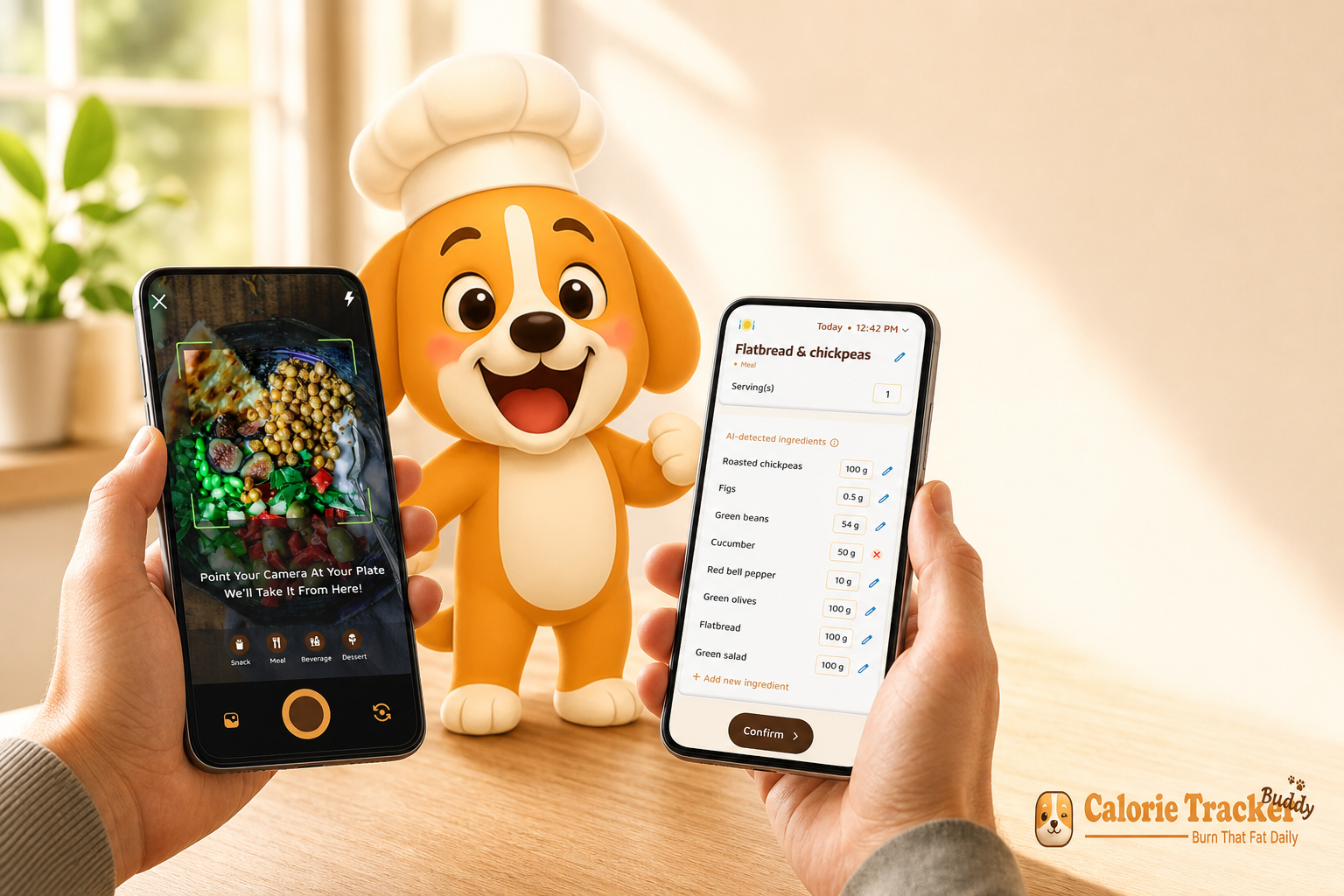
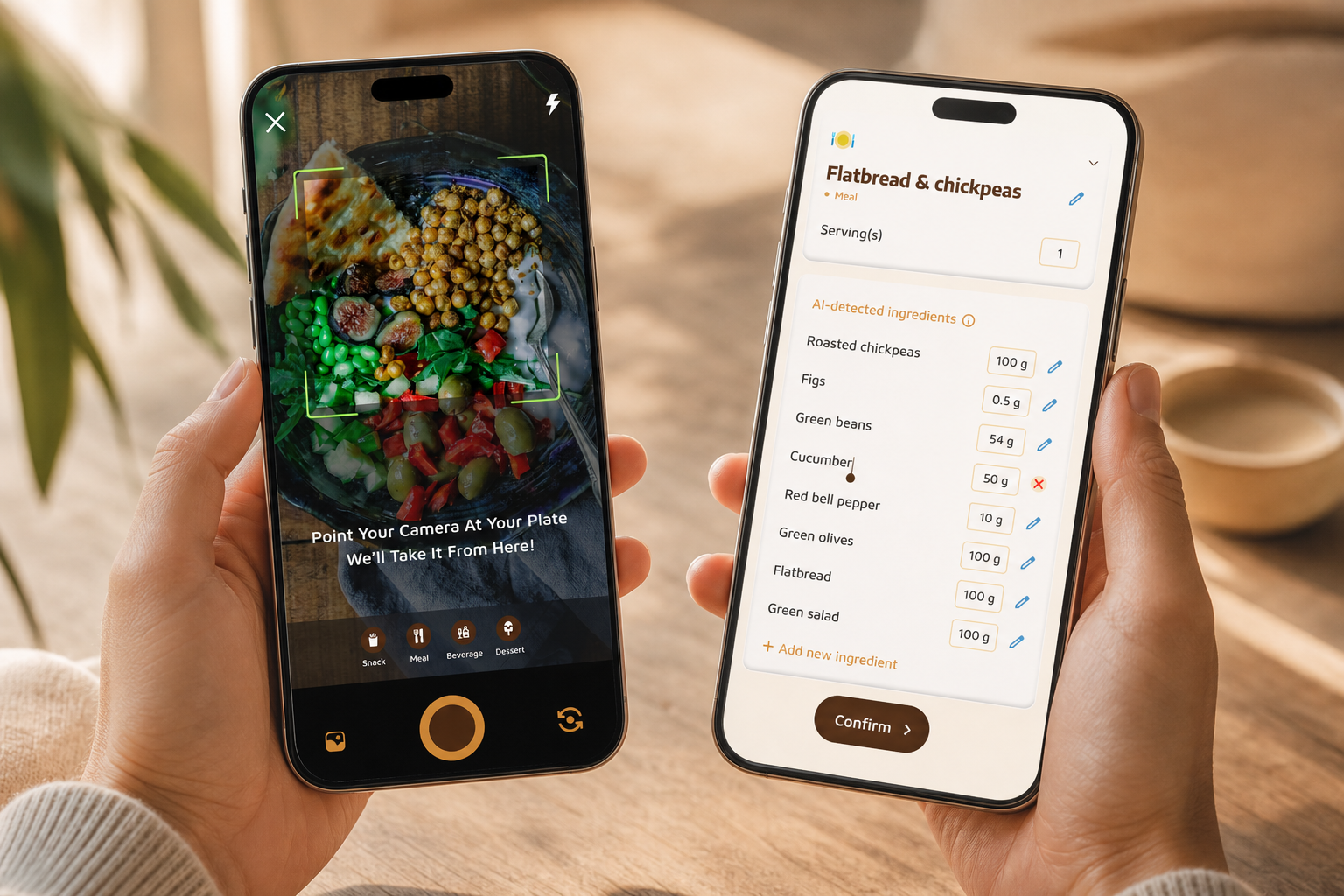
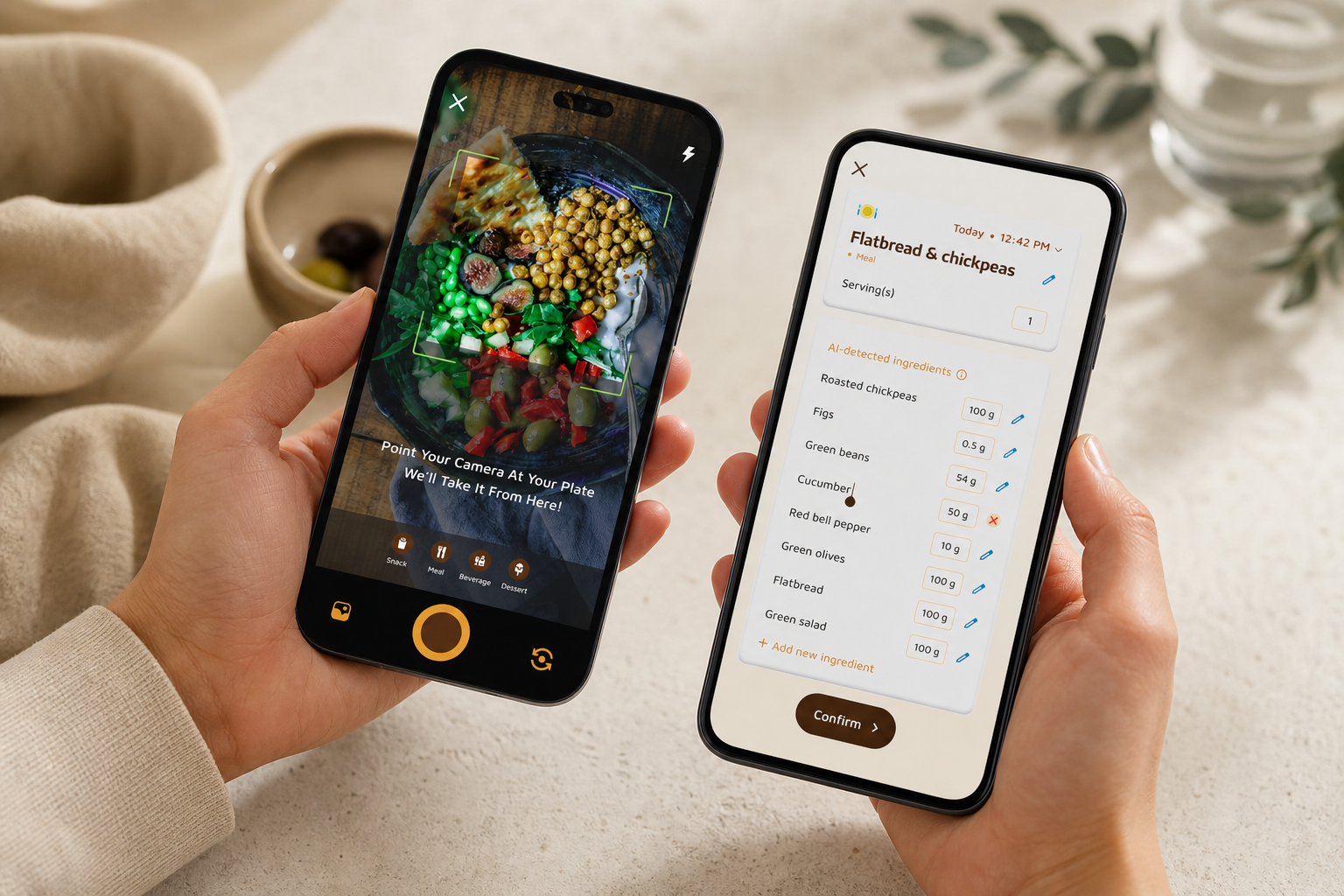
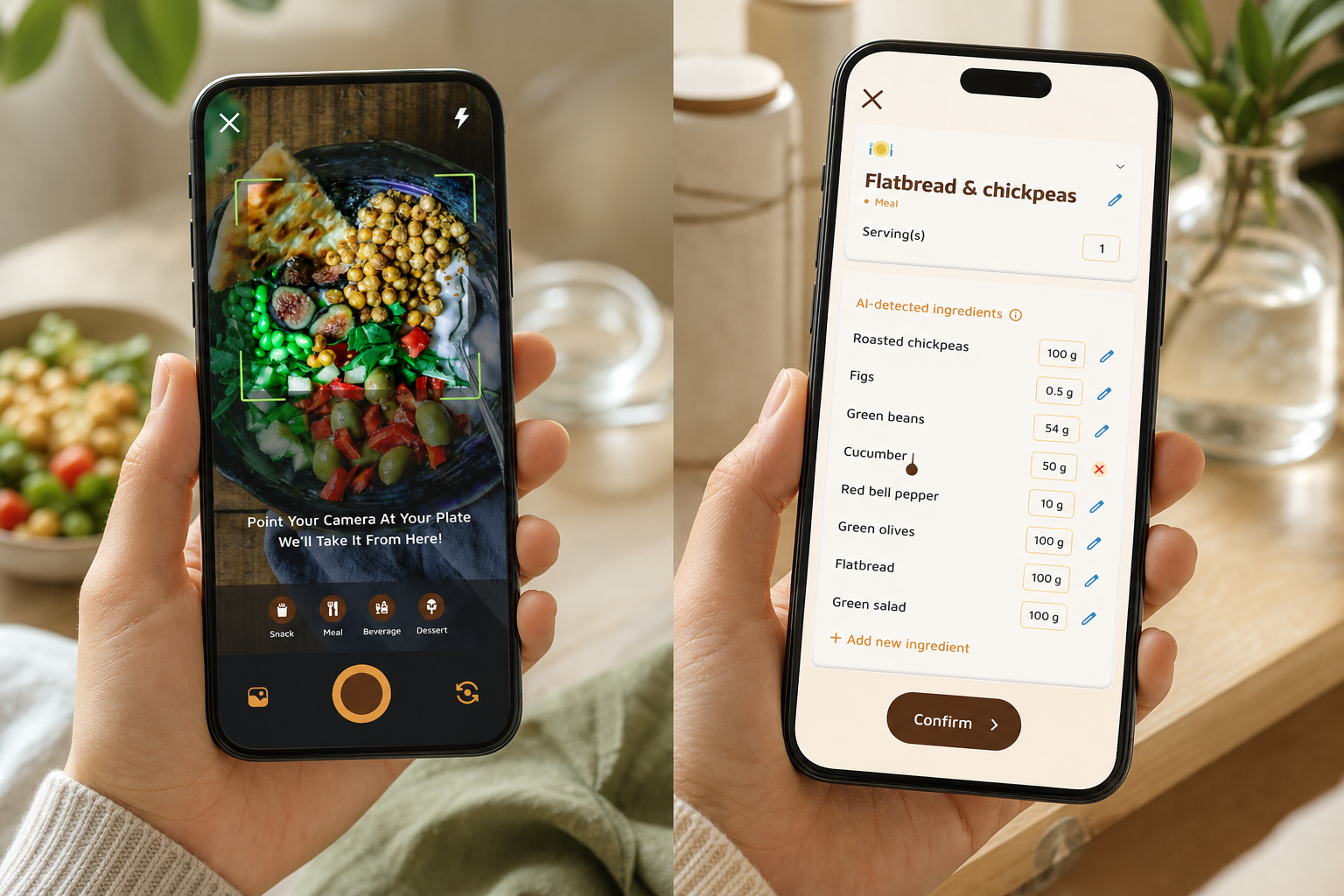
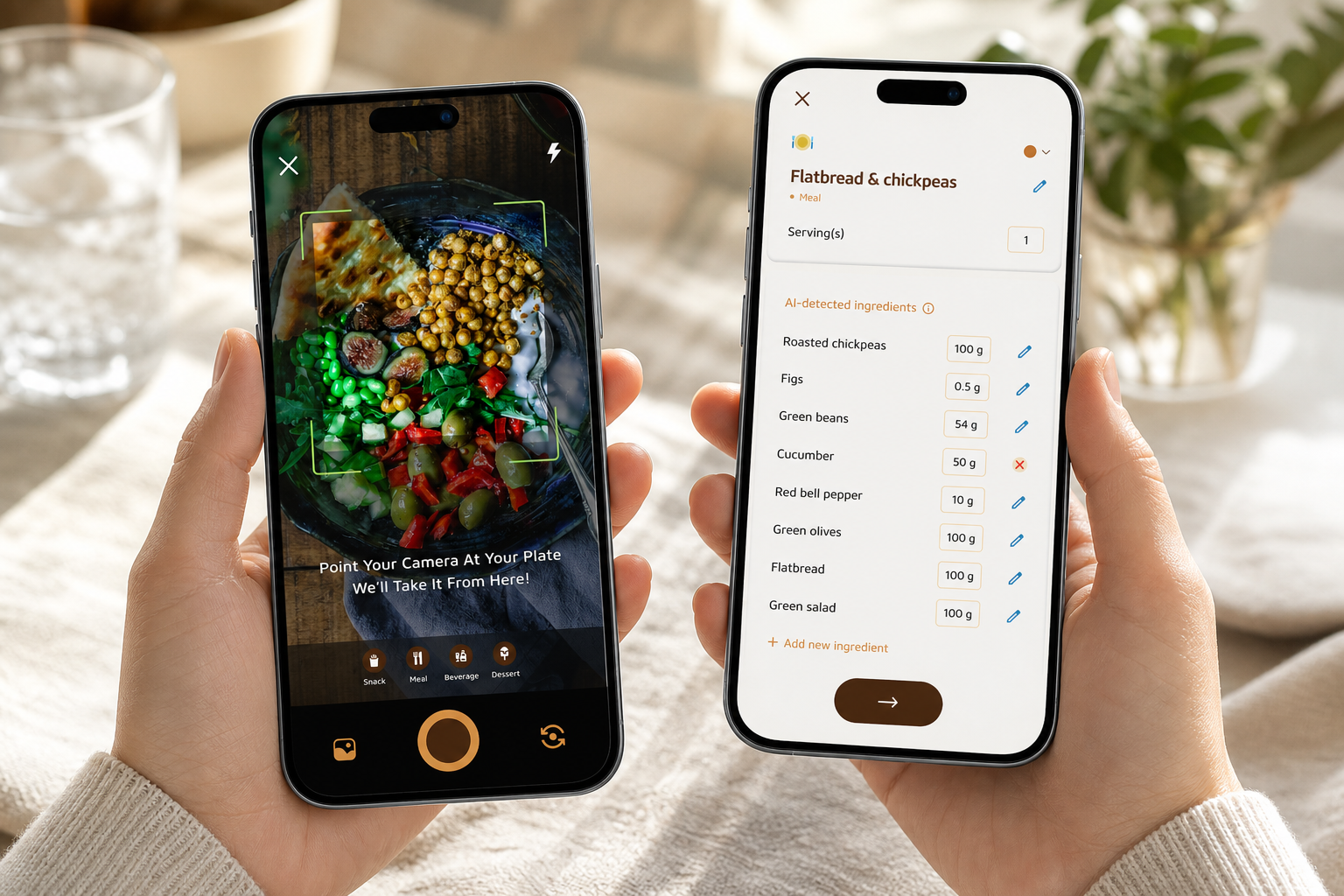
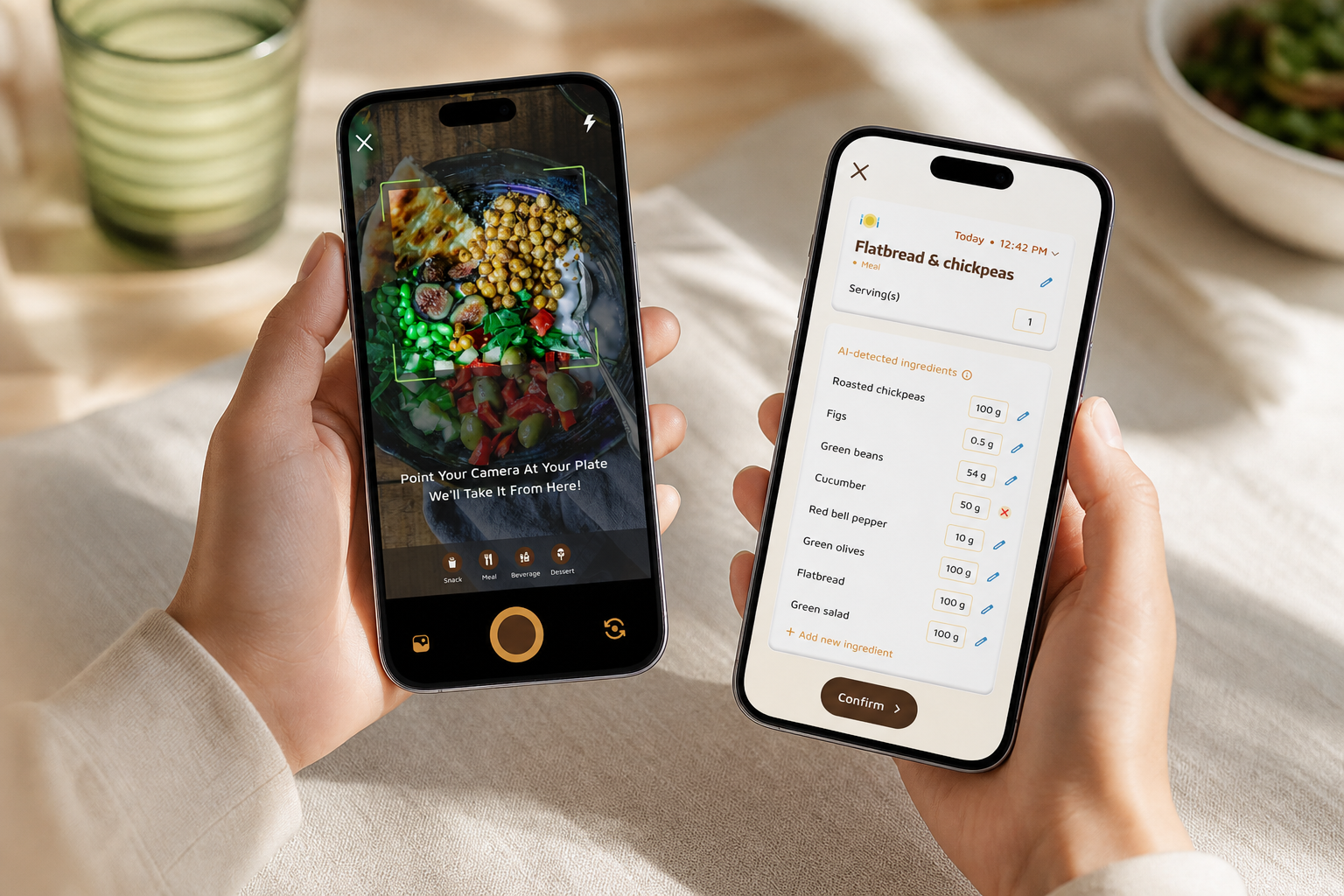
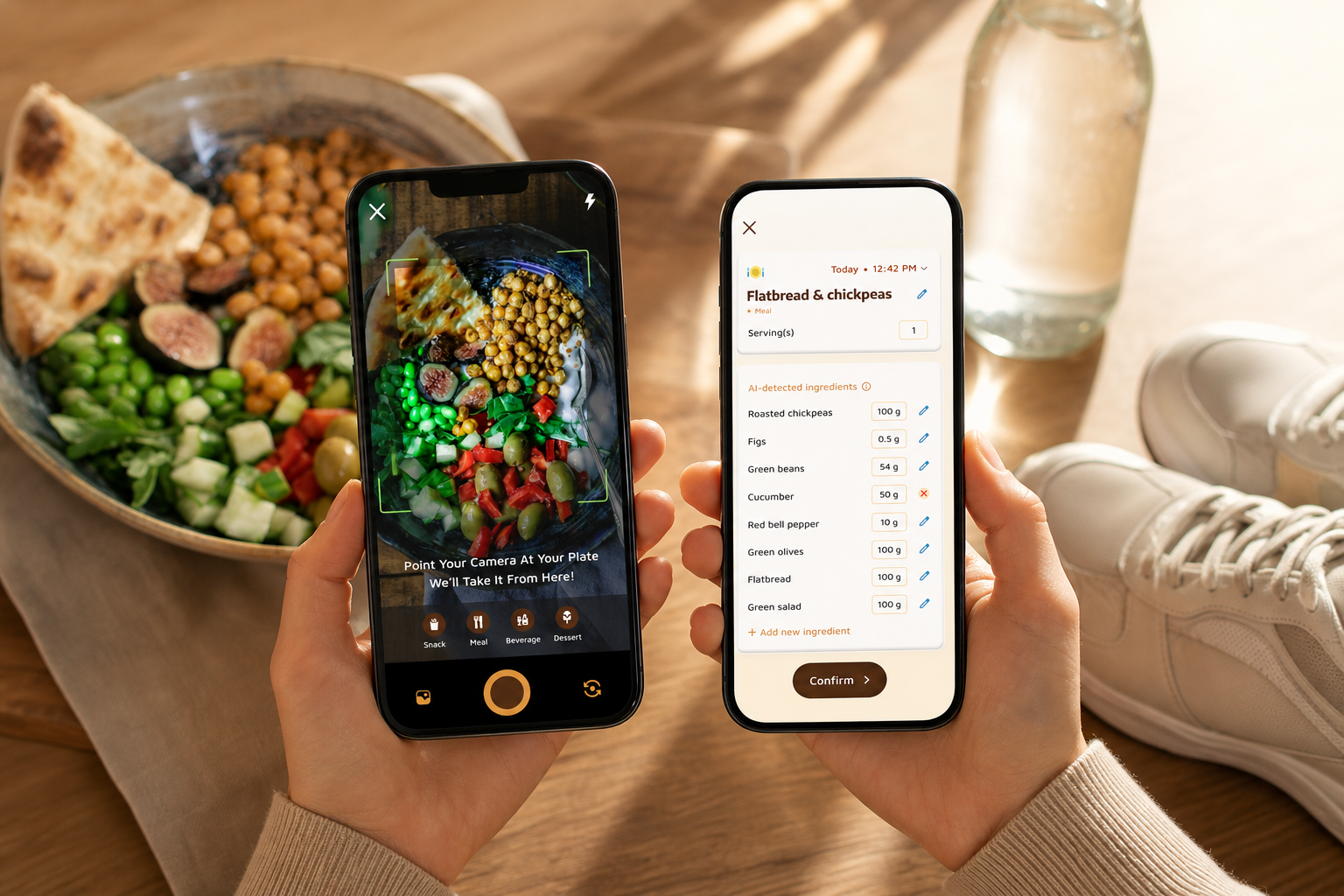
Photo-based logging makes it fast to stay consistent. You snap a meal, the app estimates nutrients and calories, and you’re back to life in seconds.
Moreover, the AI Menu Scanner helps with restaurants by analyzing calories, macros, and ingredients from the menu, then suggesting goal-friendly swaps.
If you repeat meals or have a “usual” order at favorite spots, save them as favorites for one-tap re-logging. This is how macro and water tracking becomes a daily reflex rather than a once-a-week chore.
See and adjust in real time
Real-time feedback is where the app shines. After each meal, you’ll see prompts like “25 g protein to go” or “Aim for 350 ml water this hour.” Therefore, you can add a quick yogurt or a glass of water and fix your day before dinner.
In addition, goal predictions show how each meal impacts progress for the week, so one big lunch feels like a small course correction, not a failure.
You’ll also get concise cards that translate data into next steps. For example: “Under steps by 2,000 vs. target, consider a 10–15 minute walk this afternoon.” These small nudges stack up.
Defaults you can trust
Defaults that match research keep targets clear. The app sets a Daily Hydration Target of 2.5 liters per day and a Daily Step Target of 10,000 steps per day, so you start with solid benchmarks.
You can customize these if your doctor suggests something different, or if your local climate, job, or training volume calls for an adjustment.
“I’ve been using Calorie Tracker Buddy for five weeks, and I’ve already lost 4kg! The app keeps me motivated with my little buddy cheering me on. I didn’t cut out my favorite foods. It’s all about balance!” — Alex Sim
Built for real life
The app also fits real life. It syncs with Google Fit for automatic steps and exercise calories, and it supports offline logging when you’re on a plane or hiking. Then, it auto-syncs once you’re back online.
In addition, you can set dietary preferences and allergies, so the food tips you see match the way you eat.
“The meal snap feature is a big improvement. I love how the app gives me tips and feedback in real time. Tracking feels easy now.” — Aanya Rastogi
Finally, motivation sticks because you’re not alone. The virtual buddy grows as you make healthier choices and keeps streaks fun. That small nudge matters on day 12, or day 112.
Quick comparison at a glance
- Calorie Tracker Buddy: Photo logging, integrated macro and water tracking, real-time feedback, Google Fit sync, goal predictions, offline logging, and a virtual buddy.
- MyFitnessPal: Deep database, strong manual search, broad integrations, macros available; hydration is less central and may rely on add-ons.
- MyWater: Focused hydration tracker with reminders; does not provide macro logging or meal feedback.
Get real-time feedback free today → | Macros yes; water less central; steps via add-ons | Water only |
Below is the same comparison as a readable table you can scan quickly:
| Feature | Calorie Tracker Buddy | MyFitnessPal | MyWater |
|---|---|---|---|
| Photo-based meal logging | Yes (meal snap + AI menu scanner) | Limited photo options; manual search strong | No |
| Real-time meal feedback | Yes (macro gaps + water prompts) | Basic macros; less granular prompts | Hydration reminders only |
| Goal predictions (impact of each meal) | Yes | Limited | No |
| Hydration target (2.5 L default) | Yes (editable) | Requires setup or add-on | Yes |
| Fitness tracker sync | Yes (Google Fit) | Yes (broad integrations) | Limited |
| Offline logging with auto-sync | Yes | Partial | Not typical |
| Motivation system | Virtual buddy + streaks | Streaks | Reminders only |
| At-a-glance summary | Get real-time feedback free today → | Macros yes; water less central; steps via add-ons | Water only |
“I’ve tried tons of fitness apps, but this is, hands down, the best calorie tracker app I’ve used. Logging meals is fun now—just snap a photo and boom.” — Pooja Rao
As of 2026, if you love database depth and don’t mind separate hydration tools, MyFitnessPal remains a strong choice. If water is your sole focus, MyWater is simple and to the point.
Compared to alternatives, Calorie Tracker Buddy reduces cognitive load by showing food, water, and movement together and by coaching you in real time.
“I’ve lost 5kg and feel more energized. The mix of food, water, and steps finally made it stick.” — Sandy T
In short, you trade breadth of a giant database for speed, integrated hydration, goal predictions, and built-in motivation. If switching less means logging more, the all-in-one path usually wins.
Why it’s safe and smart to try now
- Risk reversal: Free to download on Android so you can start macro and water tracking at no cost. Try the core features first and decide at your pace.
- Authority: Integrated with Google Fit and guided by clear defaults (2.5 L daily hydration, 10,000 steps) that align with common practice and the references linked in this article.
- Clarity: Transparent in-app targets and real-time explanations show why each nudge appears, so you’re never guessing.
- Evidence-in-use: Real user quotes in this guide reflect outcomes from consistent logging, hydration, and movement.
- Social proof: The in‑app social community and Fitness Coach mode offer accountability and encouragement from people on similar journeys—meals, workouts, and wins are easy to share.
- Security: Distributed via Google Play and designed to sync with Google Fit when connected; offline logging stores data locally until your next connection for auto‑sync.
Trust at a glance
- Testimonial: “I’ve already lost 4kg… It’s all about balance!” — Alex Sim; plus quotes from Aanya Rastogi, Pooja Rao, and Sandy T.
- Authority: Google Fit integration and research-backed defaults referenced in this article.
- Risk reversal: Free Android download with core features available so you can trial the experience before any upgrades.
- Social proof: Community features in-app let you share routines and learn snack ideas that work in real life.
- Security: Works with Android’s app model and Google Fit connection when you choose to sync; if you’re offline, logs stay on your device until auto‑sync runs.
Mini case study: from “stuck” to steady
- Situation: A beginner hit a three-week plateau while calorie counting alone.
- Change: Added macro and water tracking in one dashboard, with real-time protein gaps and gentle water prompts.
- Result: Evening overeats dropped because protein was front-loaded, energy stabilized with steady sips, and weekly weight trends resumed a slow downward glide.
Key idea: When feedback is timely and all signals live in one place, small same-day decisions beat next-week summaries.
Also Read!
Best Calorie Tracker with Virtual Pet for Beginners in 2026
Calorie Tracker Buddy vs Lose It! for Beginners: Which Is Better for AI Photo Calorie Counting?
Why Users Trust Calorie Tracker Buddy for Weight Loss
Trust grows when numbers are clear and the design keeps you honest. Calorie Tracker Buddy sets research-backed defaults, 2.5 liters per day for hydration and 10,000 steps per day for movement, so you start with meaningful anchors. Then it shows your live protein, carb, fat, and water progress, not just calories. As a result, you make small smart changes during the day that add up by the week.
Furthermore, Fitness Coach mode takes support beyond numbers. You can receive tailored tips based on your activity and progress, plus custom challenges that match your goals. Therefore, your plan feels like it was built for you, not a template. If you coach others, tools in this mode help you offer advice and motivational support inside the same app.
In addition, the social community brings accountability without pressure. You can share meals, workouts, and wins, learn new snack ideas, and swap tips that fit real life. Moreover, dietary customization for preferences and allergies proves the app is made for real people, not just gym regulars.
- Real-time updates on calorie burns, meals, steps, and goal progress build confidence you can see.
- Google Fit integration removes guesswork from steps and exercise calories.
- Offline logging with automatic sync keeps your streak intact during travel and spotty service.
Users keep reporting two themes: higher motivation and measurable results. That pattern holds when guidance is live, goals are visible, and the whole day is in view, not split across three apps.
Get tailored coaching tools today
- Download Calorie Tracker Buddy and set your weight loss goal.
- Pick a pace that feels safe for you. The app will size your daily targets around it.
- Configure your macro split.
- A beginner-friendly starting point is 40% carbs, 30% protein, 30% fat. You can tweak as you learn.
- Use dietary customization to reflect preferences and allergies, so tips match your plate.
- Set your daily hydration and step goals.
- The app defaults to 2.5 liters per day and 10,000 steps per day. Adjust if needed with your clinician’s input.
- Start photo-logging your first meals.
- Snap breakfast or lunch. The app estimates macros and calories from your photo and prompts any quick edits.
- Real-time nudges will suggest small adds, like a protein boost or a 250–350 ml water top-up.
- Connect Google Fit or your tracker.
- Steps and exercise calories will sync automatically, so you won’t have to enter workouts by hand.
Pro tip: Use the virtual buddy as your daily nudge. It grows as you make better choices, which makes streaks feel rewarding. And if you’re logging on the go, use offline mode, your meals and workouts auto-sync once you’re back online.
Step-by-step: start strong in your first week
- Download Calorie Tracker Buddy and set your weight-loss goal.
- Pick a pace that feels safe for you. The app will size your daily targets around it.
- Configure your macro split.
- A beginner-friendly starting point is 40% carbs, 30% protein, 30% fat. You can tweak as you learn.
- Use dietary customization to reflect preferences and allergies, so tips match your plate.
- Set your daily hydration and step goals.
- The app defaults to 2.5 liters per day and 10,000 steps per day. Adjust if needed with your clinician’s input.
- Start photo-logging your first meals.
- Snap breakfast or lunch. The app estimates macros and calories from your photo and prompts any quick edits.
- Real-time nudges will suggest small adds, like a protein boost or a 250–350 ml water top-up.
- Connect Google Fit or your tracker.
- Steps and exercise calories will sync automatically, so you won’t have to enter workouts by hand.
- Keep it simple.
- Repeat 2–3 breakfasts and lunches you like, and pre-log afternoon water so you end the day on autopilot.
Quick start checklist
- Download Calorie Tracker Buddy on Android.
- Create your profile and set a weight-loss goal that feels sustainable for you.
- Configure your macro split.
- Start at 40% carbs, 30% protein, 30% fat, then adjust as you learn what works.
- Set hydration and step targets.
- Keep the defaults of 2.5 liters and 10,000 steps or tailor them with guidance from your clinician.
- Log meals with a snap.
- Use the meal snap and AI menu scanner for speed. Verify estimates with quick edits.
- Sync movement automatically.
- Connect Google Fit so steps and exercise calories appear without manual entry.
For more hydration ideas you’ll actually enjoy, try this short read on water tracker options and tasty twists like lemon water or even coconut water, then make your choice part of your routine.
How to translate targets into daily habits
- Pair protein with breakfast to reduce afternoon cravings.
- Put a 500 ml bottle at your desk and in your bag to split water intake into easy chunks.
- Use a 10-minute walk as a “reset button” after heavier meals, then check live macro gaps.
- Save two or three go-to snacks that reliably add 15–25 g protein without overshooting calories.
- Pre-log your typical dinner drink (still or sparkling water) so the app nudges you to sip while cooking, not just at the table.
- If weekends derail you, set a mid‑day “bottle check” alarm and lean on quick photo logs so you keep momentum without pausing fun plans.
Beginner-friendly macro and water targets explained
- Why 2.5 liters? It’s a practical default that covers most temperate-climate days. You can nudge up on hot or highly active days and ease back on rest days.
- Why track steps? A 10,000-step target is a simple anchor that keeps energy burn and mood up without complex programming.
- Why a 40/30/30 split? It front-loads enough protein to preserve lean mass while leaving room for carbs and fats that support training and satiety.
If you’re shorter, taller, or training hard, you can personalize all of this. What matters is consistency: a target you follow beats a perfect plan you abandon.
A simple day-in-the-life plan you can copy
- Breakfast (7:30 a. m.): Eggs or Greek yogurt (20–30 g protein), fruit, and coffee or tea. Log a 250–350 ml glass of water with it.
- Mid‑morning (10:30 a. m.): Quick bottle check. If you’re behind, sip 250 ml and take a 5–10 minute walk.
- Lunch (12:30–1:30 p. m.): Lean protein + fiber (e. g., chicken and salad or tofu and grain bowl). Photo log; check macro gaps.
- Afternoon (3:30 p. m.): If protein is light, add a 150–250 kcal protein-forward snack. Sip 300–400 ml water across the next hour.
- Evening (6:30–8:00 p. m.): Balanced dinner; if steps are low, take a 10–15 minute walk after. Coast on water to avoid late-night chugging.
- Night (9:00 p. m.): Review the dashboard. If you’re close to targets, you’re on track—no need to chase perfection.
Also Read!
Best Photo Calorie Counter for Busy People in 2026
Calorie Tracker Buddy vs Lose It! for Weight Loss: Which Is Better for AI Photo Calorie Counting?
Frequently Asked Questions
Is Calorie Tracker Buddy free, or do I need a paid subscription to track macros and water?
Calorie Tracker Buddy offers core macro and water tracking so you can start without hurdles. Pricing can change, and some advanced features may sit in paid tiers. For current details, check the app store listing. Either way, you can log meals, track hydration, and see progress without guesswork.
As a low-risk first step, download on Android for free and try the basics before deciding on any upgrades. If you discover you love photo logging and real-time prompts, upgrade paths remain optional and clearly labeled inside the app.
How accurate is the photo-based macro tracking compared to manual entry?
Photo-based tracking uses AI to estimate calories and macros from your meal photos. For mixed or complex dishes, quick manual tweaks can improve accuracy. The app shows real-time feedback so you can verify and correct entries right away. As a result, you get speed with control.
Consistency matters most: even with small estimation error, steady logging drives better decisions over the week. When in doubt, save a frequent meal as a favorite with your preferred edits so future logs are one-tap accurate.
Can I customize my macro targets for keto, high-protein, or other weight loss diets?
Yes. You can set protein, carb, and fat targets to match your plan, including higher-protein or lower-carb splits. You can also store dietary preferences and allergies so the app’s suggestions fit your needs. You’re never locked into a single ratio.
If your plan changes seasonally or with training cycles, you can update targets anytime without losing history. That flexibility helps you stay consistent through busy seasons, travel, or a new workout block.
How does the water tracking actually work — does it send reminders?
The app includes a built-in 2.5‑liter daily hydration target you can adjust. You log water alongside meals and workouts in the same dashboard. Real-time progress updates show how much you’ve had and how far you have to go. Smart prompts help you spread intake through the day.
This keeps hydration from bunching at night and prevents “I forgot to drink” gaps in the afternoon. If your climate or training changes, bump your target slightly and let the app guide pacing with gentle prompts.
Is Calorie Tracker Buddy better than MyFitnessPal for weight loss?
MyFitnessPal has a huge food database and a long record, which some users prefer. Calorie Tracker Buddy’s edge is integrated water tracking, photo-based logging, the virtual buddy system, and Fitness Coach mode in one app. Many users who tried several tools found they were more consistent with an all-in-one. If switching less helps you log more, you’ll likely see steadier results.
If you already know you want deep database coverage and don’t mind separate hydration tools, MyFitnessPal is still a solid option. The best pick is the one you’ll actually open every day.
Does the app work offline if I want to log meals when I don't have internet?
Yes. You can log meals and workouts offline, then everything syncs automatically once you’re back online. This is handy for travel, outdoor training, or spotty service areas. Your streaks and data stay intact.
Offline support means you keep momentum on your busiest days. If you know you’ll be offline, pre-save a few frequent meals to make logging even faster.
What fitness trackers does Calorie Tracker Buddy sync with?
The app integrates with Google Fit for automatic steps and exercise calorie sync. This means your movement shows up without manual entry. The built-in 10,000 steps per day benchmark gives you a clear daily target to aim for.
If you already use Google Fit on Android, the setup takes moments. Once connected, steps and workouts nudge your targets and predictions in near real time.
How much weight can I realistically lose using a macro and water tracker?
Weight loss depends on a steady calorie deficit, consistent logging, hydration, sleep, and your starting point. Users have reported results like 4kg lost in five weeks and 5kg lost with increased energy. A steady pace of 0.5–1kg per week is a realistic range for many people. Tracking macros and water raises awareness so you can make small changes that stick.
Pair the app with regular steps and simple meal routines to compound your results. Above all, judge progress by weekly trends and energy, not just the daily number on the scale.
What if I forget to log water until late in the day?
It happens. Log what you remember, then use the app’s prompts to spread intake earlier the next day. Small sips each hour beat last-minute chugging at night.
Set gentle reminders around meals so drinking becomes part of your routine, not an afterthought. Saving a default “glass” size also speeds logging when your day gets hectic.
Can I use the app even if I’m maintaining weight rather than losing?
Yes. The same macro and water tracking tools support maintenance by helping you match intake to activity. Real-time feedback keeps you from drifting too low on protein or water on quieter days.
If your goals shift, adjust targets in the app without starting over. Maintenance succeeds when your routine feels familiar, photo logging and quick prompts keep it simple.
I mostly eat takeout — will macro and water tracking still work for me?
Yes. Use the AI Menu Scanner to capture calories, macros, and ingredients from restaurant menus, then take the suggested swaps that better fit your goals. Pair that with water prompts so salty meals don’t derail your evening.
When you repeat spots and orders, save them as favorites so re-logging is one tap. Even if the estimate isn’t perfect, staying consistent beats chasing exactness once a week.
How do I stay consistent on weekends or travel days?
Keep macro and water tracking lightweight. Lean on photo logging, pre-log a 500 ml bottle midday, and take brief walks to keep steps moving. If you lose signal, use offline logging and let auto-sync handle the rest later.
Consistency comes from simple repeats, not perfection. Use a few “anchor” meals that travel well, like yogurt-and-fruit or a ready-to-drink protein, and keep your water bottle in sight.
Do I need to hit my targets perfectly every day?
No. Think in weekly averages. If you’re close most days, small ups and downs even out. The goal prediction view helps you see how tiny course corrections today support your weekly target.
Perfect days are rare. Predictable routines with flexible adjustments win over time.
Do I need a food scale to make macro and water tracking work?
A scale can help when you’re learning portion sizes, but it’s optional. Photo logging plus a few quick edits gets you close enough for steady progress. As you repeat meals, saving them as favorites reduces guesswork and preserves accuracy without extra tools. For water, logging by bottle size (for example, 500 ml) keeps math simple.
What if I’m sensitive to sodium—does water tracking still help?
Yes. If you know a salty meal tends to cause temporary jumps on the scale, pairing macro logging with a steady water rhythm helps buffer swings. The app’s gentle prompts to add 300–500 ml across the evening after salty meals can smooth the next day’s rebalancing.
Can I change my targets later without losing my history?
Yes. You can edit hydration, macro ratios, and step goals as needed while keeping your past logs. This is useful when seasons, travel, or training volumes change. Your dashboard and predictions adapt, but your data stays intact so you can see long-term patterns.
Can I use the app without connecting Google Fit?
Yes. You can track meals, macros, and water inside the app on its own. Connecting Google Fit simply automates step counts and exercise calories so activity appears without manual entry. If you prefer to enter activity yourself or focus on nutrition and hydration only, you can.
Does Calorie Tracker Buddy include reminders for water or meals?
Optional reminders help keep hydration and steps top of mind without nagging. You can keep them gentle and tie them to your existing habits (e. g., “with breakfast,” “mid‑afternoon bottle check”). If you prefer a quiet experience, you can rely on the dashboard alone and still see real-time progress.
I’m vegetarian/vegan—will the suggestions still work?
Yes. Dietary preferences and allergies can be set so suggestions align with how you eat. For example, you’ll see protein-forward snack ideas that fit vegetarian or vegan patterns alongside your water pacing prompts.
What if I’m brand new to exercise—do I have to hit 10,000 steps right away?
No. The 10,000 steps per day default is a clear benchmark, but you can build toward it. Connecting Google Fit shows your actual steps and helps you nudge up gradually. Even small increases, like adding a 10–15 minute walk after meals, pair well with macro and water tracking.
The Bottom Line
- One app for macros, water, and steps cuts stress and helps you course-correct the same day.
- Real-time feedback and clear defaults—2.5 liters and 10,000 steps—turn numbers into daily wins.
- Photo logging and offline mode keep you consistent, which is what drives results in 2026 and beyond.
If you’re ready to try an all-in-one tool that keeps you moving, fueled, and hydrated, start simple and build from there.