


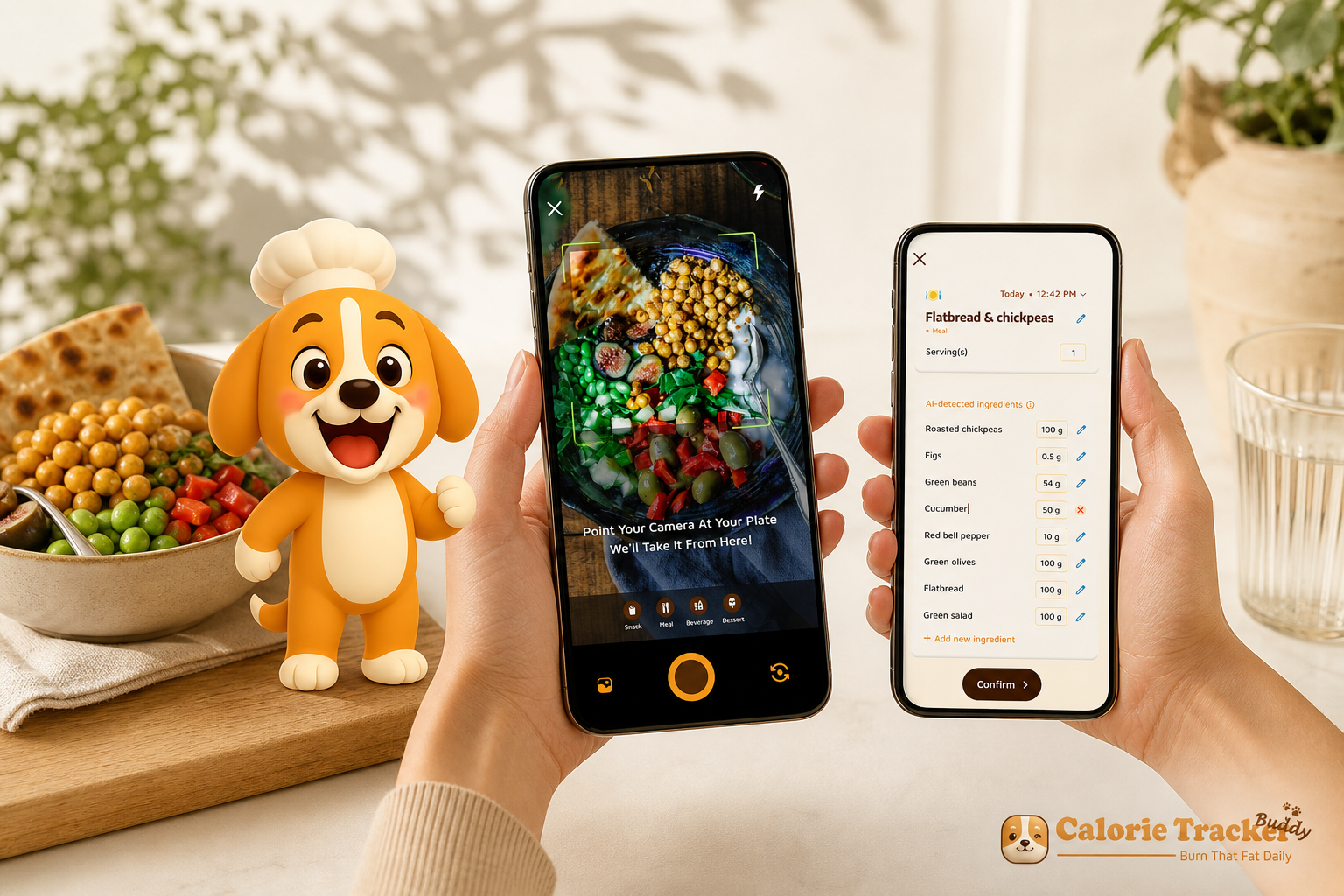
**Download on Android today, free tier available →
Most busy people don’t quit because they don’t care. They quit because the tools slow them down. In 2026, the fastest path is simple: use a photo-first tracker that unites macro and water tracking, works offline, shows the week-ahead impact of every meal, and offers a free tier to start. That setup cuts friction, reduces guesswork, and helps you stay on track even when life is loud.
Macro and water tracking should flex to your day, not steal your time.
Here’s the baseline you’re likely aiming for: a daily hydration target of 2.5 liters and a movement goal of 10,000 steps. Those simple, structured targets keep your day anchored and are common defaults in modern health apps. For more on why steady hydration matters, see this primer on drinking water (Wikipedia).
However, the win isn’t knowing the targets. It’s logging fast, seeing macros at a glance, and never losing entries when your train goes underground. Moreover, it’s getting gentle nudges to sip water and seeing how lunch impacts dinner. Therefore, the “best” tool for 2026 isn’t a giant database alone. It’s the one that fits a packed life in under a minute per meal.
 , and a 2.5L water goal ring next to a 10,000 steps badge; diverse professionals in the background: a parent packing lunch, a commuter on a train, and a chef plating food; soft daylight, modern style)
Why Busy People Struggle with Macro and Water Tracking
You know what to eat. You know water helps. The hard part is fitting it all in. Macro and water tracking stalls not because you lack willpower, but because the workflow fights your day.
First, manual logging takes time you don’t have. For example, you might spend five minutes hunting a match, weighing a side, and adding a sauce. That’s easy at 7 a.m., and near impossible at 7 p.m. with emails, homework, and dishes.
Second, hydration fades to the background. In fact, most people aim for at least 2.5 liters per day yet rarely hit it. Without quick taps and well-timed reminders, the bottle sits full, and you notice at 9 p.m. when it’s too late to catch up.
Third, inconsistency kills progress. On the days you can’t log, the habit breaks. As a result, you lose your streak, forget portions, and stop trusting your numbers. One missed day turns into a week, then a month.
Decision fatigue and offline gaps
Moreover, decision fatigue shows up at lunch. You want to hit protein and keep carbs in check, but you don’t have time to do macro math for every bowl and wrap. Therefore, you default to what’s easy, not what lines up with goals.
Finally, a packed life needs offline resilience. For commuters and travelers, dead zones and airplane mode block entries. Without a tool that logs offline and syncs later, your routine cracks. The more cracks, the more doubt. The more doubt, the faster the app gets deleted.
- Real friction points that derail tracking:
- Time-heavy manual search-and-weigh
- Water goals missed during packed days
- Gaps in logging that break streaks
- Lunch choices made under decision fatigue
- No offline mode during commutes and flights
- Goals without at-a-glance macro clarity
Beginners and seasoned lifters hit the same walls. It’s not a knowledge gap. It’s a workflow gap. Fix the flow, and you cut the excuses that pile up when you’re busy.
Also Read!
Calorie Tracker Buddy vs MyFitnessPal for Beginners: Which Is Better for Macro and Water Tracking?
What to Look for in a Macro and Water Tracker If You're Short on Time
The right tool should blend into your day. It should make the “good choice” the easy one, even when your calendar is full. Here’s what matters most for busy people and why.
1) Speed of logging: photo-first beats search-and-weigh
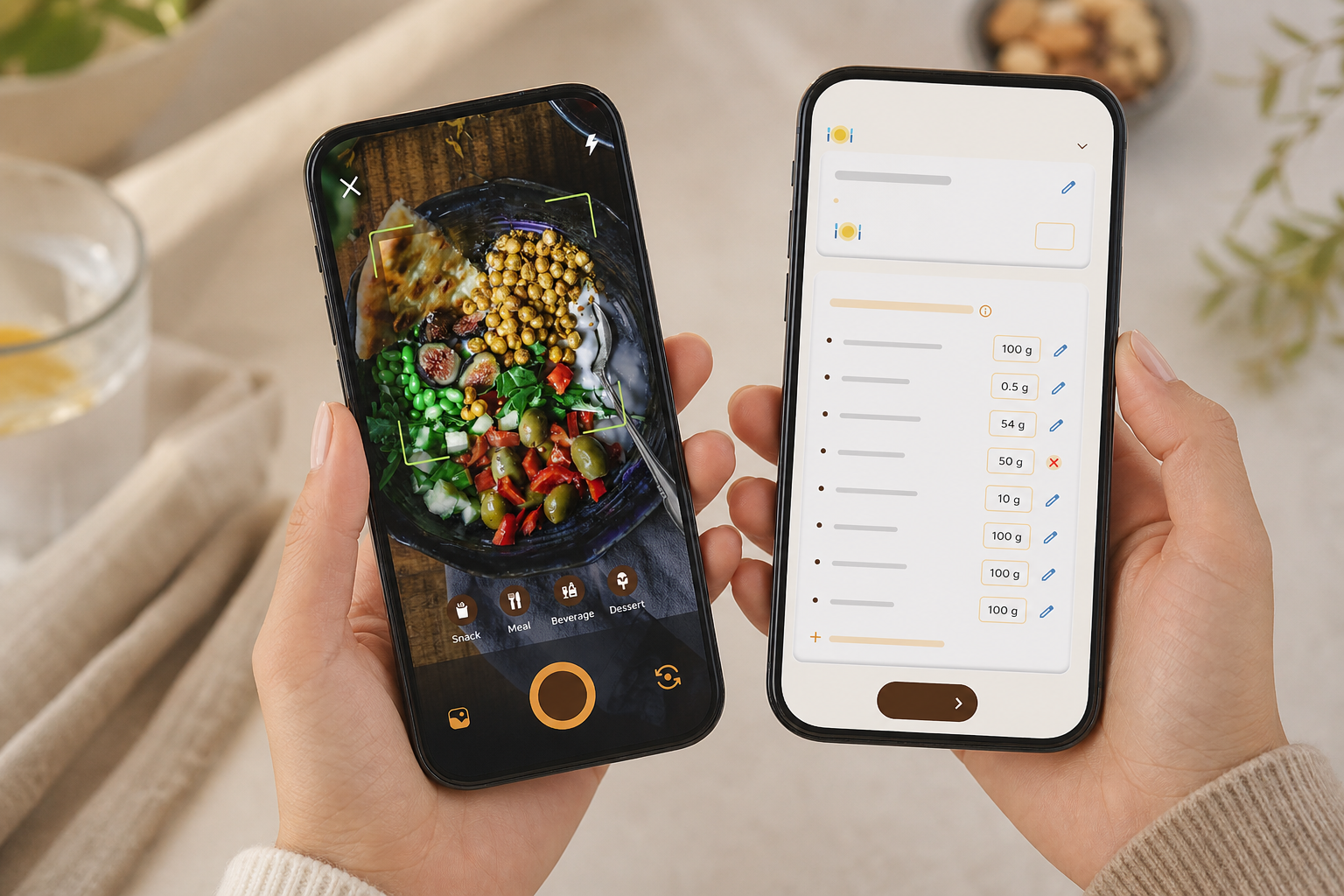
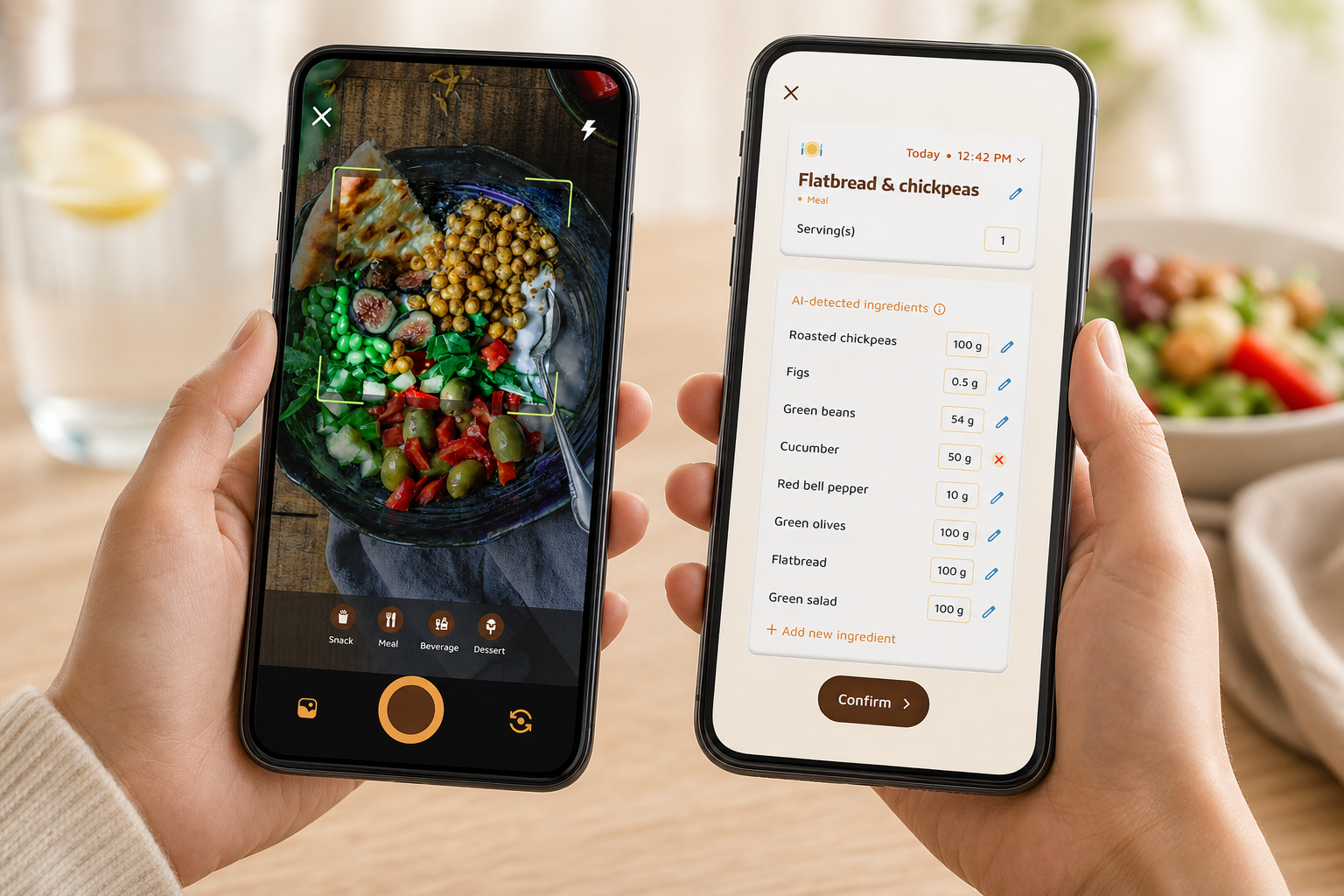
Speed is everything. A camera-first meal log lets you snap, confirm, and move on in seconds. For example, photo capture handles home-cooked and restaurant plates where barcode scans fall short. As a result, you remove the biggest barrier: time.
2) Integrated water tracking with reminders
Hydration should live next to your meals, not in a separate app. In addition, the tracker should default to a 2.5-liter daily target and let you tap to add sips, glasses, or bottles. Smart reminders should nudge you before you’re parched, not after.
3) Offline capability and later sync
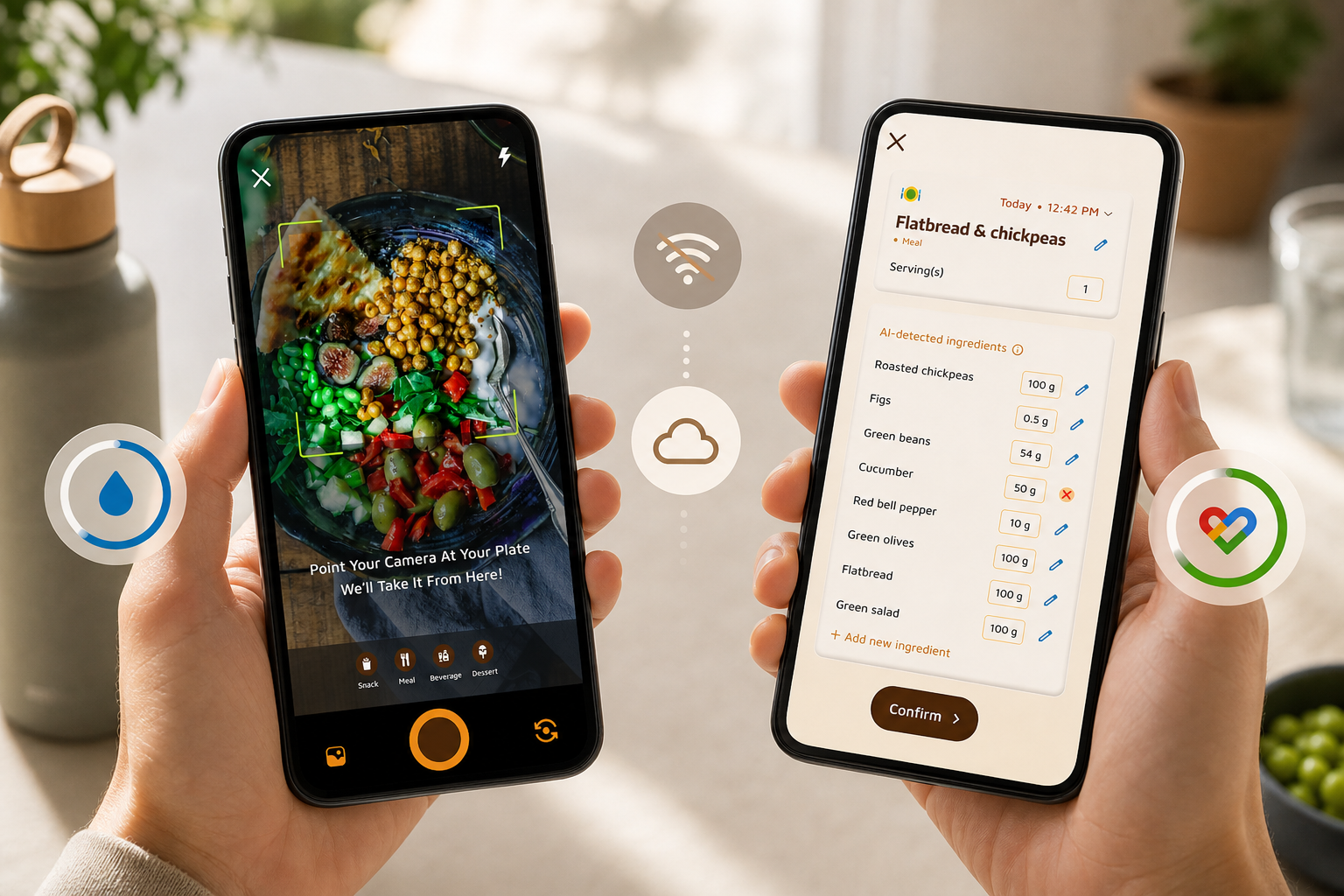
Life includes subways, elevators, basements, and flights. Therefore, you need full logging offline with automatic syncing once you’re back online. If it can’t capture a quick meal mid-commute, it won’t serve a packed schedule.
4) Macro breakdown clarity at a glance
You shouldn’t dig through submenus just to see carbs, protein, and fat. Moreover, a single screen should show your targets, what you’ve logged, and how much room you have left. Clear visuals reduce mental math and help you pick the next best bite fast.
5) Goal prediction that shows the ripple effect
Busy people plan in blocks, not in perfect windows. As a result, you need to see how one meal shifts the rest of the day, or even the week. Smart predictions help you decide if a big lunch means a lighter dinner or a longer walk.
6) Fitness tracker integration to avoid double entry
Double entry is a deal breaker. Therefore, look for integrations that pull steps and workouts automatically, so your calories burned and movement targets (like a 10,000 steps goal) update in real time. Your app should do the syncing, not you.
7) Motivation that nudges, not nags
Guilt burns out fast. Instead, look for gentle, fun mechanics, like a virtual buddy and streaks, that make you want to return. In addition, social sharing can add a supportive nudge without high-pressure vibes. Motivation should add energy, not stress.
If you want a quick primer on building the habit, this walk-through on tracking nutrition covers simple, low-friction routines that stick.
How Calorie Tracker Buddy Solves Macro and Water Tracking for Busy Schedules
Speed comes first. With Calorie Tracker Buddy, you snap a photo and get instant nutritional info and a calorie count. There’s no hunt through long food lists unless you want to tweak details. The app then tracks macros, carbs, protein, fat, right beside your water intake so you can see what’s left at a glance.
Offline resilience and real-time feedback
However, life doesn’t pause for good Wi‑Fi. CTB lets you log meals and workouts offline and syncs them the moment you reconnect. For commuters and travelers, that means your streak and your data stay intact. In fact, real-time feedback helps you right-size portions on the fly instead of waiting until the end of the day.
“I’ve tried tons of fitness apps, but this is, hands down, the best calorie tracker app I’ve ever used. Logging meals is fun now—just snap a photo and boom, done. And the little buddy? This is a total big improvement for staying motivated!” — Pooja Rao
Goal predictions make trade-offs clear. For example, if lunch runs high on carbs, you’ll see suggested swaps or a note that a short walk brings your plan back on track. Moreover, the built-in water tracker moves you toward that 2.5-liter target with quick-add buttons and gentle reminders, so hydration becomes part of your rhythm.
- Syncs with fitness trackers like Google Fit, removing double entry for steps and workouts; your daily and weekly views stay up to date with zero extra taps.
- Dietary preferences and allergy filters reduce noise for meal preppers and restaurant regulars—no more sifting through foods you can’t or won’t eat.
“Before using the app, I didn’t know where to start with calorie tracking. But now, it’s second nature! The meal snap feature is a big improvement. I love how the app gives me tips and feedback in real time. My health buddy keeps me accountable, and I’m actually excited to track my meals. It’s fun!” — Aanya Rastogi
Furthermore, motivation stays light and friendly. A virtual buddy grows as you make healthier choices, and daily streaks reward consistency without shame. If you coach clients or want structured guidance, Fitness Coach mode adds tools for tailored advice, challenges, and motivational support. And if you eat out a lot, the AI Menu Scanner analyzes menus for calories, macros, ingredients, and goal-friendly swaps, which saves time at the table.
**Get instant meal logging, free tier available →
Also Read!
How to Use a Calorie Tracker with a Virtual Pet to Stay Consistent at the Gym
Calorie Tracker Buddy vs. MyFitnessPal vs. MacroFactor: Which Saves You the Most Time?
Choosing the right tracker is less about brand loyalty and more about daily minutes saved. Below is a focused view of how three well-known options align with the time-saving criteria you just read.
| Criteria | Calorie Tracker Buddy | MyFitnessPal | MacroFactor |
|---|---|---|---|
| Photo-first logging | Yes: snap and confirm in seconds | No: relies on manual search/barcodes | No: emphasizes algorithmic macro coaching |
| Water tracking surfaced | Integrated with quick-add + reminders | Present but harder to find | Present; not photo-first, check app UI |
| Offline logging | Yes: full logging with auto-sync later | Limited; check app behavior | Check app; not centered on offline-first |
| Macro clarity | Clear carbs/protein/fat on one screen | Available; can feel menu-heavy | Clear; built around coaching goals |
| Goal prediction | Real-time impact shown per meal | Basic daily targets | Strong coaching focus; predictions vary |
| Fitness integrations | Syncs with Google Fit | Broad integrations | Broad integrations; check specifics |
| Motivation | Virtual buddy + streaks | Badges, streaks | Coaching-driven; no virtual companion |
What the differences mean day to day
Compared to alternatives, MyFitnessPal shines with a massive database and reliable barcode scanning for packaged foods. However, its search-and-select flow can feel slow for home-cooked meals, and key hydration features may sit a few taps deep. MacroFactor stands out for adaptive macro coaching and data-driven guidance. On the other hand, it does not offer a photo-first workflow and skews toward a subscription-based model focused on coaching depth.
For time-crunched users, Calorie Tracker Buddy’s edge is speed and simplicity. Photo logging removes the weigh-and-type dance, integrated macro + water + steps live on one view, and offline logging covers every dead zone. As a result, you spend less time tracking and more time living, while still hitting your targets.
“I’ve been using Calorie Tracker Buddy for five weeks, and I’ve already lost 4kg! It’s been an amazing experience because the app doesn’t just make tracking easy, it keeps me motivated with my little buddy cheering me on. Plus, I didn’t have to cut out my favorite foods. It’s all about balance!” — Alex Sim
If you want a deeper dive on database size, habits, and speed trade-offs, read our head-to-head analysis: Calorie Tracker Buddy vs MyFitnessPal for Weight Loss: Which Is Better for Macro and Water Tracking?
Why Users Trust Calorie Tracker Buddy with Their Daily Nutrition
Trust grows when what you see matches what you feel. Calorie Tracker Buddy gives real-time updates on calorie burns, meals, steps, and goal progress, so your numbers reflect your day without manual refreshes. Moreover, structured defaults, 2.5 liters of water and 10,000 steps, create a simple, science-backed baseline that’s easy to stick with when life is busy.
In addition, CTB isn’t only for solo use. Fitness Coach mode is built for professionals who want to offer tailored advice, challenges, and motivational support at scale. That matters because tools that coaches trust need to be fast, stable, and clear under pressure. As a result, you get a tracker sturdy enough for real-world coaching, even if you never hire a coach.
Coach tools and personalized tips
Furthermore, the app sends personalized fitness tips based on your activity and progress, not generic scripts. Custom challenges can match your season, like “hit protein at lunch for 7 days” or “close the 2.5L hydration ring by 7 p.m.” Social posting adds light accountability, letting you share wins and get applause from a supportive crowd.
“I’ve always wanted to be healthier but never found the right tools to make it stick. This app has been a total big improvement. Not only have I lost 5kg, but I also feel more energized. My health buddy is a constant source of encouragement, and the tips help me make smarter choices every day.” — Sandy T
Start free on Android—risk-free with the free tier.
In 2026 and beyond, that blend, real-time data, structured goals, coach-grade tools, and friendly nudges, explains why people stick with CTB. It feels less like homework and more like a daily check-in that fits your life.
How to Start Tracking Macros and Water in Under 5 Minutes
Getting started should feel light. Here’s the fastest way to set up your day, even if your Wi‑Fi drops.
-
Step 1: Download the app and set dietary preferences and allergy filters. In addition, choose cuisines you eat most. As a result, your meal suggestions and alerts stay relevant from day one.
-
Step 2: Set macro targets or keep smart defaults if you’re new. Then confirm the 2.5-liter daily water goal so your reminders match your day. You can fine-tune later once you see a week of logs.
-
Step 3: Connect Google Fit so steps and workouts sync in the background. Therefore, you’ll see calories burned and progress without extra taps. No more double entry.
-
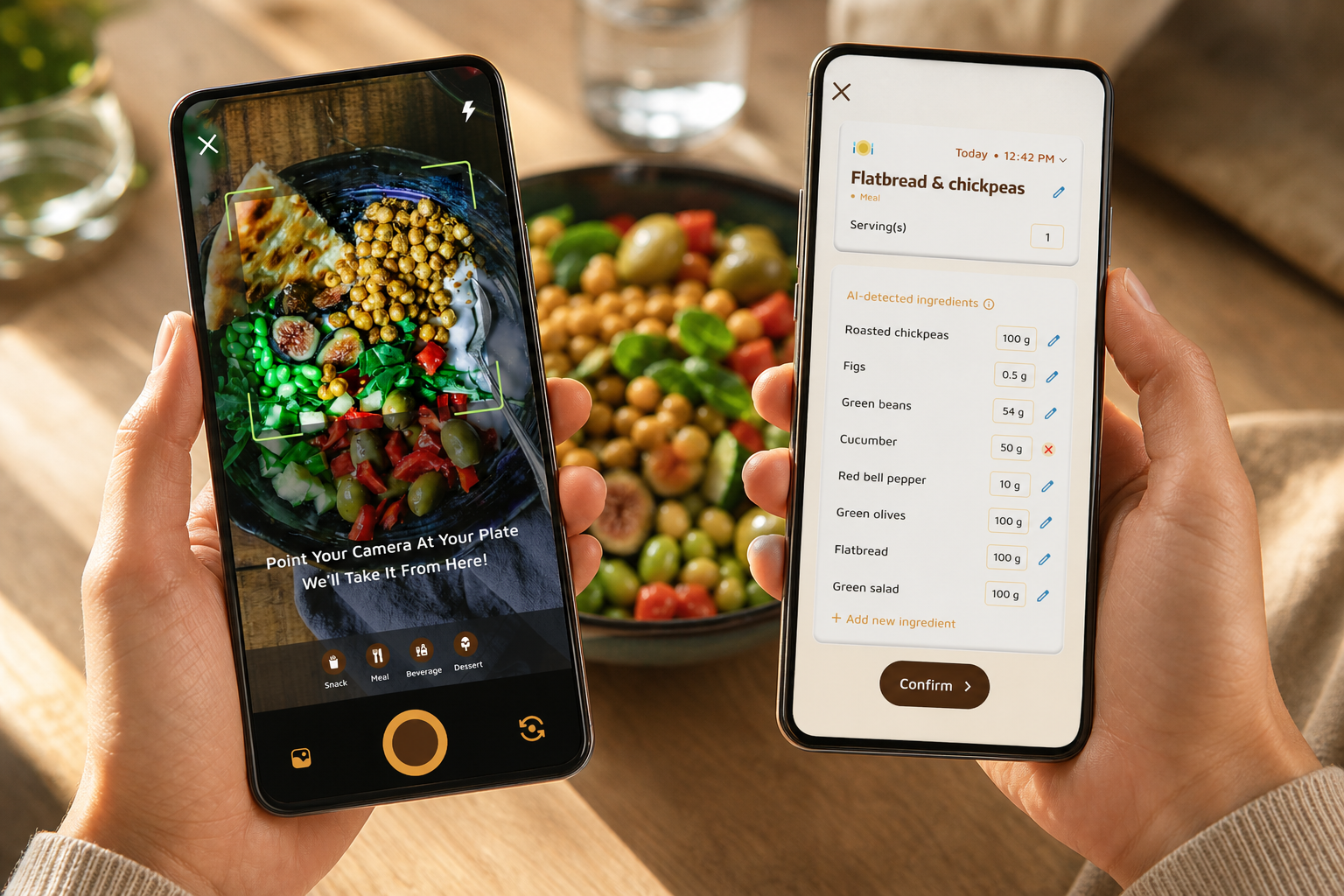
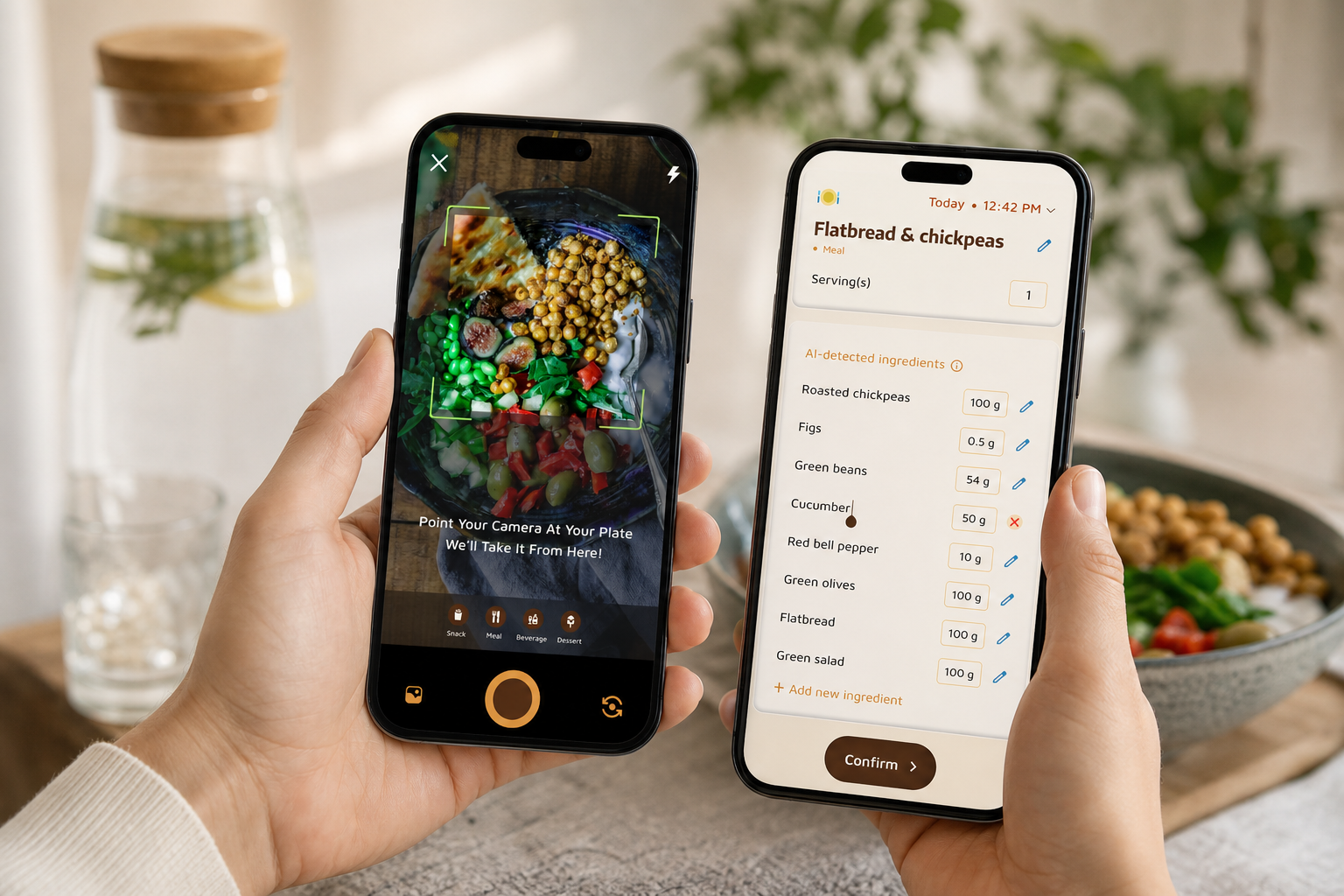
Step 4: Snap your first meal. The photo-based system returns a macro breakdown and calories instantly, and you can adjust portions in seconds. However, if you’d rather type, you can still search.
-
Step 5: Tap to log water through the day. Moreover, schedule gentle reminders that match your work blocks or school runs. Your hydration ring closes as you sip.
-
Step 6: After two meals, check goal predictions. You’ll see how the day is trending and what dinner options keep you on target. Offline logging works from the start, so don’t wait for Wi‑Fi.
**Get instant meal logging, free tier available →
For more hydration tactics that fit real life, skim this short guide on water intake. And if you want an even quicker read, this note on building an easy water tracker can help you set cues that stick.
Also Read!
How to Track Calories with a Virtual Pet When You Barely Have Time to Eat
Frequently Asked Questions
Is Calorie Tracker Buddy free, or do I need a paid subscription for macro and water tracking?
Core tracking, photo logging, macro tracking, and water tracking, is included in the free tier as of 2026. In addition, premium plans may unlock extra features for power users and coaches. Pricing and bundles can change over time. For the most current plan details, check the app’s plan screen.
How accurate is the photo-based macro tracking compared to manual barcode scanning?
Photo-based tracking uses AI to estimate nutritional content from your meal image. Real-time feedback lets you adjust portion sizes or swap items for better accuracy. Barcode scanning can be very precise for packaged foods, but it’s slower for home-cooked or restaurant meals. For busy people, snapping a photo is usually the best balance of speed and accuracy.
Can I track macros and water offline when I don't have an internet connection?
Yes. You can log meals and workouts offline, and they sync automatically once you reconnect. Therefore, your commuting time or flight time still counts toward your goals. There’s no data loss when your signal drops.
How does Calorie Tracker Buddy compare to MyFitnessPal for macro tracking?
MyFitnessPal has a huge database and strong barcode scanning for packaged items. Calorie Tracker Buddy leans into speed with photo-first logging, integrated water tracking, offline sync, and a friendly virtual buddy for motivation. If your top priority is logging in seconds, CTB is the better workflow fit. If you prefer deep database search and barcodes, MyFitnessPal remains strong.
Does the app integrate with my Apple Watch or Fitbit?
Calorie Tracker Buddy syncs with fitness trackers like Google Fit. For Apple Health or Fitbit, please check the app’s integration list for the latest support. Integrations grow over time, and the in-app list is the source of truth.
What daily water intake goal does the app set, and can I customize it?
The default hydration target is 2.5 liters per day. In addition, you can adjust goals to match your body size, activity level, or climate. Quick-add buttons make it easy to log sips, glasses, or bottles. Reminders help you spread intake across the day.
Is Calorie Tracker Buddy good for someone who has never tracked macros before?
Absolutely. The photo-based meal snap removes the hardest part, estimating portions and macros, so you learn by doing. Real-time tips coach you while you eat, not after the fact. As Aanya Rastogi shared, “it’s second nature” once you start, and the health buddy keeps it fun.
Can I use the app if I have food allergies or follow a specific diet like keto or vegan?
Yes. You can customize dietary preferences and allergies so the app filters foods and tailors tips. That saves time because you don’t have to exclude foods every time you log a meal. Whether you’re keto, vegan, or somewhere in between, your view stays relevant.
Key Takeaways for 2026
- The best setup for busy lives is photo-first logging plus clear macro and water views, offline capture, and goal predictions. That combo keeps your day simple.
- Calorie Tracker Buddy meets that brief with instant meal snaps, a 2.5-liter hydration ring, real-time updates, Google Fit sync, and a virtual buddy that nudges without guilt.
- You can get started in five minutes, even offline, on the free tier. Your virtual buddy is waiting.
**Explore Fitness Coach tools today →
For more practical reads that fit packed schedules, see our guide to calorie tracking and our 2026 round-up on the best options for weight loss.