**Download free Android app today →
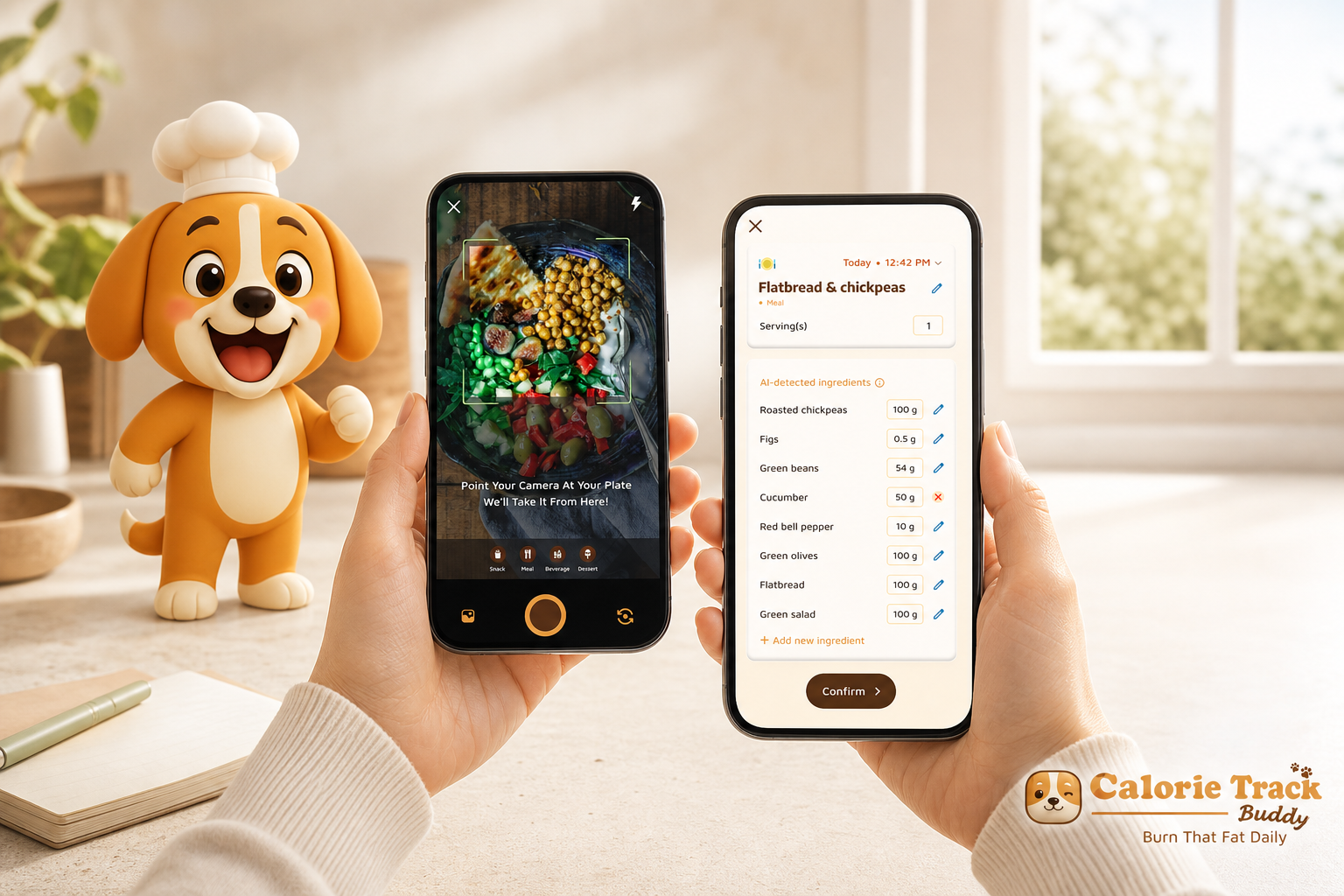
You can track calories on a slammed schedule by making logging nearly frictionless and tying it to a quick, emotional payoff. In 2026, gamified calorie tracking with virtual pet mechanics solves both: photo-first logging cuts the busywork, and a growing buddy keeps you engaged between meetings.
Here’s the direct answer. If logging takes under 30 seconds per meal and your app gives feedback right away, you’ll stick with it. A virtual pet adds that nudge you feel in your gut, not just your head. You don’t have to love cutesy apps to use one as a smart behavior tool. You just need a loop that works on a 12-hour day.
For more background on where manual logging goes off the rails, this explainer on why manual calorie tracking fails lays out the root issues. We’ll build on those lessons here and show you a fast, no-guilt way to set this up.
Why Traditional Calorie Tracking Fails Busy People (and How a Virtual Pet Changes That)
If you’re too busy to eat lunch before 2 p.m., you’re too busy for fussy tracking. Traditional calorie apps make you search databases, weigh food, and type. That’s tedious. After a few days, you stop.
The problem isn’t knowledge. You already know salad has fewer calories than a donut. The problem is the lack of a feedback loop you can feel in 10 seconds.
A Tamagotchi-style pet fixes the loop. It taps into three well-studied levers. First, variable reward schedules keep you checking in because you don’t always know what you’ll get. That “maybe today my buddy evolves” feeling drives repeat use, the same way a streak does. Second, nurturing instinct matters.
When the pet reacts to your choices, your brain treats it like a small responsibility, which boosts care and attention. Third, loss aversion kicks in. You don’t want your buddy to “miss out” on growth because you skipped logging dinner. That concern is human, not childish.
Moreover, you get a double hit: emotional reward plus skill building. As you snap meals, the app’s real-time tips teach you swaps and portion cues. Therefore, you make better choices with less effort. Over time, your pet’s growth maps to your own consistency.
For a quick read on the “Tamagotchi effect,” see this short overview from Wikipedia: Tamagotchi effect. And if you want the behavioral science side, variable ratio schedules are a classic concept in operant conditioning covered in the operant conditioning article.
"Logging meals is fun now—just snap a photo and boom, done. And the little buddy? This is a total big improvement for staying motivated!" — Pooja Rao
What the pet actually changes
- It gives you a visual “score” that updates right away.
- It turns small choices (adding protein, walking 500 more steps) into visible progress.
- It keeps you engaged on low-willpower days by making the next action small and clear.
For a friendlier on-ramp to concepts, skim this primer on calorie tracking apps. It covers core features and how they fit into daily life.
Also Read!
Best Calorie Tracker with Virtual Pet for Busy People in 2026
How to Use a Calorie Tracker with a Virtual Pet to Lose Weight
Step-by-Step: Setting Up Gamified Calorie Tracking in Under 10 Minutes
You don’t need the “perfect” app to get results. You need a simple setup that you can keep for weeks. Do this once, and it pays you back every day.
Step 1: Calculate Your Daily Calorie Target (2 Minutes)
Before you start tracking, estimate how many calories your body needs each day. Most calorie tracking apps can calculate this automatically, but understanding the basics helps you set realistic goals.
The widely used Mifflin-St Jeor Equation estimates your Basal Metabolic Rate (BMR)—the calories your body burns at rest.
For men:
BMR = (10 × weight in kg) + (6.25 × height in cm) − (5 × age in years) + 5
For women:
BMR = (10 × weight in kg) + (6.25 × height in cm) − (5 × age in years) − 161
For background, the Basal metabolic rate page explains the math. Keep it simple: aim for a 300–500 kcal daily deficit for weight loss, maintenance at TDEE, or a small surplus for muscle gain.
Step 2: Choose a gamified tracker (1 minute)
Pick an app with:
- A virtual pet that grows with healthy choices.
- Photo-based meal logging for speed.
- Offline logging with auto-sync.
- Fitness tracker sync (e.g., Google Fit) for steps and workouts.
- Real-time meal feedback and goal predictions.
As a busy person, favor speed over bells and whistles. If photo logging works well and the pet mechanic is clear, you’re set.
Step 3: Turn on photo-first logging (2 minutes)
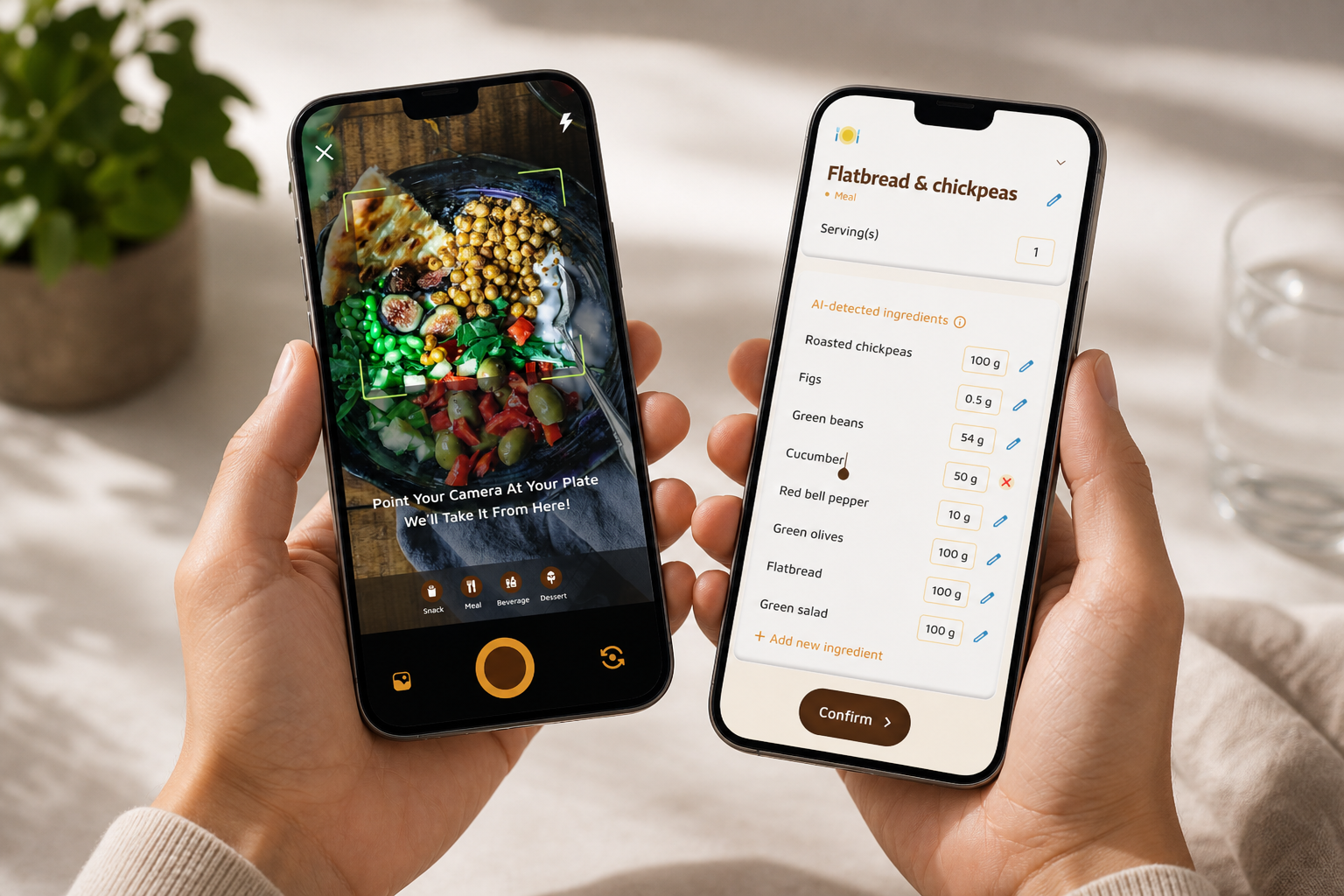
Switch default logging to “camera.” This removes search, typing, and barcode scans for most meals. You snap, confirm portions, and go. This flow avoids the three slow parts of manual logging: item lookup, portion math, and multi-field edits. As a result, your average log time drops sharply because you cut out the longest steps.
Step 4: Align pet growth triggers to your goal (2 minutes)
Make the pet care about what you care about. For weight loss, tie growth to calorie targets hit, protein minimums met, and step streaks. For maintenance, reward balance and consistency. For muscle gain, reward protein and strength sessions.
Specifically, set:
- Daily growth if you meet calorie target (±10%).
- Bonus if protein target is met (0.7–1.0 g per lb body weight).
- Small gains for step goals (10,000 steps/day is a classic anchor).
- A weekly “evolution” if you log 6 out of 7 days.
Step 5: Batch-log during natural downtime (2 minutes)
Decide when you’ll log.
- On the commute home (60 seconds).
- In a waiting room (30 seconds).
- Before bed (60–90 seconds).
Therefore, logging never fights your deep-work time. It slides into idle minutes you already have.
Step 6: Add one weekly check-in (1 minute)
Once a week, open your pet’s progress view.
- Streaks kept.
- Macro balance (carbs, protein, fat).
- Which meals earned positive feedback.
- Goal prediction for the next 7 days.
Then write one tweak for next week. Keep it tiny: “Add 20 g protein to lunch” or “Swap one snack for Greek yogurt.
"Before using the app, I didn’t know where to start with calorie tracking. But now, it’s second nature! The meal snap feature is a big improvement." — Aanya Rastogi
For more setup tips, this step-by-step walkthrough of a calorie tracking app shows the flow end to end.
5 Mistakes Busy People Make with Gamified Calorie Trackers
You’re not lazy. You’re loaded. Here are the traps that break busy users, plus fast fixes that don’t add work.
Mistake 1: Treating the pet like a toy, not a habit anchor
If the pet is just cute, you’ll ignore it by Thursday. Tie pet health to your real targets. Make growth depend on calorie and protein hits, daily steps, and your logging streak. As a result, the pet becomes a dashboard you care about, not a sticker.
Fix: Link two metrics to growth (e.g., calories ±10% and 100 g protein). Add one “streak save” per week so a rough day doesn’t kill momentum.
Mistake 2: Trying to log every ingredient perfectly
You don’t need lab-grade accuracy. The 80/20 rule applies: a clear photo, a reasonable portion estimate, and a short note beat no log at all. Precision can come later.
Fix: Use photo-based estimation for mixed meals. Add exact weights only for repeat foods you eat a lot (like oats or rice). The goal is trend accuracy, not single-meal perfection. For common pitfalls, this guide on calorie tracking mistakes is a quick confidence check.
Mistake 3: Ignoring the app on weekends
Skipping Saturday and Sunday hides two out of seven days. That skews your data and sinks progress. Your pet mechanic helps here because it doesn’t take weekends off.
Fix: Give your pet small weekend bonuses for logging anything at all. Set a “just snap it” rule on social days. Even a latte photo with a note keeps the loop intact.
Mistake 4: Not customizing dietary preferences and allergies
If you don’t enter your diet style or allergy info, feedback gets noisy and annoying. That’s friction you don’t need.
Fix: Spend 90 seconds upfront to set preferences (vegetarian, halal, gluten-free) and allergies. Then, real-time feedback will match your plate, not a generic template.
Mistake 5: Skipping social or accountability features
Even light accountability helps. Quietly sharing one meal or a streak to a small circle can increase follow-through without turning you into a “fitness poster.
Fix: Turn on passive social sharing or send a weekly summary to one friend. You’ll feel just enough nudge to keep going.
Also Read!
Best Calorie Tracker with Virtual Pet for Weight Loss in 2026
Tools and Apps That Combine Calorie Tracking with Virtual Pets
You have choices, and they each trade speed, depth, and fun in different ways. As a busy person, your top three priorities are speed of photo logging, offline use for subways and flights, and real-time feedback so you learn now, not later.
Categories to consider
- Habit RPGs: Tools like Habitica turn tasks into quests. Best for people who love streaks and quests, but you’ll need a separate nutrition tool if you want strong food data.
- Fitness gamification platforms: These focus on workouts, steps (10,000/day is a common anchor), and badges. Great if movement is your main lever, but meal logging can feel tacked on.
- Photo-first trackers with a virtual buddy: Best fit for fast logging plus a nurturing loop. Look for photo-based tracking, macro breakdowns, water and exercise tracking, and real-time meal feedback.
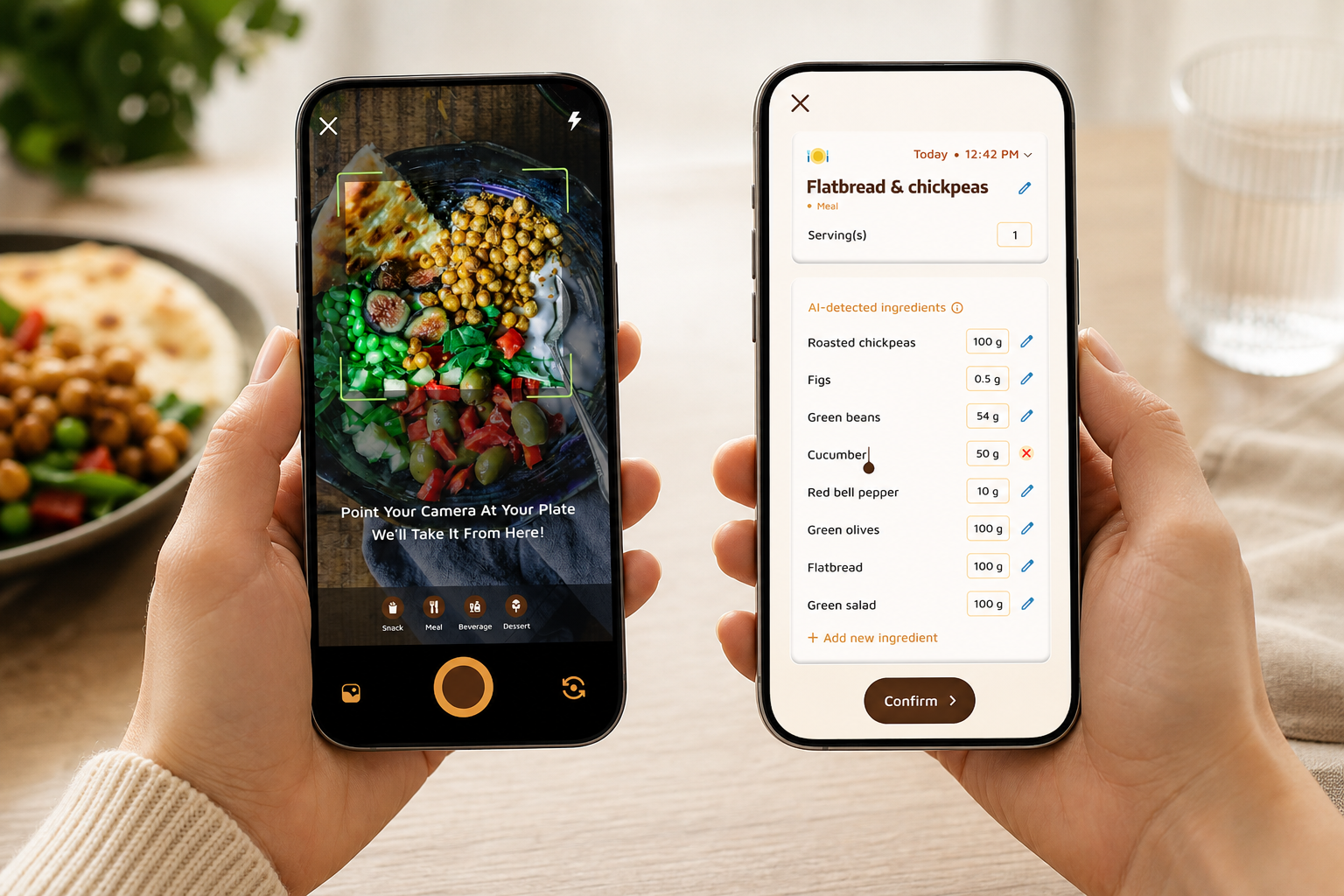
Tools like Calorie Tracker Buddy pair photo-based meal logging with a virtual buddy that grows as you make healthier choices, provide real-time feedback on meals and snacks, track macros, steps, and water, and support offline logging with auto-sync once you’re back online. If you coach others, there’s even a Fitness Coach mode for tailored advice and challenges.
For a broader view of options and how to evaluate them, this guide to best calorie tracking apps breaks down pros and cons by feature.
What to Do This Week: Your 7-Day Gamified Tracking Kickstart
The goal this week is not perfect numbers. It’s to build the habit, learn your patterns, and get your pet growing.
- Day 1–2 (10 minutes total): Download your chosen app, turn on photo-first logging, and set preferences. Snap every meal and snack. Don’t edit much; just capture what happened.
- Day 3–4 (8–10 minutes): Start reading the real-time feedback. Notice which meals your pet “likes” (e.g., higher protein, balanced plates). Try one easy swap at lunch or a snack.
- Day 5 (6 minutes): Check your macro breakdown so far. Aim to bump protein by 15–25 g for the day if you’re under. Use a simple add: Greek yogurt, cottage cheese, tofu, eggs, or a protein shake.
- Day 6 (3 minutes): Share one meal or a small win. Use the social posting feature or text a friend. Keep it low-key, like “4 days logged in a row.
- Day 7 (8 minutes): Open your pet’s progress, review streaks, and look at goal predictions for next week. Write one tiny change for Week 2: a new breakfast, a water target, or a step goal.
Furthermore, set a weekly reminder to review calories, steps, and your pet’s growth together. That short, honest check-in is your anchor. If you want deeper strategy ideas, scan this walkthrough on calorie tracking for simple shortcuts that save time.
**Get instant setup tips in-app →
Key Takeaways
You’re busy. You need a loop that works inside your real life, not a plan that needs a spare hour you don’t have. Gamified calorie tracking with virtual pet mechanics gives you fast logging and an emotional reason to keep going. Here’s the short list to remember.
- Photo-first logging reduces friction. Snap, confirm, move on.
- The pet turns data into a feeling. Growth today equals action today.
- Align growth triggers to your goal so progress is relevant.
- Batch-log during idle minutes to protect deep work.
- Do one weekly check-in. Adjust one thing. Keep streaks flexible.
As a result, you get steady practice without guilt or grind. The pet is not the point; the pet is the cue. It nudges you to take the next tiny action that adds up over weeks and months.
If you coach clients, a platform that adds social sharing, real-time feedback on meals, and custom challenges can multiply adherence without piling on admin. And if you’re solo, the same features give you a nudge when willpower dips. Authority sources like Wikipedia’s entries on operant conditioning and the Tamagotchi effect explain why this works, but the only test that matters is yours.
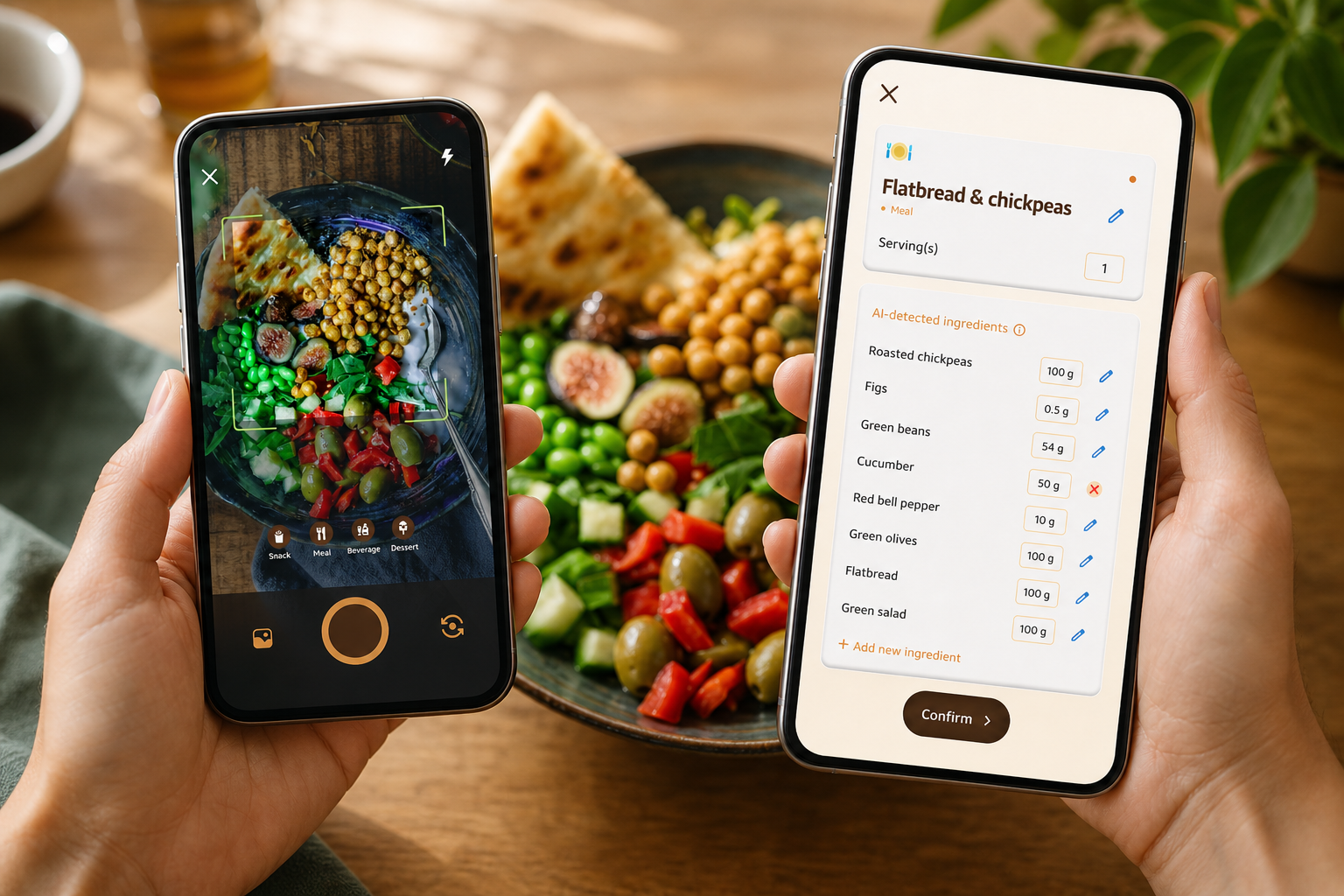
What to do this week: Pick one app that supports a virtual pet, turn on photo-first logging, and tie the pet’s growth to your calorie target and protein. Log for seven days. Review once. Tweak one thing. That’s it.
**Start your free 7-day habit build today →
Notes for the curious:
- Variable ratio schedules and the Tamagotchi effect are described in accessible detail on Wikipedia and are useful background reads for why “little buddies” can keep you consistent.
- Real-time updates on calorie burns, meals, steps, and goal progress are more than dashboards; they are immediate feedback loops that support faster learning.
- If you want to teach others, explore “Be a fitness coach” tools later. For now, keep your setup simple, and give yourself a win this week.