


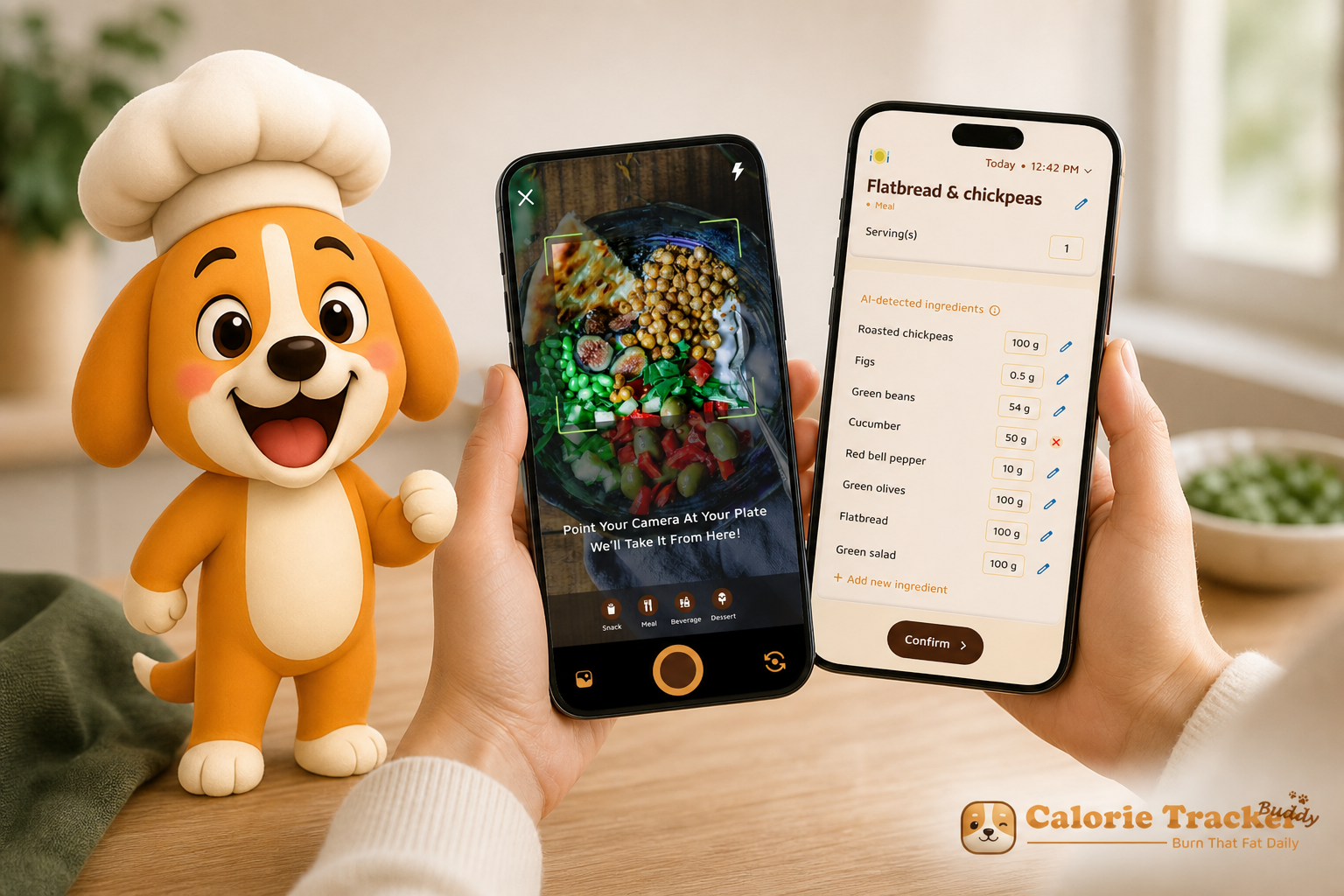
Day 1: you open a tracker, stare at a blank search box, and feel stuck. For beginners in 2026, the best way to fix that is a calorie tracker with coaching and challenges. The answer up front: Calorie Tracker Buddy stands out for first-timers because it pairs instant meal feedback with a guided routine, so you’re not guessing what to do next.
However, your first goal isn’t perfect logging. It’s building a habit you can keep. That’s why structure matters. Calorie counting alone can feel cold and math-heavy. But when you add coaching, realistic daily targets (like a 10,000 steps/day goal and a 2.5 liter/day water target), and small wins you can see, the process gets simple and clear.
Moreover, you don’t need to know macros on day one. You need a path that tells you, “Good choice. Here’s what to tweak next.” That’s the shift from stress to progress. In this guide, you’ll learn what to evaluate, how Calorie Tracker Buddy maps to those needs, and how to get started the right way in your first week of 2026.
Why Beginners Struggle with Calorie Tracking (And Give Up Too Fast)
Let’s name the friction you’ve felt. You don’t know what a “serving” looks like. You’re not sure if macros or calories matter more.
You log for a few days, then real life hits, the streak breaks, and motivation slides.
It’s not you. It’s the system you were handed.
For example, basic trackers make you search and sift through lists every meal. After the third “chicken, grilled” entry, the process feels like busywork. You get no feedback on whether your lunch helped or hurt your goal.
Without guidance, you’re left to guess, and guessing drains willpower.
In addition, a spreadsheet-style diary can feel boring. There’s no nudge to stay on track when you’re busy, and no friendly push when you’re close to your target but not quite there. As a result, it’s common to stop within the first two weeks because the routine feels tedious and aimless.
Macros vs. calories: which matters first?
Furthermore, “macro vs. calorie” adds more confusion. Beginners think, “Do I hit protein first?
Or stay under calories?” Without clear coaching, you can swing between extremes: all-or-nothing days, cut-and-binge weeks, or giving up when a single meal goes off-plan. The gap is clear: tracking alone isn’t enough. You need encouragement, guardrails, and a structure that turns each day into a small, winnable challenge.
Early hurdles new trackers face
- Portion-size guesswork leads to inconsistent logging and doubt.
- No feedback loop makes it hard to learn from each meal.
- All-manual entry feels like data entry, not health support.
- No accountability system means streaks break without warning.
- “Macros vs. calories” confusion stalls action on day one.
For extra context on healthy-weight fundamentals and habit change, see the CDC Healthy Weight guidance.
What to Look for in a Calorie Tracker with Coaching (Buying Criteria)
You’re not choosing a calculator. You’re choosing a coach you’ll open every day. A calorie tracker with coaching and challenges should lower friction, teach you as you go, and make progress feel visible. Here’s how to assess that, point by point.
Ease of logging: photo, search, or barcode
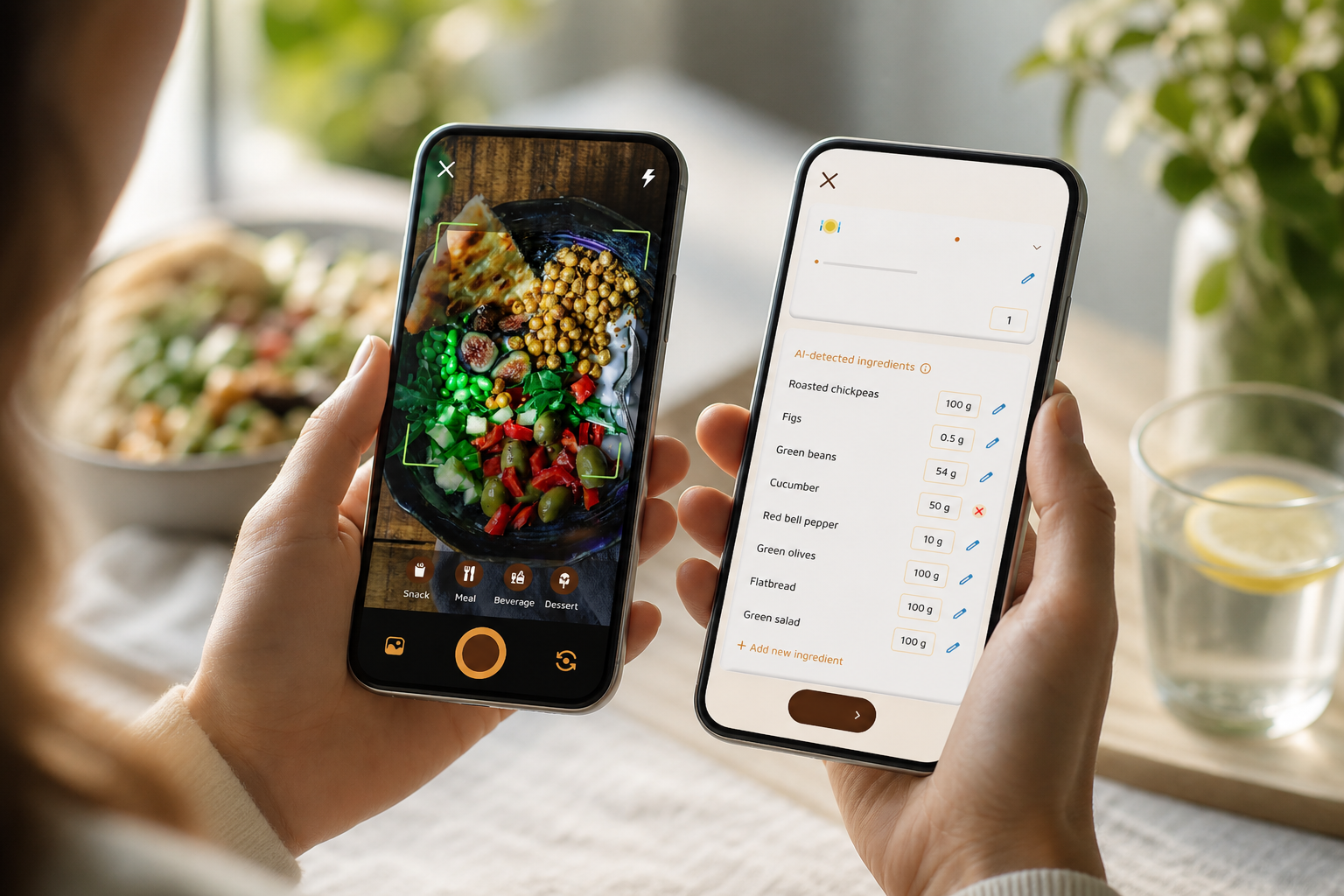
Manual search is slow, and it punishes beginners who don’t know exact dish names. Barcode scan helps for packaged foods but fails for home-cooked meals. Photo-based entry removes guesswork. You take a quick snap and get instant estimates. As a result, you log more meals, and consistency beats precision for first-timers.
Built-in coaching: feedback, not just records
A tracker should tell you what worked and what to improve. Real-time meal feedback helps you adjust the next plate, not next month. If the app predicts how lunch affects dinner and your daily target, you’ll learn faster. Therefore, coaching is the difference between a diary and daily progress.
Motivational systems: streaks, gamification, rewards
Beginners rely on external motivation at first. Streaks, badges, and a playful “buddy” turn healthy choices into visible wins. Moreover, challenges give you a finish line this week, not a vague “someday.” When your app celebrates small wins, you come back tomorrow.
Macro tracking alongside calories
Calories set the frame. Macros shape how you feel. Tracking protein, carbs, and fat helps you stay full and perform better. However, as a beginner, you don’t need to micromanage. You need a clear view and gentle prompts that nudge protein up or added sugar down.
Dietary customization: allergies and preferences
You shouldn’t sift through foods you can’t eat. A good app tailors recommendations to allergies and personal diets from the start. In addition, it should filter tips and swaps so feedback stays relevant and safe.
Offline capability: log anywhere
Airplane mode, subways, and spotty Wi‑Fi happen. Offline logging lets you add meals and workouts on the go, then auto-sync later. Therefore, your streak stays intact, and you don’t lose momentum to bad signal.
Fitness tracker integration: steps and activity
Beginner wins come from routine. Auto-sync with Google Fit keeps your 10,000 steps/day goal in view without manual entry. In addition, real-time activity data gives the app better context for calorie burn and smarter guidance.
For a deeper dive into selection factors, this practical primer on coaching features details how guidance and challenges boost adherence: calorie tracker with fitness coaching and challenges 2026 guide.
Also Read!
Calorie Tracker Buddy vs MyFitnessPal for Gym-Goers: Which Is Better for Macro and Water Tracking?
How Calorie Tracker Buddy Solves These Problems for Beginners
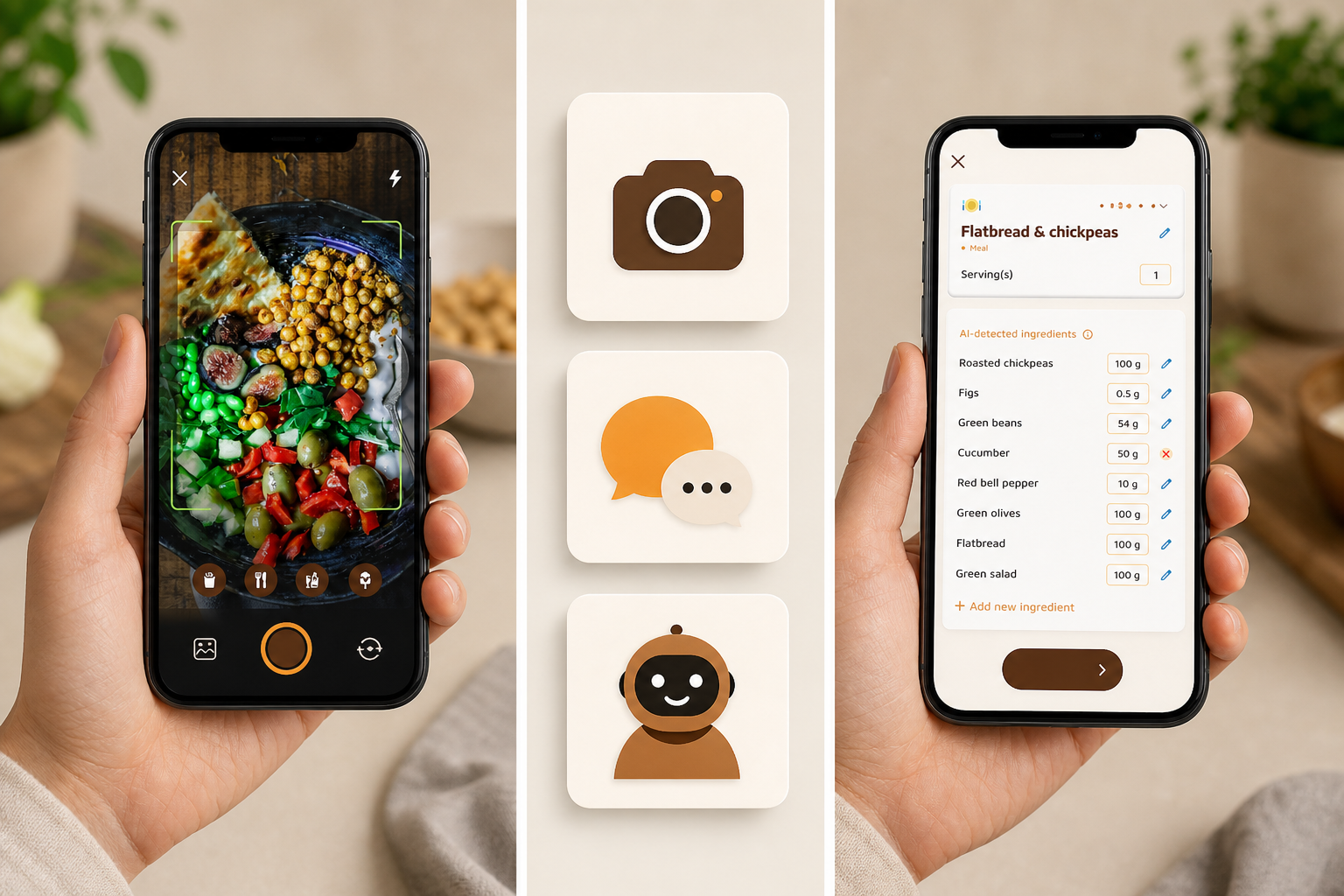
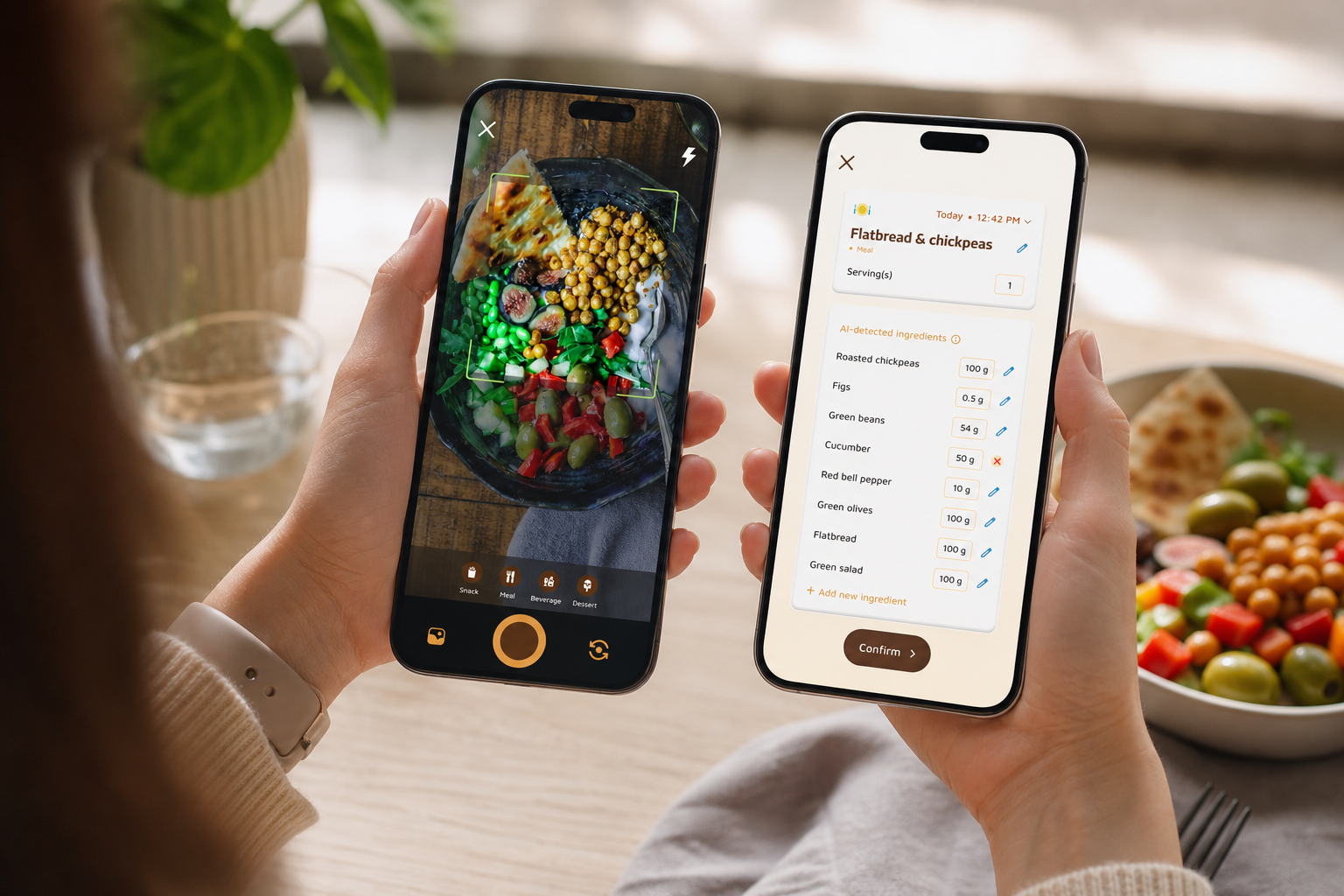
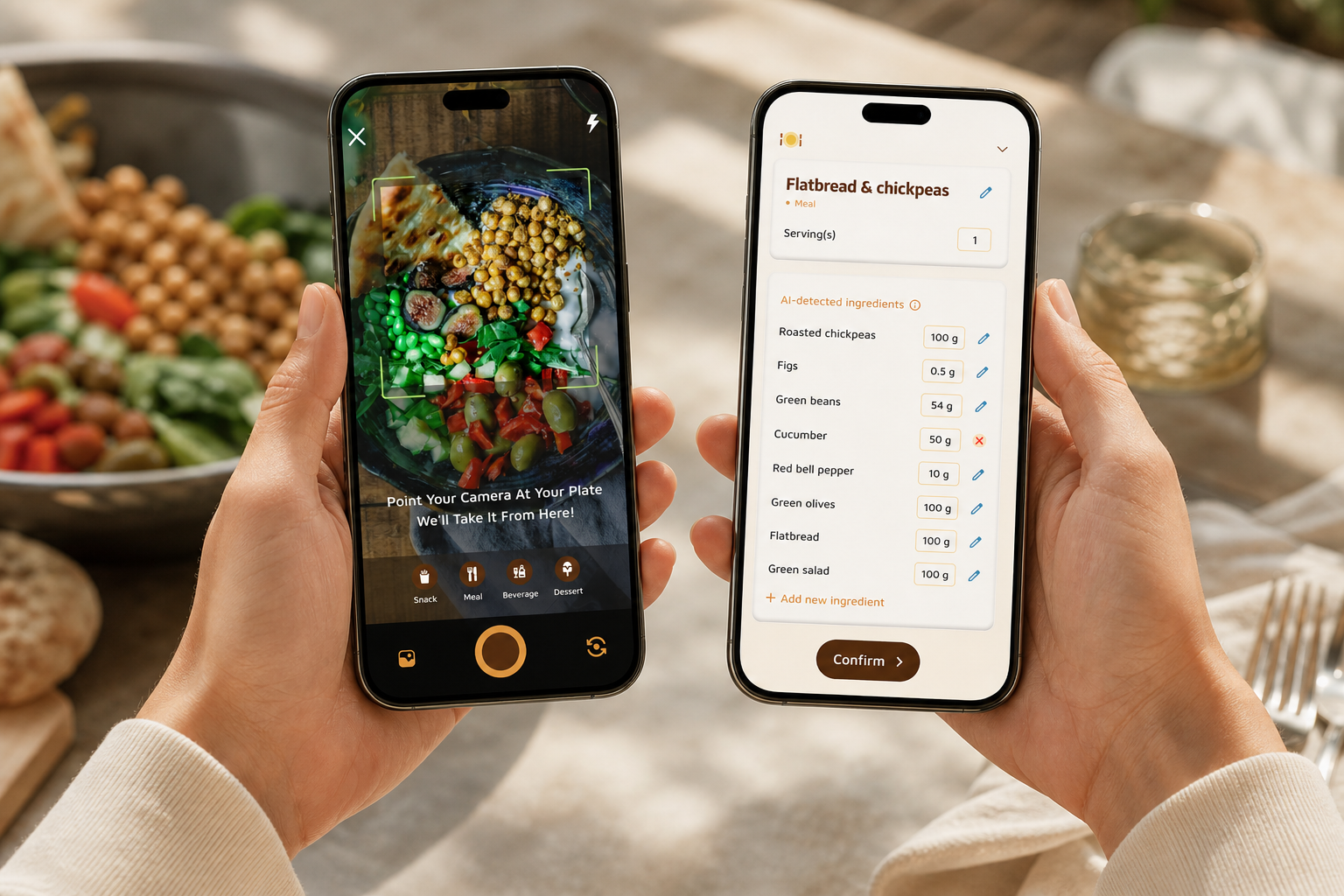
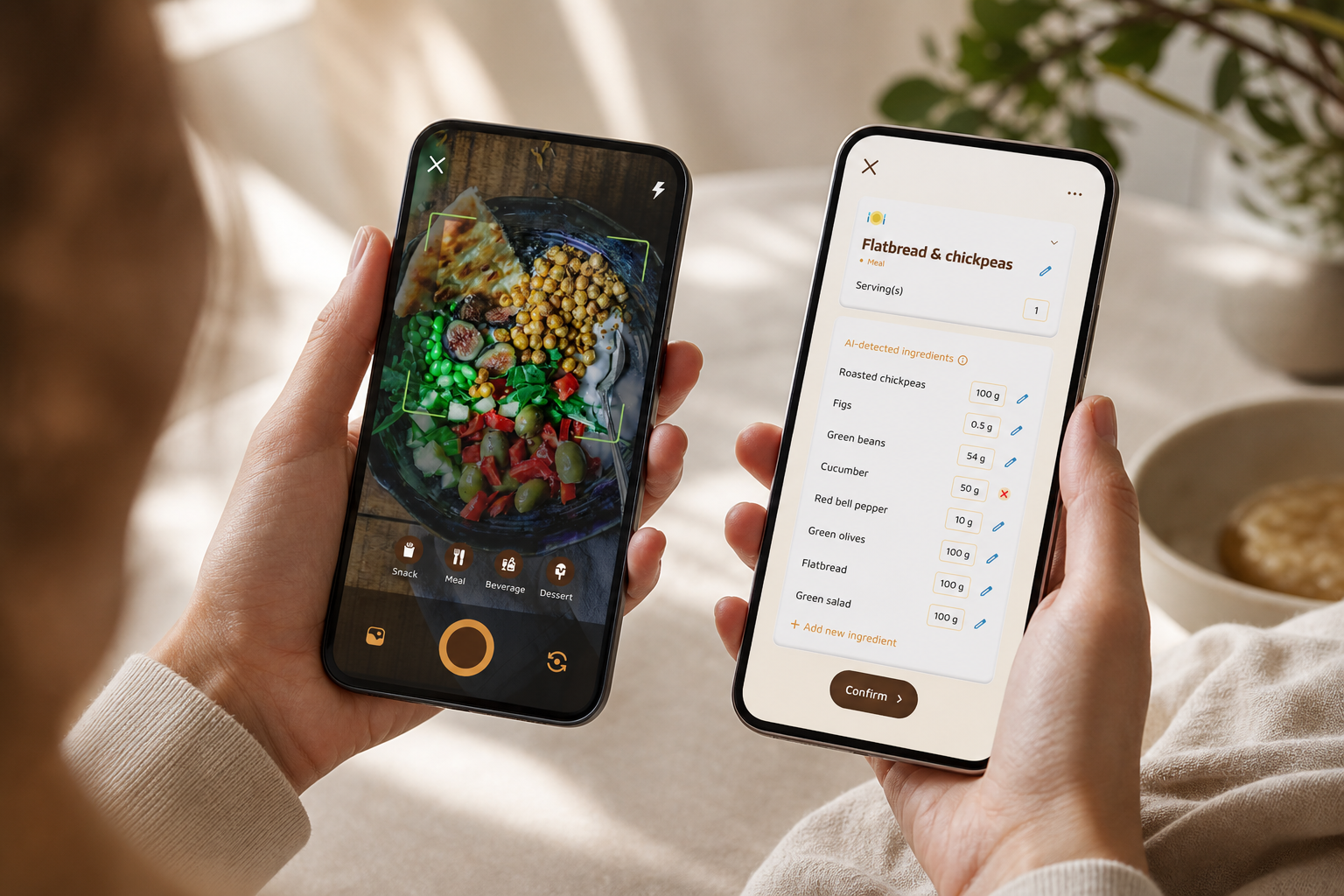
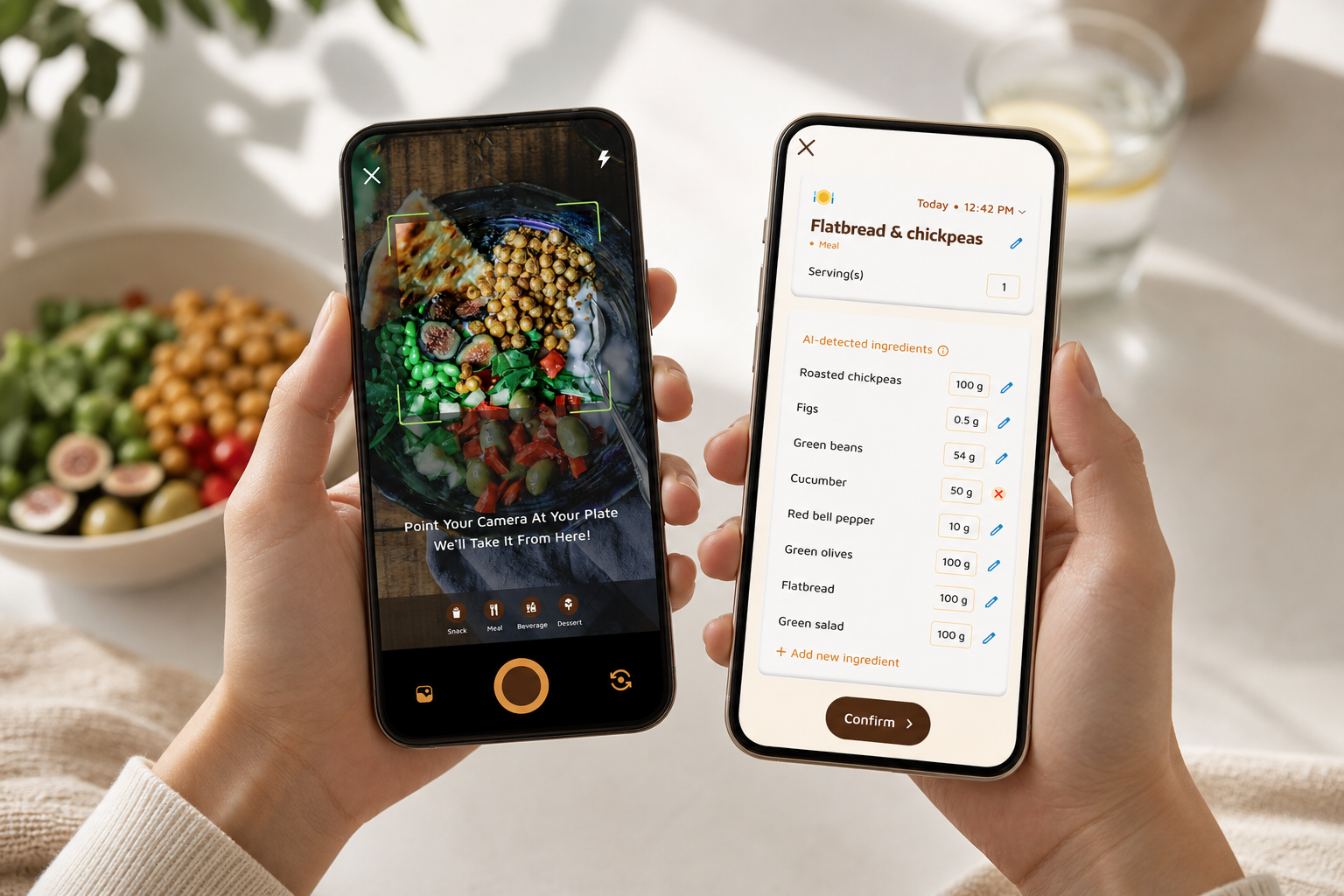
Calorie Tracker Buddy was built to remove the biggest beginner hurdles. First, you log by snapping a photo. The app identifies the meal and returns instant calories and nutritional info, so portion-size doubts don’t derail you. As a result, you’ll log more meals in less time, which is the fastest path to real results.
Second, you get real-time feedback on each meal. The app highlights what supported your goal and what to improve at your next bite. Goal predictions show how your lunch affects dinner and the day’s target, so you can course-correct before bedtime instead of after a frustrating week.
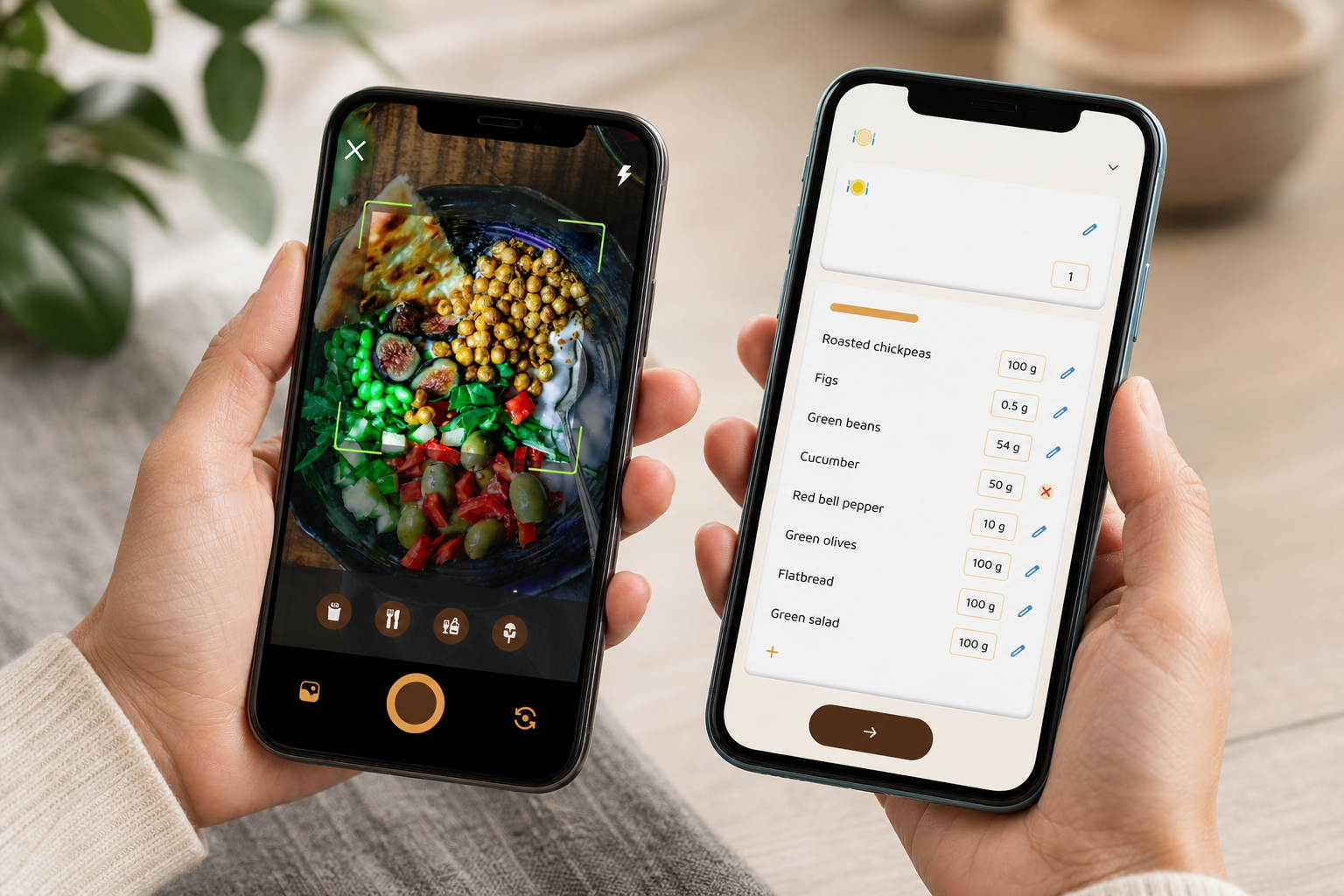
Third, the Fitness Coach mode turns passive recording into active guidance.
It delivers tailored advice, motivational nudges, and custom challenges that match your goals. Moreover, you’ll see how choices stack up with real-time updates on calories in, calories out, steps, and progress.
In addition, the virtual buddy brings motivation to life. It “grows” as you make healthier choices, which creates a visual reward loop. For beginners who need external motivation, this playful feedback keeps the habit sticky through that tricky second week and beyond.
"Before using the app, I didn’t know where to start with calorie tracking. But now, it’s second nature! The meal snap feature is a big improvement. I love how the app gives me tips and feedback in real time. My health buddy keeps me accountable, and I’m actually excited to track my meals. It’s fun!" — Aanya Rastogi
Furthermore, you can track macros (carbs, protein, fat), water intake with a 2.5 liter/day target, and daily steps with a 10,000 steps/day goal.
You can also log workouts and see calorie burn in the same view. Dietary preferences and allergy filters shape all recommendations, so feedback stays aligned to how you eat.
Offline logging means you can add meals and workouts on a commute and auto-sync later. And with Google Fit integration, your steps and activity stream in without extra taps. As a result, the app has the context it needs to send personalized fitness tips based on your activity and progress.
"I’ve been using Calorie Tracker Buddy for five weeks, and I’ve already lost 4kg! It’s been an amazing experience because the app doesn’t just make tracking easy, it keeps me motivated with my little buddy cheering me on. Plus, I didn’t have to cut out my favorite foods. It’s all about balance!" — Alex Sim
Finally, challenges are built in.
You can join ready-made options or create custom challenges tied to your goals. That structure turns “eat better” into clear, staged steps you can win this week.
Also Read!
Calorie Tracker Buddy vs. MyFitnessPal vs. Lose It! — Honest Comparison for Beginners
You should pick the tool that fits how you start, not how experts log. Here’s a fair take for new users who need a calorie tracker with coaching and challenges plus simple daily structure.
- MyFitnessPal: the industry standard with a huge food database. It’s great for power users who know what to search. However, it’s primarily a logging tool with minimal built-in coaching and little gamification. The interface can overwhelm brand-new trackers.
- Lose It!: a cleaner interface with barcode scanning and decent goal-setting. It’s easier than MFP in day-to-day use. On the other hand, real-time meal coaching is limited, and there’s no virtual buddy or guided challenge system for habit-building.
- Calorie Tracker Buddy: a smaller database than MFP, but photo-based logging removes search burden for home-cooked and mixed meals. You get real-time feedback after every meal, a virtual buddy for sustained motivation, and custom challenges that build skills step by step.
Side-by-side criteria table
| Criteria | MyFitnessPal | Lose It! | Calorie Tracker Buddy |
|---|---|---|---|
| Ease of logging | Manual search, barcode scan | Barcode scan, manual search | Photo-based logging plus manual/barcode as needed |
| Coaching/feedback quality | Minimal | Limited | Real-time meal feedback and goal predictions |
| Motivational features | Basic streaks | Basic streaks | Virtual buddy that grows; rich challenges |
| Macro tracking | Yes | Yes | Yes (carbs, protein, fat) |
| Dietary customization | Yes | Yes | Yes (allergy and preference filters for tips) |
| Offline capability | Partial | Partial | Full offline logging with auto-sync |
| Fitness tracker integration | Yes | Yes | Google Fit integration for steps and activity |
"I’ve tried tons of fitness apps, but this is, hands down, the best calorie tracker app I’ve ever used. Logging meals is fun now—just snap a photo and boom, done. And the little buddy? This is a total big improvement for staying motivated!" — Pooja Rao
If you want the largest database to fine-tune grams of a niche food, MyFitnessPal’s scale is an edge. If you want a tidy logger with barcode scanning, Lose It! is solid. But if you’re a beginner who needs coaching, momentum, and a reason to come back each day, Calorie Tracker Buddy is the strongest fit. For a deeper head-to-head breakdown, see this practical analysis: myfitnesspal vs calorie tracker buddy.
Trust Signals: What Real Beginners Experience in Their First Month
Facts beat claims. Calorie Tracker Buddy sets daily targets that are clear and easy to follow: a 10,000 steps/day goal and a 2.5 liter/day hydration target. Those benchmarks keep you moving and hydrating without guesswork. Moreover, real-time updates on calorie burns, meals, steps, and goal progress show exactly where you stand at any moment.
- Risk-free start: Download free on Android, and begin with core tracking features without an upgrade so you can build the habit before deciding on extras.
In addition, the app sends personalized fitness tips based on your activity and progress, not generic advice. If you’re short on steps by late afternoon, you’ll get a nudge. If lunch pushed you over, you’ll see a dinner suggestion that puts you back on track. As a result, the coaching loop feels close to a real human coach.
"I’ve always wanted to be healthier but never found the right tools to make it stick. This app has been a total big improvement. Not only have I lost 5kg, but I also feel more energized. My health buddy is a constant source of encouragement, and the tips help me make smarter choices every day." — Sandy T
Furthermore, social posting inside the app lets you share meals, workouts, and wins with the community.
Public progress boosts accountability
Even one shared check-in can keep your streak alive on a hard day. And because offline logging with automatic sync protects your streak when you’re out of range, you don’t lose momentum to poor signal.
For more ways to stay consistent without overthinking, this step-by-step starter explainer is a helpful read: daily calorie tracker.
How to Get Started: Your First Week with Calorie Tracker Buddy
You don’t need a perfect week. You need a repeatable one. Here’s a simple, day-by-day plan that uses a calorie tracker with coaching and challenges to build a habit you can keep.
-
Day 1–2: Set your base.
Open the app, set goals, and add dietary preferences and allergies. The app tailors feedback and recommendations from the start. Keep it simple: pick a sensible calorie target and enable step and water goals. -
Day 3–4: Start photo logging two meals per day.
Snap your breakfast and lunch. Don’t chase perfect accuracy. Instead, aim for consistent entries. You’ll get instant nutritional info and see what to tweak at dinner. -
Day 5: Connect Google Fit.
Let steps and activity sync in the background. Your 10,000 steps/day target will update without manual entry. If you use another tracker that links into Google Fit, connect that too. -
Day 6: Review goal predictions.
Open your daily view to see how each meal nudged you toward or away from the target. Adjust your next plate based on the app’s real-time feedback and personalized fitness tips. -
Day 7: Join your first challenge.
Pick a starter challenge (hydration streak, two-photo days, or 7,500+ steps if 10,000 is a reach). Challenges create a finish line you can win this week, which builds your streak for next week. -
Ongoing: Let your virtual buddy grow.
Use it as your daily anchor. Celebrate small wins, and keep logging even when offline; your entries will auto-sync when you’re back online. Check tips each morning for one small action to take that day.
If you prefer a broader look at starter picks across platforms, this round-up gives context on trade-offs without hype: best calorie tracker apps.
**Start your first challenge →
Also Read!
Frequently Asked Questions
Is Calorie Tracker Buddy free, or do I need a paid subscription?
You can start with core tracking features right away. Photo logging and the virtual buddy are accessible so beginners can build the habit without barriers. Some advanced features may require an upgrade. Because pricing can change, check the app store listing for the latest details. If you’re comparing tiers, this explainer helps frame trade-offs: free vs paid calorie tracker.
How accurate is photo-based calorie tracking compared to manual entry?
Photo-based tracking uses AI to estimate calories and nutrition from your meal photos. Weighing food and entering exact values can be a bit more precise. However, reduced friction means you’ll log more meals, which improves real-world results for beginners. In addition, real-time feedback helps you course-correct even if a meal estimate isn’t perfect.
Can I use Calorie Tracker Buddy if I have food allergies or follow a specific diet?
Yes. During setup, you can add allergies and dietary preferences. The app tailors feedback, meal ideas, and tips so you don’t wade through foods you can’t eat. This matters early on, because aligned suggestions remove second-guessing and speed up each choice.
How is this different from MyFitnessPal or Lose It! for beginners?
Those tools are well-known and have large food databases. Calorie Tracker Buddy is built for people who need coaching, not just logging. You get real-time feedback after each meal, a Fitness Coach mode with tailored challenges, and a virtual buddy that keeps motivation high. For a full comparison, see our balanced review: Calorie Tracker Buddy vs Noom for Weight Loss: Which Is Better for Calorie Tracking with Coaching?.
What if I forget to log a meal or don’t have internet access?
You can log meals and workouts offline. The app syncs everything automatically when you’re back online. That way your streak stays unbroken on commutes, flights, or low-signal days. Consistency beats perfection, and offline logging makes that possible.
Does the coaching actually adapt to my progress, or is it generic advice?
The coaching adapts. The app sends personalized fitness tips based on your activity and progress, and you can create custom challenges tied to your goals. With real-time updates on calories, meals, steps, and progress, feedback stays relevant to what you did today, not last month.
Can I connect Calorie Tracker Buddy to my fitness watch or step counter?
Yes. The app syncs with fitness trackers like Google Fit. Once connected, steps and activity flow in automatically. That data helps you move toward the 10,000 steps/day goal without extra taps or manual entry.
Is the virtual buddy feature just a gimmick, or does it actually help?
Gamification increases habit stickiness for new users. The virtual buddy grows as you make healthier choices, which turns effort into a visible reward loop. Many beginners say the buddy keeps them logging past week one, which is the point where old habits tend to slip.
The Bottom Line for Beginners in 2026
- You don’t need perfect data; you need a system that teaches you as you go. A calorie tracker with coaching and challenges gives you structure, feedback, and momentum.
- Calorie Tracker Buddy matches beginner needs: photo logging to remove guesswork, real-time coaching to guide each meal, a virtual buddy to keep you engaged, and clear daily targets (10,000 steps/day, 2.5 liters/day).
- Start simple: set your preferences, log two meals with photos, connect Google Fit, and join one challenge. Small wins compound faster than perfect plans.
If you want a friendly start you can keep, pair easy logging with clear coaching. Your week-one wins in 2026 set the tone for the rest of the year.