


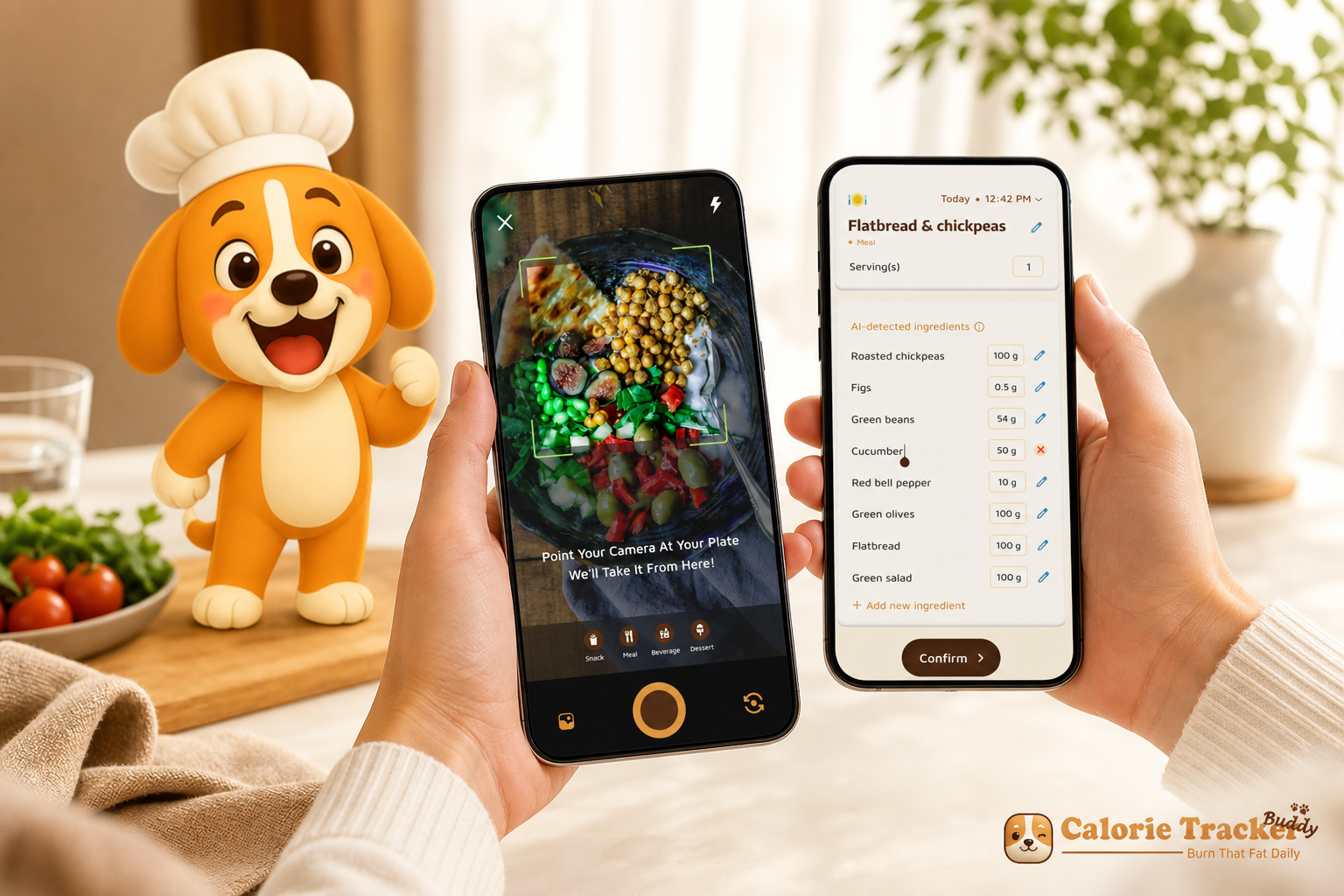
Start free on Android — core macro tracking, water logging (2.5L target), and photo logging are included; no subscription required for these core features.
A simple target like 2.5 liters of water and 10,000 steps a day beats a wall of charts. For beginners in 2026, the best pick is the tool that teaches as it tracks, not the one with the most dials. You need macro and water tracking that feels like a coach in your pocket, not homework.
You care about results, not jargon. Macros are your carbs, protein, and fat. Water keeps you going. However, most apps bury the basics under graphs and niche settings. As a result, you open the app, get lost, and give up.
Here’s the answer-first take: the right beginner tracker should help you log food by snapping a photo, show you a clean macro split, and nudge you to drink water throughout the day. Moreover, it should set friendly defaults like a Daily Hydration Target of 2.5 Liter/Day and a Daily Step Target of 10,000 Steps/Day so you can start fast. Then it should adapt.
For context, this guide explains what to look for, why those details matter, and how one app stands out for first-time trackers. You’ll see where alternatives shine too. Most of all, you’ll leave with a clear plan to start today without weighing every bite.
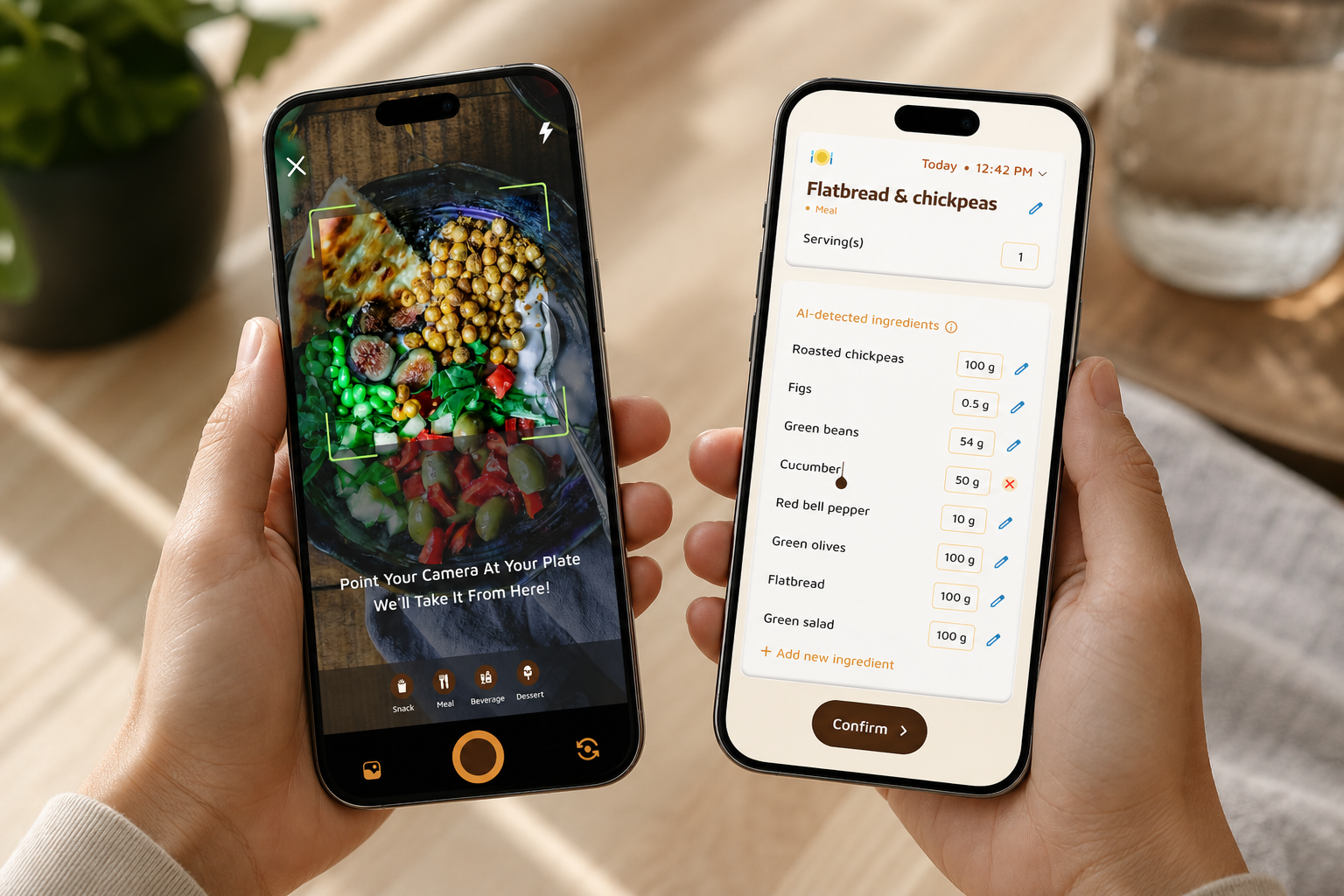 , a water intake ring set to 2.5L, and a 10,000-step progress bar; clean, beginner-friendly design; soft blues and greens; realistic phone on a kitchen counter with a glass of water)
Why Beginners Struggle with Macro and Water Tracking
Starting is hard because the tools assume you already know the rules. You open an app and see charts, streaks, sodium grams, and fiber targets before you’ve learned what a macro is. As a result, you feel behind on day one.
Food databases are another hurdle. You type “chicken salad,” and you get 20 entries. Which one is right? Which portion size matches your bowl?
Moreover, serving sizes in grams or ounces add stress if you don’t own a scale. So you guess. Then you doubt your guess and stop logging.
Water is the quiet gap. You mean to drink more, but the app hides water behind three taps. Or worse, there’s no water log at all. Therefore, you remember at night and try to “catch up,” which rarely works. In practice, you need a visible target and simple one-tap adds for each glass.
Targets and interface overload
Targets are also confusing. You read that protein helps you stay full, carbs fuel your day, and fats support hormones. However, how much should you aim for? Most apps ask you to choose numbers before they teach you why those numbers matter. That’s backward for a beginner.
Interfaces can overwhelm. Beginners don’t need micronutrient charts, net-carb math, or custom nutrient panels on day one. You need clarity.
A few big numbers. A gentle nudge. Then, step by step, you can add more detail.
- Big reason you stall: the gap isn’t willpower — it’s tooling that expects experts.
- A better path: let the tracker teach as it tracks with plain language and small wins.
- Result you want: clear macros, quick water logging, and simple habits that stick.
What to Look for in a Beginner Macro and Water Tracker
Your first app should lower the bar to start and raise your results over time. It should feel like a guide. It should save you from guesswork. Here’s the beginner-friendly checklist that matters in real life.
Simple, photo-based meal logging
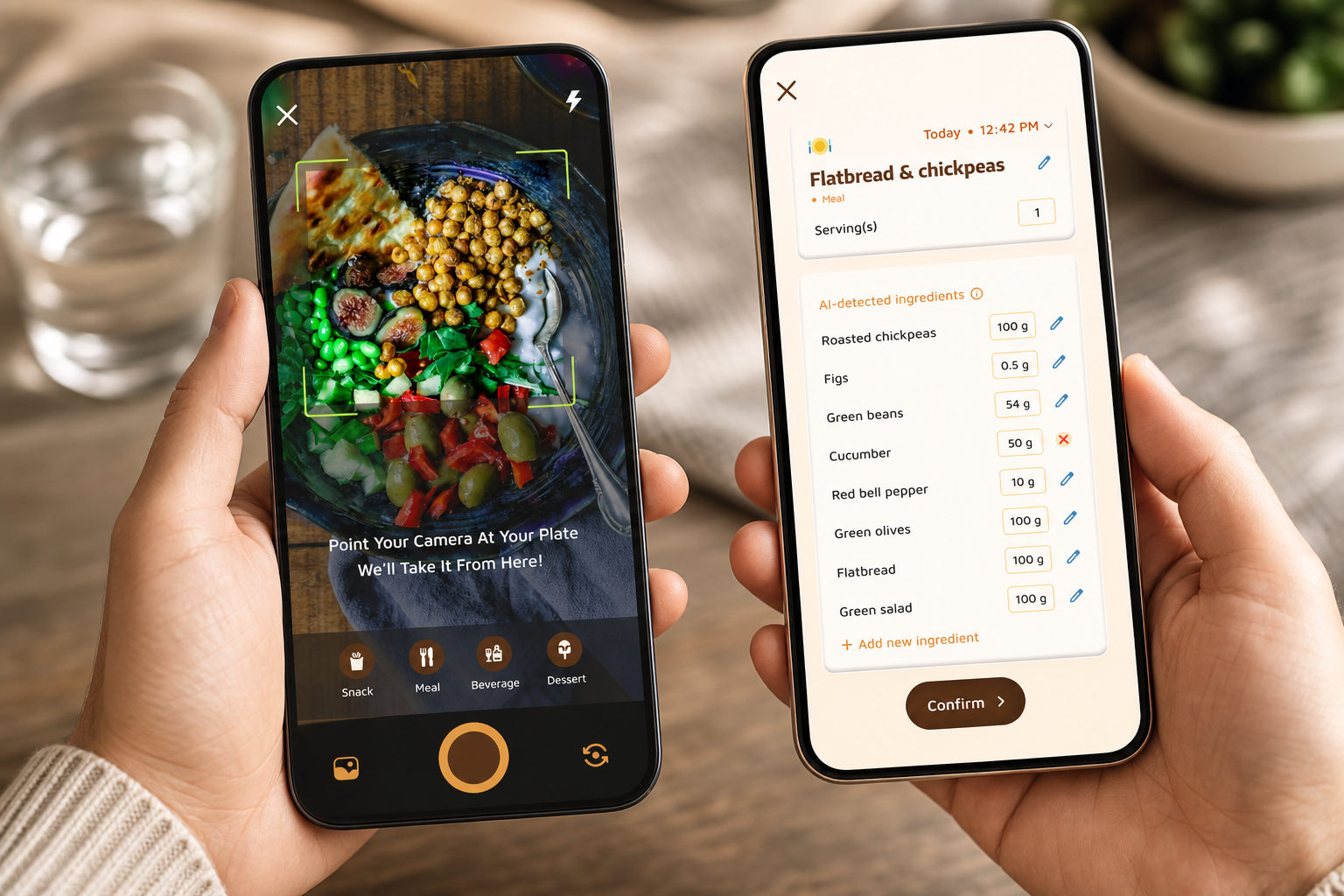
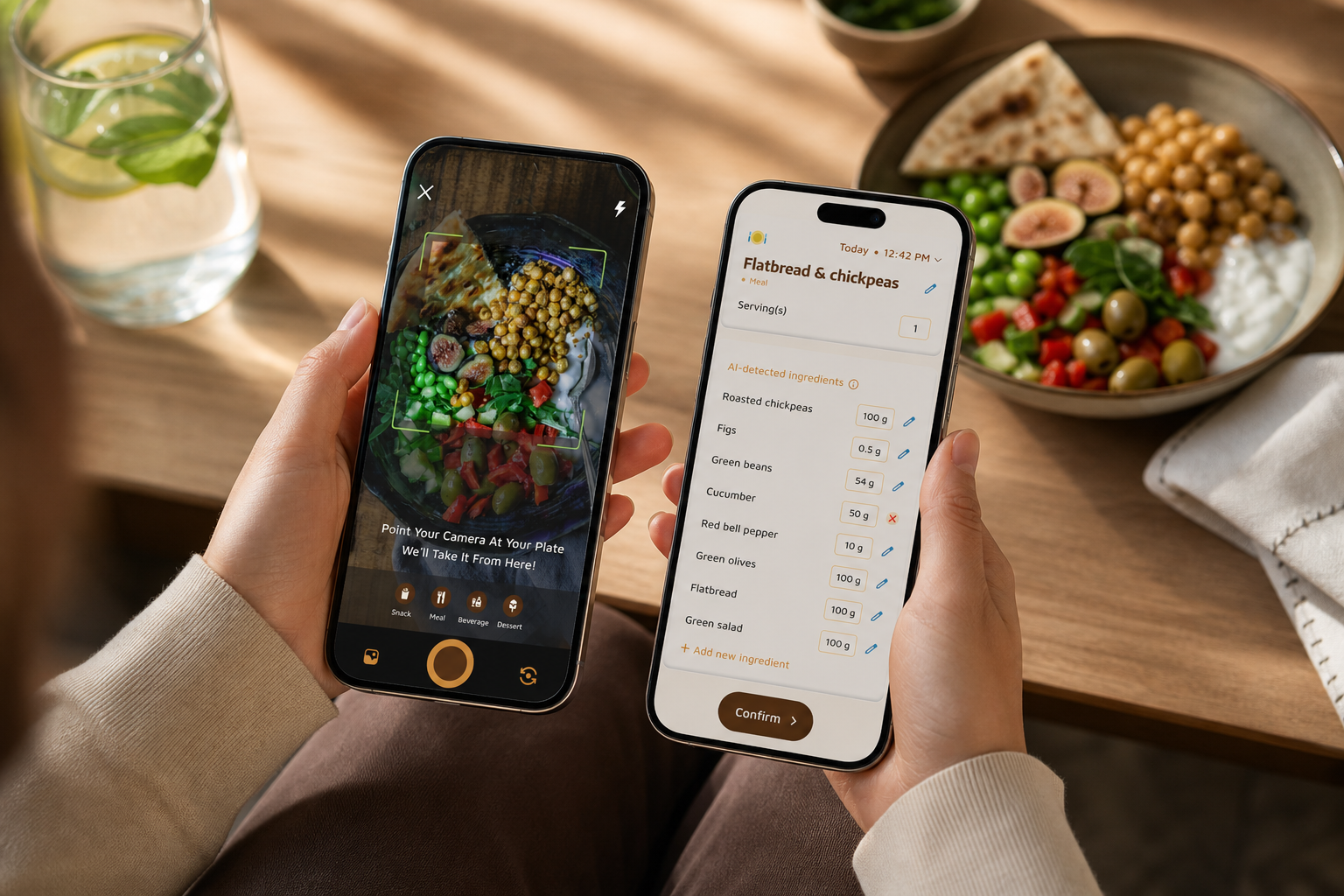
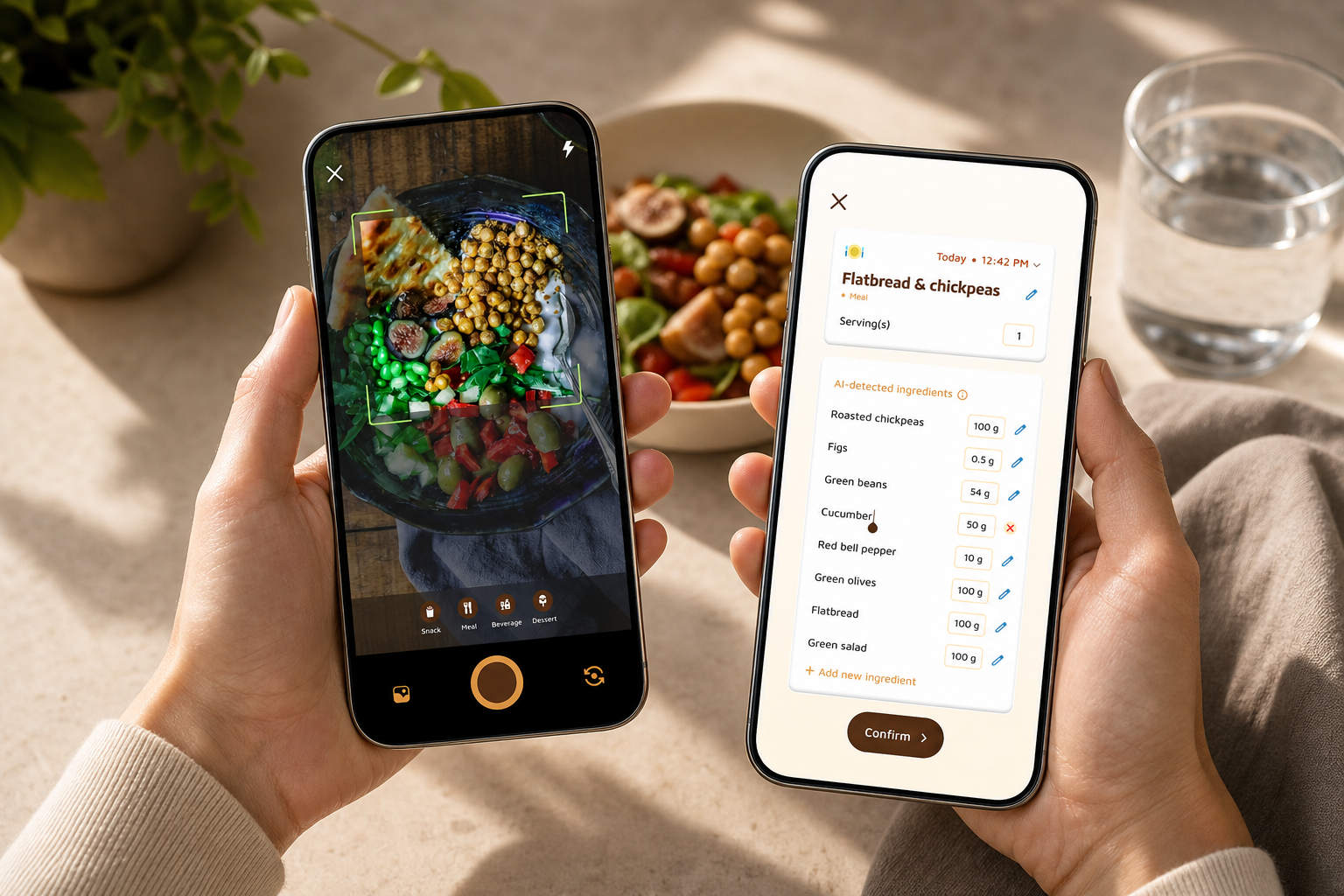
You shouldn’t need a food scale to get going. A photo should return a quick calorie and macro estimate and suggest common portions. For example, snapping your lunch and getting an instant carb, protein, and fat breakdown turns logging from a chore into a tap. As a result, you learn portions by sight over time.
Built-in water tracking with targets and nudges
Hydration isn’t a side quest. Look for a visible daily target, like 2.5 liters, and one-tap adds for cups, bottles, or custom sizes. Moreover, gentle reminders should pace your day so you don’t cram water late at night. If water logging is buried, you’ll forget it.
Clear macro breakdowns, not data dumps
You need a clean pie or bar chart for carbs, protein, and fat. That’s it at the start. However, micronutrients can wait for week two or three. Therefore, you’ll stick with the habit long enough to learn, then you can add more details if you want them.
Motivation that builds habits
Streaks, badges, or a friendly mascot sound simple, but they work. Specifically, small wins fire up the part of your brain that loves progress. As a result, you’ll log again tomorrow. The app should turn consistency into a tiny daily reward.
Offline logging for real life
You won’t always have signal. On a flight, at a gym, or outdoors, you should still be able to log a meal or workout. Then it should sync when you’re back online. No gaps. No waiting.
Fitness tracker sync
Your steps and workouts shouldn’t live in a silo. A beginner tool should sync with services like Google Fit, so you don’t have to add every walk by hand. Therefore, your calorie burn, step count, and meals live in one view.
Dietary customization
Vegetarian? Allergies? Cultural foods you eat every week? The app should adapt to your plate. In addition, it should learn from your history and suggest meals that fit your style, not force a template diet.
Bottom line: if an app nails those seven points, you’ll learn faster and stick with it longer — the two things beginners need most.
Also Read!
How Calorie Tracker Buddy Makes Macro and Water Tracking Simple
Calorie Tracker Buddy hits each beginner criterion without burying you in settings. First, photo-based meal tracking lets you snap your food and see instant nutrition and a calorie count. For a new user who doesn’t know portion sizes, this shortens the “what do I even type?” moment to one tap. As a result, you get moving on day one.
Second, the app tracks macros for carbs, protein, and fat in a clean, color-coded view. You’ll see how each meal shifts your split and whether your day is balanced. Moreover, you get real-time feedback on meals and snacks. If lunch is light on protein, the app can nudge you to add yogurt or eggs later, so your day evens out.
Third, water gets the attention it deserves. Calorie Tracker Buddy includes a built-in water intake tracker with a Daily Hydration Target of 2.5 Liter/Day. You can log each glass in one tap. In addition, reminders help you pace your drinking across the day, so you don’t cram at night.
Fourth, beginners need momentum. The app’s virtual buddy grows as you make healthier choices. Each day you log, your little companion changes and cheers you on. Therefore, streaks feel playful, not stressful. Goal predictions also show how each meal impacts your path to your goal, which links today’s choice to next week’s result in a way you can see.
"Before using the app, I didn’t know where to start with calorie tracking. But now, it’s second nature! The meal snap feature is a big improvement. I love how the app gives me tips and feedback in real time. My health buddy keeps me accountable, and I’m actually excited to track my meals. It’s fun!" — Aanya Rastogi
Fifth, life happens offline. You can log meals and workouts without signal, and everything auto-syncs once you’re online. Sixth, the app can sync with Google Fit, so your steps and workouts pull in without extra taps. Finally, you can set dietary preferences and allergies, so your feed and tips match how you eat.
"I’ve been using Calorie Tracker Buddy for five weeks, and I’ve already lost 4kg! It’s been an amazing experience because the app doesn’t just make tracking easy, it keeps me motivated with my little buddy cheering me on. Plus, I didn’t have to cut out my favorite foods. It’s all about balance!" — Alex Sim
In short, Calorie Tracker Buddy teaches as it tracks. It gives you a fast photo log, clear macro charts, a friendly 2.5L hydration target, real-time feedback, and habit-building motivation in one place. For your first month, that mix matters more than any advanced chart.
**Start free, no subscription needed for core features on Android, with photo logging →
Also Read!
Calorie Tracker Buddy vs MyFitnessPal for Beginners: Which Is Better for Macro and Water Tracking?
Calorie Tracker Buddy vs. MyFitnessPal vs. MacroFactor: Which Is Best for Beginners?
All three tools can work; the right fit depends on where you are. For beginners, ease and hydration support matter more than niche analytics. Here’s how they compare on the criteria that count when you’re new.
Ease of logging
- Calorie Tracker Buddy: photo-based snap returns calories and macros fast. As a result, you don’t need to weigh or type much.
- MyFitnessPal: strong, search-heavy database with brand names. However, you can spend time choosing entries and portions.
- MacroFactor: algorithm-driven approach built for data fans. Compared to alternatives, it can feel like “too much” if you just want to start today.
Water tracking
- Calorie Tracker Buddy: built-in water log with a clear Daily Hydration Target of 2.5 Liter/Day and reminders.
- MyFitnessPal: basic water log exists, but it can feel like an add-on next to the food flow.
- MacroFactor: lacks native water tracking, so hydration may require a separate tool.
Motivation and habit-building
- Calorie Tracker Buddy: virtual buddy that grows with your choices, daily streaks, and real-time meal feedback. Therefore, you get constant, light motivation.
- MyFitnessPal: a useful streak counter, but fewer playful nudges by default.
- MacroFactor: powerful dashboards and algorithms that can overwhelm new users who need simple wins first.
Learning curve
- Calorie Tracker Buddy: designed for first-timers with plain tips during logging. As a result, you learn while you act.
- MyFitnessPal: feature-rich, which can feel like bloat before you know the basics.
- MacroFactor: steep learning curve, better once you care about trend lines and deeper analysis.
Price and free features
- Calorie Tracker Buddy: core macro totals, water tracking, and photo-based meal logging are available to all users. Advanced coaching or detailed reports may require a plan.
- MyFitnessPal and MacroFactor: plans and features can change; check each app’s current tiers for details. The key is whether the features you need on day one are free.
"I’ve tried tons of fitness apps, but this is, hands down, the best calorie tracker app I’ve ever used. Logging meals is fun now—just snap a photo and boom, done. And the little buddy? This is a total big improvement for staying motivated!" — Pooja Rao
To be fair, MyFitnessPal’s massive food database is a real advantage if you love brand-name searches. MacroFactor’s algorithm can be superior for advanced users who want dense data. However, if you’re just starting, Calorie Tracker Buddy’s gamified simplicity and combined macro plus water tracking make it the strongest pick to build your base habit in weeks, not months.
**Get started free on Android →
 , motivation features (virtual buddy vs streaks), learning curve; clean, neutral design)
Why Beginners Trust Calorie Tracker Buddy
Beginners don’t need another logbook. You need a guide. Fitness Coach mode turns the app from a tracker into a teacher with tailored advice, challenges, and motivational support based on your activity. As a result, you get coaching-level guidance without hiring a trainer.
Moreover, you can create custom challenges tied to your goals, like “hit 2.5L for seven days” or “log dinner five nights this week.” The app sends personalized fitness tips based on your progress, not guesses.
In addition, you see real-time updates on calorie burns, meals, steps, and goal progress in one place, which keeps you engaged. Defaults matter, too.
A Daily Step Target of 10,000 Steps/Day and a Daily Hydration Target of 2.5 Liter/Day give you simple rules to follow while you learn. Furthermore, the social posting feature lets you share meals, workouts, and wins with the community.
That feed acts as social proof that real people are using the tool right now, which builds trust. You can also start free on Android, no subscription is required for core features.
"I’ve always wanted to be healthier but never found the right tools to make it stick. This app has been a total big improvement. Not only have I lost 5kg, but I also feel more energized. My health buddy is a constant source of encouragement, and the tips help me make smarter choices every day." — Sandy T
Finally, trust grows with clarity. The app shows you how each meal affects your day through goal predictions. Therefore, you can connect “that lunch” to “that result” without guesswork. For a beginner, that link is the bridge from “I hope this works” to “I can see it working.
For deeper context on hydration basics, you can read a neutral primer on Macronutrients. Then bring that knowledge back into a simple daily flow.
For more on day-to-day choices, these beginner-friendly reads help:
- water intake
- tracking nutrition
- calorie tracking
Also Read!
How to Use a Calorie Tracker with a Virtual Pet to Stay Consistent at the Gym
How to Get Started Tracking Macros and Water as a Complete Beginner
You don’t need perfect data to see progress. You need steady, simple actions that you can keep up. Here’s a seven-step plan that gets you moving today and learning by doing.
- Step 1: Download and set up your profile. Add your dietary preferences and any allergies so the app customizes your tips from day one. Keep it simple and honest.
- Step 2: Set your macro targets. The app’s defaults are a safe place to start. Protein helps you stay full and support muscle, carbs give you energy, and fats help hormones and brain health.
- Step 3: Start with photo logging. Just snap your meals. Don’t stress about perfection. You can adjust portions if you want, but “logged” beats “left untracked.
- Step 4: Use the 2.5L hydration target as your baseline. Log each glass as you drink it. Set light reminders so you spread water through the day.
- Step 5: Check your virtual buddy daily. Let the growth and streaks pull you back to the habit. Small daily wins add up fast.
- Step 6: Sync with Google Fit or your watch. Let steps and workouts flow in on their own. One less thing to add by hand means you’ll stick with it.
- Step 7: After one week, review goal predictions. See how your meals affected your path. Then make one small tweak for week two.
Moreover, remember this: consistency beats precision for beginners. Therefore, aim to log every day, even if it’s not perfect. You’ll learn faster from a “good enough” log than from a blank day.
Frequently Asked Questions
Is Calorie Tracker Buddy free, or do I need a paid plan to track macros and water?
Core features are available to all users. You can track macros, log water with the 2.5L daily target, and use photo-based meal logging without paying. Advanced features like deeper coaching or detailed reports may require a plan. For a beginner, those free features are usually all you need to build a solid habit. No subscription is required for these core features on Android.
How accurate is photo-based meal tracking for counting macros?
Photo-based tracking provides smart estimates, not lab-grade numbers. For beginners, being roughly right teaches portion sense and helps you act in the moment. In addition, real-time feedback helps you course-correct over time. If a portion looks off, you can always adjust the entry by hand.
Can I track macros and water intake in one app, or do I need separate tools?
You can do both in Calorie Tracker Buddy. It logs carbs, protein, and fat alongside water, all with a 2.5L daily target in one place. It also pulls in steps and exercise, so your day’s picture is complete. In contrast, some competitors treat water as basic or expect a separate app.
What if I don't know how to set my macro targets as a beginner?
You don’t need to be an expert. Fitness Coach mode gives you tailored advice and personalized tips based on your activity and progress. Start with the suggested defaults, then review goal predictions after two weeks. Adjust one setting at a time based on what you learn.
How does Calorie Tracker Buddy compare to MyFitnessPal for beginners?
MyFitnessPal has a larger food database and strong name recognition. However, Calorie Tracker Buddy is purpose-built for beginners with photo-based logging, a motivating virtual buddy, and integrated water tracking with a daily target. If you feel lost in big databases, CTB’s focus on simple habits can be a better first step.
Does the app work offline, or do I need internet access to log meals?
It works offline. You can log meals and workouts without a connection, and the app will sync automatically once you’re back online. This keeps your streak and your data intact when you’re at the gym, outdoors, or on a flight.
Will tracking macros and water actually help me lose weight as a beginner?
Awareness comes first. Many beginners underestimate food and overestimate hydration. Calorie Tracker Buddy’s goal predictions show how each meal affects progress, which makes those links clear. Real user outcomes include 4kg lost in five weeks (Alex Sim) and 5kg lost with more energy (Sandy T).
Can I connect Calorie Tracker Buddy to my fitness watch or Google Fit?
Yes. The app integrates with Google Fit to sync steps and exercise data. This means you don’t need to enter every workout by hand. Reducing that friction makes tracking sustainable for the long run.
Final Thoughts
You don’t need perfect numbers to start. You need a simple flow you can repeat: snap meals, watch your macro split, and drink toward 2.5 liters a day. That habit builds fast.
If you’re new, pick the tool that teaches as it tracks.
Look for photo logging, built-in hydration, friendly defaults, and clear feedback on how today’s meals shape tomorrow’s progress. Then let streaks and small wins carry you.
Calorie Tracker Buddy brings those pieces together in one place with beginner-first design. Try it for a week, keep it light, and let the habit grow.
**Try free photo logging, no subscription needed for core features on Android →
For extra reading, check out water tracker or a hydration-friendly pick like coconut water.