

**Download Android App. Track Faster →
The best tracker for serious lifters in 2026 is the one that pairs fast macro logging with built-in hydration and real-time training data. That means macro and water tracking in one place, with zero drag between sets.
If you train hard, you already know the truth: progress stalls when protein intake swings and hydration dips. You need a tool that respects your time in the rack and keeps you on target between meals. Defaults like a 2.5 liter/day hydration target and a 10,000 steps/day goal help anchor habits, but only if the app makes logging near effortless and the feedback clear.
However, most people hit the gym with intent and then guess their intake. You might crush squats and still miss 40 g of protein by night. Or you plan to sip 500 ml during your session and end the day 1 liter short. With macro and water tracking done right, you’ll know if you’re set up to grow or if you’re short on fuel.
Moreover, you don’t have time for a scavenger hunt in a food database while you rest 90 seconds. You need fast logging for breakfast, a quick snap for your post-workout shake, and simple water adds as you drain your bottle. If you want a refresher on daily hydration math, see this explainer on water intake. And if you’re dialing in the basics, this guide on calorie tracking keeps the numbers clean.
Why Gym-Goers Struggle with Macro and Hydration Tracking
Progress in the gym is simple on paper: lift, eat enough protein, and recover. In practice, the gaps show up in small daily misses. Protein targets bounce, hydration lags, and the “I’ll log it later” plan fails by dinner.
For example, even mild dehydration matters. Research shows that a body mass loss of about 2% can impair strength and high-intensity performance, which adds up during heavy sets (Judelson et al., Journal of Strength and Conditioning Research). If you weigh 80 kg, that’s about 1.6 kg of fluid. You don’t need to be drenched in sweat to hit that number during a hard session.
However, the tracking friction hits first. You finish a set, check your phone, and the food database crawl begins. By the time you find your meal, your rest timer is gone. Then you forget to log your post-workout shake. That’s another 30 g of protein lost to “I’ll add it later.” Later never comes.
Carb timing is hard to judge by feel
You may wonder if your 60 g pre-lift carbs should slide to post-lift on rest days. Without a tracker that reflects training load, you’re guessing. You end up under-fueled on high-volume days and over-carbed on rest days. That’s how mini bulks and cuts slip from plan to memory.
One dashboard, not two
Moreover, juggling two apps adds drag. One for macros. One for water. Two reminders.
Two streaks. Double the friction. You want one simple dashboard that tells you: how much protein left, how many carbs to shift, and how much to drink before bed.
- Missed logs that matter: post-workout shakes and late snacks
- No clear signal on carb timing for training
- Two separate apps for food and water that never talk
- Dead zones in basement gyms that block logging and kill streaks
Therefore, the problem is not knowledge. You know your macros. The problem is the gap between intent and action during an actual gym day. The right tool cuts that gap to seconds and turns small wins into a streak you can keep.
Also Read!
What to Look for in a Macro and Water Tracker (Buying Criteria for Gym-Goers)
Choosing a tracker as a lifter is not the same as picking a general diet app. You need control, speed, and training-aware targets. Use this checklist to judge any option you try.
1) Macro granularity
You need protein, carbs, and fat tracked as separate targets. Calories alone won’t build muscle. For a lifter, 1.6–2.2 g/kg protein is common; you can’t hit that if the app hides the grams behind total calories. The dashboard should show per-meal and per-day macro balance at a glance.
2) Integrated hydration
Water tracking must live in the same app as your food. A daily target like 2.5 liters gives a clear mark for the day. In addition, reminders should be smart enough to prompt you before and after training, not at random times.
3) Exercise-aware adjustments
Your lifting burns energy. Therefore, the app should sync your workouts and adjust daily energy and macro targets based on actual sessions. This is key for carb timing on high-volume vs. rest days.
4) Speed of logging
Between sets, you have 60–120 seconds. So, photo-based meal logging and barcode scanning save your streak. If you can snap your post-workout shake and move on, you’ll hit your numbers more days in a row.
5) Fitness tracker sync
Wearables and platforms like Google Fit keep your activity real, not guessed. With sync in place, your strength day burn, steps, and even short cardio bouts show up without manual entry.
6) Offline capability
Many gyms have poor cell service. As a result, the app must log meals and workouts offline and sync later. If it can’t, your streak breaks the moment you walk downstairs.
7) Motivation that lasts
Streaks help, but they fade. Look for daily tips, real-time feedback on meals, and some form of accountability. A community feed or a friendly nudge turns good days into runs of 14, 21, or 30.
8) Dietary customization
You might run high-protein, keto, or need to avoid allergens. The app should let you set macro splits and exclude foods without hacks. This matters for bulk/cut cycles and for staying safe.
Coach’s note: If the app doesn’t make it easy to log during your 90-second rest, you won’t use it on leg day.
For more on building simple food habits that stick, this primer on tracking nutrition covers the basics without fluff.
How Calorie Tracker Buddy Solves Macro and Water Tracking for Gym-Goers
Calorie Tracker Buddy hits the lifter’s checklist without adding drag. First, it tracks macros the way you train: protein, carbs, and fat are front and center, not buried behind calories. You’ll see per-meal and per-day totals, so you can tell at a glance if you’re 30 g short on protein before bed.
In addition, hydration is built in. The app sets a 2.5 Liter/Day default target, which keeps your intake honest across work and training. You can add water in seconds as you sip between sets and get reminders that map to your day. Since you also get a Daily Step Target of 10,000 Steps/Day, your non-gym movement stays aligned with your goals.
Fast logging that fits your sets
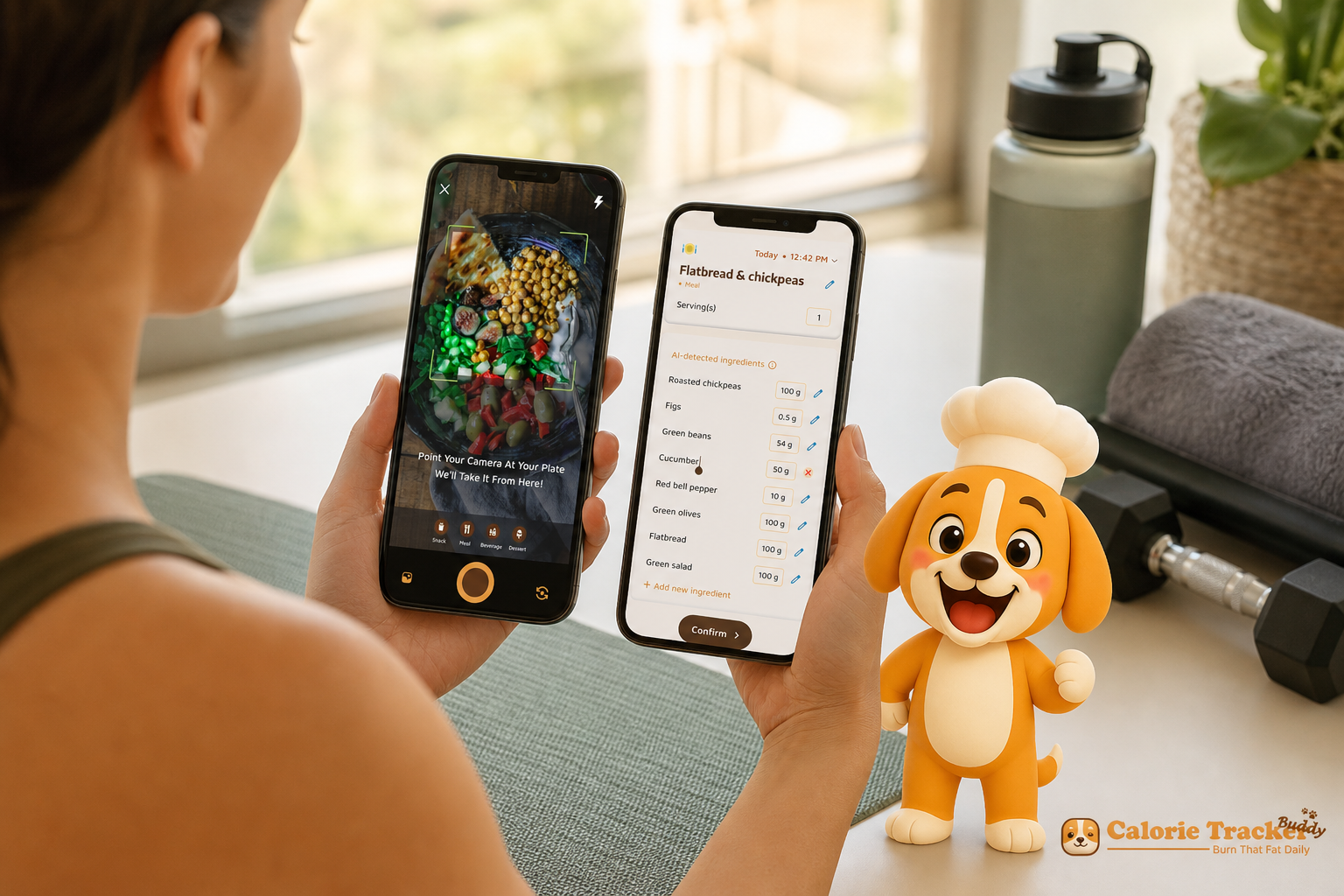
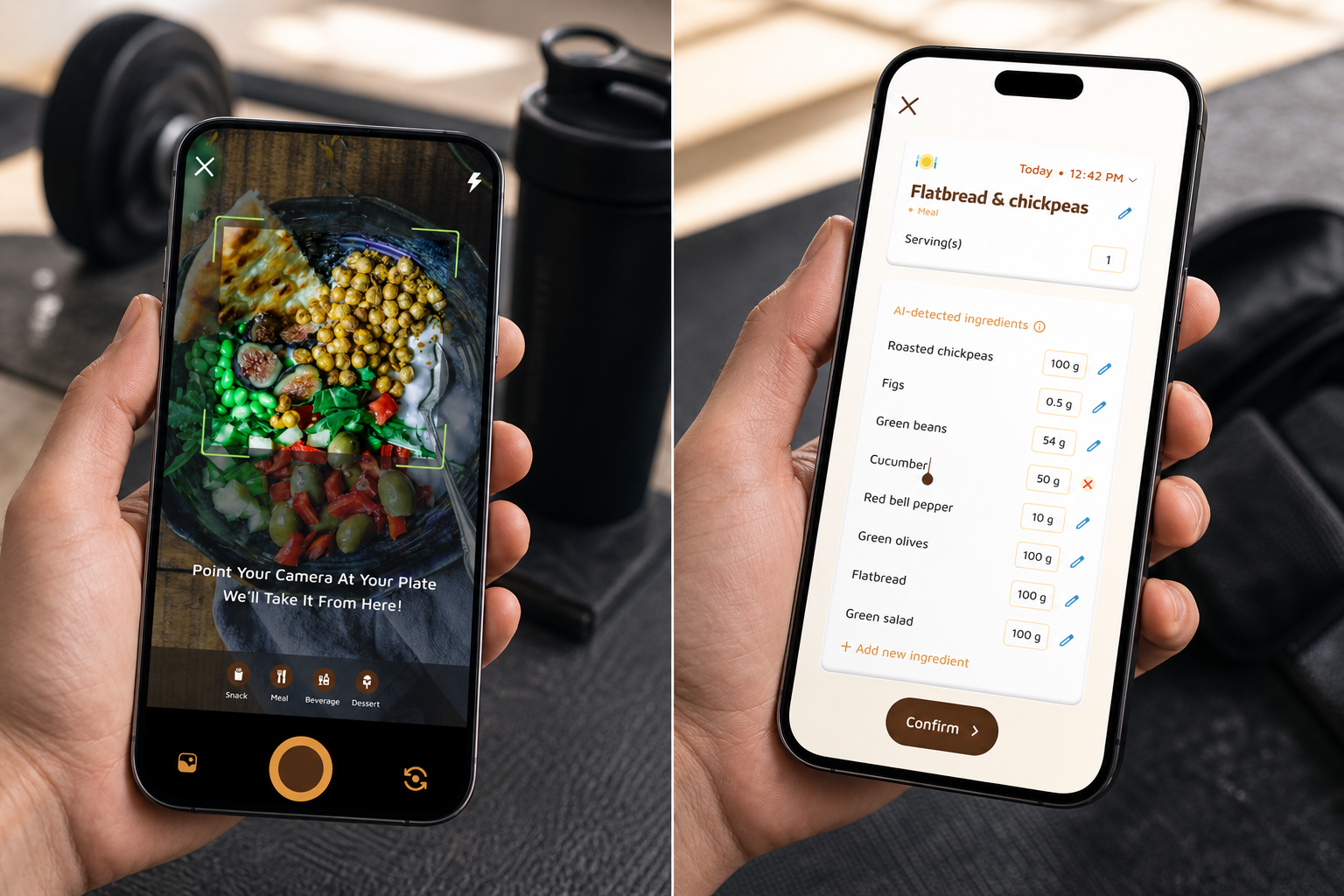
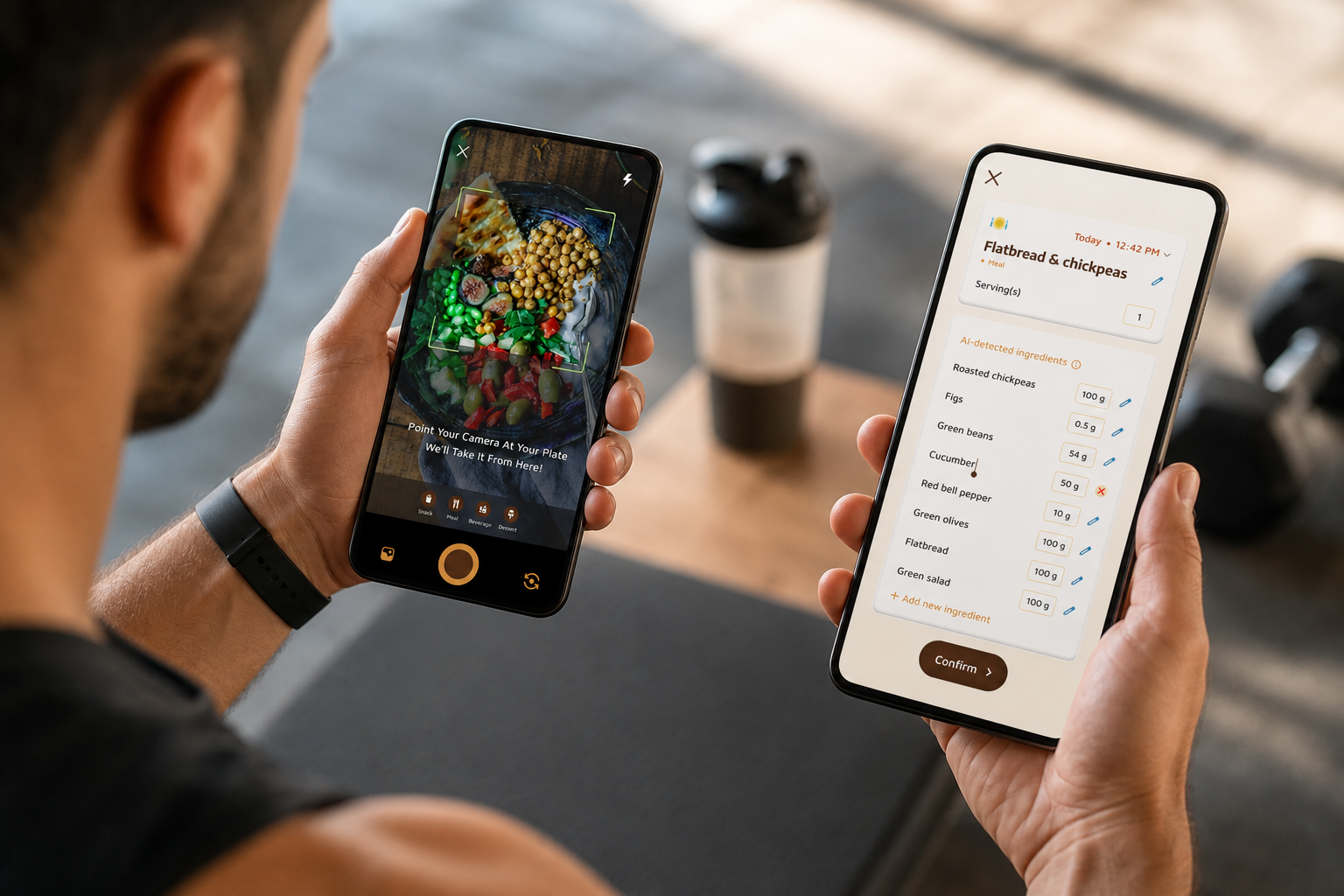
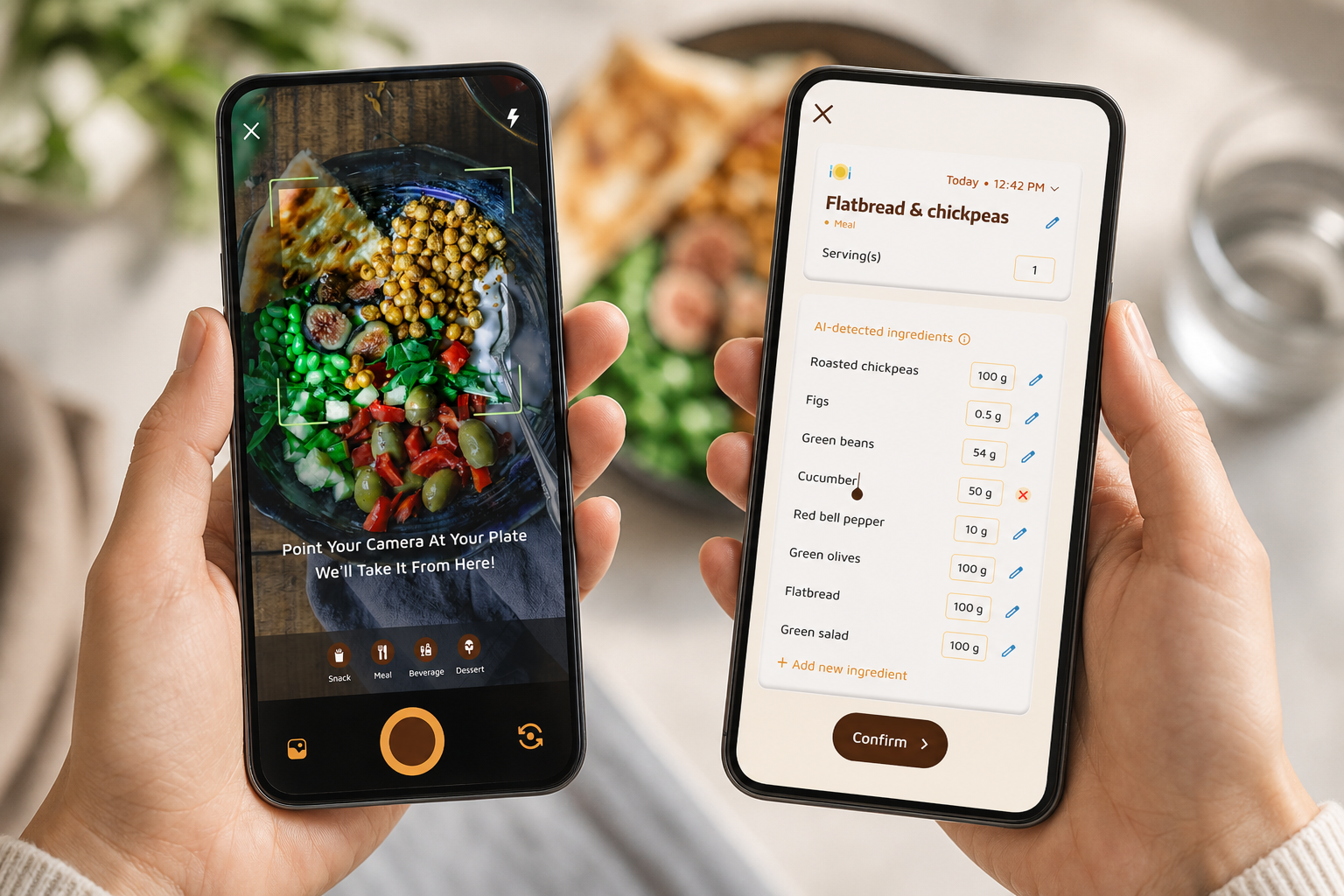
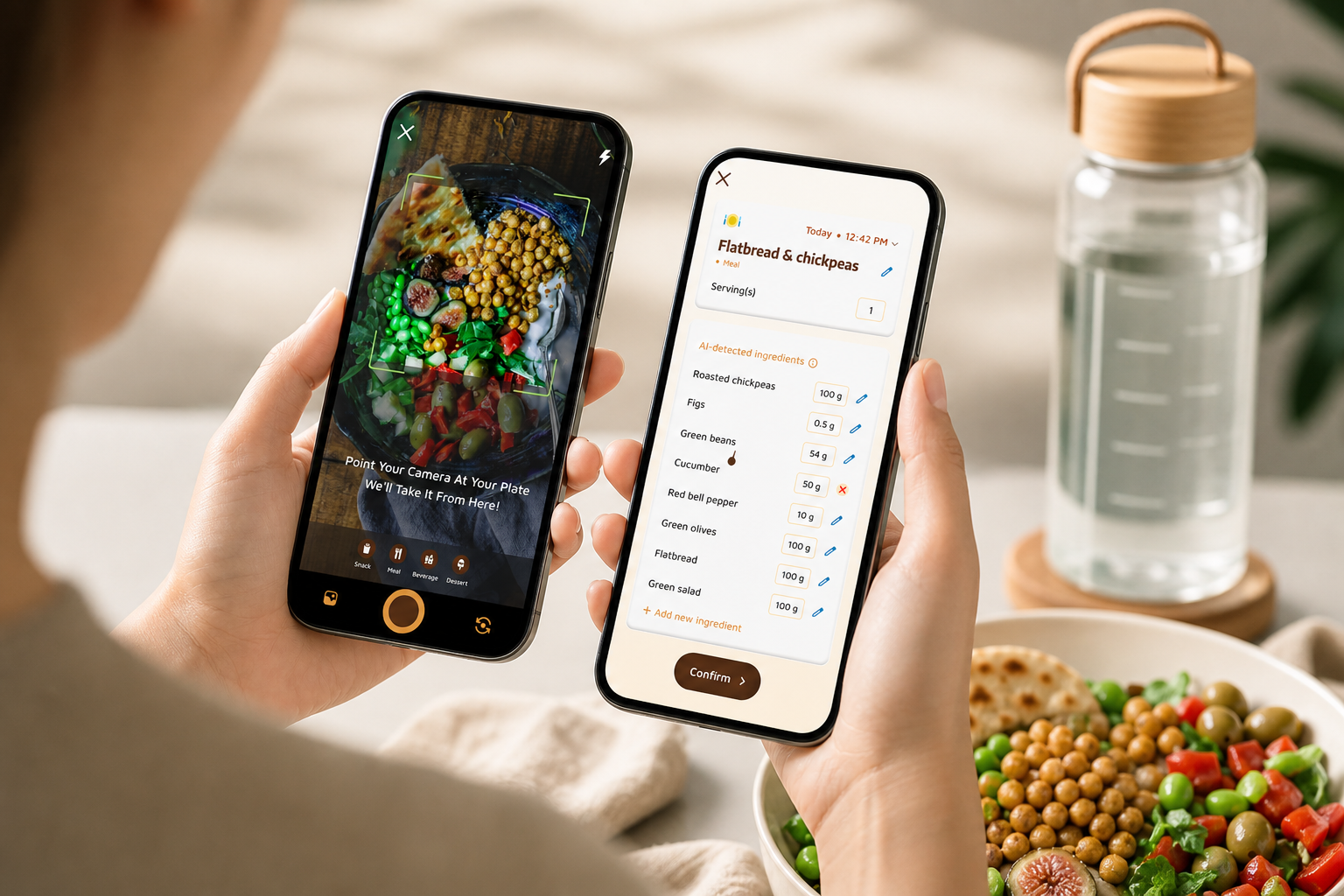
However, speed is where it saves the session. Photo-based tracking lets you snap meals and snacks to get nutritional info and calorie counts. That means you can log your post-workout shake during your rest and move on to deadlifts.
“I’ve tried tons of fitness apps, but this is, hands down, the best calorie tracker app I’ve ever used. Logging meals is fun now, just snap a photo and boom, done. And the little buddy? This is a total big improvement for staying motivated!”
— Pooja Rao
Sync, offline, and predictions
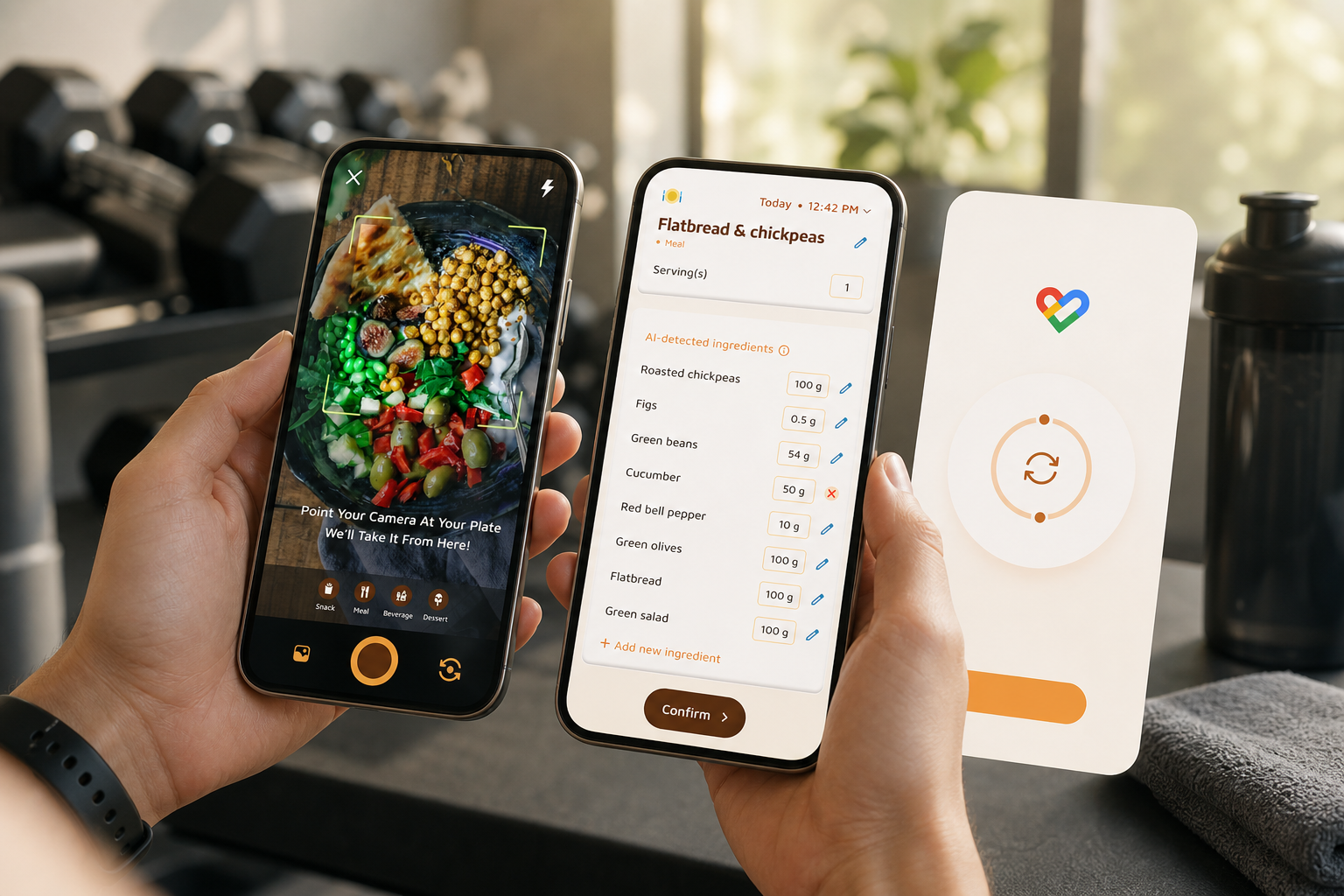
Moreover, your training data flows in. Calorie Tracker Buddy can sync with fitness trackers like Google Fit, so your lifting sessions auto-populate calorie burns. This matters when you’re cutting and need to know if today’s deficit still holds after a hard push day. With real-time updates on calorie burns, meals, steps, and goal progress, you always know where you stand.
Offline logging also saves streaks. You can log meals and workouts without signal and the app will auto-sync once you’re back online. Basement gym? No problem. Your data won’t vanish when your bars drop to zero.
Goal predictions turn single meals into clear choices. You’ll see how each meal impacts your progress, which is exactly what you want during a cut or bulk. If a late snack blows your protein-to-calorie ratio, you’ll know before you eat it.
Coaching and motivation
Furthermore, the Fitness Coach mode adds structured support. It allows tailored advice, custom challenges, and motivational support. You can set a challenge like “Hit protein target 5 of 7 days” and get personalized fitness tips based on your activity and progress. This is also why aspiring fitness coaches trust the mode to deliver advice to others.
Finally, motivation sticks because it feels personal. The virtual buddy grows as you make healthier lifestyle choices. Small wins become visible progress, which helps you keep going when days get tight.
“I’ve been using Calorie Tracker Buddy for five weeks, and I’ve already lost 4kg!”
Dietary customization and allergies
In case your diet has rules, the app supports customization for dietary preferences and allergies. You can tailor macro splits for high-protein phases, avoid allergens, and keep your plan tight through travel and long weeks.
**Get Faster Macro Logging Today →
Also Read!
Best Macro and Water Tracker for Busy People in 2026
Calorie Tracker Buddy vs MyFitnessPal for Beginners: Which Is Better for Macro and Water Tracking?
Calorie Tracker Buddy vs. MyFitnessPal vs. MacroFactor: Honest Comparison for Gym-Goers
You want a fair read, not cheerleading. Here’s how these apps line up for lifters who care about speed, hydration, and staying on plan.
Macro granularity and database size
All three track protein, carbs, and fat. MyFitnessPal has the largest food database. MacroFactor is praised for adaptive algorithms that refine energy targets over time. Calorie Tracker Buddy focuses on clear macro visuals and real-time meal feedback that shows how each entry shifts your daily balance.
Water tracking and integration
MyFitnessPal logs water, but it often lives as a separate flow from food. MacroFactor supports hydration, but it is less front-and-center. Calorie Tracker Buddy bakes water into the same daily dashboard with a 2.5 Liter/Day target, so you don’t bounce between screens to stay hydrated.
Speed of logging
Manual search slows you down. MyFitnessPal’s search is vast but can be slow under gym-time pressure. MacroFactor’s logging is clean yet still manual for many meals. Calorie Tracker Buddy’s photo-based tracking lets you snap meals to get nutritional info and calorie counts. It’s faster between sets, and that’s where streaks are won.
Offline mode and wearables
Some tools rely on constant connection. MyFitnessPal and MacroFactor work best online. Calorie Tracker Buddy allows offline logging for meals and workouts with automatic syncing once you’re online again. All three can pull exercise data, but Calorie Tracker Buddy’s Google Fit integration keeps the sync tight on Android devices.
Motivation and real-time feedback
Log-only tools can feel passive. MacroFactor gives smart targets but lighter real-time coaching on individual meals. MyFitnessPal has community features, yet its meal feedback can be basic. Calorie Tracker Buddy adds a virtual buddy that grows with your choices and pushes real-time feedback on meals and snacks.
“I’ve always wanted to be healthier but never found the right tools to make it stick. Not only have I lost 5kg, but I also feel more energized.”
— Sandy T.
“I love how the app gives me tips and feedback in real time.”
— Aanya Rastogi
For a detailed read on strengths and trade-offs, see this detailed MFP vs. CTB comparison.
Trust, Accuracy, and What the Numbers Show
Defaults matter when they match the evidence. A Daily Hydration Target of 2.5 Liter/Day and a Daily Step Target of 10,000 Steps/Day give a science-backed baseline you can keep. Then the app’s real-time updates on calorie burns, meals, steps, and goal progress keep you honest hour by hour.
Authority and third‑party validation (Google Play, Google Fit)
- Google Fit integration adds third‑party validation to your exercise data, so lifts and steps aren’t guesses.
- Activity comes from a platform built for accurate activity capture, making your cuts and bulks about measured inputs rather than hunches.
- Available on Google Play, it integrates via Google Fit on Android.
Social proof and accountability
- The social posting feature lets you share meals, workouts, and milestones with a community. Accountability boosts follow-through, and the app’s personalized fitness tips are based on your actual activity, not set-and-forget advice.
- Across user stories, multiple people report 4–5 kg lost within weeks, which aligns with the steady, trackable progress you’d expect from consistent logging and clear goals.
- The Fitness Coach mode is more than a nice-to-have. It’s trusted by aspiring fitness coaches to deliver client advice, challenges, and motivational support. That’s a strong signal that the guidance inside the app is built to serve real programs, not only solo tracking.
For a deeper review of hydration science, here’s an accessible PubMed review on dehydration and performance.
Also Read!
Beginner’s Guide to Macro and Water Tracking
How to Use a Calorie Tracker with a Virtual Pet to Stay Consistent at the Gym
How to Get Started Tracking Macros and Water at the Gym
You can be fully set up in under 10 minutes. Follow this sequence and your next session will run smoother.
-
Set your macro split. Choose a high-protein plan like 40/30/30 or tailor your own. Use dietary customization to account for preferences and allergies.
-
Set your hydration target. Start at 2.5 liters/day. If you train longer than 60 minutes, bump it up. For context, see this simple guide to a water tracker.
-
Sync Google Fit. Let workouts and steps flow in so your daily numbers match your real training load.
-
Try photo logging. Snap your first three meals today. This builds the habit before your next gym session so logging between sets feels natural.
-
Enable offline mode. If your gym has spotty service, you’ll still log meals and workouts and auto-sync later.
-
Create a week-one challenge. In Fitness Coach mode, set “Hit my protein target 5 of 7 days” or “Log water 7 days straight.
-
Share your post-workout meal. Use social posting for accountability. One simple share makes it easier to keep the streak.
**Build Your 7‑Day Protein Streak →
Frequently Asked Questions
Does Calorie Tracker Buddy track individual macros (protein, carbs, fat) or just total calories?
It tracks all three macronutrients individually alongside total calories. You’ll see grams for protein, carbs, and fat per meal and per day. In addition, real-time feedback shows how each entry shifts your macro balance, which is key if you’re chasing a protein target for muscle gain. This clarity makes it easier to course-correct before the day ends.
How accurate is the photo-based meal logging for tracking macros?
Photo-based tracking provides nutritional info and calorie counts from your meal photos. No photo system is 100% perfect, so you can refine entries if needed. However, the real-time feedback loop helps you spot outliers fast and adjust. Over time, that makes your log both faster and more accurate.
Can I use Calorie Tracker Buddy offline at the gym?
Yes. You can log both meals and workouts offline. The app stores your entries and then syncs them automatically once you’re back online. This is a key win for basement or interior gyms where cell service drops.
Is there a free version, or do I need a paid subscription?
Pricing can change. Since current tiers aren’t listed here, check the app store listing for up-to-date details. What you can count on is that core features like macros, water, and photo logging are central to the experience. Review the listing to choose the plan that fits your needs.
How does the water tracking compare to a dedicated hydration app like WaterMinder?
Calorie Tracker Buddy includes an integrated 2.5L daily hydration target in the same dashboard as your food and workouts. The advantage is clear: one place for food, water, and training means no app switching. While dedicated hydration apps may offer more detailed water analytics, gym-goers usually benefit more from an all-in-one flow tied to their macros.
Does Calorie Tracker Buddy sync with my Apple Watch or Garmin?
It integrates with Google Fit, which covers many Android wearables and services. Additional wearable support may vary, so check the current integration list in the app’s settings or store listing. If your device connects to Google Fit, your data should flow into your daily view.
Can I set different macro targets for training days vs. rest days?
You can adjust targets using the dietary customization feature. Goal predictions show how each meal impacts progress, which helps you plan carb timing across heavy days and rest days. In Fitness Coach mode, you can also set custom challenges to support cyclical nutrition, like higher carbs on leg days and lower on rest.
What makes Calorie Tracker Buddy better than MyFitnessPal for the gym?
The standout perks are integrated water tracking in the same dashboard, fast photo-based logging, offline mode, and a virtual buddy that keeps motivation up. MyFitnessPal does have the largest database, which is strong for breadth. But if you want macros, hydration, and motivation in one streamlined app, Calorie Tracker Buddy fits a gym day better.
Key Takeaways for Serious Gym-Goers
- Your best tracker in 2026 puts speed first and unites food, water, and training data in one view. That’s how you log between sets, not after midnight.
- A 2.5L hydration target, a 10,000-step goal, and real-time updates keep choices clear throughout the day. With Google Fit integration and offline logging, your streak survives any dead zone.
- Motivation is not a bonus; it’s the glue. Real-time meal feedback, social sharing, Fitness Coach mode, and a virtual buddy turn small choices into a habit you can hold for weeks.
For more context on hydration during training, you can also read this short take on coconut water and how it fits into a lifter’s day.