


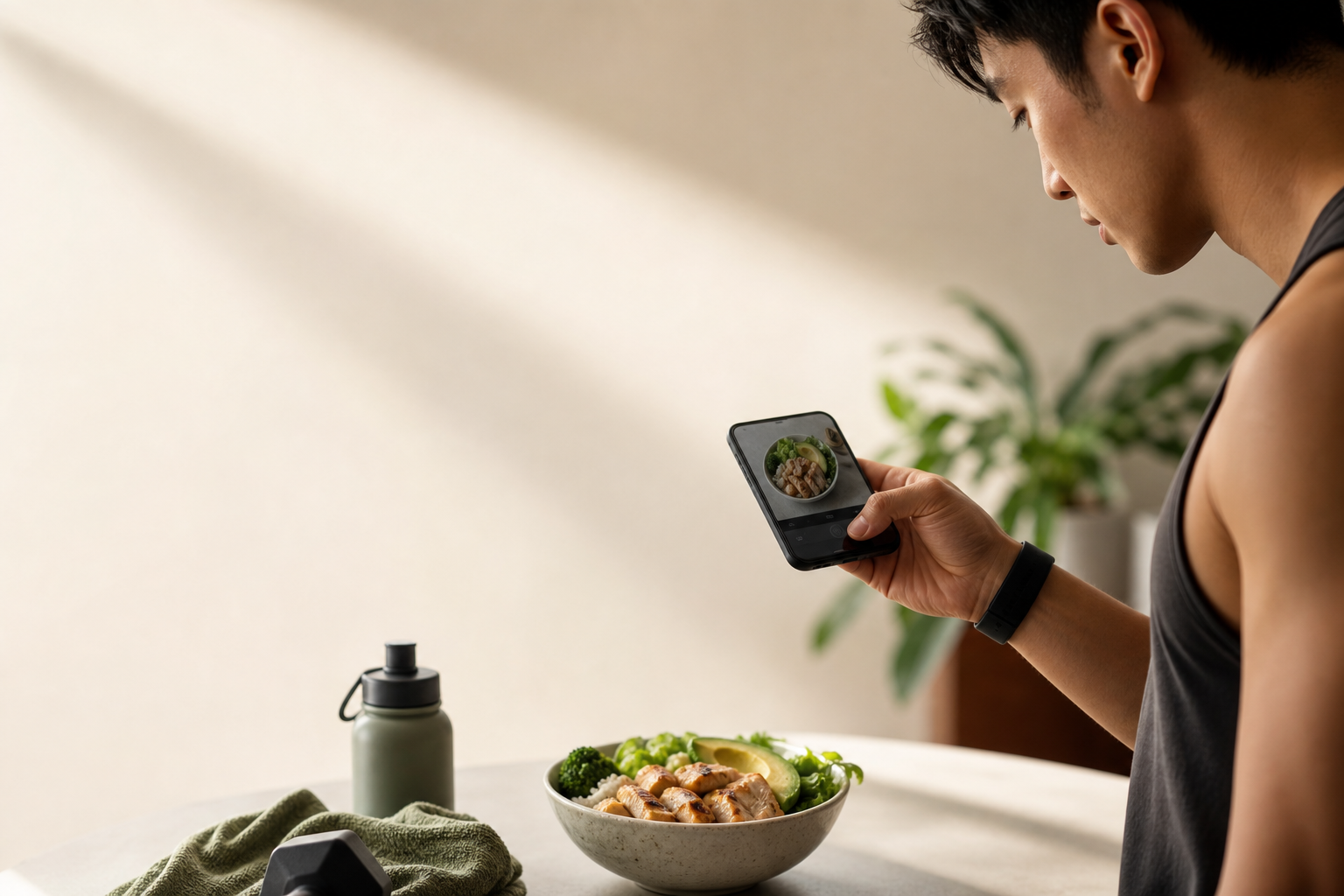
Best Photo Calorie Counter for Gym-Goers in 2026
If you train hard and live by macros, you need a faster way to log food than database searches. This guide to ai photo calorie counting shows how to snap, verify, and move on, so your protein, carbs, and fats line up with your training phase without eating your rest timers.
**Download free for instant logging → blur food boundaries.
Photo Meals vs. Gym Meals
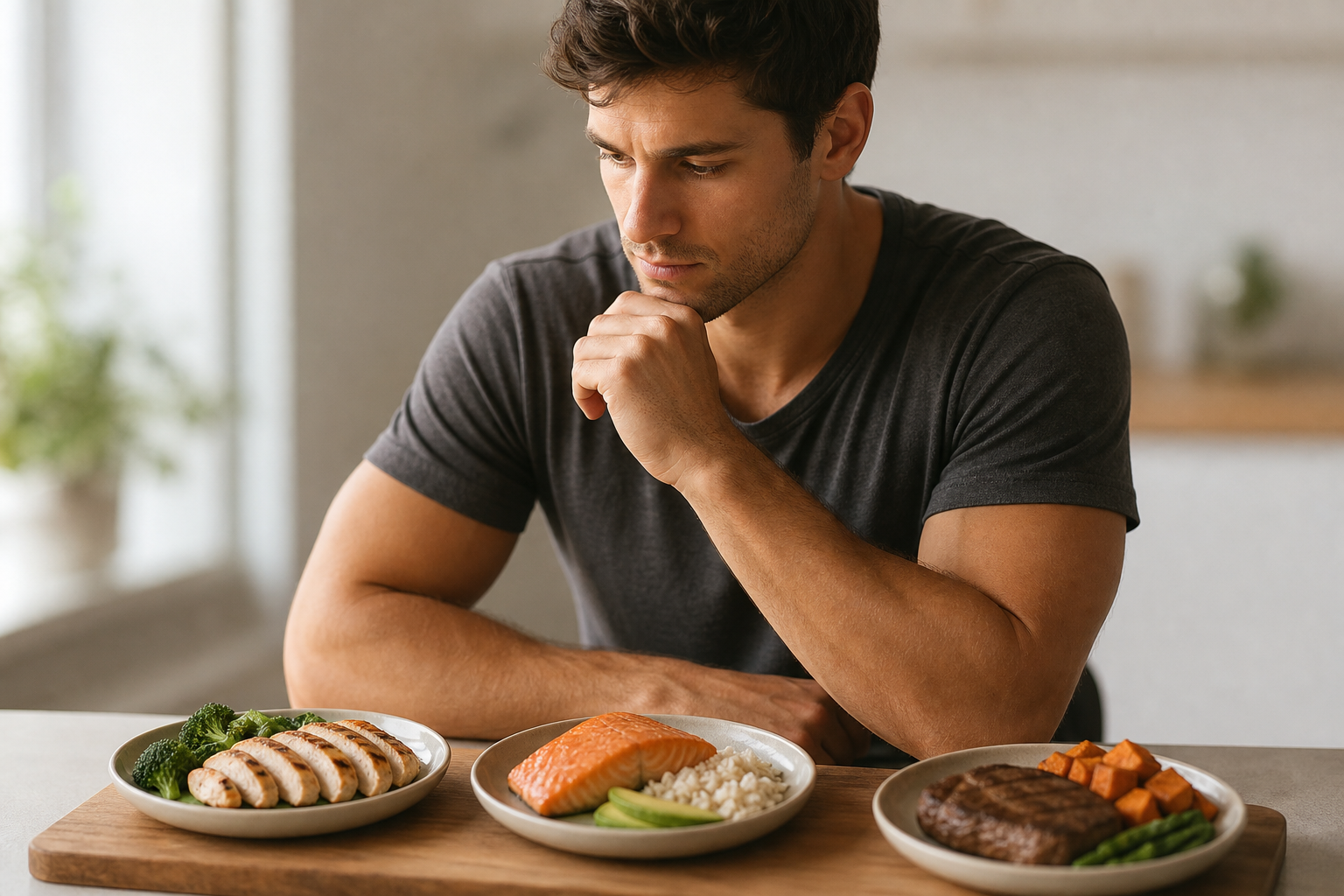
Photo tools do better with clear, single-item plates. Bulk-prepped containers, on the other hand, are multi-item and portion-based. Furthermore, training schedules push you to log on the move, sometimes offline in a basement gym. That mix, complex meals, time pressure, and low signal, breaks many “snap and forget” trackers.
If you’re prepping for a meet or running a tight cut, those blurry boundaries matter even more. A 50–80 g swing of rice here or a tablespoon of oil there can erase the weekly deficit you planned. That’s why the best ai photo calorie counting setups for lifters emphasize visibility and confirmability: separating items in-frame, offering quick add-ons for hidden fats, and letting you reuse known-good templates for your staple meals.
Finally, you need meal timing feedback. Carbs post-workout aid glycogen repletion, which affects your next session’s power output. For background on glycogen’s role in training, see Wikipedia’s overview. If your tool only logs, you still have to do the coaching in your head. That’s a hidden tax on focus and recovery.
What to Look for in a Photo Calorie Counter If You Train Regularly
If you lift 4–6 days a week, you need more than a pretty camera button. You need macro accuracy fast enough to use between sets, plus context from your wearables and a coach-like nudge when a meal drifts off target. Additionally, you need it to work when signal drops and to flex for phases, cut, bulk, or hold.
Accuracy for Photo Macros
Photo tools must get beyond “about 600 calories.” They should yield a macro split you can trust, especially the protein count. In practice, you want carbs, protein, and fat listed with confidence ranges and easy edits when the system can’t see added oils or big carb scoops. Moreover, real-time checks are key: If the app flags a short protein hit, you can add 100 g Greek yogurt now, not at 10 p. m.
To raise your own accuracy:
-
Place foods so each major item is visible (protein, starch, veg). – Add a reference object (standard fork or your hand) for scale when portions are ambiguous. – Use quick edits to declare “1 tbsp oil added” or “double rice,” then save as a reusable meal. – For shakes, snap the base and immediately select 1 vs 2 scoops for exact protein.
-
Keep lighting consistent and avoid deep shadows. A countertop near a window or a desk lamp angled above the meal helps the model see textures and edges. – When packing bowls, cluster macros distinctly (protein in one quadrant, starch in another) before snapping; this simple habit boosts identification rates.
Speed of Photo Logging
A snap-and-done flow is the whole point of ai photo calorie counting. However, “done” must mean logged with macros, not a vague estimate. In addition, you need this speed during short windows: post-workout, at your desk before a call, or on a rest timer. Fewer taps wins.
What speed looks like in practice:
- Open camera from lock screen, snap once, see macro split in under 3 seconds.
- One-tap portion bumpers (+20 g rice, +15 g protein) for micro-adjustments.
- Auto-suggested add-ons when a macro is low (e. g., “+100 g Greek yogurt to hit protein”).
- Reusable “meal templates” for prep staples so a new snap inherits your prior verified tweaks automatically.
Sync and Real-Time Guidance
Your intake needs the context of steps and training load. Therefore, the app should sync with your wearable via Google Fit so you see intake, burn, and net movement. Furthermore, goal-aware feedback should call out if you’re veering from a cut target on a high-calorie lunch or if your post-lift carbs lag.
Offline and Dietary Flex
Gyms have dead zones. A tracker built for lifters must log offline and sync later. Likewise, your tool should hold custom parameters, keto runs, higher-protein macros, food allergies, and switch targets by phase. For deeper background on the tech behind photos, you can scan this primer on ai photo recognition.
- Macro breakdown accuracy (not just calories)
- Fast snap-to-log workflow
- Google Fit sync for burn context
- Real-time, goal-aware feedback
- Offline logging with auto-sync
- Dietary and allergy customization
- Goal prediction after each meal
These criteria aren’t nice-to-haves; they’re the baseline for lifters who cycle phases through the year. When your training block tightens, an extra minute spent guessing at macros isn’t just annoying, it’s a drag on compliance that compounds across 21–28 meals per week.
For extra time wins during peak weeks, steal a few of these calorie counting hacks. Small changes, like batch-snapping meal prep, compound over 21+ meals a week.
How Calorie Tracker Buddy Delivers for Gym-Goers
Calorie Tracker Buddy maps cleanly to the criteria above with a photo-first flow and coach-like feedback tuned for training life. You take a photo, and the app returns calories plus a full macro breakdown for carbs, protein, and fat. Moreover, it tracks water intake and exercise in the same system, so your day view shows calories in, calories out, and steps together.
Real-Time Counting Feedback
Each meal triggers instant feedback. If your lunch pushes you above your cut target, you’ll see it before dinner. If your post-workout carbs lag, you’ll get a nudge to bring them up for glycogen and recovery. Furthermore, goal predictions reveal how that single meal shifts your end-of-day and end-of-week trajectory, crucial during a 6-week cut or the first two weeks of a lean bulk.
"I’ve tried tons of fitness apps, but this is, hands down, the best calorie tracker app I’ve ever used. Logging meals is fun now—just snap a photo and boom, done. And the little buddy? This is a total big improvement for staying motivated!" — Pooja Rao
Photo Logging That Fits Training
Unlike alternatives that lean on barcodes and manual searches, Calorie Tracker Buddy is built around photos and quick checks. In addition, it works offline. You can log a post-workout meal from a basement squat rack and sync when you hit the street. Therefore, your streak stays intact, and your plan stays honest. For restaurant nights, the AI Menu Scanner analyzes menus and suggests goal-friendly swaps.
Counting With Context: Google Fit, Water, and Workouts
The app syncs with Google Fit to combine wearable burn with intake in real time. As a result, your dashboard shows net calories, steps toward the 10,000 target, and hydration against the 2.5-liter mark. You can also log workouts in the same stream, which keeps your macro calls grounded in your actual output that day.
"I’ve been using Calorie Tracker Buddy for five weeks, and I’ve already lost 4kg! It’s been an amazing experience because the app doesn’t just make tracking easy, it keeps me motivated with my little buddy cheering me on. Plus, I didn’t have to cut out my favorite foods. It’s all about balance!" — Alex Sim
Photo Accuracy and Goal Prediction
AI photo calorie counting is only useful if edits are fast. Calorie Tracker Buddy lets you adjust portions when the camera can’t see hidden fats or double rice. Then, it re-runs goal predictions so you know where you stand by meal and by day. Moreover, the virtual buddy and streaks reward consistency, which is the core driver of progress across 2026 macro cycles.
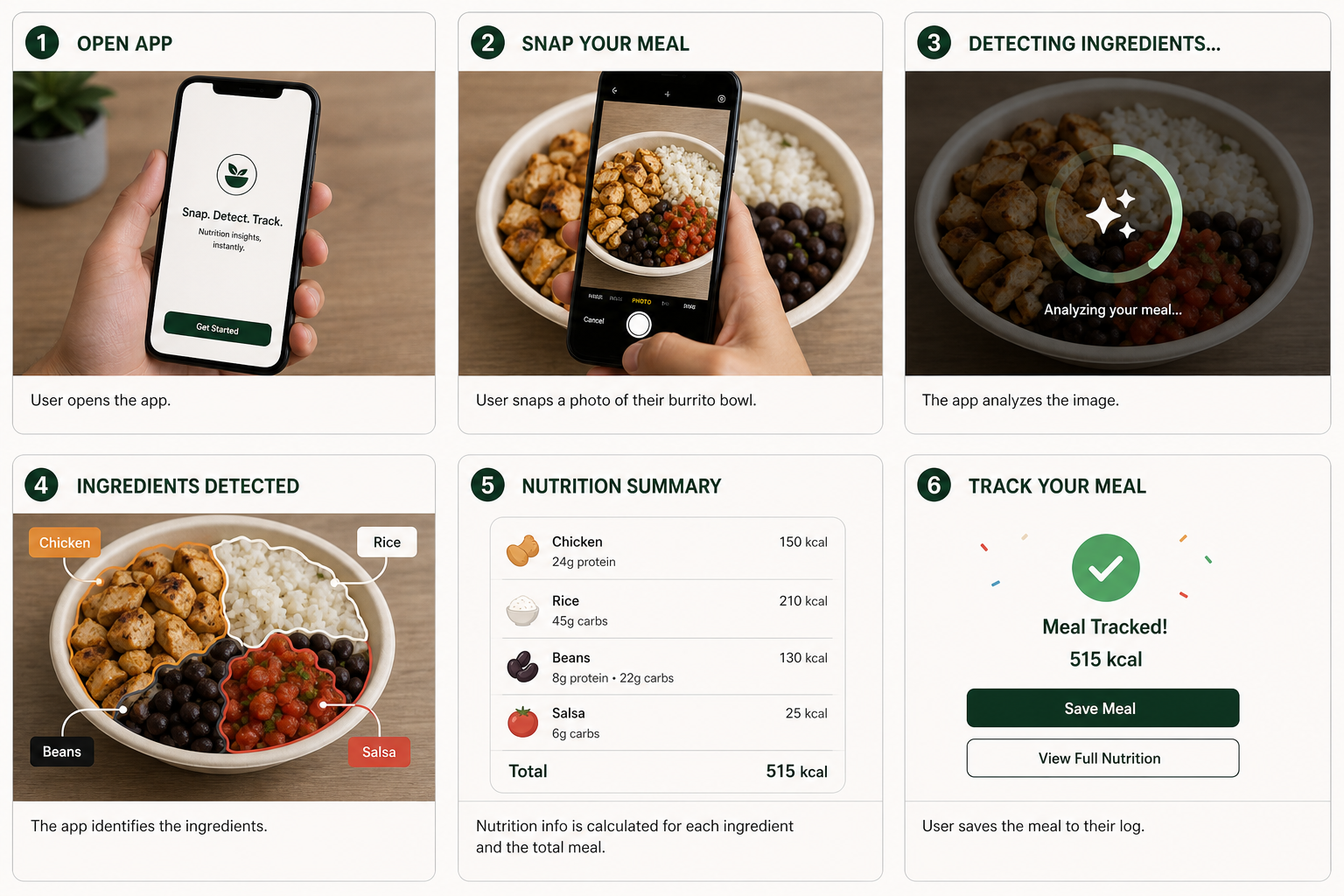 , macro and calorie readout, a prompt suggesting +20g protein for target, and a final goal prediction gauge; clean UI on a modern phone)
**Get instant macro feedback today → so you know the cues the camera reads well, and where quick manual tweaks save you 200 calories of guesswork.
 , set dietary filters, connect Google Fit, snap a prepped meal, review macro feedback with a goal prediction gauge; clean UI, friendly virtual buddy icon)
Start free and get instant feedback →
Trust, Security, and Risk‑Free Start
When you pick a calorie tracker, you’re trusting it with your routine and your data. Calorie Tracker Buddy leans on protections you already use on Android, and you can try it without long-term commitments.
- Available on Google Play. Installs and updates are scanned by Google Play Protect to help keep your device safe while you try new apps from the store.
- Google Fit integration uses Google’s secure APIs and explicit permission scopes. You’re in control: connect or disconnect any time in Settings, and you can revoke access from your Google Account (Security > Third‑party access).
- Transparent permissions and a Data safety section are listed on the Google Play store page, so you can review what the app accesses before installing.
- Free to download with optional premium features. If you start a subscription, you can manage or cancel any time from Google Play > Payments & subscriptions—no contracts or lock‑ins.
- Offline-first reliability means your meals save locally during dead zones and sync when you’re back online, so poor reception won’t jeopardize your streak or your entries.
- Want more social proof? Public ratings and reviews are visible on the Google Play listing so you can read real user experiences before you commit.
These trust signals pair naturally with the speed and accuracy you need for training life: try it free, keep control over your connections, and rely on platform-level safeguards while you refine your nutrition.
Frequently Asked Questions
How accurate is photo calorie counting compared to manual logging?
No photo-based system is 100% perfect because accuracy depends on visibility and portion clarity. However, Calorie Tracker Buddy gives real-time feedback after each snap so you can adjust portions on the spot. In addition, the macro split for carbs, protein, and fat helps you verify protein targets without guesswork. For simple items like protein shakes, photo log the base and adjust grams manually for exact hits.
To improve accuracy further, keep a consistent plate or container for prep days so the model learns familiar visual references. Over time, reusable meal templates plus small edits (like “1 tbsp oil added”) reduce drift and keep your log tight during cuts.
Does Calorie Tracker Buddy track macros or just total calories?
Yes. The app tracks carbs, protein, and fat alongside total calories, plus water intake and exercise. Moreover, this setup supports strict protein targets and carb cycling for training. You’ll also see intake and burn in the same place, which tightens control during cuts and bulks.
Can I use the app offline at the gym?
Yes. Calorie Tracker Buddy supports offline logging for both meals and workouts. Data syncs automatically when you reconnect, which is ideal for basement gyms or dead zones. Therefore, you won’t lose a streak or a meal entry because of poor reception.
How does Calorie Tracker Buddy compare to MyFitnessPal for gym users?
MyFitnessPal provides a large database and barcode scanning, but its photo logging is limited. Calorie Tracker Buddy is built around photo-first tracking with real-time feedback and per-meal goal predictions. Furthermore, Fitness Coach mode and the virtual buddy add coaching and motivation layers. For gym-goers who want speed and coaching, it’s a stronger fit.
Is there a free version or what does the app cost?
Pricing can change, so check the Calorie Tracker Buddy website or your app store listing for current details. Look for a free tier or a trial period, which is common in this category. Then, decide if premium features like Fitness Coach mode and advanced goal predictions match your phase and training load.
If you do start a subscription through Google Play, you can cancel anytime via Play’s Payments & subscriptions settings. This gives you flexibility to test premium during a cut and pause during a maintenance phase if you choose.
Does the app sync with my fitness watch or wearable?
Calorie Tracker Buddy syncs with Google Fit so your wearable’s burn data combines with intake tracking. As a result, you’ll see net calories, consumed minus burned, which is essential to run clean cuts and bulks. Moreover, steps and hydration targets live in the same dashboard for quick checks.
Can the app handle meal prep and repeated meals?
Yes. Photo logging works well for prep because you repeat the same meals across the week. Once a meal is logged and you see its macros, you can reference it for speed on later days. If you change a portion, snap again and tweak the grams; goal predictions will update right away.
For batch prep, consider snapping the individual components (protein tray, starch container, veg) once and saving the portions you usually pack. When assembling meals later, a single snap plus tiny edits will match your targets faster than rebuilding entries from scratch.
What makes the Fitness Coach mode useful for gym-goers?
Fitness Coach mode provides tailored advice, custom challenges, and motivational support based on your goals. For gym-goers, that means guidance that adapts to cutting, bulking, or maintenance phases. In addition, personalized tips use your real activity and progress, which goes beyond static calorie targets.
Will it work for keto or high-protein phases?
Yes. Under dietary preferences, you can set higher-protein targets or run low-carb phases like keto. The photo-based flow still applies; you’ll just use quick edits to confirm oils, cheeses, and nuts that are calorie-dense but sometimes harder to see in photos.
What phones are supported?
The app is available via the Google Play Store link above, so Android users can download it directly. If you use a wearable that syncs to Google Fit, connect it in settings to see burn data next to intake.
Can I control which data the app can access via Google Fit?
Yes. When you connect to Google Fit, Android shows which categories you’re granting (like activity, steps, or heart rate). You can adjust or revoke these permissions later from your Google Account (Security > Third‑party access) or from the Google Fit app’s settings.
Is there an iOS version?
The link above points to Google Play for Android. For other platforms or release plans, check the Calorie Tracker Buddy website or your app store. Platform availability can change, so it’s best to review the current listing for the most accurate information.
Final Take: The Right Photo Counter for Training Life
- You need speed plus accuracy: a snap-to-macros flow, real-time feedback, and per-meal goal predictions.
- You need intake with context: Google Fit sync, steps toward 10,000, and hydration to 2.5L for a clean net view.
- You need reliability in gym conditions: offline logging, quick edits for oils and portions, and a system that learns.
ai photo calorie counting can fit a 4–6 day split in 2026 without wrecking your rest timers. If you want photo-first logging, instant macro feedback, and coaching that keeps you on target, Calorie Tracker Buddy checks the boxes built for lifters.