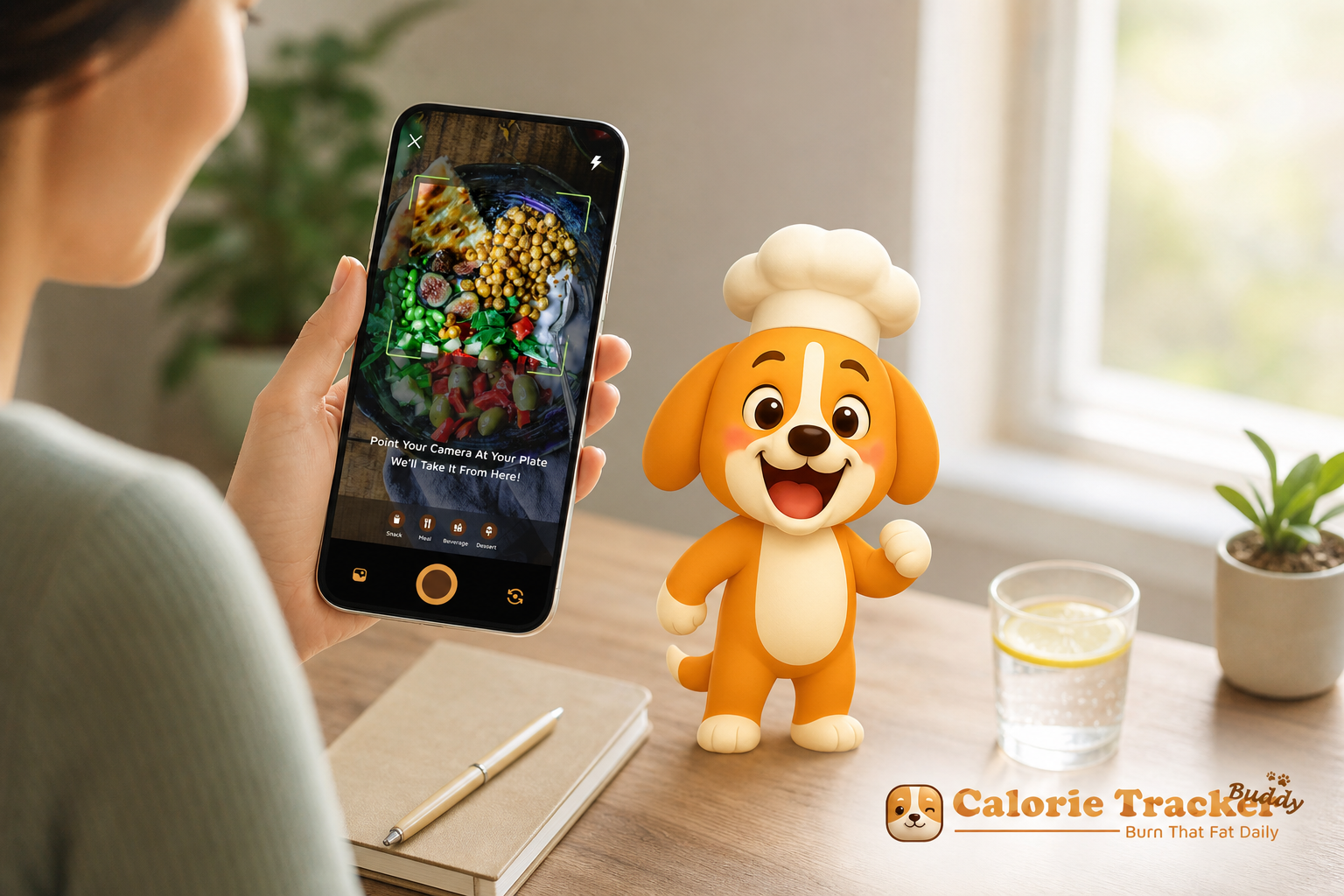
The fastest path for busy people is a photo-first tracker that ties your daily choices to a virtual buddy that reacts in real time. If you want gamified calorie tracking with virtual pet features that actually stick in 2026, focus on tools that take seconds, work offline, and sync your steps and workouts automatically.
Most folks don’t quit because they “lack willpower.” They quit because manual entry is slow and gives no emotional reward. That’s fixable. You need a system that removes friction and adds a tiny spark of joy when you log a meal, drink water, or hit your step goal.
For shared baselines in this guide, we’ll use common health targets you’ll see in modern trackers: a daily hydration target of 2.5 liters and a daily step target of 10,000. These aren’t moral rules. They’re simple, round markers that help you gauge progress when life is packed with meetings, school runs, and side gigs.
If you’ve tried a food diary that took five minutes to add a salad, you already know why streaks break. As you’ll see below, virtual pet mechanics can add a light, friendly nudge that reduces the need to “feel motivated.” If you want a quick primer on why manual entry burns people out, this explainer on why manual calorie tracking fails lays out the common traps.
Why Busy People Abandon Calorie Trackers (and What Actually Works)
The top reason is time. Manual barcode scans, portion searches, and brand lookups stack into a chore. After a long day, “log dinner” fights with kids’ homework, inbox zero, and sleep. Without a fast path, most people stop in a few weeks.
You’ll hear product managers across the app world quote a harsh line: “Over 80% drop off within 30 days.” Whether that exact figure matches your circle or not, the pattern is real. New users try hard, then life gets loud. Tracking becomes one more tab to close.
However, speed alone isn’t enough. You also need a reason to care on days when you don’t. That’s where virtual pet mechanics help. A small, friendly character that reacts to your real choices creates a light accountability loop.
You log lunch, your buddy grows. You hydrate, it cheers. That micro-feedback takes no willpower to enjoy.
In addition, busy professionals, parents, and side‑hustlers need flexible tech. For example, you should be able to log on the subway with no Wi‑Fi and sync later. You should see instant feedback, not a vague “good job” at night. And your steps and workouts should flow in without double entry.
- Pain points that cause drop‑off:
- Time cost per meal feels like a tax
- No emotional payoff after logging
- Spotty signal on commutes breaks the habit
- Double entry between watch, phone, and app
What Actually Works for Real Life
The fix is a simple loop: snap → see feedback → watch your buddy react. When the loop takes seconds and feels a bit fun, you keep going. As a result, your streak builds, even on low‑energy days. And that’s the point, make the right thing the easy thing.
What to Look for in a Gamified Calorie Tracker in 2026
Before you pick an app, map the must‑haves to the way your day runs. The best gamified calorie tracking with virtual pet tools share six traits that save time and reduce friction.
1) Speed of Logging
Photo capture should be the default, not a side feature. You snap a photo, and the app returns calories and macros right away. Manual entry still matters for edge cases, but your daily loop should be “point, tap, done.” If you’ve used barcode scanners, you know they help with packaged food, but a camera handles the other 70–80% of real meals faster. For a deeper walkthrough, see this step‑by‑step calorie tracking app tutorial.
2) Offline Capability
Commuters and travelers need to log without Wi‑Fi. Your app should queue entries and auto‑sync once you’re online. This keeps the habit alive on flights, trains, and gyms with weak signal. No one should lose a streak because the elevator had no bars.
3) Virtual Pet Depth
A cute buddy is nice, but the key is depth. The virtual pet should grow and evolve based on your real health inputs, meals, steps, and hydration, not just streak days. As it reacts to your choices, you feel a light bond. That’s the emotional nudge that makes “I’ll do it later” turn into a 10‑second log.
4) Fitness Tracker Sync
Your steps and workouts should pull in from the source you already use. In 2026, this means at least Google Fit. Automatic import prevents double entry and keeps your calorie burn and step targets current.
5) Real‑Time Feedback
Instant nutritional insight, calories, carbs, protein, fat, helps you steer mid‑day. End‑of‑day recaps come too late to change dinner. The best tools also show goal predictions, so you can see how a meal shifts your week’s trend right now.
6) Macro and Hydration Tracking
Calories alone don’t tell the full story. Look for macro tracking (carbs, protein, fat) plus water toward a 2.5‑liter target and steps toward 10,000 per day. Those simple baselines help you hit a steady groove rather than bounce between extremes. If ease is your priority, this guide to the easiest calorie tracking explains how to trim your daily taps.
Bringing It Together
The ideal setup looks like this: you snap lunch, your buddy smiles, macros update, and your steps from earlier roll in automatically. Therefore, your brain gets a small reward loop, your data stays current, and the habit survives real life.
Also Read!
How to Use a Calorie Tracker with a Virtual Pet to Lose Weight
How Calorie Tracker Buddy Makes Tracking Take Seconds, Not Minutes
Calorie Tracker Buddy was built around the second‑saving loop you just read about and maps cleanly to every criterion that matters for 2026.
Snap a Photo, Get Instant Feedback
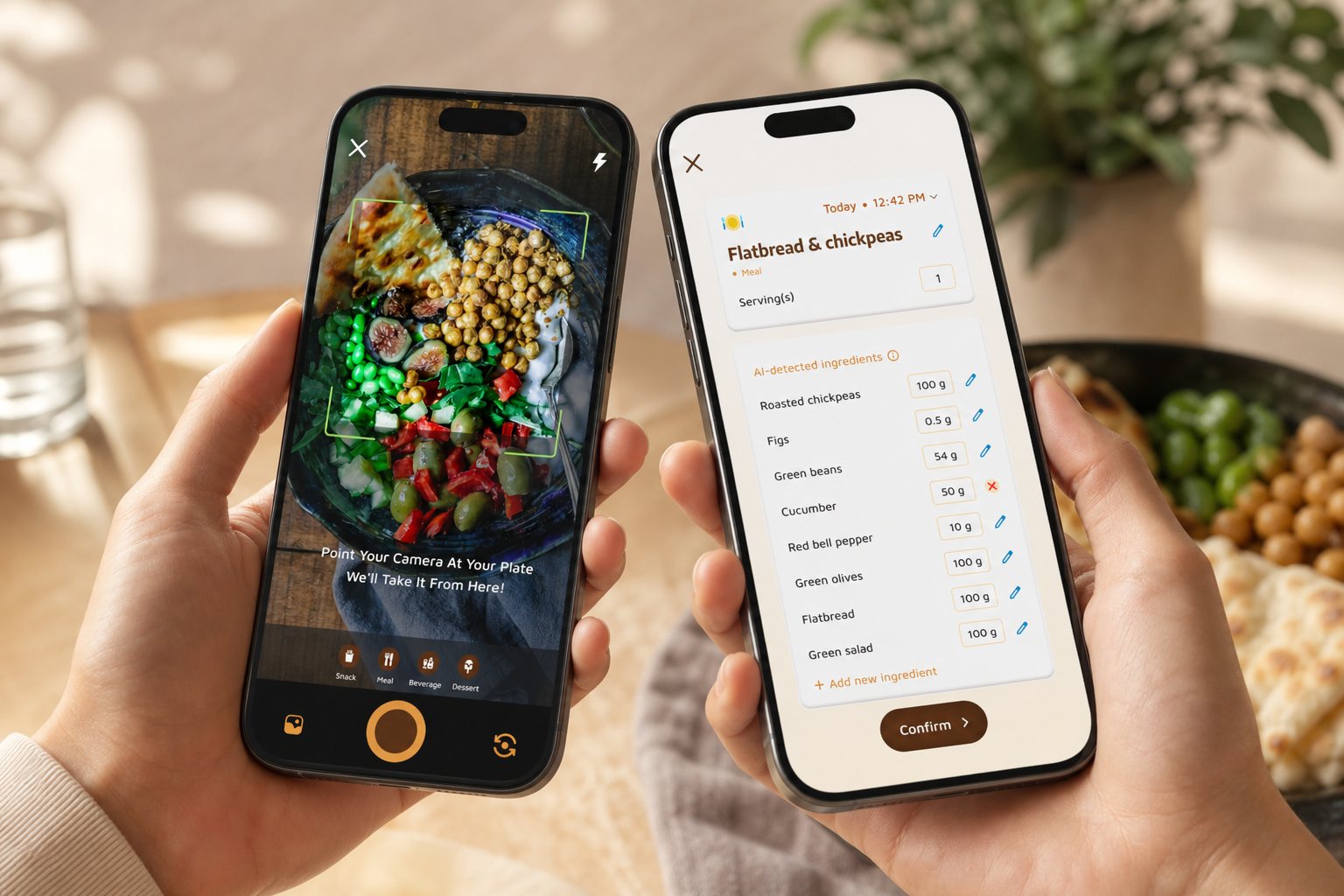
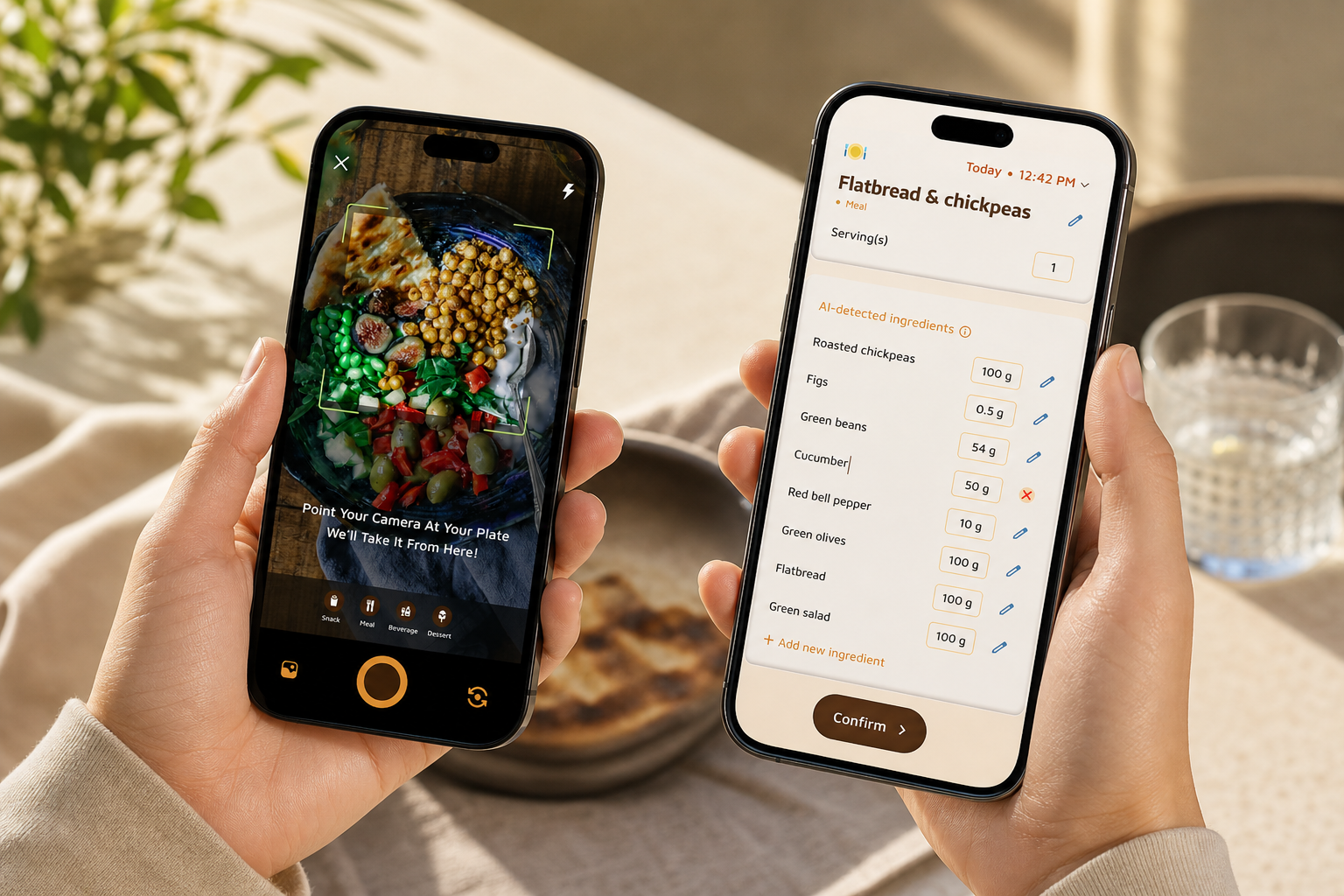
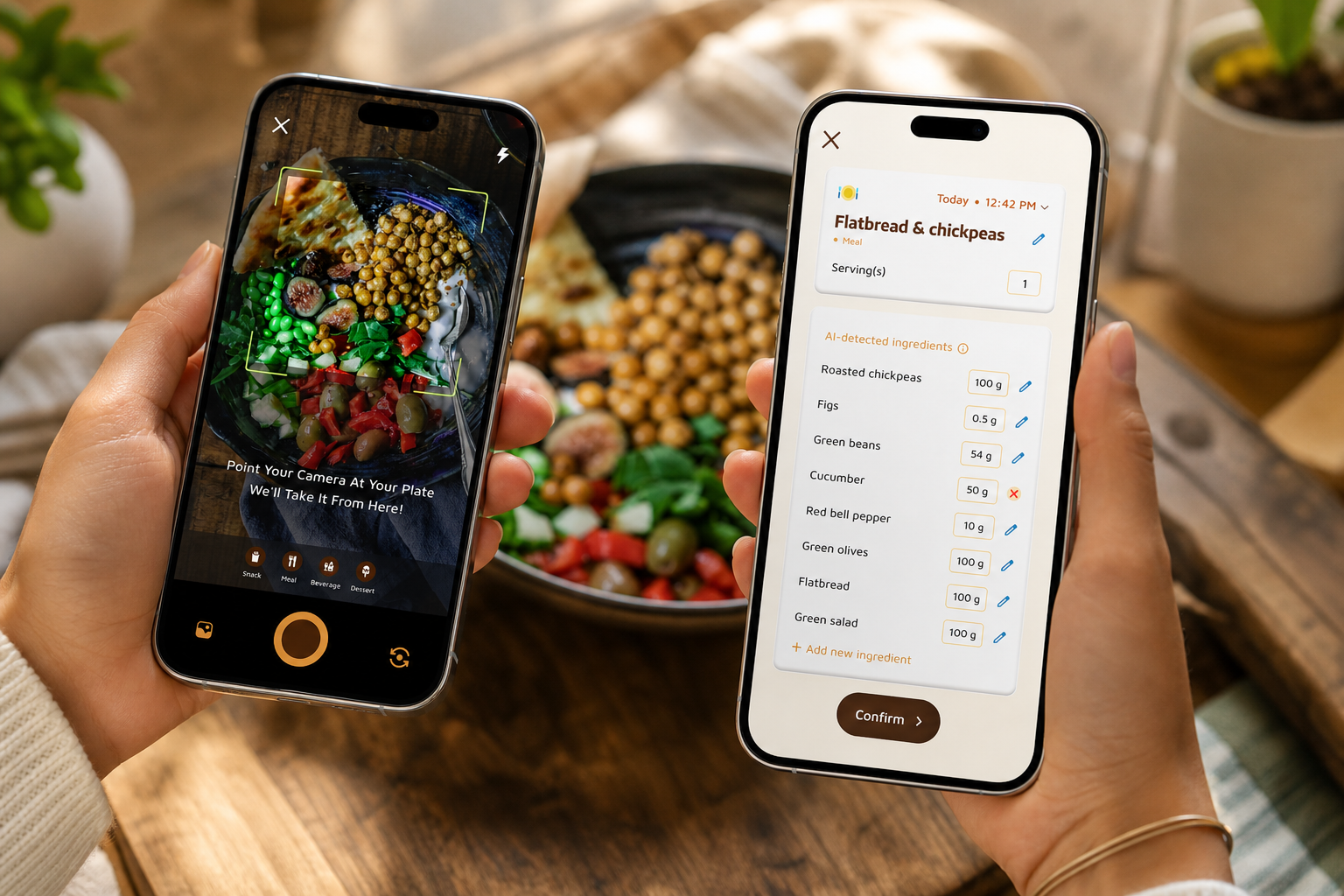
You point your camera at a meal or snack and get calories plus a full macro breakdown in real time. There’s no barcode hunt or multi‑field form. The app also shows goal predictions right after each log, so you can see how that burrito affects your weekly trend without guesswork.
“I’ve tried tons of fitness apps, but this is, hands down, the best calorie tracker app I’ve ever used. Logging meals is fun now—just snap a photo and boom, done. And the little buddy? This is a total big improvement for staying motivated!” — Pooja Rao
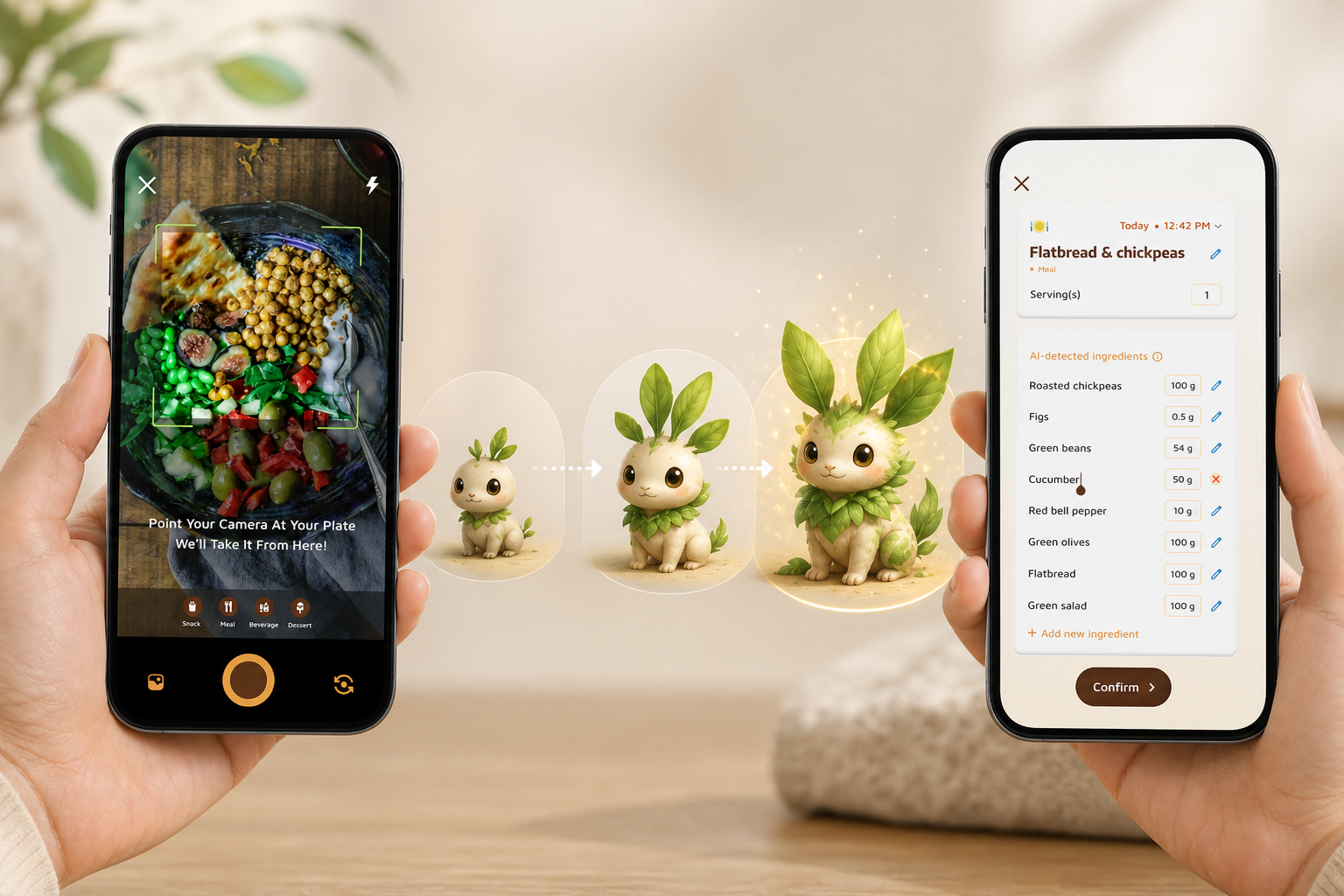
Your Virtual Buddy Grows With Your Choices
The virtual pet isn’t a sticker. It evolves as you hit health behaviors, meals logged, water toward 2.5L/day, and steps toward 10,000/day. Because it responds right away, you feel a light, friendly push to stay consistent, even on days when you’re not “motivated.
“I’ve been using Calorie Tracker Buddy for five weeks, and I’ve already lost 4kg! It keeps me motivated with my little buddy cheering me on. I didn’t have to cut out my favorite foods. It’s all about balance!” — Alex Sim
Works Offline, Syncs When You’re Back Online
On the subway, in a plane seat, or under a gym’s metal roof, you can still log. Entries queue securely and sync the next time you have a signal. Therefore, you never lose a day due to dead zones.
Google Fit Sync for Steps and Exercise
If you walk at lunch or track workouts on your phone, those data flow in via Google Fit. As a result, your calorie burn and step count update live, and you avoid double work. Your daily target sits at 10,000 steps by default, but you can adjust it to match your life.
Real‑Time Nutritional Coaching
Each log shows instant feedback, not a vague “good job.” You see calories, carbs, protein, and fat at a glance. In addition, goal predictions reveal how your meal shifts the week’s trend, which makes planning dinner simpler.
Full Dashboard: Macros, Water, Exercise
Beyond calories, you track macros, water intake toward 2.5 liters, and exercise. Everything updates in real time so you can steer during the day, not just review later. If you dine out a lot, the AI Menu Scanner can analyze a menu and flag goal‑friendly swaps.
Personalization and Fitness Coach Mode
You can set dietary preferences and allergy filters, and the app adapts. Furthermore, Fitness Coach mode lets you share tailored advice and custom challenges with people you guide. The app can send personalized fitness tips based on activity and progress, which helps your friends or clients stay on track without nagging.
Calorie Tracker Buddy vs. MyFitnessPal vs. Finch: Honest Comparison for Busy Users
If you’re short on time, the key is how fast you can log and whether the app keeps you engaged without willpower.
MyFitnessPal remains the standard for database size. If you want rare brand‑name items, it shines. However, you’ll spend time on manual barcode scans or text entry, and there’s no virtual pet. For busy users, that means minutes per meal and streaks that break on high‑stress weeks.
Finch has a much‑loved virtual pet for mental health tasks. It’s great for mood and small daily wins. On the other hand, it isn’t a calorie tracker. You won’t get meal logging, macros, or real‑time nutritional feedback tied to what you eat.
Calorie Tracker Buddy bridges the gap. You get photo‑based instant logging that is faster than manual entry, a virtual buddy tied directly to nutrition and fitness behaviors, offline logging with auto‑sync, and Google Fit integration for steps and workouts. In addition, the app updates calories, meals, steps, and goal progress in real time.
“I’ve always wanted to be healthier but never found the right tools to make it stick. Not only have I lost 5kg, but I also feel more energized. My health buddy is a constant source of encouragement, and the tips help me make smarter choices every day.” — Sandy T
After speed, engagement decides whether you stay.
“Before using the app, I didn’t know where to start with calorie tracking. The meal snap feature is a big improvement. I love how the app gives me tips and feedback in real time. My health buddy keeps me accountable, and I’m actually excited to track my meals.” — Aanya Rastogi
Feature Snapshot
| Feature | Calorie Tracker Buddy | MyFitnessPal | Finch |
|---|---|---|---|
| Meal logging speed | Photo-based, instant feedback | Manual entry/barcode | Not a calorie tracker |
| Virtual pet depth | Grows with meals, water, steps | None | Pet for wellness tasks |
| Offline logging | Yes, auto-sync later | Partial | Not applicable |
| Fitness sync | Google Fit | Yes | Not applicable |
| Real-time updates | Meals, steps, goals | Mostly summaries | Not applicable |
Also Read!
Best Calorie Tracker with Virtual Pet for Weight Loss in 2026
Trust and Credentials: What the Numbers Show
Defaults matter. A daily hydration target of 2.5 liters and a daily step target of 10,000 give you clear, simple anchors to build from. You can adjust them, but the baselines make it easier to judge an average day without overthinking.
Data integrity matters as well. Google Fit sync provides third‑party validation for steps and workouts, which keeps your calorie burn honest without manual edits. Meanwhile, real‑time updates across meals, steps, and goals allow mid‑day course corrections instead of end‑of‑day regrets.
Breadth matters if you have specific needs. The app supports customization for dietary preferences and allergies, so ingredients that don’t work for you stay out of your plan. In addition, Fitness Coach mode adds a coaching layer with custom challenges and tailored tips that help communities stay engaged.
For movement guidance, public health advice is clear that regular activity supports health outcomes. The World Health Organization outlines aerobic activity recommendations for adults, which pairs well with a daily step anchor for day‑to‑day tracking (WHO physical activity recommendations).
Together, these numbers and systems add up to a tracker that is quick, clear, and hard to abandon, because the app reduces taps and adds small, positive cues that your brain enjoys, and it’s free to download so you can explore core features before any purchase.
Getting Started: Your First Week with Calorie Tracker Buddy
You don’t need a perfect week. You need a fast first week that fits in your life. Here’s a plan that keeps each step to minutes, not hours.
Day 1–2: Set the Base
- Step 1: Download the Android app and create your profile.
- Step 2: Set dietary preferences and allergy filters so the tips match your needs.
- Step 3: Connect Google Fit for automatic steps and exercise import.
- Step 4: Meet your virtual buddy and set your hydration target to 2.5L and steps to 10,000/day (adjust if needed).
Day 3–4: One Photo per Day
- Step 5: Start small—photo‑log one meal per day. Lunch is easiest for most workdays.
- Step 6: Watch your buddy react and check the instant macro readout. Use the goal predictions to see how that meal shifts your week.
Day 5–7: All Meals, Still by Photo
- Step 7: Expand to all meals with the snap feature. Add water through the day toward 2.5L. Let steps flow in via Google Fit. If you’re offline on the subway or in the gym, log anyway—entries will sync once you’re back online.
By the end of week one, your routine should take under two minutes per meal. If you want a deeper dive into everyday wins, this primer on calorie tracking apps covers common choices and trade‑offs.
Frequently Asked Questions
Is Calorie Tracker Buddy free, or is there a paid plan?
You can download the app to explore its core features, including calorie tracking and the virtual buddy. Pricing and plan details are listed in‑app and may change over time. If you’re interested in advanced coaching tools, check the app’s Plans screen for the current options. This way you see exactly what’s included before you decide.
How accurate is the photo‑based calorie tracking?
Photo‑based recognition returns calories and a macro breakdown in real time. Accuracy improves with a clear, well‑lit photo and a quick portion check. You can adjust servings, which acts as a built‑in accuracy check for tricky meals. Because feedback is instant, you can make a quick fix on the spot rather than after dinner.
Does the virtual pet actually help with motivation, or is it gimmicky?
The buddy grows based on what you do, meals logged, steps taken, and hydration. That real‑world tie‑in creates a light accountability loop that doesn’t rely on willpower. Users describe it as “a constant source of encouragement” and even “a game‑changer for staying motivated” in their quotes. It’s more than a badge; it’s a friendly reaction to your real habits.
Can I use Calorie Tracker Buddy without an internet connection?
Yes. You can log meals and workouts offline, and the app will sync automatically once you’re back online. This is handy for subway rides, flights, and gyms with spotty signal. Your streak and day’s data stay intact.
How does Calorie Tracker Buddy compare to MyFitnessPal for busy users?
MyFitnessPal is known for a large food database and a long track record. However, it relies on manual entry or barcode scans. Calorie Tracker Buddy’s photo‑based logging is faster, includes a motivational virtual buddy, and supports offline sync. If speed plus engagement is your priority, Calorie Tracker Buddy is better suited for tight schedules.
Does it sync with Apple Watch, Google Fit, or Fitbit?
Calorie Tracker Buddy supports Google Fit sync, which brings in steps and exercise without double entry. This keeps your calorie burn and 10,000‑step target current with no extra taps. For Apple Watch or Fitbit, check the in‑app integrations list for the latest support.
How long does it take to log a meal using the photo feature?
It takes seconds. You snap a photo, and the app returns calories and macros right away. There’s no long search or barcode hunt. As one user put it, the meal snap feature was “a game‑changer” because it made logging fun instead of a chore.
Can I track macros, water intake, and steps—or just calories?
You can track macros (carbs, protein, fat), water toward a 2.5‑liter daily goal, steps toward a 10,000‑step target, total calorie intake, and exercise. Everything updates in real time so you can steer your day, not just review it.
Takeaways and Next Steps
- Speed beats willpower. A photo‑first loop that reacts in real time is the easiest way to keep tracking in 2026.
- A virtual buddy tied to meals, water, and steps adds a small, daily nudge that keeps you engaged.
- Offline logging and Google Fit sync remove the frictions that break streaks on busy weeks.
If that sounds like the system you need, start light, one photo a day, and let the loop do the work.
**Become a coach and guide others →
For a broader primer on smart habits, skim this beginner‑friendly guide to calorie tracking before you start.