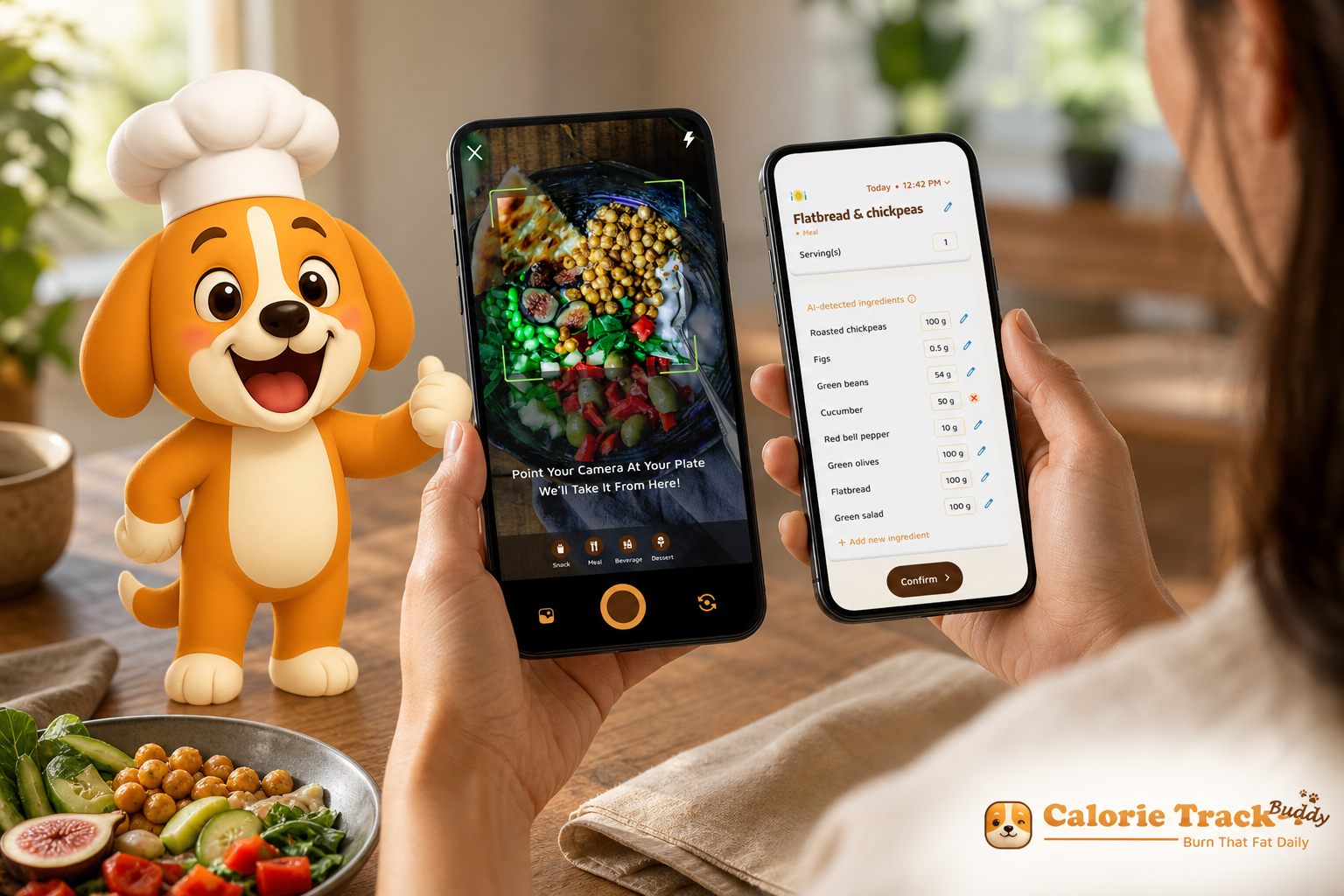
In 2026, a calorie tracker with fitness coaching and challenges turns basic logging into a habit-building system, not just a food diary. If you want better results without burnout, pair your tracker with real-time feedback and short weekly challenges. That helps you act on the data, stay consistent, and course-correct faster.
Download free today on Android →.
Here’s the key idea: data plus guidance creates a system. The data is your meals, macros, steps, and weight. The guidance is real‑time feedback on those meals, predictive cues about the rest of your day, and small challenges that build skills. Together, they reduce guesswork and decision fatigue.
Guidance turns raw numbers into next steps you can actually do today.
Moreover, coaching in an app is not cheerleading. It’s practical. For example, real‑time feedback can flag that lunch is light on protein.
It can then suggest a swap before you get hungry at 4 pm. Goal predictions can show how that extra snack shifts your weekly trend. Personalized tips can adapt as your steps rise or your streak dips.
In fact, structured programs that mix tracking with coaching and feedback report greater weight loss than logging alone in published reviews and trials. You don’t need a human in your pocket 24/7. You do need timely nudges. And you need the app to adjust targets based on your progress. It should not hold you to a number that made sense six weeks ago.
What “coaching” means inside an app
Inside a modern tracker, “coaching” is a bundle of small, timely behaviors that make your choices easier.
- Real-time meal feedback delivers quick cues on protein, fiber, and calorie impact before you finish eating. You can add a yogurt, swap in beans, or right-size a dressing on the spot. Small corrections add up over the week.
- Goal predictions translate a single choice into a weekly trajectory. The app can say, “If you eat this, here’s how your weekly average shifts.” That builds an intuitive sense for trade-offs. It also keeps guilt out of the process.
- Personalized tips learn from your activity, streaks, and logged patterns. Suggestions match your day, not a generic rulebook. They feel relevant because they are timed to your routine.
Challenges turn intention into action by giving you short, goal‑based tasks that last a week and stack into sturdy habits. Progress adjustments keep your plan honest by smartly updating your calorie target as your weight, steps, and meals change. This avoids freezing you at a setting that no longer fits. Plate-building examples offer simple visuals for protein, carbs, fat, and fiber that match your preferences.
You can assemble meals that satisfy without endless measuring. Finally, context-aware nudges time themselves to your schedule. A reminder just before your typical afternoon snack means support arrives when decisions are actually made.
Coaching is not louder reminders. It’s better-timed, more specific, and easier to act on.
As a result, a calorie tracker with fitness coaching and challenges feels less like homework and more like a GPS. You still drive. It just calls out the next turn before you miss it.
Also Read!
A Step-by-Step Framework for Using a Coaching-Based Calorie Tracker
Consistency beats perfection. Use this six‑step plan to make tracking stick and turn coaching prompts into action.
Step 1: Calculate your baseline (TDEE)
Start by finding your Total Daily Energy Expenditure (TDEE), the calories you burn each day when you combine rest and activity. Set a steady deficit of about 300–500 calories below TDEE for sustainable fat loss that moves the scale without blowing up your hunger. Use this short daily calorie tracker refresher if you want to brush up on logging basics while you set targets.
Reassess as you go by recalculating TDEE every 4–6 weeks or after a 5–10 lb change. Tighten or relax the deficit if hunger, energy, or progress suggests it. Aim for roughly 0–1% body weight loss per week on average. Slower can still be success if energy, mood, and training are strong.
-
Quick actions:
-
Calculate TDEE with a trusted calculator. Save the result in your notes.
-
Pick a 300–500 calorie deficit. Set it as your starting goal.
-
Decide on a first review date four weeks out. Put it on your calendar.
-
Common pitfalls:
-
Starting too aggressive and quitting when hunger spikes.
-
Ignoring non-scale signs like sleep, focus, and workouts.
-
Forgetting to adjust targets after progress or life changes.
Step 2: Choose a tracker with coaching features
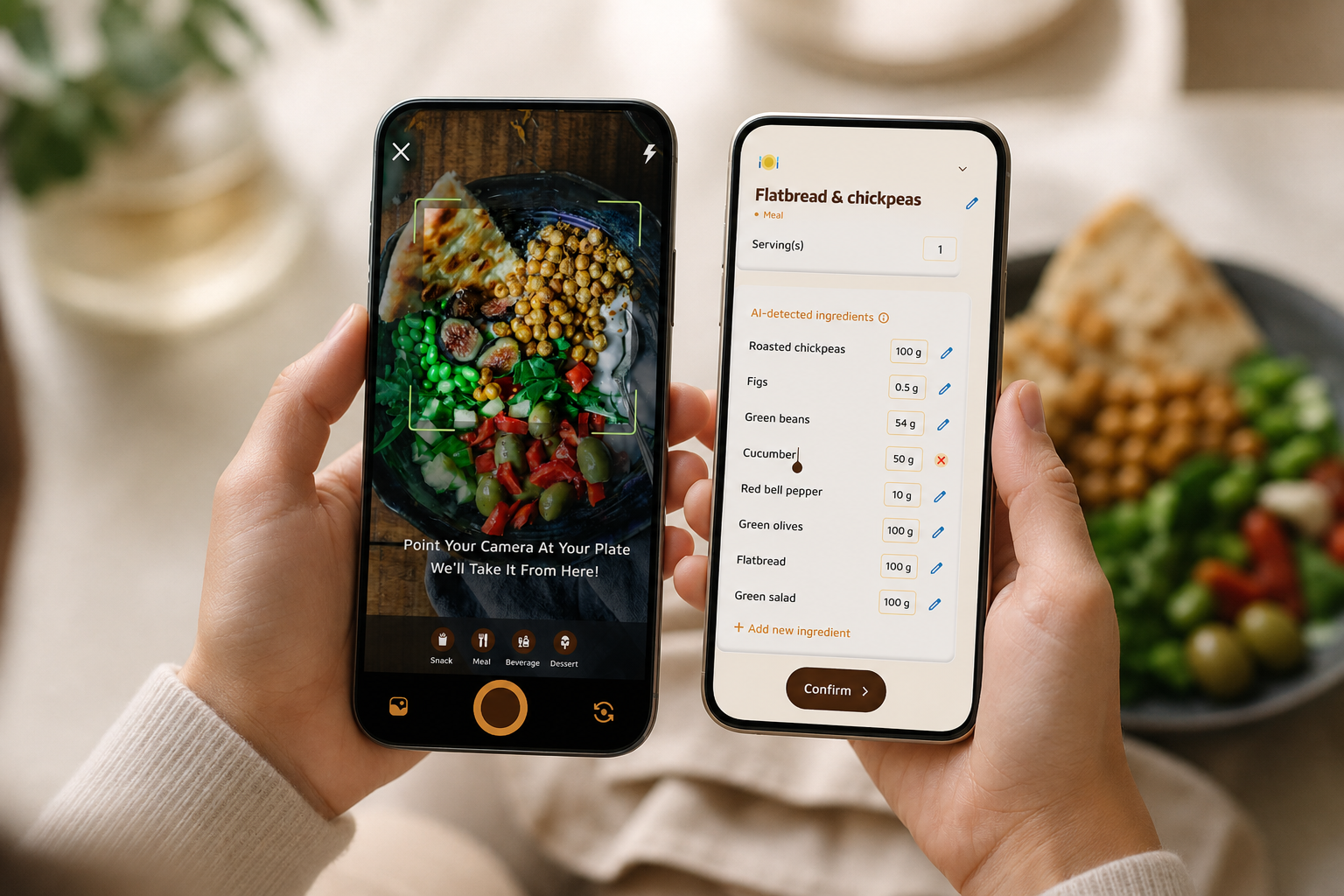
Choose a tool that does more than store food entries and makes decisions easier in the moment. Look for photo-based logging with instant nutrition reads and real-time feedback on meals and snacks. You also want a challenge system you can opt into when you’re ready to practice one behavior at a time. Prioritize personalized tips tied to your data, progress predictions for the day and week, and real-time updates on calorie burn, meals, steps, and goal progress. A weekly review screen that highlights trends and next steps is essential.
Gentle, customizable reminders that respect do‑not‑disturb windows make consistency feel respectful rather than pushy. If you’re still comparing options and price points, this rundown on free vs paid calorie tracker trade‑offs is useful.
-
Must-have features checklist:
-
Photo-to-macro analysis with quick portion confirmation.
-
Real-time “add protein” or “higher-fiber swap” suggestions.
-
Weekly challenges that build one habit at a time.
-
Wearable sync for steps and workouts.
-
A weekly summary with a single recommended lever to pull.
-
Nice-to-have extras:
-
Offline logging with auto-sync later.
-
A gentle streak system that rewards consistency.
-
Context-aware nudges based on your meal times.
Step 3: Set up your profile honestly
The setup phase teaches the app how to help you, so be thorough and honest. Add your dietary preferences and allergies so suggestions match how you eat. Then set your starting weight, goal weight, and a realistic timeline that you can live with. Enter your activity level, sleep windows, and any days you plan to dine out so the app can time nudges and buffer your budget when needed.
The more honest the input, the better the coaching. Enable device sync (for example, Google Fit) so steps and workouts update your daily budget automatically. Turn on location‑ or time‑based reminders to log meals right after you typically eat to reduce forgotten entries.
-
Quick actions:
-
List three foods you prefer to eat more of and three to limit.
-
Mark your usual meal windows in the app.
-
Enable background sync and check permissions for steps and workouts.
-
Pro tip:
-
Add upcoming travel dates or shifts. The app can preemptively adjust targets or nudge you toward portable protein and water.
Step 4: Use photo-based logging to cut friction
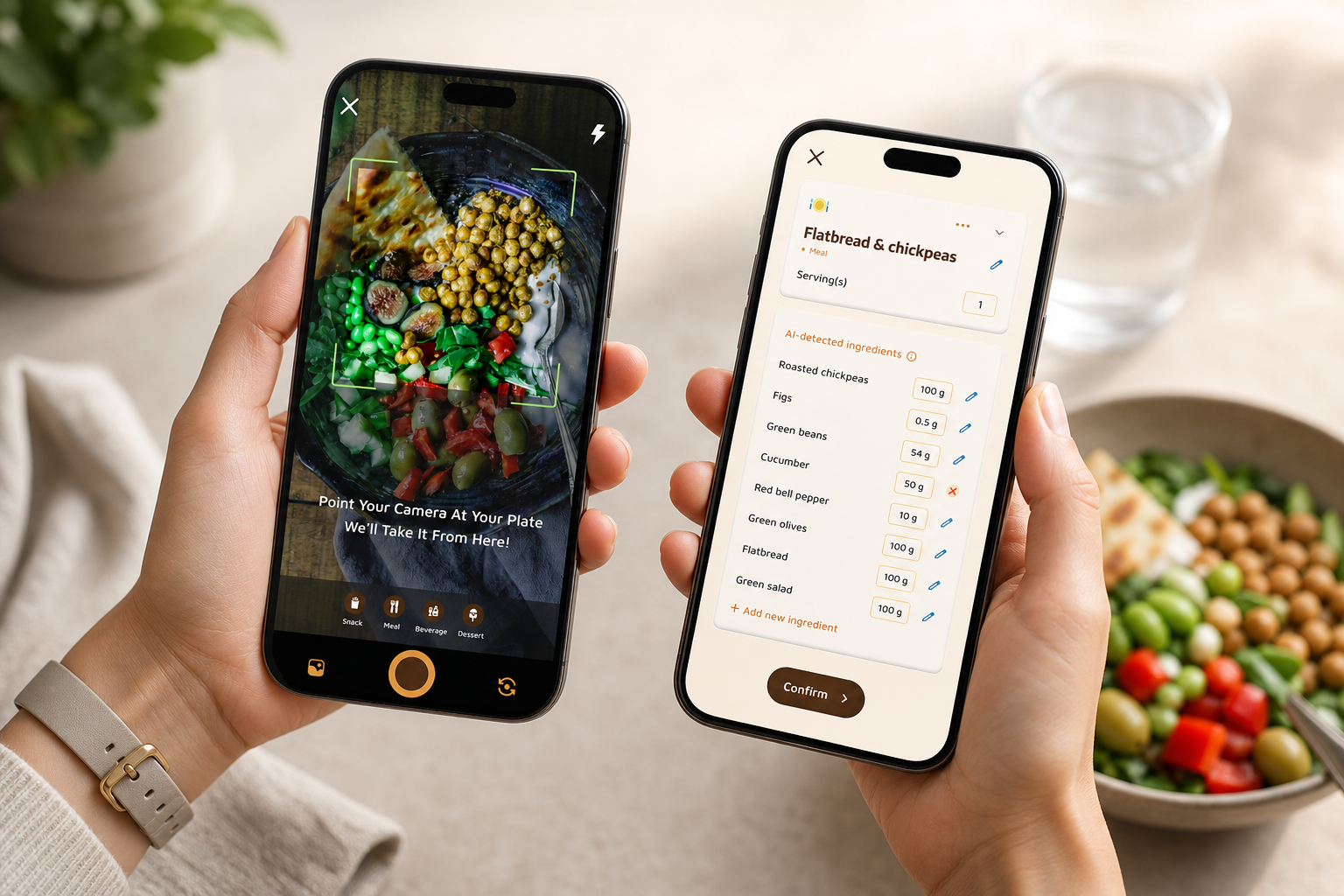
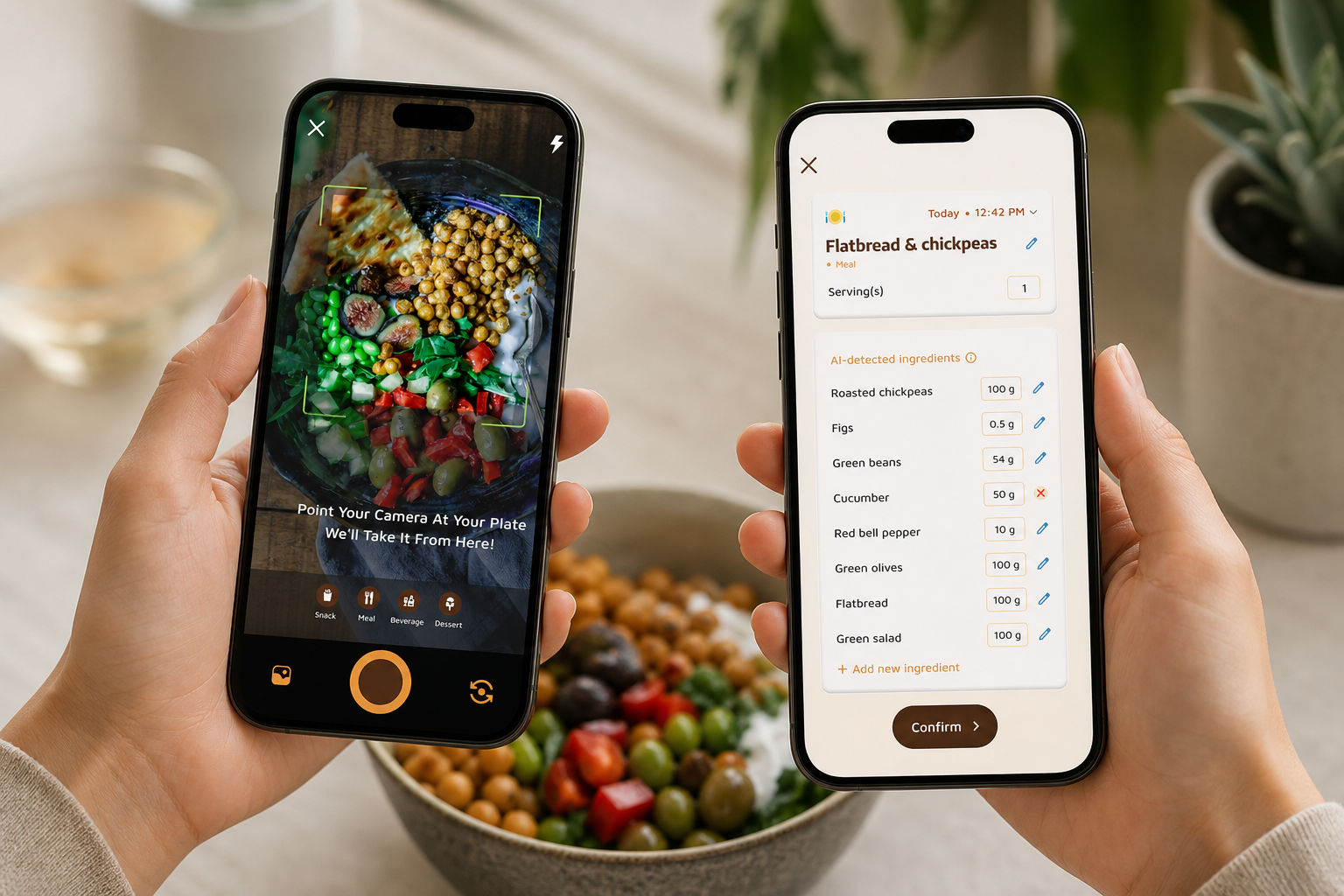
The top dropout reason is tedious manual entry, so let the app do more work. Snap your meal, confirm portion hints, and save. Edit only the parts that matter like sides, sauces, and drinks. Save your go‑to meals so breakfast or your post‑workout snack takes two taps next time.
Lean on quick portion guides, hand, fist, palm, thumb, when you’re eating out to approximate without stress. When life gets busy, batch-log by capturing photos now and confirming details during your evening review. Consistency beats precision on chaotic days. You can always update exact grams later if needed.
- Speed tips:
- Create “Favorite Meals” for workdays to remove decisions.
- Add a default beverage if you drink it daily, like black coffee or water.
- Keep a small notecard with hand-portion estimates in your wallet.
Step 5: Engage with coaching prompts daily
Treat notifications like short notes from a coach, not wallpaper to swipe away. If the app suggests a protein add‑on at lunch, try the extra egg or yogurt. If it flags low steps at 4 pm, take a quick 10‑minute walk. When a “quick pause” prompt appears, use it.
Take a breath and check hunger. Then pick one tiny action, a protein add‑on, a glass of water, or a 5‑minute walk, to move you back on track. When prompts aren’t relevant, snooze or mute specific nudge types rather than muting everything. Celebrate streaks while protecting them by keeping a five‑minute “plan B” meal and a ten‑minute “plan B” walk ready for hectic days.
-
Examples of tiny wins:
-
Add 100–150 calories of protein to a light meal.
-
Park farther away to bank 500 extra steps.
-
Swap fries for a side salad and olive oil.
-
Manage nudges without burnout:
-
Cap notifications to two key moments: lunch and evening.
-
Mute snack prompts on days you have back-to-back meetings.
-
Review which nudges you acted on. Keep only the helpful ones.
Step 6: Review weekly, not daily
Daily weight bounces tell you almost nothing, but a weekly review tells you the truth. Scan your weekly calorie average, protein per day, steps, and water intake. Then choose one lever to adjust for next week. For example, add 10 g of protein at breakfast.
Or set a 7 pm snack rule that reduces evening nibbling without feeling restrictive. If your weekly average stalls for two straight weeks, consider a 5–10% calorie adjustment, a small step-count increase, or even an extra rest night if recovery is low. Use the app’s trend graph to tag context like travel, PMS, or illness so your future self remembers why the line moved.
- One-lever examples:
- +10 g protein at breakfast.
- +1,000 steps on weekdays.
- A water refill rule at noon and 4 pm.
- A “no phone after 10 pm” wind-down to improve sleep.
What to track beyond calories
Beyond calories, focus on the macros, carbs, protein, and fat, because they shape satiety and recovery. Protein is the workhorse during a deficit. It protects lean mass and keeps you full.
0 g per pound of goal body weight per day, spread across three to four meals. Carbs and fats can flex based on preference and training demands. A steady protein anchor simplifies planning and improves adherence.
- Macro priorities in plain English:
- Protein sets the floor. Hit it first.
- Carbs fuel activity. Place them around workouts if you train.
- Fats support hormones and flavor. Keep them steady but flexible.
Hydration and movement are quiet drivers of consistency. 5 liters per day. Use a marked bottle.
Set two refill checkpoints at noon and 4 pm to hit your target without chugging at bedtime. Track steps and any scheduled training so your daily movement reflects reality. Let the app’s predictions flex your budget when your activity spikes or dips.
Finally, add context through notes and timing. Quick notes like “late meeting → fast dinner” or “sushi night → sodium spike” help explain scale swings. Mood, sleep quality, and cravings reveal how choices affect how you feel. Flag typical meal windows so the app can time nudges before high‑risk moments, such as long gaps between lunch and dinner. That way your calorie tracker with fitness coaching and challenges can respond with the right cue at the right time.
Spread your attention across these dials and the coaching will have more to work with. That’s how a calorie tracker with fitness coaching and challenges stays useful day after day.
Get instant meal feedback → gives a sense of features to expect in 2026.
App categories and examples you can try
- Apps with AI‑based coaching and real‑time feedback
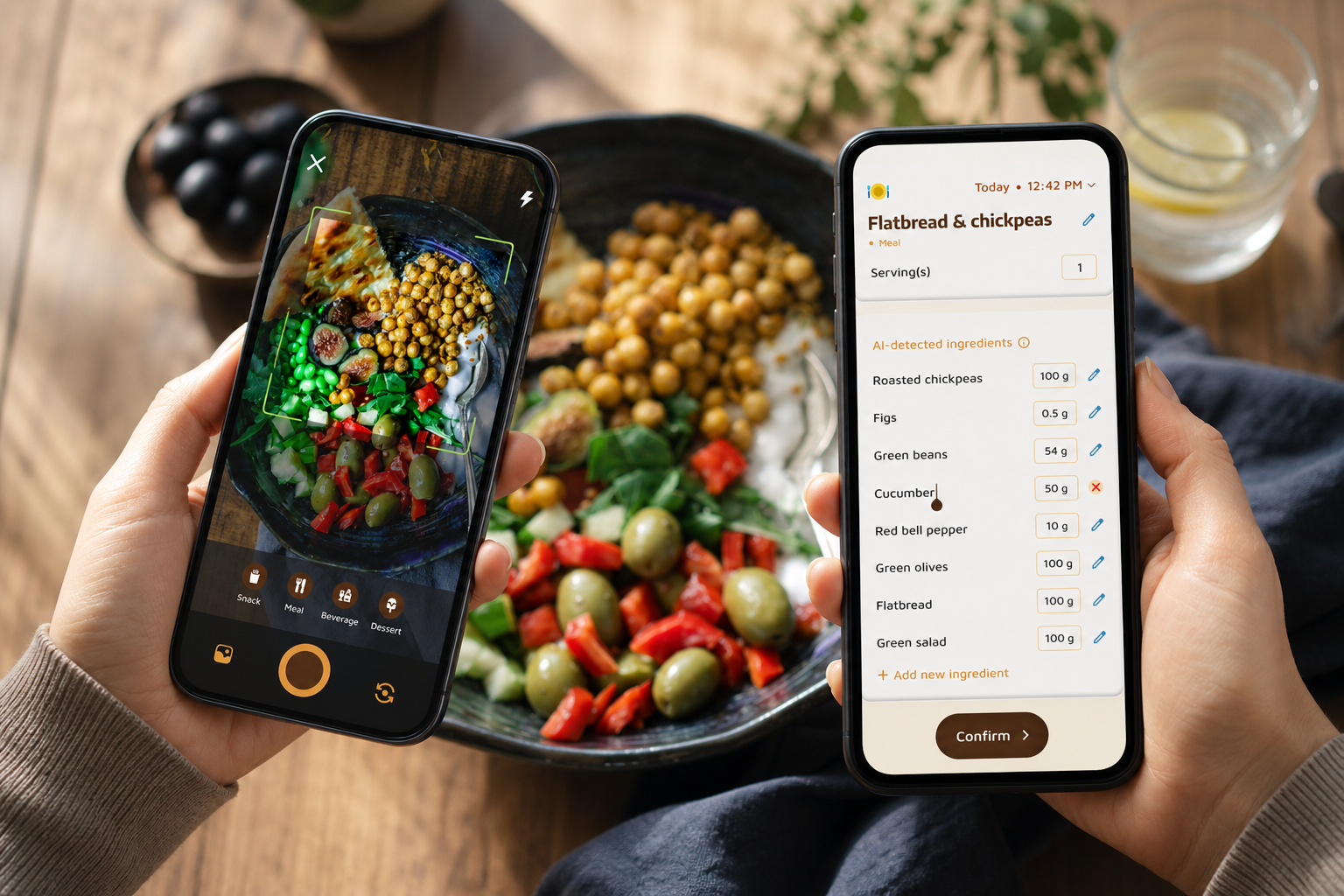
These tools analyze photos, score meals, and nudge you in the moment. For example, Calorie Tracker Buddy combines photo-based meal logging with a Fitness Coach mode that offers tailored advice, goal‑based challenges, and motivational support. It tracks macros, water, steps, and calories in real time and includes a virtual pet that grows as you make healthier choices. This category is best if you want fast logging, instant feedback, and light accountability without committing to a human coach or fixed lesson plan.
Look for features such as photo‑to‑macro analysis with portion hints that learn your plate, along with real‑time “add protein” or “swap to higher fiber” cards that arrive before you finish eating so you can act immediately. Weekly challenges that build one behavior at a time, think breakfast protein or a bedtime screen curfew, turn nudge into habit through repetition and reflection. The biggest trade‑off is that portion estimation can misread now and then, so you’ll still confirm sides, sauces, and drinks to keep entries accurate. It can also sync with fitness trackers like Google Fit, send personalized tips based on your data, and allow offline logging with auto‑sync later, which keeps your records intact even when your connection drops.
Expect smarter portion estimation, better substitutions, and context-aware prompts that learn your routine as models improve in 2026.
-
Pros:
-
Fast photo logging and instant guidance.
-
Habit challenges that compound over time.
-
Wearable sync and offline support for travel days.
-
Cons:
-
Portion guesses can be off. You still confirm the details.
-
Some nudges may feel noisy until you customize them.
- Apps with human coaching
Some programs pair daily lessons with chat‑style coaching grounded in psychology, while others adjust targets algorithmically and add community support. Noom, for example, blends mindset lessons with messaging, whereas MacroFactor emphasizes adaptive calorie targets and can include a supportive community vibe. Choose this path if you value a person checking in and don’t mind a higher price or a set lesson cadence. The personal touch can be powerful for plateaus, travel, holidays, and stressful stretches. Many services now offer registered dietitians, scheduled video check‑ins, and structured curricula that create accountability with a human on the other side.
The strengths here are regular accountability, mindset reframing, and tailored guidance during tricky weeks when life is messy. The trade‑offs include higher monthly costs, fixed lesson pacing that may feel rigid if your schedule fluctuates, and response times that depend on coach availability. If you thrive on external accountability and appreciate direct feedback, the premium can be well worth it. If you prefer flexibility and lower cost, consider a hybrid setup that blends app automation with occasional human input.
-
Good fit if you want:
-
A person to message when choices feel hard.
-
Reflections and reframes that target mindset, not just macros.
-
Guardrails during life events like travel and holidays.
-
Potential downsides:
-
Higher fees and time commitments.
-
Pace and curriculum may not match your weekly bandwidth.
- Hybrid approaches
A hybrid model pairs a standard tracker like MyFitnessPal or Cronometer with a separate coach or accountability partner. You can run lightweight weekly check‑ins by sharing screenshots and progress notes, keeping structure without subscribing to a full coaching platform. This is ideal if you already like your tracker, want to keep costs low, and benefit from social accountability through a friend or group. A shared album or simple spreadsheet for weigh‑ins, step counts, protein averages, and notes can make the process visible and consistent without turning it into a chore.
Setting this up is straightforward. Create a shared folder or spreadsheet with tabs for weight, steps, protein, and notes. Agree on a weekly check‑in time. Use a tiny template like “What worked / What didn’t / One lever for next week” to keep reviews sharp.
Export from your app or snap quick screenshots so sharing takes under two minutes. That reduces friction and preserves your momentum. Over time, the pattern of weekly reviews becomes its own coaching layer. It nudges you to reflect and reset even when your week was imperfect.
- Practical workflow:
- Sunday: post a single screenshot of your weekly summary.
- Monday: set one lever for the new week.
- Midweek: send a “still on track?” check-in emoji.
- Wearable‑integrated trackers
If you love seeing steps, calorie burn, and meals in one place, pick an app that integrates with Google Fit so your daily budget reflects your actual movement. With integration turned on, your step streaks and activity minutes update automatically and coaching tips can adapt on the fly. In 2026, deeper integrations also surface recovery scores, sleep windows, and time‑in‑zone to help your calorie target flex with training load. You avoid pushing hard on days when recovery signals “slow down.” This makes the coaching feel personal and responsive rather than prescriptive.
A clean setup makes the difference. Enable background sync and verify permissions for steps, heart rate, and workouts so data flows without manual effort. Add your usual sleep windows so the app can time late‑evening snack nudges gently. Let recovery scores inform whether you take a rest day or run a slightly lighter deficit after tough sessions. By aligning your calorie tracker with fitness coaching and challenges to your wearable data, you reduce guesswork and create a feedback loop that supports both fat loss and performance.
In short, pick the level of support you will use every day. You can always start simple and add coaching or community later. If you’re comparing price models and features, this look at myfitnesspal vs calorie tracker buddy is a helpful case study.
Before you decide, remember this: the best tool is the one you’ll open on a busy Tuesday. A calorie tracker with fitness coaching should reduce taps, add useful nudges, and keep your habits moving in 2026 and beyond.
Also Read!
Calorie Tracker Buddy vs MyFitnessPal for Weight Loss: Which Is Better for Macro and Water Tracking?
Beginner’s Guide to Gamified Calorie Tracking with a Virtual Pet
Key Takeaways and What to Do This Week
- Tracking builds awareness; coaching builds habits and adherence.
- Real-time feedback, goal predictions, and personalized tips reduce guesswork.
- Photo-based logging cuts friction, which keeps you consistent.
- Weekly reviews beat daily stress; adjust one lever at a time.
- Steps, water, and protein are quiet drivers of steady loss.
- Your app should adapt as you do—targets, nudges, and challenges that evolve with your data keep motivation high.
What to Do This Week
Think in weeks, not days, and you’ll start to see how small wins compound. Begin by setting a sensible target, then let the app’s coaching steer daily choices while you keep your effort low and consistent. Keep water and steps visible. Leave your bottle on the counter.
Put your shoes by the door. Accept at least one coaching nudge each day so you practice action over perfection. Close the loop every weekend with a five‑minute review and a single lever to adjust. That rhythm is where adherence turns into results.
Day 1–2: Calculate your TDEE and pick a 300–500 calorie deficit.
Day 3: Download a coaching‑based tracker and finish your profile with dietary preferences, allergies, and goal weight.
Day 4–7: Log every meal with photo-based tracking. Accept at least one coaching prompt or challenge each day.
Water (aim for 2.5L) and steps (aim for 10,000). End of week: Read your weekly summary. Note what felt easy, what dragged, and what moved the trend. Then adjust one thing for next week based on the app’s feedback.
- Mini checklist for the first week:
- I set a target and a review date.
- I logged at least two meals per day with photos.
- I accepted one coaching nudge per day.
- I hit my water refills at noon and 4 pm.
- I walked an extra 1,000–2,000 steps on two days.
The best tracker is the one you’ll use. Coaching features exist to make that consistency easier and to keep you moving when the scale stalls. If you want a simple start with instant meal feedback and challenges, install the app and try one week.
Start coaching-based tracking today → This basics guide pairs well with a look at free vs paid calorie tracker.