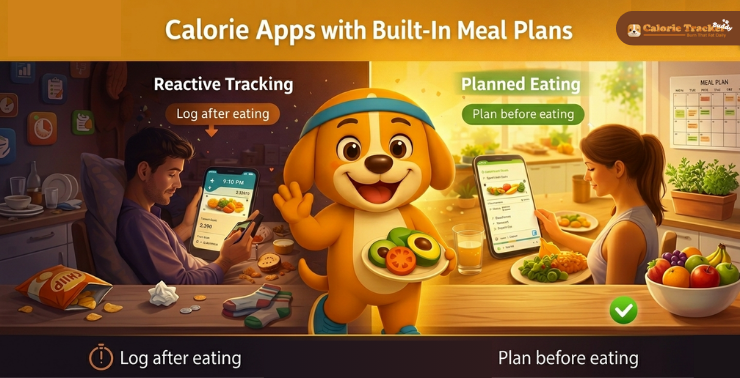
What makes a meal plan calorie app actually worth using? Not the feature list on the download page, but the thing that determines whether you’re still using it three weeks from now or whether it’s sitting in a folder you never open.
Most people try calorie tracking at least once. A significant number quit within two weeks. Not because the concept doesn’t work, but because logging meals after you’ve already eaten them gives you information about the past with no real guidance for the future. You know what happened. You still don’t know what to do next.
Planning changes that entirely. This guide walks through how meal plan calorie apps work, what features genuinely matter, and how to set one up so it actually produces results.
Also Read!
What is a calorie app with a built-in meal plan?
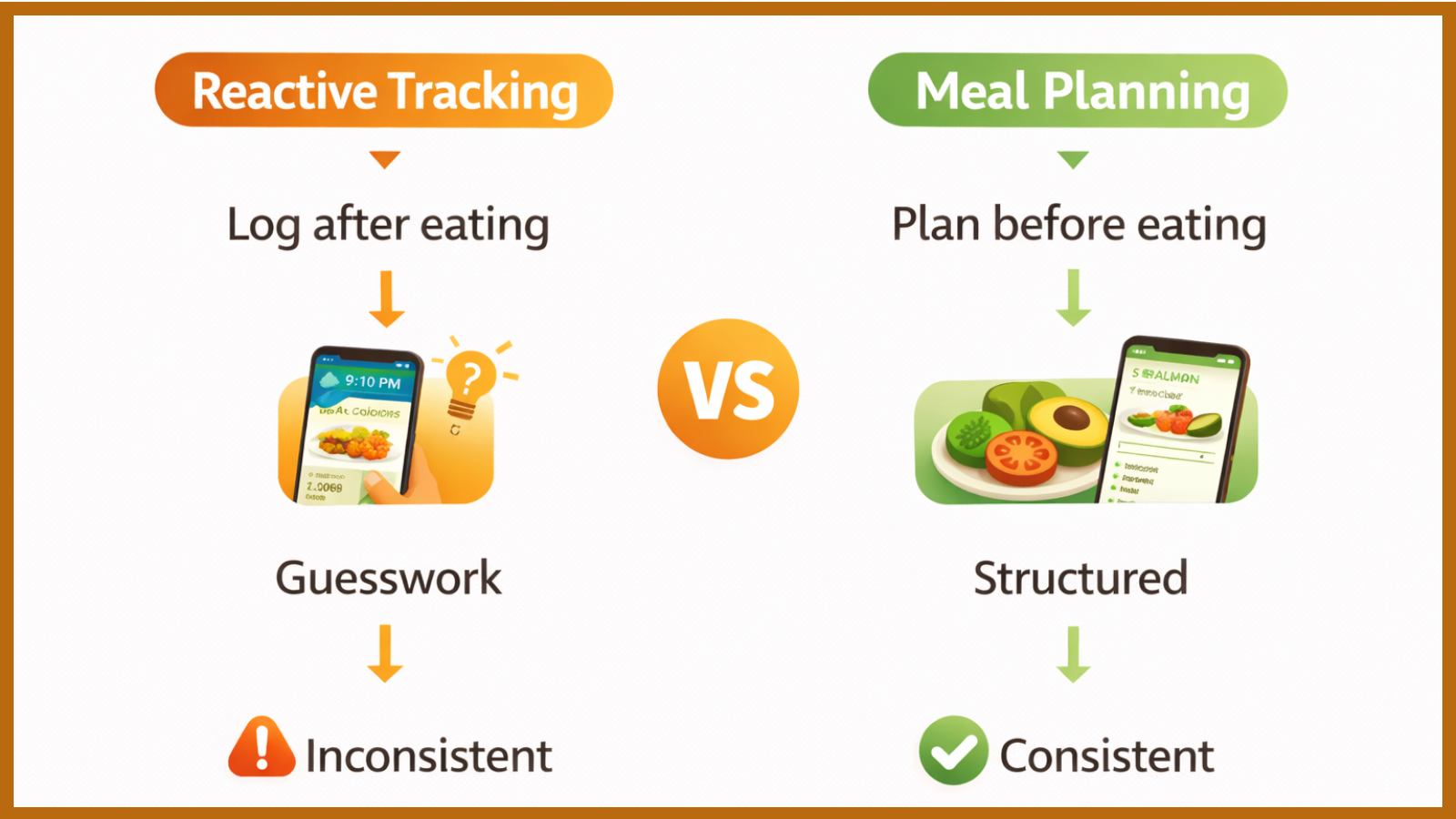
Two tools got combined here, and it’s worth understanding what each one actually does before looking at them together.
A calorie tracker is reactive. You eat something, log it, and the app tells you how many calories and nutrients you consumed relative to your daily goal. It measures. It doesn’t guide. For someone who already knows how to build balanced meals, this works well. For someone who doesn’t, it just creates an accurate record of the same uncertain choices, day after day.
A meal planner works the other way around. It generates a structured eating schedule before you eat, distributing your calorie target across meals and snacks throughout the day. The plan is built around your preferences, dietary needs, and goals. You’re not deciding what to eat three times a day under pressure, with hunger clouding your judgment. The decision is already made.
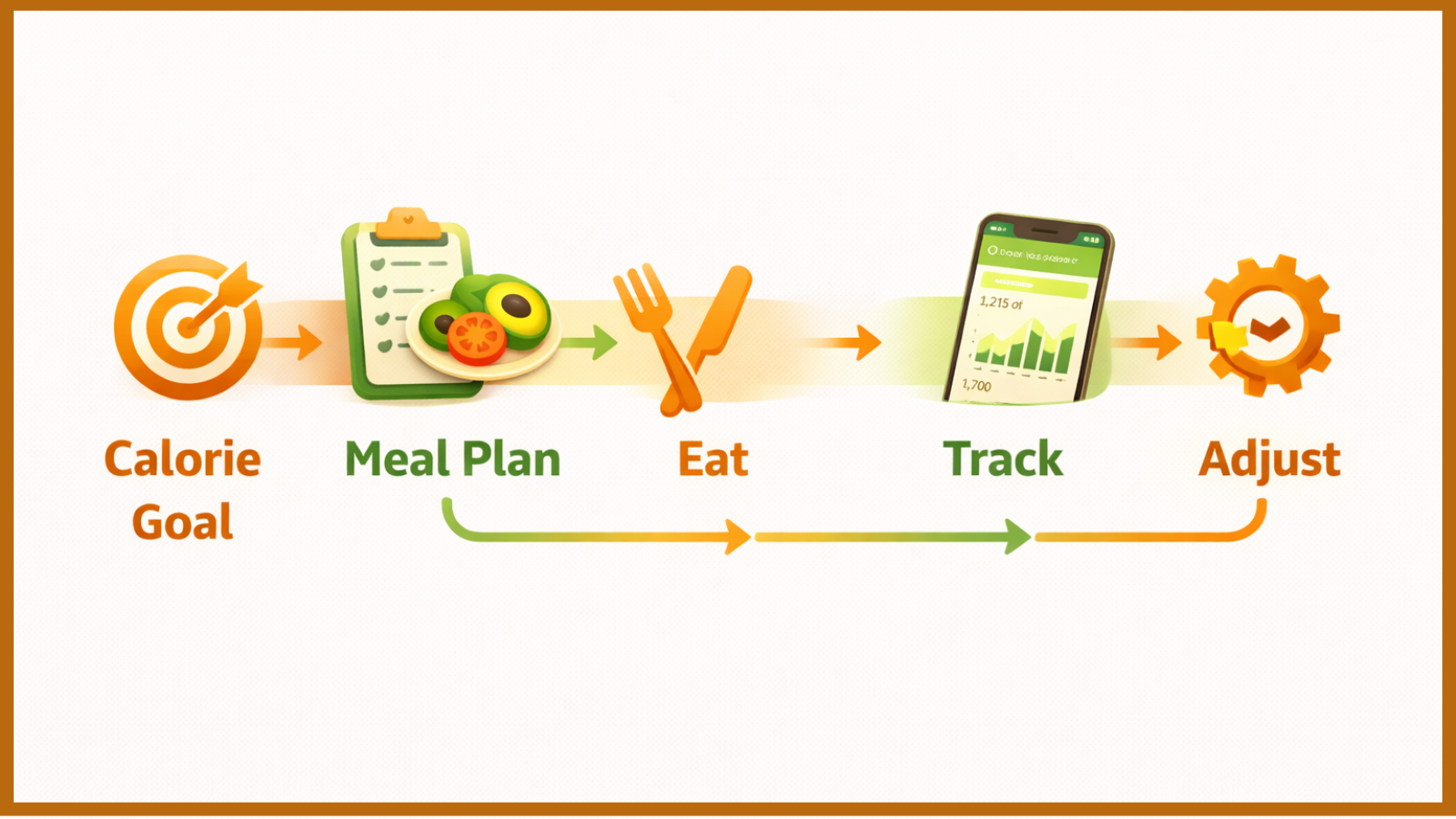
Combine both, and something more useful emerges. The app calculates your calorie goal, builds a daily plan around it, and then tracks whether you followed through. Planning handles the decision fatigue that causes most people to quietly abandon their nutrition goals. Tracking keeps the plan honest.
This works across a wide range of situations. Beginners who have no real framework for structuring a day of eating benefit enormously from the built-in plan. Fitness enthusiasts who need precise macro targets get the tracking accuracy they need. Busy people who want structure without spending an hour planning every Sunday get both, without the overhead.
Worth clarifying before moving on: these are not meal kit services. Nothing arrives at your door. These are planning tools that work with real groceries from a real supermarket, adapted to your preferences and calorie targets.
The short version: A calorie app with a built-in meal plan calculates your personal daily calorie target, then builds a structured eating schedule around that number based on your food preferences and goals. You follow a plan rather than improvise. Tracking confirms whether you stayed on course – instead of just logging what already happened.
How does a meal plan calorie app figure out what you need?
The math behind your calorie target is simpler than it sounds, once you understand two numbers that most people have never heard of: BMR and TDEE.
BMR stands for Basal Metabolic Rate. It’s the number of calories your body burns just to keep itself running while at rest. Breathing, circulation, organ function, and temperature regulation. None of it requires you to move, and all of it burns energy. A 30-year-old woman who is 165 cm tall and weighs 65 kg burns roughly 1,450 calories per day this way, before a single step is taken.
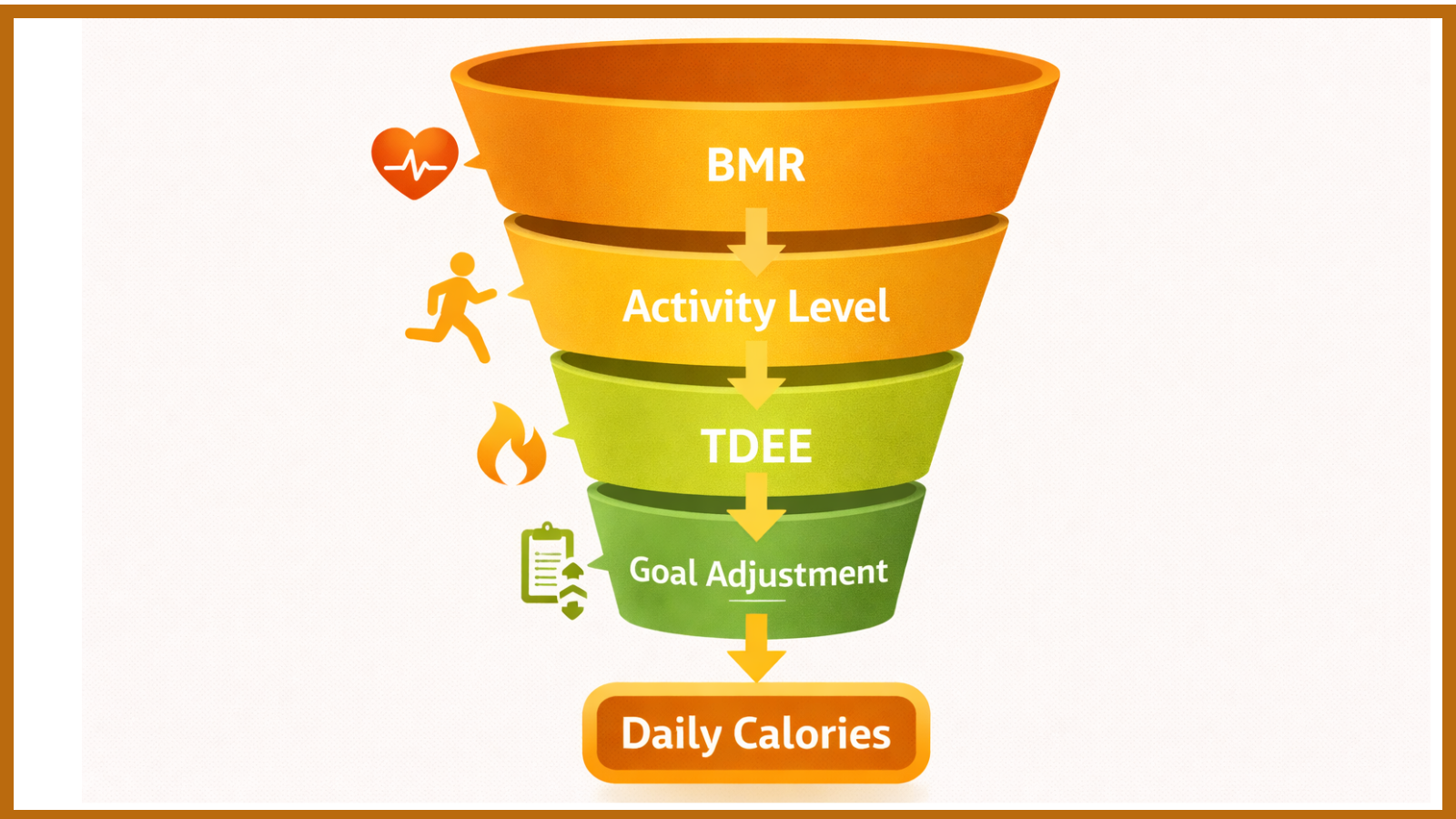
TDEE, or Total Daily Energy Expenditure, adjusts that baseline for how active you actually are. A desk job with minimal exercise pushes TDEE only slightly above BMR. Training hard five days a week could raise it 40 to 50 percent higher. This is the number the app uses as your starting point, because it reflects what your body actually burns on a typical day.
From there, your goal determines the direction. Trying to lose weight? The app subtracts 300 to 500 calories per day from your TDEE, creating a deficit that produces steady fat loss of roughly 0.3 to 0.5 kg per week. Building muscle? It adds calories above your maintenance level. Holding steady? You eat near your TDEE.
Once the daily target is set, the meal plan generator works outward from that number. It distributes your calorie budget across meals for the day, filtered through your dietary preferences and macro targets. The result is a plan that’s mathematically aligned with your goal from day one.
Setup takes about ten minutes. After that, the app handles all of this automatically.
What features actually matter when choosing one of these apps?
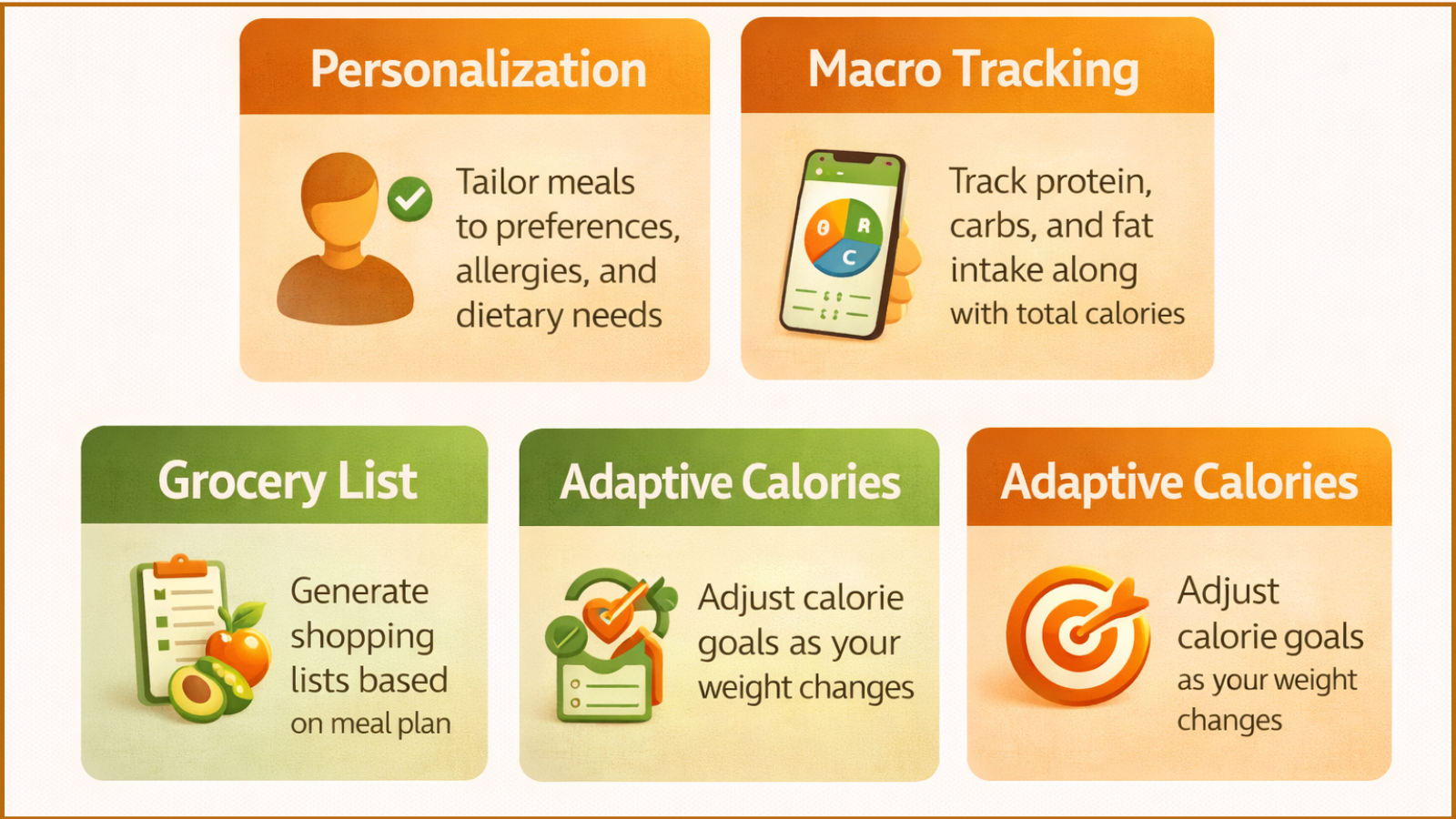
“Meal plan calorie app” covers a surprisingly wide range of quality and some of the calorie tracking apps play key role in health management. Some tools are genuinely intelligent. Others are glorified spreadsheets with better branding. These are the features that actually separate one from the other.
Personalization before anything is generated
A meal plan is only as useful as the information behind it. An app that builds a plan based solely on your weight and goal will produce something generic that may have nothing to do with how you actually eat. Good apps ask about food preferences, allergies, dietary patterns, how many meals a day you prefer, and how much time you have to cook. The more accurate your input, the more followable the plan that comes out the other side.
Macro tracking alongside total calories
Calories set the total energy budget, but macros determine what happens inside that budget. Two people eating 1,800 calories a day will see very different results depending on how much protein, carbohydrate, and fat they’re getting. Protein is particularly important. It preserves lean muscle during weight loss and supports muscle development during a calorie surplus. An app that only counts calories is showing you half the picture.
Automatic grocery list generation
This feature gets consistently underestimated in app comparisons, but in practice, it matters a lot. A meal plan that doesn’t convert automatically into a shopping list creates a second planning task the moment you finish the first one. You’ve figured out what to eat. Now figure out what to buy. The best apps skip that friction entirely, translating the weekly plan into a categorized grocery list without any extra effort from you.
Adaptive calorie targets
Your body changes over time, and your calorie needs change with it. An app calibrated to your starting weight that never recalculates will gradually drift further from accuracy. Over weeks and months, these compounds into a plan that’s either too aggressive or too lenient. Apps that update your calorie target as your weight changes keep the math accurate for as long as you use them.
What’s actually free versus what costs money
Nearly every app in this category offers a free tier and a paid plan. What varies enormously is how much genuine functionality sits on the free side. Some give you a solid free experience with optional upgrades. Others lock meal planning, macro tracking, and the barcode scanner behind a paywall within days of downloading. Before committing, look specifically at what the free tier includes. The marketing page will highlight the premium features. What matters is what you can do without paying.
Calorie Tracker Buddy: tracking and meal planning in one place

Calorie Tracker Buddy was built for people who want both sides of this in a single platform, without the complexity that tends to pile up in more feature-heavy apps. The experience is designed to work just as well for someone on their first day of tracking as it does for someone who’s been at it for months.
Here’s what the platform includes:
- Personalized calorie and macro goal setup. The app calculates your BMR and TDEE based on your age, weight, height, activity level, and specific goal. Whether you’re working toward weight loss, maintenance, or muscle gain, your daily targets are built around your body, not a generic starting point.
- Food diary and meal logging. Log meals using a searchable food database and compare your actual intake to your plan throughout the day. At any point, you can see exactly where you stand on calories and macros, not just at the end of the day when there’s no time left to adjust.
- Full macro breakdown tracking. The platform tracks protein, carbohydrates, and fat alongside total calories. This matters most for anyone focused on body composition, where the split of macros influences results as much as the total calorie count does.
- Progress tracking dashboard. Weight and calorie data are displayed visually over time, making it easier to spot trends, catch plateaus early, and see how your eating patterns actually connect to your results.
- Meal swap flexibility. Not feeling a suggested meal on a given day? Swap it for an alternative that still fits your calorie and macro targets. The plan stays accurate without locking you into eating something you don’t want.
- Beginner-friendly onboarding. Set up walks new users through goal-setting and plan creation one step at a time. If you’ve never tracked calories before, the platform is built so you don’t need to work anything out on your own.
How to get started: five steps that make the difference
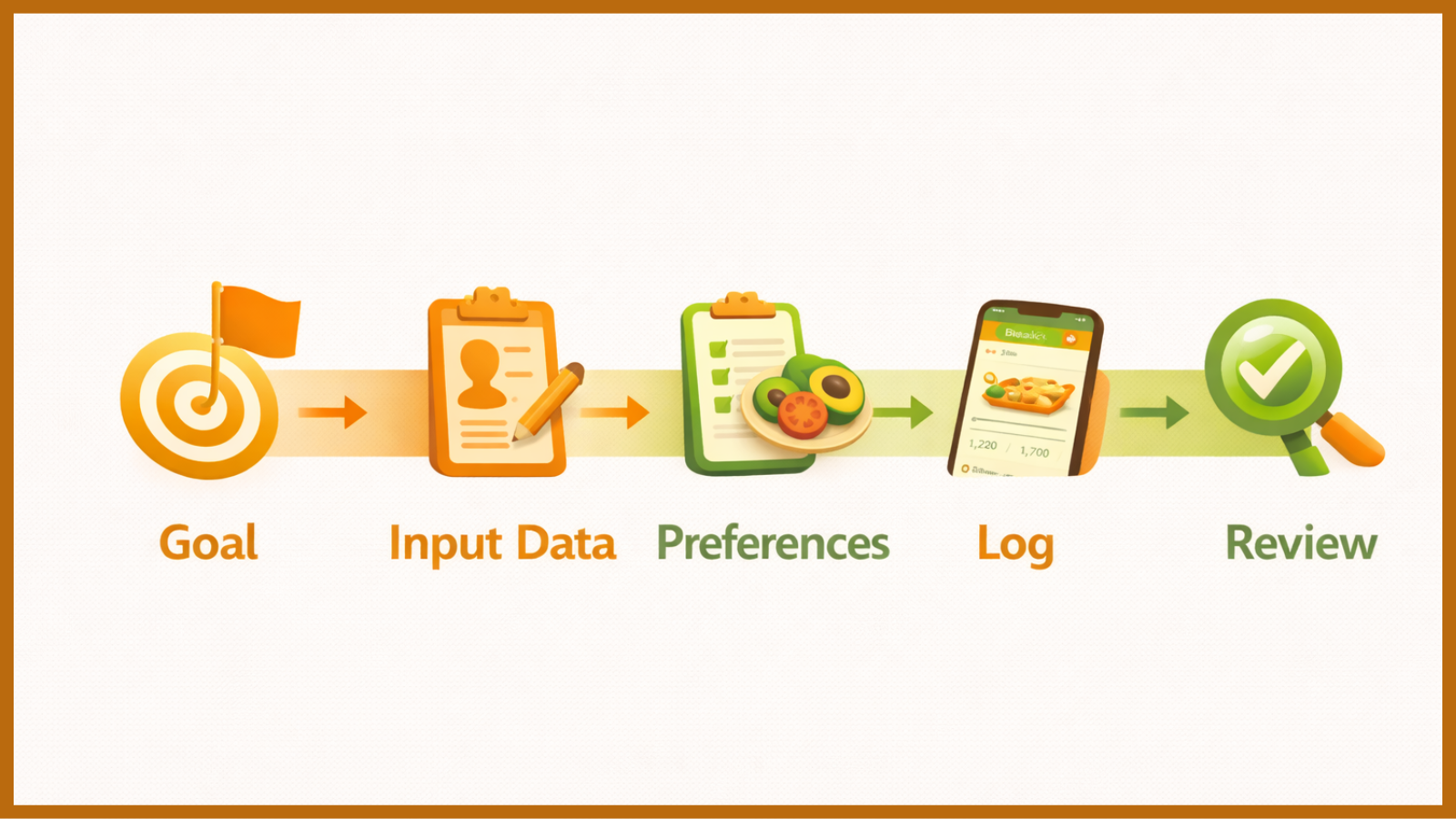
The setup itself takes under ten minutes. Getting it right, though, matters more than people realize. A well-set profile produces a plan you can actually follow. A rushed one produces a plan you’ll abandon by Wednesday.
Step 1: Get specific about what you want. Not “eat healthier.” Actually specific. Lose weight at a sustainable rate, maintain your current weight, or build muscle. This one decision determines the direction of your calorie target, and picking something realistic sets the tone for everything else. An aggressive goal that’s miserable to follow produces worse long-term outcomes than a moderate goal you can sustain.
Step 2: Put in accurate numbers. Weight, height, age, and honest activity level. The app calculates your calorie needs from what you give it, so the quality of that input directly affects the quality of the output. If you’re currently sedentary, mark yourself as sedentary. Starting with accurate data means your first week of results is actually informative.
Step 3: Set your dietary preferences properly. Flag allergies, foods you genuinely dislike, and any dietary patterns you follow. This step is what makes a generated plan actually followable rather than theoretically correct and practically useless. A plan full of foods you won’t eat isn’t a plan – it’s just a list.
Step 4: Log at the time of eating, not at the end of the day. Evening logging from memory produces consistent underreporting. Oils get left out. Sauces disappear. Snacks that didn’t feel significant vanish entirely. The gap between what people think they ate and what they actually ate is where most progress quietly stalls. Logging in the moment, or planning meals and logging them beforehand, closes that gap.
Step 5: Review weekly and adjust based on what you see. After one to two weeks, check whether your weight is moving in the expected direction. If it isn’t, review logging consistency before assuming the calorie target is wrong. The most common reason a plan appears not to be working is not that the math is off, but that what’s being logged doesn’t fully reflect what’s being eaten. Update your weight in the app regularly so your target stays calibrated.
Read More!
Mistakes that derail progress, even with a good app
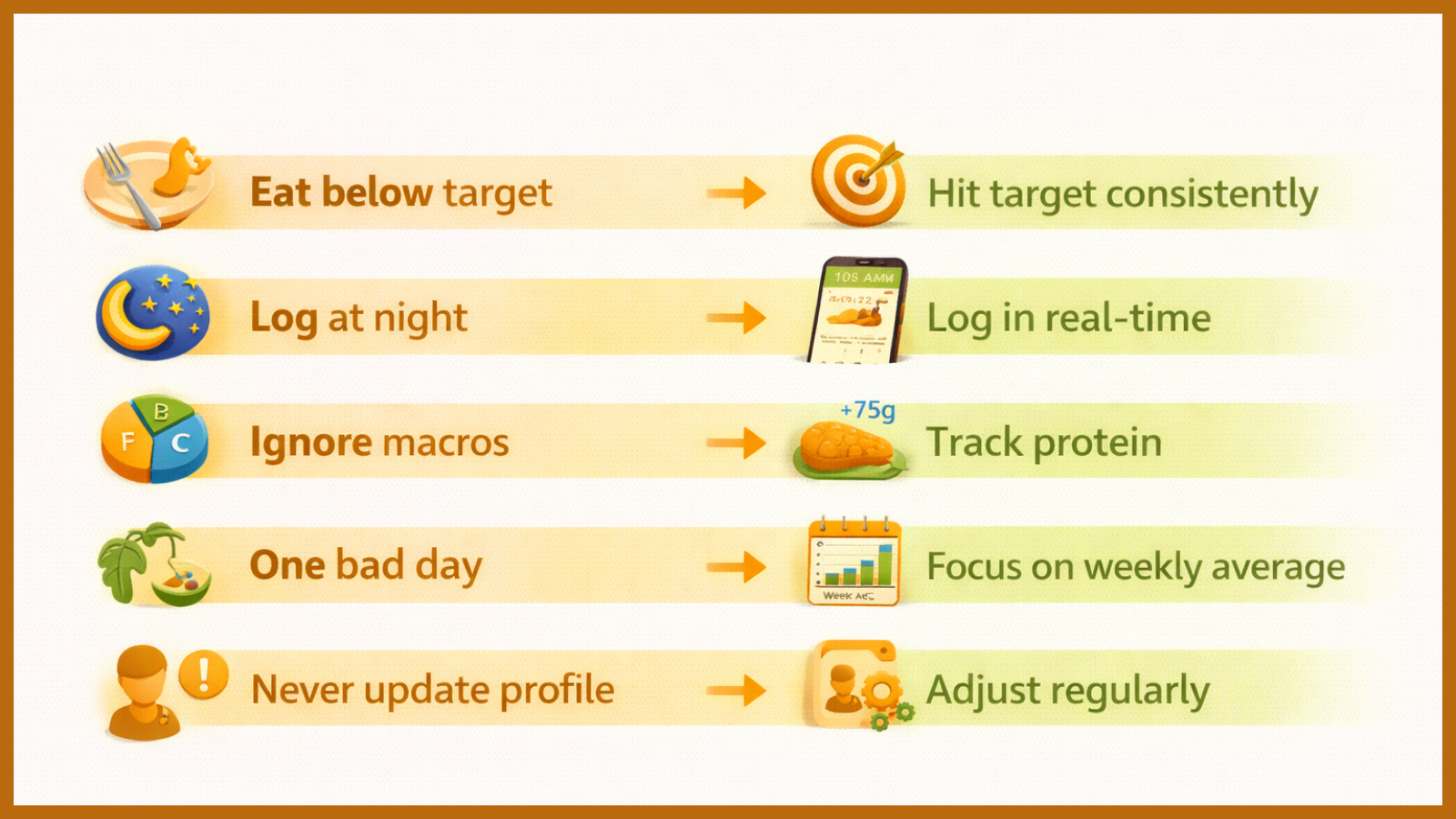
The tool matters less than how it’s used. These are the patterns that consistently undermine results regardless of which app someone is using.
Treating the calorie target as a ceiling rather than a goal. Many beginners assume that eating below their target is always better – that if the goal is 1,600 calories, hitting 1,100 must mean faster results. It doesn’t. Eating consistently and significantly below target suppresses metabolism, accelerates muscle loss, and almost always triggers rebound overeating. The calorie target is the destination, not a maximum to avoid.
Logging from memory at the end of the day. It was worth covering in the how-to section, and it’s worth repeating here, because it’s the single most common accuracy problem in calorie tracking. By evening, portions are fuzzy, cooking additions are forgotten, and memory reliably fills the gaps with underestimates. Log in the moment, or log ahead.
Counting calories while ignoring macros. A calorie total is a useful starting point, but two diets with identical calories can produce very different outcomes in terms of body composition, energy levels, and hunger. If your calorie goal is right but protein is consistently too low, you’ll still lose weight – but lean muscle will go with it. Tracking the full picture costs no extra effort once the habit is established.
Writing off the week after one difficult day. A single day over target doesn’t undo a week of consistent habits. Progress is determined by the weekly average, not by any one day. People who simply return to their plan at the next meal consistently outperform people who decide the week is ruined and wait until Monday to restart.
Setting up the profile once and never touching it again. The calorie calculation for someone at 85 kg is too high for that same person at 75 kg. This sounds obvious, but most people set their profile during onboarding and never update it. As your weight changes, your calorie needs change. Revisiting your stats every few weeks keeps the targets accurate.
Where this takes you
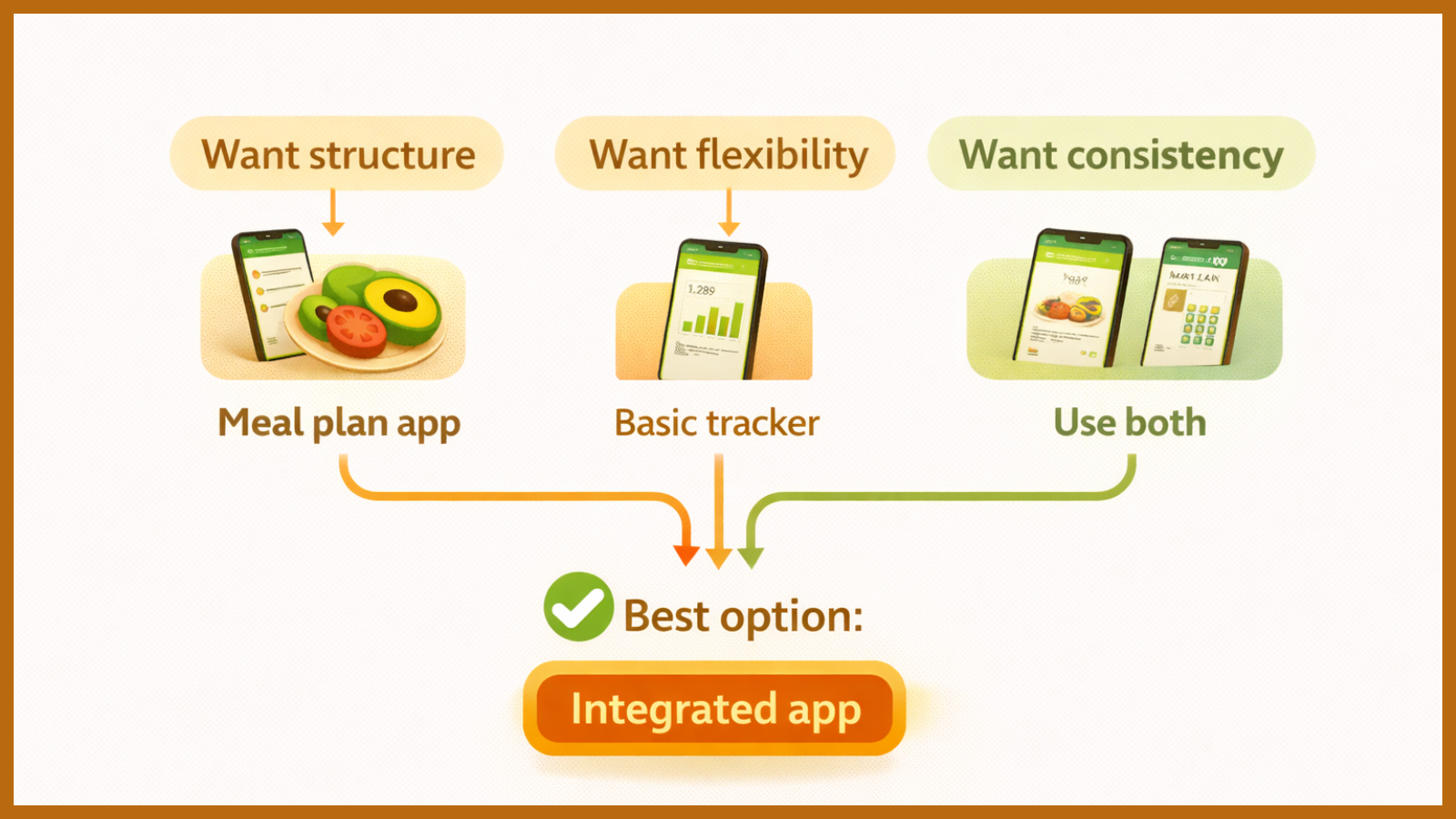
The most effective calorie apps aren’t just trackers. They’re planning tools. That distinction matters more than any individual feature.
Planning removes the moment-to-moment decisions that gradually pull most people away from their goals. Tracking confirms the plan was followed and surfaces the data needed to adjust when results aren’t moving as expected. Together, they build a system that’s more accurate, more consistent, and much easier to sustain than reactive logging alone.
Set a realistic goal. Build a structured plan around it. Log consistently rather than perfectly. Update your profile as your body changes. Measure progress by the week, not by the day.
If you’re ready to bring real structure to your eating without building a nutrition plan from scratch, Calorie Tracker Buddy gives you everything in one place. Personalized calorie goals, a built-in meal plan generator, full macro tracking, and a progress dashboard – with an onboarding process built specifically for people starting from zero. Set up your first meal plan and find out what structured eating actually feels like when it’s working.
Frequently asked questions
Is this type of app actually useful for complete beginners?
It’s arguably more useful for beginners than for anyone else. People who already understand how to structure their nutrition can build their own plans. Beginners benefit most from having that structure provided, without needing to understand calories, macros, or meal composition first. The app handles the complexity. You follow the structure.
What’s the real difference between a calorie tracker and a meal planning app?
A calorie tracker records what you’ve already eaten. A meal planning app tells you what to eat before you eat it. The most effective tools combine both – a planned structure to follow during the day and a tracking layer that confirms you stayed on course. Used together, they consistently outperform either approach on its own.
How accurate are the calorie estimates?
Accuracy depends on the quality of the food database and how carefully you log portions. Apps using verified, professionally maintained databases are more reliable than those relying on user-submitted entries, which can vary significantly for the same food. A kitchen scale improves accuracy considerably, especially for calorie-dense foods like nuts, oils, and grains, where visual estimates tend to run low.
Does the meal plan have to be followed exactly?
No. Think of it as a framework rather than a fixed prescription. Swapping meals, adjusting portions, or rearranging your eating throughout the day is fine, as long as total daily calories and protein targets stay roughly on track. Consistency across the week matters far more than precision on any given day.
Can these apps accommodate dietary restrictions?
Yes. Any app worth using will let you specify restrictions before generating a plan – vegetarian, vegan, gluten-free, dairy-free, or specific allergens. This ensures every suggested meal is actually compatible with how you eat, rather than producing plans you have to manually override from the start.