

Tracking calories seems straightforward until you realize how easy it is to get it wrong. A small mistake in food logging or inaccurate nutritional data can throw off your entire diet plan.
That’s exactly why the comparison of MyFitnessPal vs Cronometer matters so much. Both apps are widely used, but they take very different approaches to tracking nutrition.
Some people want a quick, no-fuss way to log meals. Others need precise data, including vitamins and minerals, to meet specific health or fitness goals. The challenge is choosing the app that actually delivers reliable information.
You can listen to this blog here.
What is MyFitnessPal?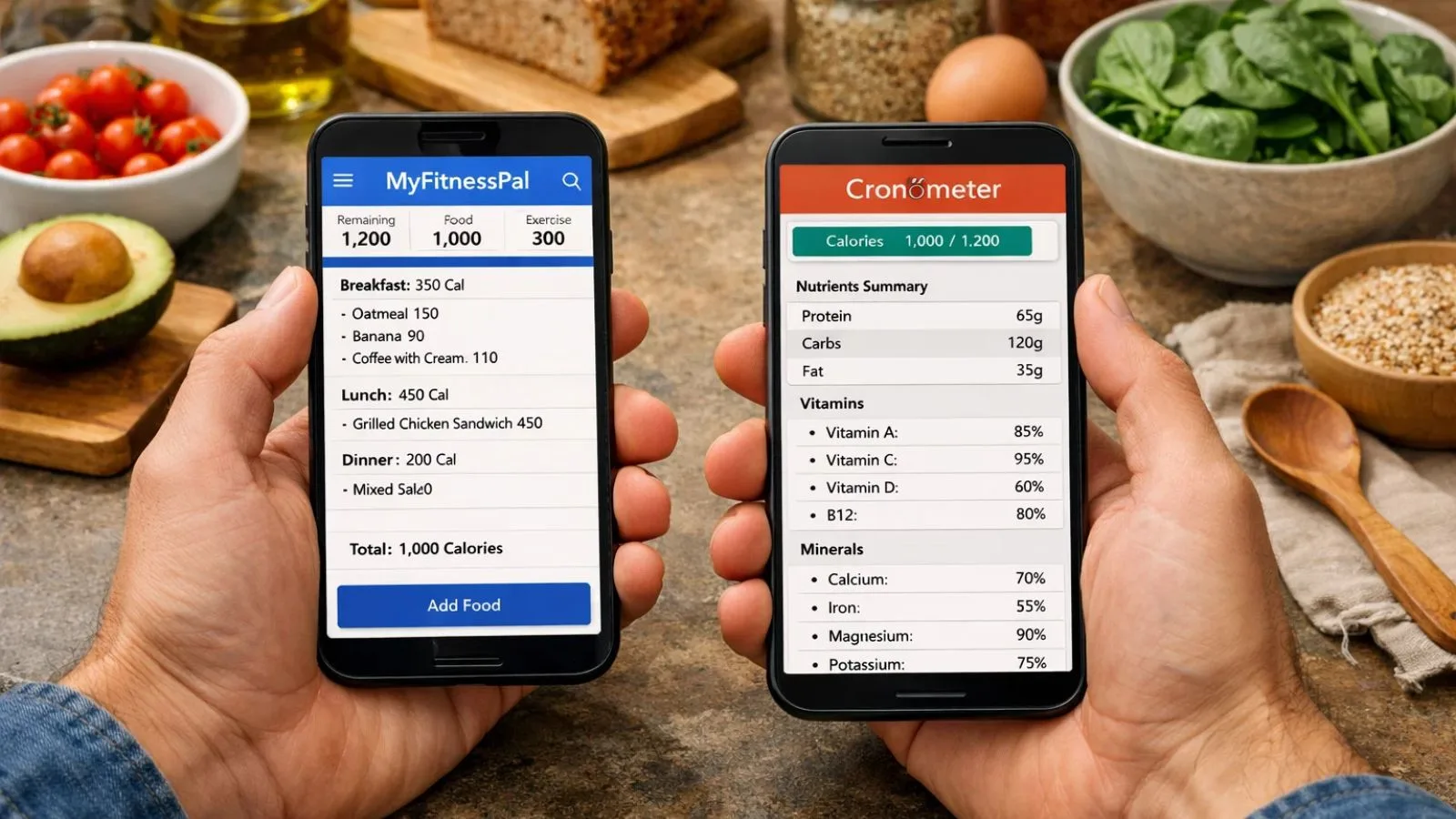
MyFitnessPal is one of the most widely used calorie tracking apps globally. It’s designed to make food logging simple and fast, which is why millions of users rely on it daily.
Its biggest strength lies in its massive food database. You can search for almost any meal, packaged product, or restaurant item and log it within seconds.
Key Features:
- Extensive food database with millions of entries
- Barcode scanner for quick logging
- Calorie and macronutrient tracking
- Integration with fitness apps and wearables
- Community support and forums
Who It’s Best For:
MyFitnessPal is ideal for beginners or casual users who want a quick and convenient way to track calories without getting into too much detail.
However, when comparing MyFitnessPal vs Cronometer, one key limitation stands out: its reliance on user-generated data, which can sometimes lead to inconsistencies.
What is Cronometer?
Cronometer is a nutrition tracking app built with a strong focus on accuracy and detailed data. Unlike many other apps, it prioritizes verified information over database size.
Instead of relying heavily on user-generated entries, Cronometer uses trusted sources like lab-analyzed data and standardized food databases. This makes the tracking more consistent and reliable.
Key Features:
- Verified food database with high accuracy
- Detailed micronutrient tracking (vitamins, minerals, etc.)
- Custom biometrics and health tracking
- Minimal duplicate food entries
- Clear and structured logging interface
Who It’s Best For:
Cronometer is best suited for users who want precision and deeper insights such as athletes, fitness enthusiasts, or people following strict diets.
When analyzing MyFitnessPal vs Cronometer, this is where Cronometer stands out. It sacrifices database size for data quality, making it a strong choice for anyone serious about nutrition tracking.
MyFitnessPal vs Cronometer: Quick Comparison
To make your decision easier, here’s a side-by-side comparison of MyFitnessPal vs Cronometer based on the most important factors:
| Feature | MyFitnessPal | Cronometer |
| Food Database | Massive database with millions of entries (includes user-generated data) | Smaller but highly curated and verified database |
| Data Accuracy | Can vary due to duplicate or incorrect user entries | Highly accurate with trusted, standardized sources |
| Calorie Tracking | Yes | Yes |
| Macronutrient Tracking | Protein, carbs, fats | Protein, carbs, fats (more precise) |
| Micronutrient Tracking | Limited in free version | Tracks 80+ nutrients including vitamins & minerals |
| Barcode Scanner | Fast and highly reliable | Available, but may miss some products |
| Ease of Use | Very beginner-friendly and intuitive | Slight learning curve due to detailed features |
| Custom Meals & Recipes | Easy to create but depends on user data accuracy | Highly accurate with precise nutrient calculations |
| Integrations | Strong integrations with fitness apps and wearables | Limited integrations, more focused on nutrition |
| Free Version | Good for basic tracking | More feature-rich, includes micronutrients |
| Premium Pricing | ~$9.99/month | ~$5.99/month |
| Best For | Beginners, casual users, quick tracking | Advanced users, athletes, precise nutrition tracking |

MyFitnessPal vs Cronometer: Accuracy Breakdown
When it comes to choosing a calorie tracking app, accuracy is the deciding factor. This is where the differences in MyFitnessPal vs Cronometer become very clear.
1. Food Database Quality
MyFitnessPal has one of the largest food databases available. However, much of it is user-generated, which means the same food item can have multiple entries with different calorie values.
Cronometer, on the other hand, uses a curated database built from verified sources. You’re far less likely to encounter duplicate or incorrect entries.
👉 Result: Cronometer is more consistent and reliable.
2. User-Generated vs Verified Entries
One of the biggest issues in MyFitnessPal is the freedom users have to add food entries. While this makes the app flexible, it also increases the chances of errors.
Cronometer limits this by prioritizing verified nutritional data, which significantly improves trustworthiness.
👉 Result: Cronometer wins again for data integrity.
3. Macro vs Micronutrient Tracking
MyFitnessPal focuses mainly on:
- Calories
- Protein, carbs, and fats
Cronometer goes much deeper by tracking:
- Vitamins (B12, D, etc.)
- Minerals (iron, magnesium, zinc)
- Other health metrics
This makes a huge difference if you’re tracking nutrition beyond just calories.
👉 Result: Cronometer offers far more detailed and accurate insights.
Ease of Use and Interface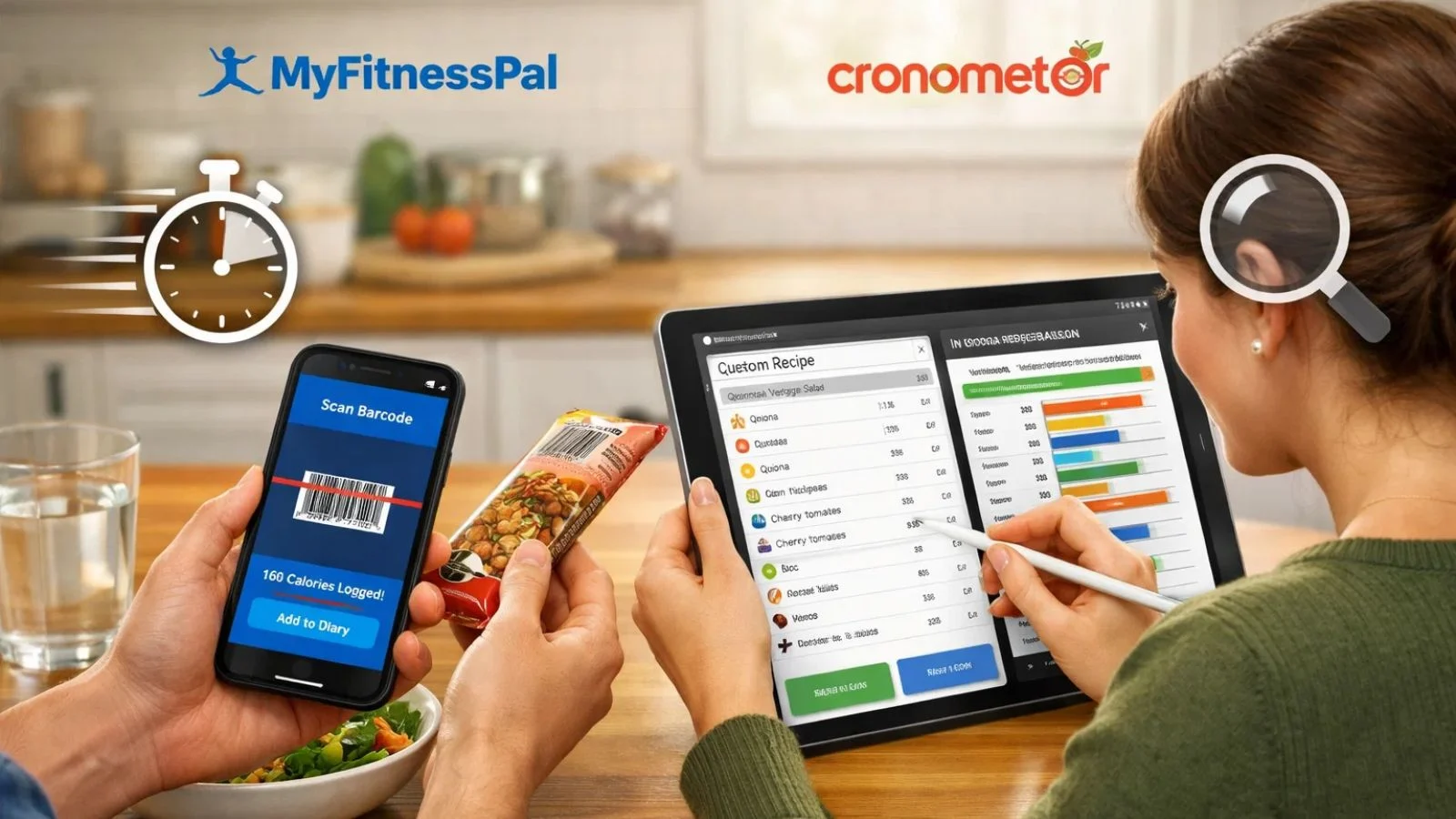
While accuracy is crucial, an app is only useful if you can actually use it comfortably. This is another area where MyFitnessPal vs Cronometer shows a clear difference.
MyFitnessPal
- Simple and intuitive: The home screen focuses on daily calories, macros, and quick food logging.
- Quick logging options: You can scan barcodes, search the database, or save frequent meals.
- Beginner-friendly: Minimal learning curve makes it ideal for those new to tracking.
Cronometer
- Detailed dashboard: Displays micronutrients, trends, and biometrics at a glance.
- Advanced logging features: Let you log custom recipes and supplements accurately.
- Slight learning curve: Beginners may need time to explore all features, but the precision payoff is worth it.
Verdict: MyFitnessPal wins for simplicity and speed, while Cronometer is better for users who prioritize detailed tracking.
Features Comparison
When comparing MyFitnessPal vs Cronometer, the differences in features go beyond accuracy. Here’s a closer look:
1. Barcode Scanning
- MyFitnessPal: Its massive database makes barcode scanning fast and easy. Most packaged foods are recognized immediately.
- Cronometer: It also includes barcode scanning for quick logging, though its relatively smaller database means some products may not be recognized instantly. In such cases, manual entry is required, which can occasionally impact overall accuracy depending on the details entered.
2. Custom Meals and Recipes
- MyFitnessPal: Lets you create meals and save recipes, but nutritional info depends on the data entered, which may not always be accurate.
- Cronometer: Allows precise custom meals with verified nutrient calculations. This is particularly helpful for meal prep and strict diets.
3. Nutrient Tracking Depth
- MyFitnessPal: Focuses on calories, protein, carbs, and fats. Micronutrient tracking is available but currently offers limited depth and coverage.
- Cronometer: Tracks over 80 micronutrients, vitamins, minerals, and amino acids. Perfect for users who need detailed nutrition insight.
4. Integration with Other Apps
- MyFitnessPal: Connects easily with fitness trackers, smart scales, and wearable devices.
- Cronometer: Integrates with fewer devices, focusing more on nutritional accuracy than ecosystem connectivity.
Verdict: Features depend on your goal. For quick tracking and app integrations, MyFitnessPal is better. For nutrient precision and meal planning, Cronometer is the stronger tool.
Pricing Comparison
Price can influence which app is best for your lifestyle and budget. Here’s how MyFitnessPal vs Cronometer compare:
MyFitnessPal
- Free Version:
- Access to calorie and macro tracking
- Barcode scanning and basic logging
- Limited reports and insights
- Premium Version (~$9.99/month or $79.99/year):
- Advanced nutrient analysis
- Food insights and meal plans
- Ad-free experience
Pros of Free Version: Great for casual tracking and beginners.
Cons: Some features, like detailed nutrient tracking, are locked behind premium.
Cronometer
- Free Version:
- Access to a verified food database
- Calorie and macro tracking
- Micronutrient tracking included
- Gold Version (~$5.99/month or $34.95/year):
- Detailed reports and trends
- Custom biometrics tracking
- Priority support
Pros of Free Version: Already more feature-rich than MyFitnessPal’s free tier.
Cons: Barcode coverage is slightly smaller in free version.
Verdict on Pricing
For users seeking free features, Cronometer offers more value, especially for detailed nutrient tracking. MyFitnessPal is better if you want a broader food database and smoother app ecosystem, but you may need the premium plan for full functionality.
Which One Should You Choose?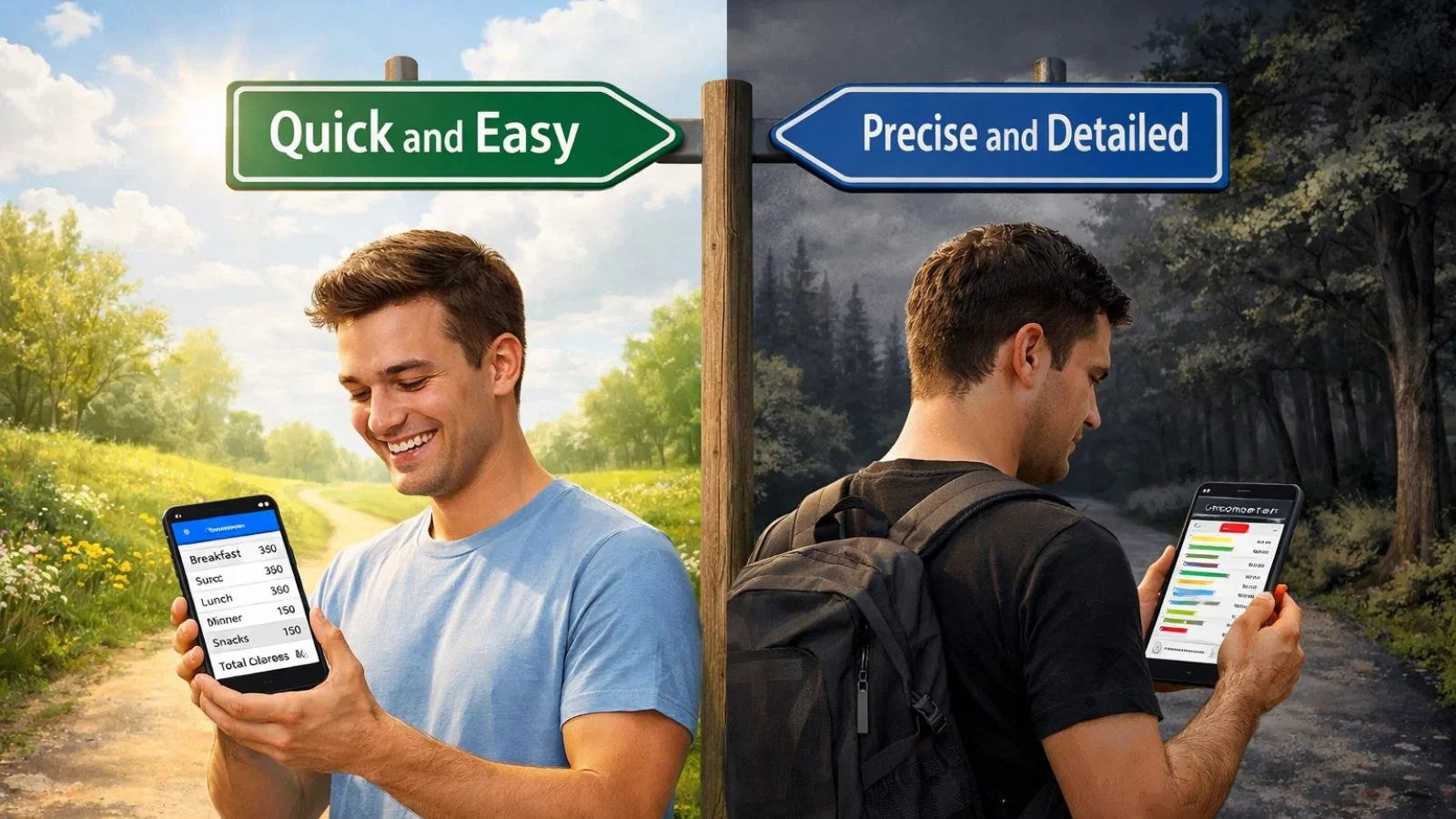
Choosing between MyFitnessPal vs Cronometer ultimately depends on your goals and experience level. Here’s a quick guide:
1. Beginners or Casual Trackers
- Best Choice: MyFitnessPal
- Why: Easy to use, quick logging, and a huge food database make it ideal for starting without feeling overwhelmed.
2. Fitness Enthusiasts or Athletes
- Best Choice: Cronometer
- Why: Detailed micronutrient and macro tracking helps optimize performance and recovery.
3. Weight Loss Goals
- Best Choice: MyFitnessPal (for simplicity) or Cronometer (for precise calorie control)
- Why: MyFitnessPal makes logging easy, while Cronometer ensures accurate calorie and nutrient intake.
4. Long-Term Health Tracking
- Best Choice: Cronometer
- Why: Monitoring vitamins, minerals, and other nutrients over time helps prevent deficiencies and maintain overall health.
5. Ease vs Accuracy
- If speed and simplicity matter → MyFitnessPal
- If precision and nutrient depth matter → Cronometer
In short, MyFitnessPal wins for convenience, Cronometer wins for accuracy, and your choice depends on what matters most in your health journey.
A Better Alternative: Calorie Tracker Buddy
While both MyFitnessPal vs Cronometer have their strengths, many users find themselves torn between ease of use and accuracy. That’s where Calorie Tracker Buddy comes in.
Why It Stands Out
- Accurate Food Database: Uses verified nutritional data to minimize errors, ensuring reliable tracking—similar in accuracy to apps like Cronometer.
- User-Friendly Interface: Features a clean, intuitive design that makes daily logging quick and effortless, much like MyFitnessPal.
- Focused Tracking: Tracks calories and key macronutrients (protein, carbs, fats) without adding unnecessary complexity—ideal for beginners.
- Fast Logging: Enables quick entries with features like photo-based scanning and saving frequent meals for easy reuse.
- Smart Insights: Delivers clear, actionable insights and trends to help users improve their diet and stay on track.
Who Should Try It
- Beginners who want reliable tracking without confusion
- Fitness enthusiasts who need precise nutrient data
- Anyone frustrated by inconsistencies in MyFitnessPal or the complexity in Cronometer
With Calorie Tracker Buddy, you don’t have to compromise between simplicity and precision; it combines the best features of both apps for a smarter tracking experience.
Also Read,
Conclusion
When comparing MyFitnessPal vs Cronometer, the choice ultimately comes down to your priorities:
- MyFitnessPal is ideal for beginners and casual trackers who value speed, convenience, and a massive food database.
- Cronometer is best for those who need accuracy, detailed nutrient tracking, and reliable data for fitness or health goals.
However, if you’re looking for a balanced solution, an app that is both accurate and easy to use, Calorie Tracker Buddy is a compelling alternative. It eliminates common frustrations, offering verified data, a user-friendly interface, and comprehensive nutrient tracking without the steep learning curve.
Whether your focus is weight loss, muscle gain, or overall health, choosing the right calorie tracker can make your nutrition journey simpler, more effective, and more reliable.
FAQs
1. Which app is more accurate: MyFitnessPal or Cronometer?
Cronometer is generally more accurate because it uses a verified and curated food database, whereas MyFitnessPal relies heavily on user-generated entries that can sometimes be inconsistent.
2. Can beginners use Cronometer easily?
Yes, but it may take some time to explore all the features. Cronometer is designed for detailed tracking, so beginners might find it slightly more complex than MyFitnessPal at first.
3. Does MyFitnessPal track vitamins and minerals?
Yes, but in a limited way. For full micronutrient tracking, Cronometer or alternatives like Calorie Tracker Buddy provide more comprehensive insights.