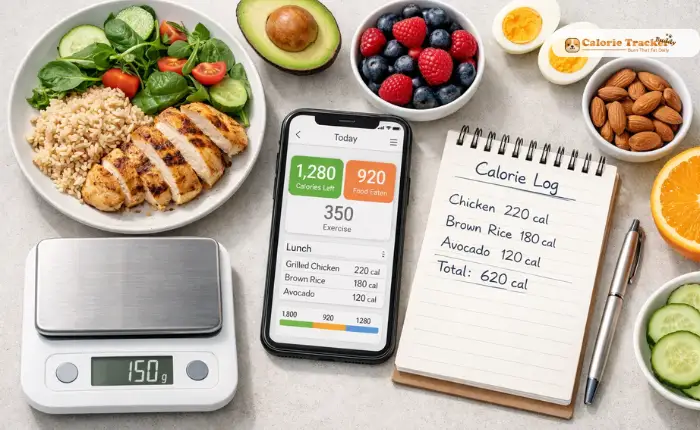
Starting your health journey can feel overwhelming, but using a meal calorie calculator makes tracking your nutrition simple and effective. Whether you want to lose weight, gain muscle, or maintain a healthy lifestyle, understanding how to calculate the calories in your meals is the foundation of successful nutrition management.
In A Hurry? Listen To The Podcast Instead!
What Is a Meal Calorie Calculator?
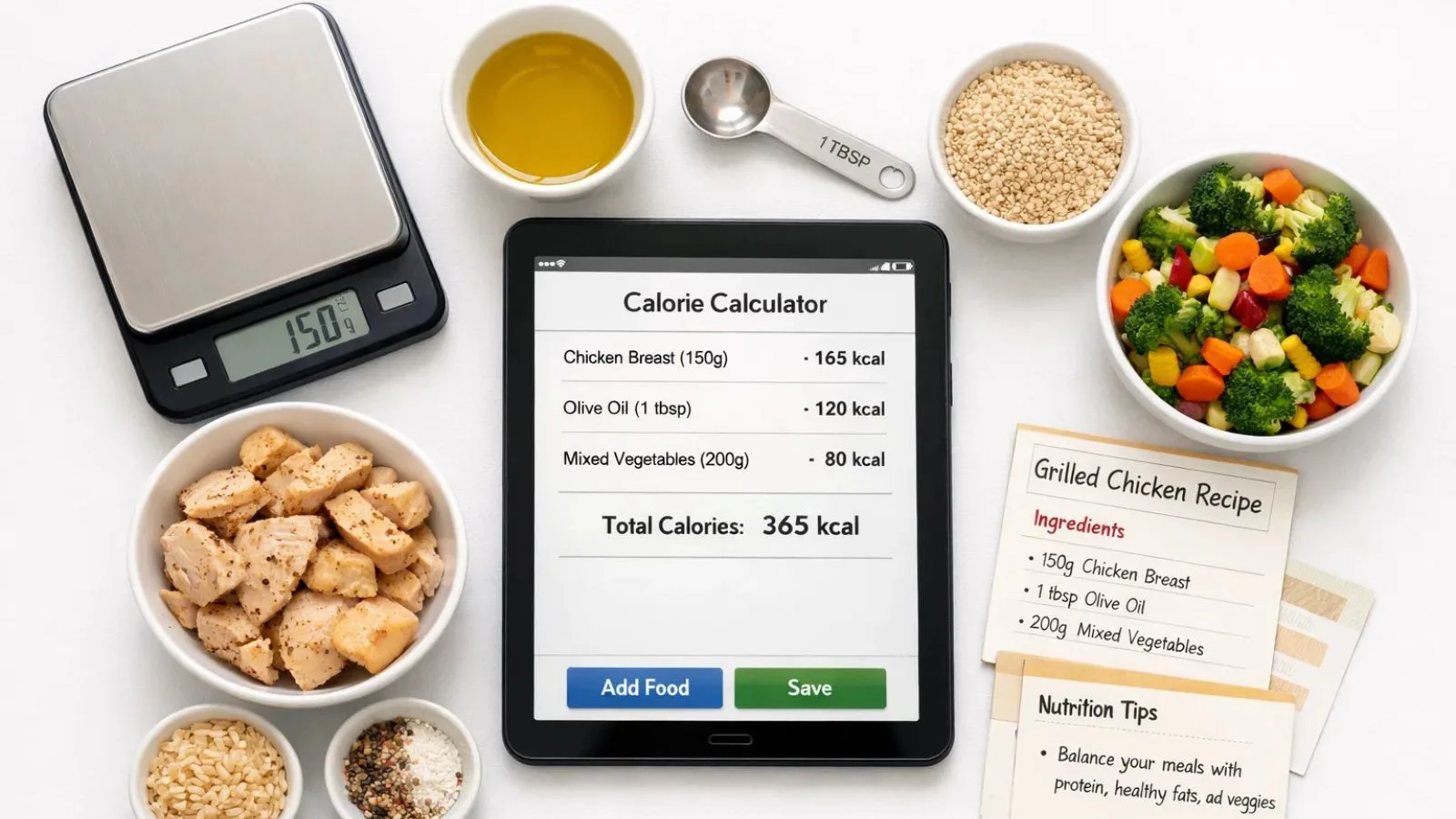
A meal calorie calculator is a tool that helps you determine the total number of calories in your food by analyzing individual ingredients and portion sizes. Unlike basic calorie counters that only track single foods, these calculators let you input entire recipes or meals to get accurate nutritional breakdowns.
These tools work by combining data from extensive food databases with your specific ingredient quantities. When you enter items like chicken breast, olive oil, and vegetables, the calculator adds up the calories from each component to give you a complete picture of your meal’s energy content. Use A Recipe Calorie Calculator App allows for a more precise understanding of your meal’s nutrition, making it easier to manage your dietary goals.
Why Beginners Need a Meal Calorie Calculator?

When you’re new to nutrition tracking, estimating calories by eye is nearly impossible. Research shows that people typically underestimate their calorie intake by 20-50%, which can derail weight loss efforts before they even begin.
A meal calorie calculator removes the guesswork. Instead of wondering whether your homemade pasta dish has 400 or 800 calories, you’ll know the exact number. This precision helps you make informed decisions about portion sizes and ingredient substitutions.
For beginners, these calculators also serve as educational tools. Over time, you’ll develop a better intuitive sense of calorie density in different foods, making healthy choices easier even when you’re not actively tracking.
How to Use a Meal Calorie Calculator Effectively?
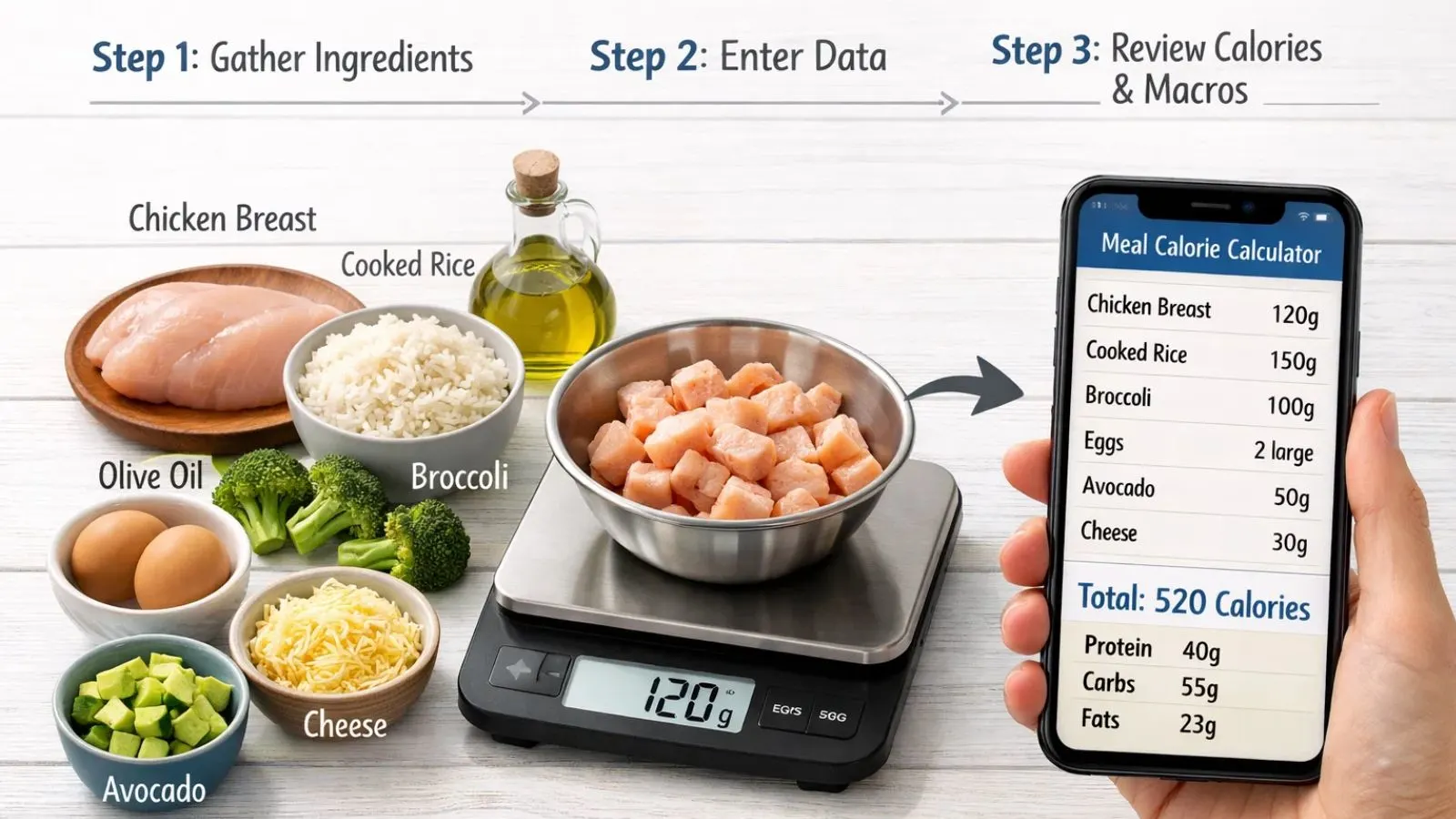
Step 1: Gather Your Ingredients:
Before using your meal calorie calculator, list every ingredient in your meal. Be specific about types, Greek yogurt has different calories than regular yogurt, and brown rice differs from white rice.
Weigh or measure each ingredient accurately. Kitchen scales provide the most precise measurements, but measuring cups and spoons work well for liquids and smaller quantities.
Step 2: Input Your Data:
Enter each ingredient into the calculator along with its quantity. Most tools let you search by food name and select from verified database entries. Choose options that match your ingredients as closely as possible.
Pay attention to preparation methods. Raw chicken and cooked chicken have different calorie counts per gram because cooking reduces water content and concentrates calories.
Step 3: Review and Adjust:
Once you’ve entered everything, review the total calories and macronutrient breakdown. This is your opportunity to make adjustments. If the meal is higher in calories than you planned, consider reducing oil, using leaner proteins, or increasing vegetables.
Many calculators also show you the nutritional balance of proteins, carbohydrates, and fats. This helps ensure you’re not just hitting calorie targets but also getting proper nutrition.
Common Mistakes to Avoid:
1. Forgetting Cooking Oils and Condiments:
One tablespoon of olive oil contains about 120 calories, yet many beginners forget to include it in their calculations. Butter, sauces, dressings, and cooking sprays all add calories that can significantly impact your daily total.
Always account for everything you add to your meals, no matter how small. These “invisible” calories accumulate quickly and can explain why progress stalls despite seemingly careful tracking.
2. Not Weighing Foods:
Eyeballing portions leads to inaccurate results. A “medium” banana or “cup” of rice means different things to different people. Investing in a simple digital kitchen scale eliminates this variability and takes just seconds.
3. Using Incorrect Database Entries:
Not all entries in food databases are accurate. Some are user-submitted and contain errors. Whenever possible, verify calorie information against multiple sources or use entries marked as verified by nutritionists.
Traditional Methods: Meal Tracking in Notes and Manual Food Logging:
Before digital solutions became popular, people used meal tracking in notes by writing down everything they ate in journals or notebooks. This manual food logging approach still has merit today. Writing by hand can increase mindfulness about food choices and create a personal record you can review anytime.
However, manual tracking requires you to look up nutritional information separately and calculate totals yourself, which is time-consuming and prone to mathematical errors. While it builds awareness, it lacks the convenience and accuracy of modern tools.
Digital Solutions: Meal Tracking Apps:
The evolution of technology has brought numerous meal tracking apps to our fingertips. These applications combine extensive food databases with user-friendly interfaces, making calorie tracking accessible to everyone.
Popular options include MyFitnessPal, Lose It, and Chronometer, each offering barcode scanning, recipe builders, and social features. These apps transform your smartphone into a comprehensive nutrition laboratory, providing instant access to calorie information for millions of foods.
When choosing among meal tracking app options, consider factors like database size, ease of use, and whether the app’s features align with your goals. Some specialize in weight loss, while others focus on athletic performance or specific dietary approaches.
Also Read:
Introducing Calorie Tracker Buddy: Your Smart Nutrition Partner:
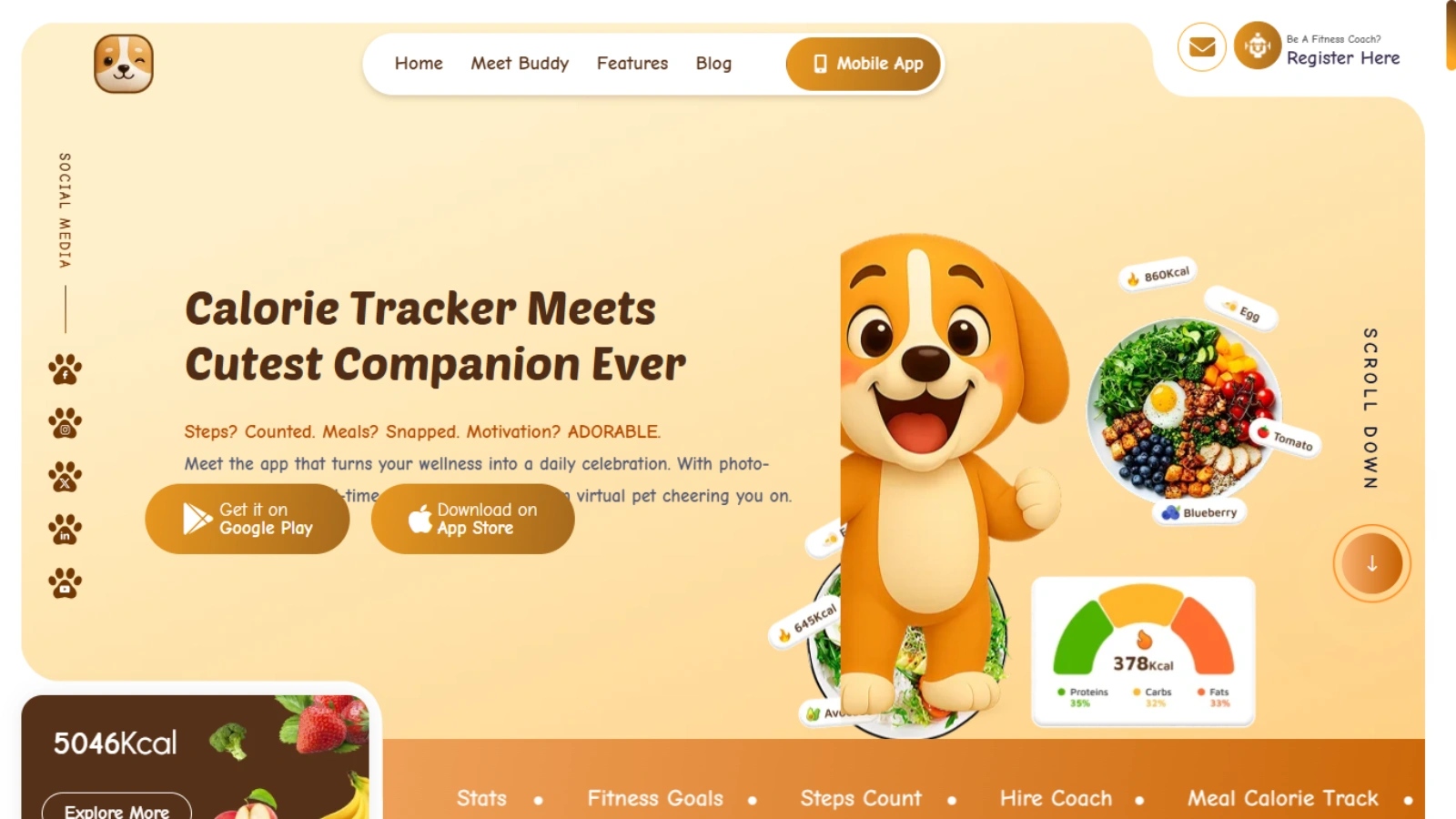
While many tools exist for calorie tracking, Calorie Tracker Buddy stands out as an intelligent solution designed specifically with beginners in mind. This innovative platform combines the power of a meal calorie calculator with intuitive features that make nutrition tracking effortless.
Why Does a Calorie Tracker Buddy Work for Beginners?
Calorie Tracker Buddy eliminates the complexity that often intimidates newcomers. Its smart meal recognition technology identifies foods from photos, automatically calculating calories and macros without manual input. Simply snap a picture of your plate, and the app does the rest.
The platform includes a comprehensive recipe builder that functions as a sophisticated meal calorie calculator. Enter your ingredients once, and the system saves your recipes for quick logging later. This feature is perfect for home cooks who prepare similar meals regularly.
Personalized Insights and Guidance:
Beyond basic tracking, Calorie Tracker Buddy provides personalized recommendations based on your goals, activity level, and progress. The app learns your eating patterns and suggests adjustments when you’re consistently over or under your targets.
The built-in coaching features offer explanations about why certain foods impact your goals differently, turning every logged meal into a learning opportunity. This educational approach helps you develop sustainable habits rather than just counting numbers.
Community and Accountability:
Calorie Tracker Buddy includes a supportive community where beginners can share experiences, recipes, and encouragement. The social features let you connect with others on similar journeys, making the process feel less isolating.
Progress tracking visualizations show your trends over time, helping you see patterns and celebrate victories. Whether you’re aiming to lose 50 pounds or simply eat more vegetables, seeing your progress mapped out keeps motivation high.
Building Sustainable Habits with Your Meal Calorie Calculator:

1. Start Simple:
Don’t try to track every meal perfectly from day one. Begin by using your meal calorie calculator for one meal daily, then gradually expand. This progressive approach prevents burnout and allows you to build confidence.
Focus on accuracy over perfection. If you can’t weigh something precisely, make your best estimate and move forward. Consistent tracking with minor inaccuracies beats perfect tracking that you abandon after a week.
2. Plan Ahead:
Use your meal calorie calculator when planning meals, not just when logging them afterward. This proactive approach helps you design balanced plates that fit your goals before you start cooking.
Batch calculate recipes on meal prep days. When you know the calories per serving of your chicken stir-fry or vegetable soup, you can quickly grab portions throughout the week without recalculating each time.
3. Learn From Your Data:
Review your tracking history weekly. Look for patterns in when you eat more, which meals keep you satisfied longest, and where hidden calories might be sneaking in. This analysis transforms raw data into actionable insights.
Use your meal calorie calculator to experiment with ingredient swaps. Try replacing sour cream with Greek yogurt or using zucchini noodles instead of pasta. Compare the calorie differences to find substitutions you enjoy that support your goals.
Advanced Tips for Your Meal Calorie Calculator:
1. Understanding Calorie Density:
Different foods contain vastly different calories per gram. Vegetables and fruits are low in calorie density, meaning you can eat large volumes for few calories. Oils, nuts, and processed foods are calorie-dense, packing significant energy into small portions.
Use your meal calorie calculator to compare the calorie density of similar foods. This knowledge helps you make strategic choices about when to enjoy calorie-dense options and when to opt for lighter alternatives.
2. Accounting for Cooking Methods:
The same ingredient can have different calorie counts depending on preparation. Roasting vegetables with oil adds calories compared to steaming. Fried chicken contains more energy than grilled chicken. Always specify cooking methods in your meal calorie calculator for accurate results.
3. Saving Time with Meal Templates:
Create templates for meals you eat regularly. Instead of entering your morning oatmeal ingredients daily, save the combination and select it with one click. This efficiency makes long-term tracking sustainable.
Conclusion:
Mastering a meal calorie calculator is your first step toward nutritional awareness and achieving your health goals. By understanding how to accurately track your meals, avoid common mistakes, and use tools designed for beginners like Calorie Tracker Buddy, you’re setting yourself up for lasting success. Remember that consistency matters more than perfection, start small, stay patient, and let your meal calorie calculator guide you toward healthier choices every day.
FAQ’s:
Q1: How accurate are meal calorie calculators?
Ans: Most meal calorie calculators using verified databases are accurate within 10-20%. Accuracy improves when you weigh ingredients and choose specific food entries rather than generic ones.
Q2: Do I need to track calories forever?
Ans: Not necessarily. Many people track intensively while learning, then transition to intuitive eating once they understand portion sizes and calorie content. A meal calorie calculator serves as an educational tool that you can use as needed.
Q3: Can I use a meal calorie calculator for weight gain?
Ans: Absolutely. These tools work for any goal by helping you ensure you’re eating enough calories. Athletes and those building muscle use them to confirm they’re meeting increased energy needs for training and recovery.